
1. Ifihan
Thank you for choosing the Xtorm Power Bank 20W Fuel Series 4 (FS402). This manual provides essential information for the safe and efficient use of your power bank. Please read these instructions carefully before use and retain them for future reference.
The Xtorm FS402 is a high-capacity portable charger designed to provide fast and reliable power to your mobile devices, including smartphones and tablets, on the go.
2. Ọja Ipariview
The Xtorm Power Bank FS402 features a robust design and multiple charging ports to keep your devices powered throughout the day.

Aworan 2.1: Oke-isalẹ view of the Xtorm Power Bank FS402, showcasing its textured surface and port layout.
Awọn ẹya pataki:
- Agbara giga: Batiri 20,000 mAh fun awọn idiyele ẹrọ pupọ.
- Gbigba agbara yiyara: 20W USB-C Power Delivery (PD) and 18W USB-A Quick Charge (QC) 3.0 outputs.
- Ọpọ Ibudo: Àwọn ibùdó ìjáde USB-A méjì àti ibùdó ìjáde USB-C kan.
- Awọn ẹya Aabo: Automatic shut-off to prevent overcharging and overheating.
- Apẹrẹ Iwapọ: Portable and travel-friendly dimensions.

Image 2.2: The Xtorm Power Bank FS402 highlighting its universal compatibility with various devices via USB-A and USB-C ports.
3. Eto
Gbigba agbara akọkọ ti Bank Power:
- So okùn USB-C tí a pèsè pọ̀ mọ́ ibudo USB-C lórí banki agbára.
- Connect the other end of the USB-C cable to a compatible USB wall charger (not included). For fastest charging, use a 20W Power Delivery charger.
- The LED indicators on the power bank will illuminate to show the charging status. Allow the power bank to fully charge before its first use.
4. Awọn ilana Iṣiṣẹ
Gbigba agbara si awọn ẹrọ rẹ:
The Xtorm Power Bank FS402 allows you to charge up to three devices simultaneously.
- Connect your device's charging cable to one of the USB-A output ports or the USB-C input/output port on the power bank.
- So opin miiran ti okun pọ si ẹrọ rẹ.
- Ile-ifowopamọ agbara yoo bẹrẹ gbigba agbara ẹrọ rẹ laifọwọyi. Ti kii ba ṣe bẹ, tẹ bọtini agbara ni ẹẹkan lati bẹrẹ gbigba agbara.
- Awọn afihan LED yoo ṣe afihan ipele batiri ti o ku ti banki agbara.
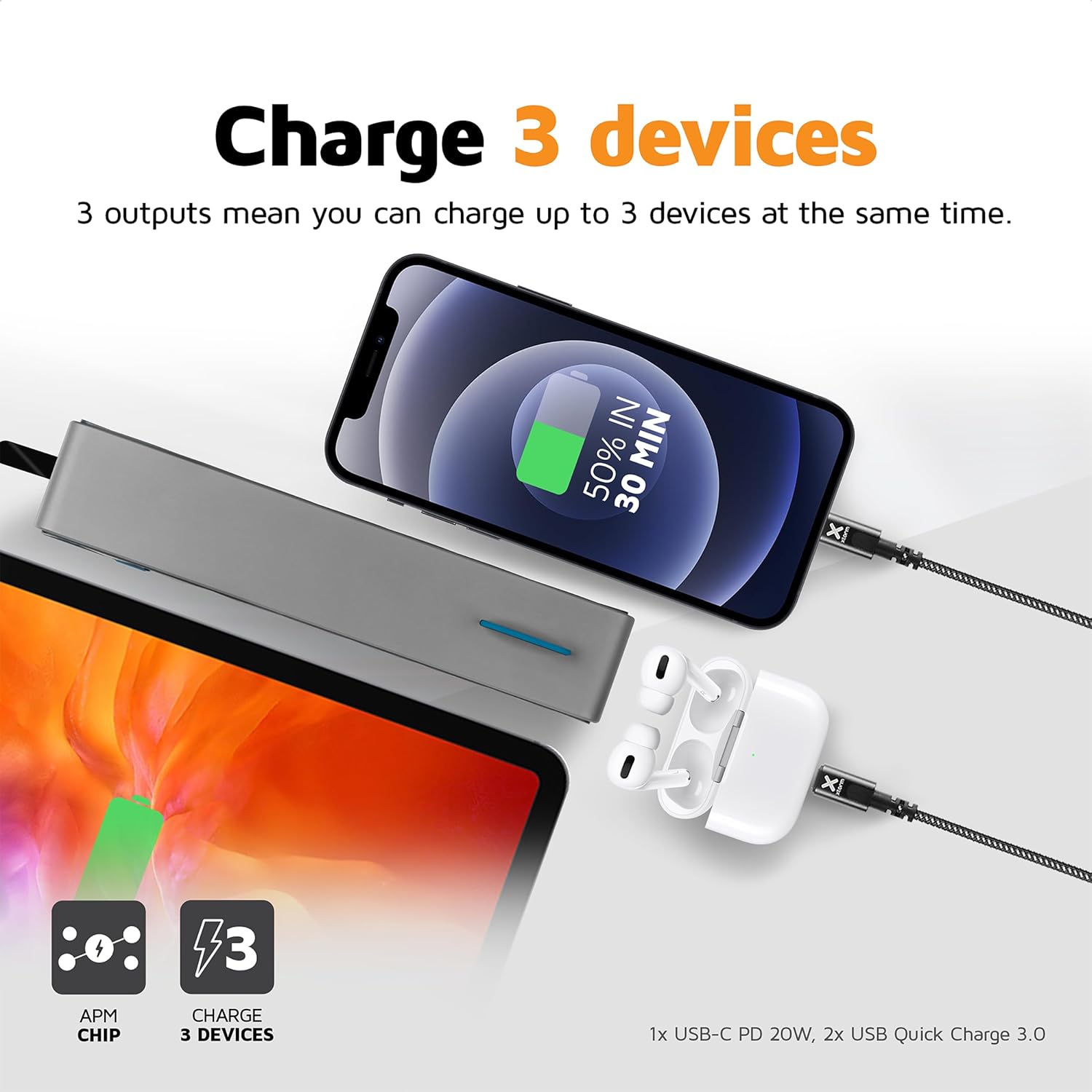
Image 4.1: The Xtorm Power Bank FS402 demonstrating its ability to charge three devices concurrently using its USB-C and two USB-A ports.
Awọn Agbara Gbigba agbara Yara:
The power bank supports Power Delivery (PD) via the USB-C port and Quick Charge (QC) 3.0 via the USB-A ports, enabling rapid charging for compatible devices.
- USB-C PD (20W): Ideal for fast charging modern smartphones and tablets.
- USB-A QC 3.0 (18W): Provides quick charging for a wide range of Android devices.

Image 4.2: Visual representation of the Xtorm Power Bank FS402's 20W fast charging capability, showing a device reaching 50% charge in 30 minutes.
5. Alaye Aabo
Your safety is paramount. The Xtorm Power Bank FS402 incorporates several safety features to ensure reliable operation.
- Ma ṣe fi banki agbara han si awọn iwọn otutu to gaju, ina taara tabi ina.
- Yago fun sisọ tabi tẹriba banki agbara si awọn ipa to lagbara.
- Ma ṣe gbiyanju lati ṣajọ, tunṣe, tabi tunse ẹrọ naa.
- Jeki kuro ni arọwọto awọn ọmọde.
- Sọ banki agbara kuro ni ifojusọna ni ibamu si awọn ilana agbegbe.
Awọn ẹya ara ẹrọ Aabo:
- Idaabobo igba-kukuru: Idilọwọ ibajẹ lati awọn kukuru itanna.
- Idaabobo overcharge: Automatically stops charging when the battery is full.
- Iṣakoso iwọn otutu: Ṣe abojuto ati ṣe ilana iwọn otutu inu lati ṣe idiwọ igbona.
- A-Class Batteries: Utilizes high-quality lithium-polymer cells for enhanced safety and performance.

Image 5.1: Diagram illustrating the Xtorm Power Bank FS402's internal safety mechanisms, including control chip, A-Class batteries, temperature control chip, short-circuit protection, and battery temperature sensor.
6. Itọju
- Mọ banki agbara pẹlu asọ ti o gbẹ. Ma ṣe lo abrasive ose tabi epo.
- Tọju banki agbara ni itura, aye gbigbẹ kuro lati orun taara ati ọrinrin.
- If storing for extended periods, charge the power bank to approximately 50% every three months to maintain battery health.
7. Laasigbotitusita
Awọn oran ti o wọpọ ati Awọn ojutu:
- Ile-ifowopamọ agbara ko gba agbara: Rí i dájú pé okùn gbigba agbara náà so mọ́ banki agbara àti ẹ̀rọ gbigba agbara ogiri. Gbìyànjú okùn okun tàbí ẹ̀rọ gbigba agbara ogiri mìíràn.
- Ẹrọ ko gba agbara lati banki agbara: Ensure the power bank has sufficient charge. Press the power button to activate charging. Try a different cable or port.
- Gbigba agbara lọra: Verify that your device and cable support fast charging. Ensure you are using the correct port (USB-C for PD, USB-A for QC).
- Awọn ifihan LED ko ṣiṣẹ: The power bank might be fully discharged or require a reset. Try charging it for a few hours.
8. Awọn pato
| Sipesifikesonu | Iye |
|---|---|
| Orukọ awoṣe | FS402 |
| Brand | Xtorm |
| Agbara Batiri | 20,000 mAh |
| Batiri Tiwqn | Litiumu-polima |
| USB-C o wu / igbewọle | Ifijiṣẹ Agbara 20W (PD) |
| USB-A Ijade (x2) | 18W Quick Charge (QC) 3.0 |
| Asopọmọra Iru | USB Iru C, USB Iru A |
| Iṣeduro Lilo | Foonuiyara, Tabulẹti |
| Iwọn Nkan | 376 giramu |
| Àwọ̀ | Grẹy |

Image 8.1: The Xtorm Power Bank FS402 showcasing its compact dimensions (136mm x 71mm x 26mm) and travel-friendly features, including its weight of 379 grams.
9. Atilẹyin ọja ati Support
The Xtorm Power Bank 20W Fuel Series 4 (FS402) comes with a 2-odun atilẹyin ọja lati ọjọ rira, ibora awọn abawọn iṣelọpọ.

Image 9.1: The Xtorm Power Bank FS402 highlighting its design and the included 2-year warranty.
For warranty claims, technical support, or any questions regarding your product, please contact Xtorm customer service through their official website or your retailer's support channels. Please have your proof of purchase and product model number (FS402) ready.