
1. Ifihan
Thank you for choosing the Horevo B028 Reversible Ceiling Fan. This product combines a modern ceiling fan with an integrated LED light and a high-quality Bluetooth speaker, designed to enhance comfort and ambiance in your living space. This manual provides essential information for safe installation, operation, and maintenance of your new ceiling fan.
2. Awọn ilana aabo
Jọ̀wọ́ ka gbogbo ìlànà ààbò dáadáa kí o tó fi sori ẹrọ àti lílò. Àìtẹ̀lé àwọn ìlànà wọ̀nyí lè yọrí sí ìkọlù iná mànàmáná, iná, tàbí ìpalára ara ẹni.
- Rii daju pe ipese agbara ti ge asopọ ṣaaju fifi sori ẹrọ tabi itọju.
- Fifi sori gbọdọ wa ni ošišẹ ti a oṣiṣẹ ina.
- The mounting structure must be capable of supporting the weight of the fan.
- Má ṣe fi àwọn nǹkan sínú abẹ́ afẹ́fẹ́ nígbà tí afẹ́fẹ́ náà bá ń ṣiṣẹ́.
- Jeki awọn ọmọ kuro lati awọn àìpẹ nigba isẹ ti.
- Ohun elo yii wa fun lilo inu ile nikan.
- Lo nikan isakoṣo latọna jijin pese pẹlu awọn àìpẹ.
3. Package Awọn akoonu
Daju pe gbogbo awọn paati wa ati ti ko bajẹ ṣaaju fifi sori ẹrọ.

Aworan: Pariview of the Horevo B028 ceiling fan components, including the main fan unit, remote control, mounting bracket, screws, and wiring connectors. Dimensions are also indicated.
- Ceiling Fan Unit with Retractable Blades
- LED Light Panel
- Isakoṣo latọna jijin
- Oke Atẹgun
- Screws and Expansion Bolts
- Awọn asopọ onirin
- Afowoyi Olumulo (iwe-ipamọ yii)
4. Eto ati fifi sori
The Horevo B028 ceiling fan is designed for straightforward installation. Follow these general steps. For detailed electrical wiring, consult a qualified professional.
- Mura Ibi Iṣagbesori: Ensure the ceiling junction box is securely mounted and can support the fan's weight. Disconnect power at the circuit breaker.
- Fi Biraketi Iṣagbesori sori ẹrọ: So bracket ìsopọ̀ mọ́ àpótí ìsopọ̀ àjà ilé nípa lílo àwọn skru tí a pèsè. Rí i dájú pé ó ní ààbò tó lágbára.
- Waya Fan naa: Connect the fan's electrical wires to your household wiring. The fan includes a receiver box for the remote control; ensure this box is positioned carefully within the canopy, as space can be limited. Connect the live, neutral, and ground wires according to local electrical codes.
- So Ẹka Fan: Lift the fan unit and hook it onto the mounting bracket. Secure the fan unit to the bracket with the designated screws.
- Fi sori ẹrọ Lampiboji: Rotate and secure the lampshade onto the fan unit.
- Pada Agbara pada: Nígbà tí a bá ti parí ìfìsílẹ̀ àti gbogbo ìsopọ̀mọ́ra, dá agbára padà sí ibi tí ẹ̀rọ ìfọ́mọ́ra náà ti ń ṣiṣẹ́.
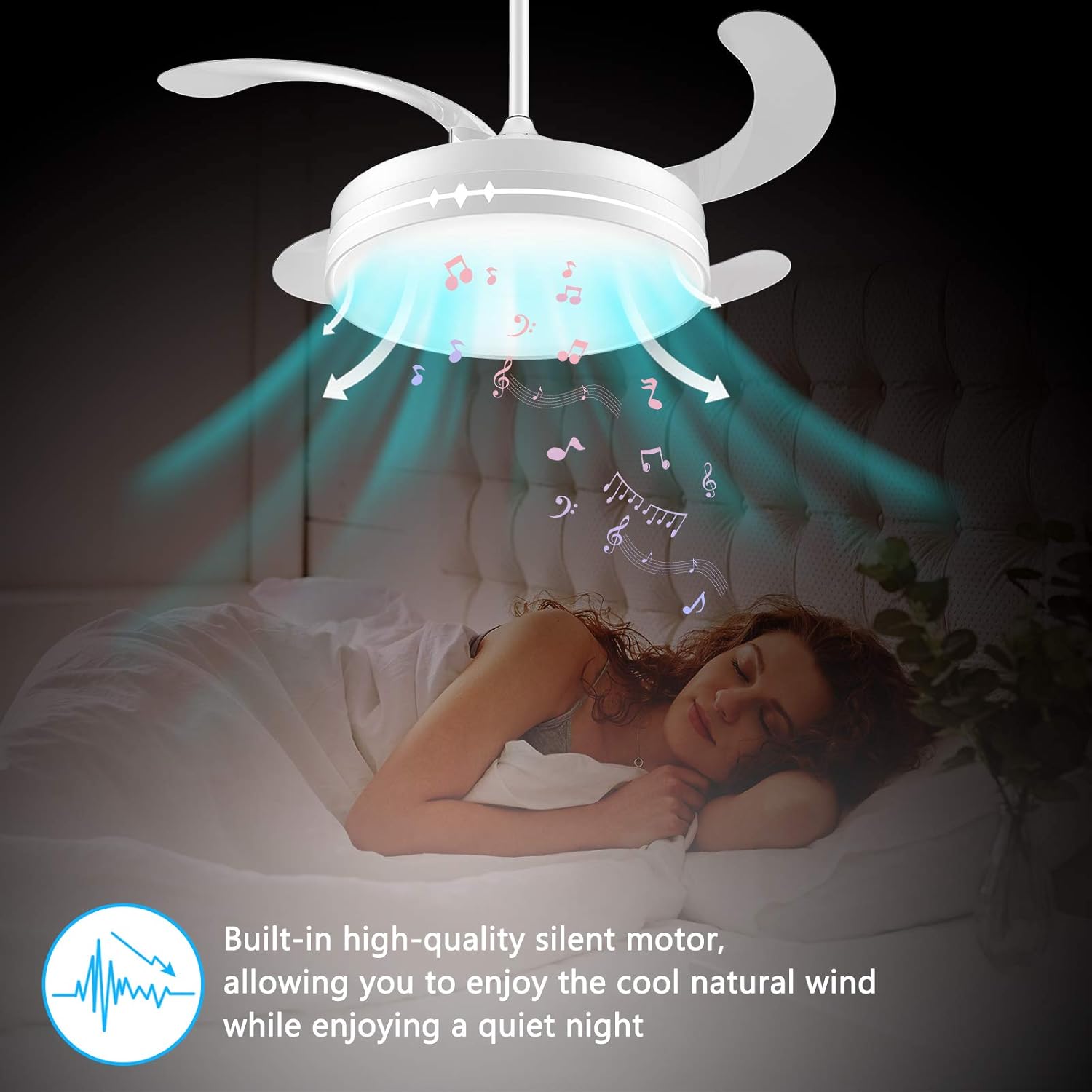
Image: The Horevo B028 ceiling fan with its retractable blades extended, illustrating its modern design and how it appears when operational.
5. Awọn ilana Iṣiṣẹ
Your Horevo B028 ceiling fan is controlled via the included remote. The light, fan, and Bluetooth speaker functions can be operated independently.
5.1 Iṣakoso latọna jijin Loriview

Image: Detailed diagram of the remote control, showing buttons for light on/off, RGB mode, brightness adjustment, fan on/off, fan speeds (1, 2, 3), fan natural/reverse turn, timer (1H, 2H, 3H), cancel timing, Bluetooth volume control, and music track navigation.
5.2 Light Awọn iṣẹ
- Tan -an/Pa a: Tẹ awọn LED bọtini lati tan ina tabi pa.
- Atunse Imọlẹ: Lo awọn Imọlẹ + ati Ìmọ́lẹ̀ - awọn bọtini lati ṣatunṣe agbara ina.
- Iwọn awọ: Tẹ awọn K button to cycle through color temperatures (e.g., warm white, neutral white, cool white) from 2700K to 6500K.
- Ipo RGB: Tẹ awọn Ipo RGB button to activate color-changing light effects. Long press for a breathing light effect.
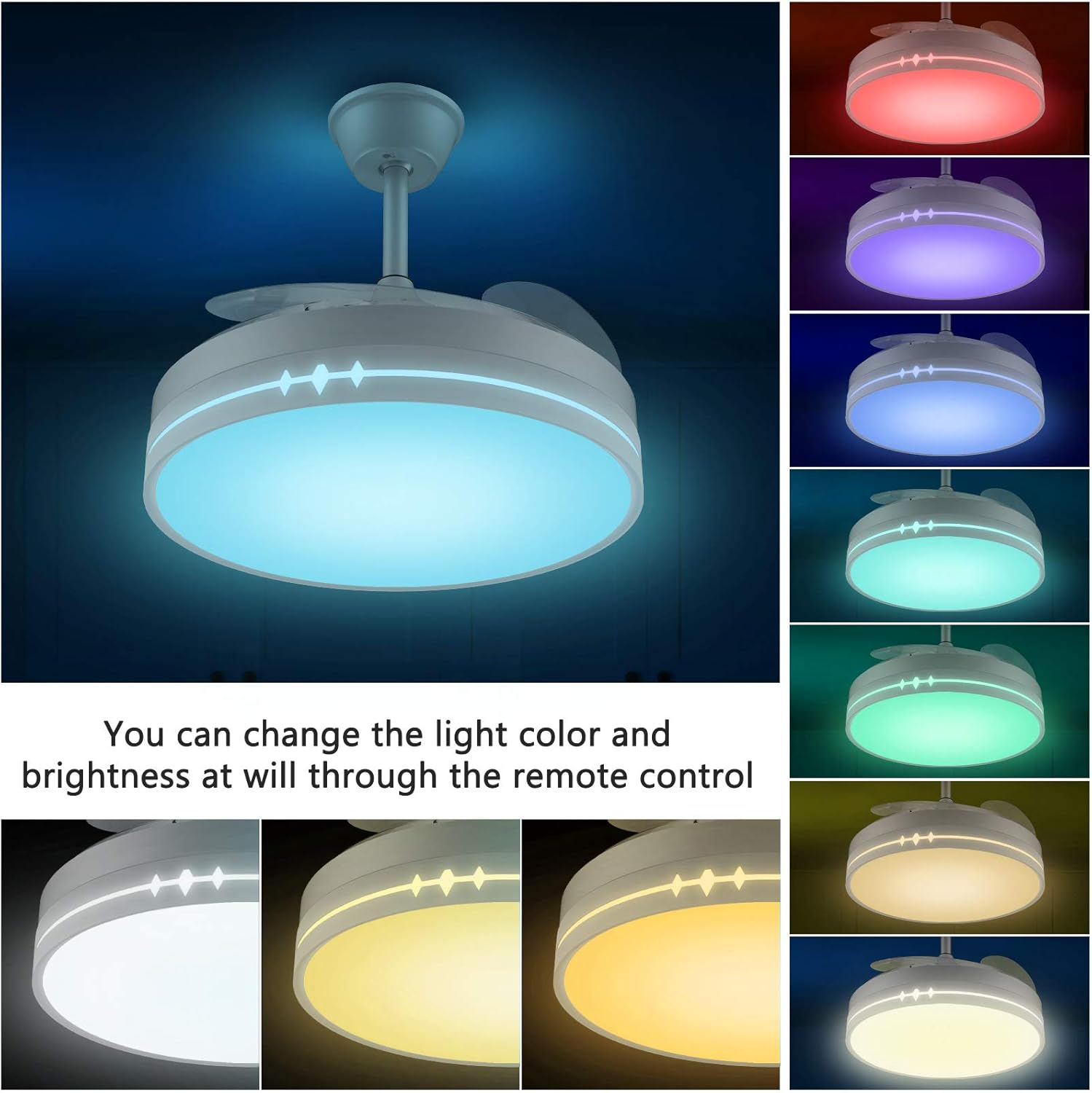
Image: The Horevo B028 ceiling fan light displaying various color temperatures and RGB color options, demonstrating the adjustable lighting features.
5.3 Fan Awọn iṣẹ
- Fan Tan/Pa a: Tẹ awọn Olufẹ Tan/Pa button to start or stop the fan.
- Titunṣe Iyara: Select fan speed using buttons 1 (Kekere), 2 (Medium), or 3 (O ga).
- Reversible Turn: Tẹ awọn Natural/Reverse Turn button to change the blade rotation direction.
- Natural Turn (Summer Mode): Creates a downward airflow for a cooling effect.
- Reverse Turn (Winter Mode): Creates an upward airflow to circulate warm air trapped near the ceiling.
Akiyesi: The fan will slow down and then reverse direction after approximately 30 seconds.

Image: Illustration showing the two modes of fan operation: "Natural turn" for summer cooling and "Reserve turn" for winter air circulation, demonstrating the reversible function.
5.4 Bluetooth Speaker Functions
- Pipọpọ: Activate Bluetooth on your mobile device and search for "Horevo Fan" or a similar device name. Select to pair.
- Ṣiṣẹ/Daduro: Tẹ awọn Ṣiṣẹ / Sinmi button to start or pause music playback.
- Iṣakoso iwọn didun: Lo Iwọn didun + (long press) and Iwọn didun - (long press) to adjust the speaker volume.
- Tọpinpin lilọ kiri: Tẹ Orin Iyin (click) or Orin t'okan (click) to skip tracks.
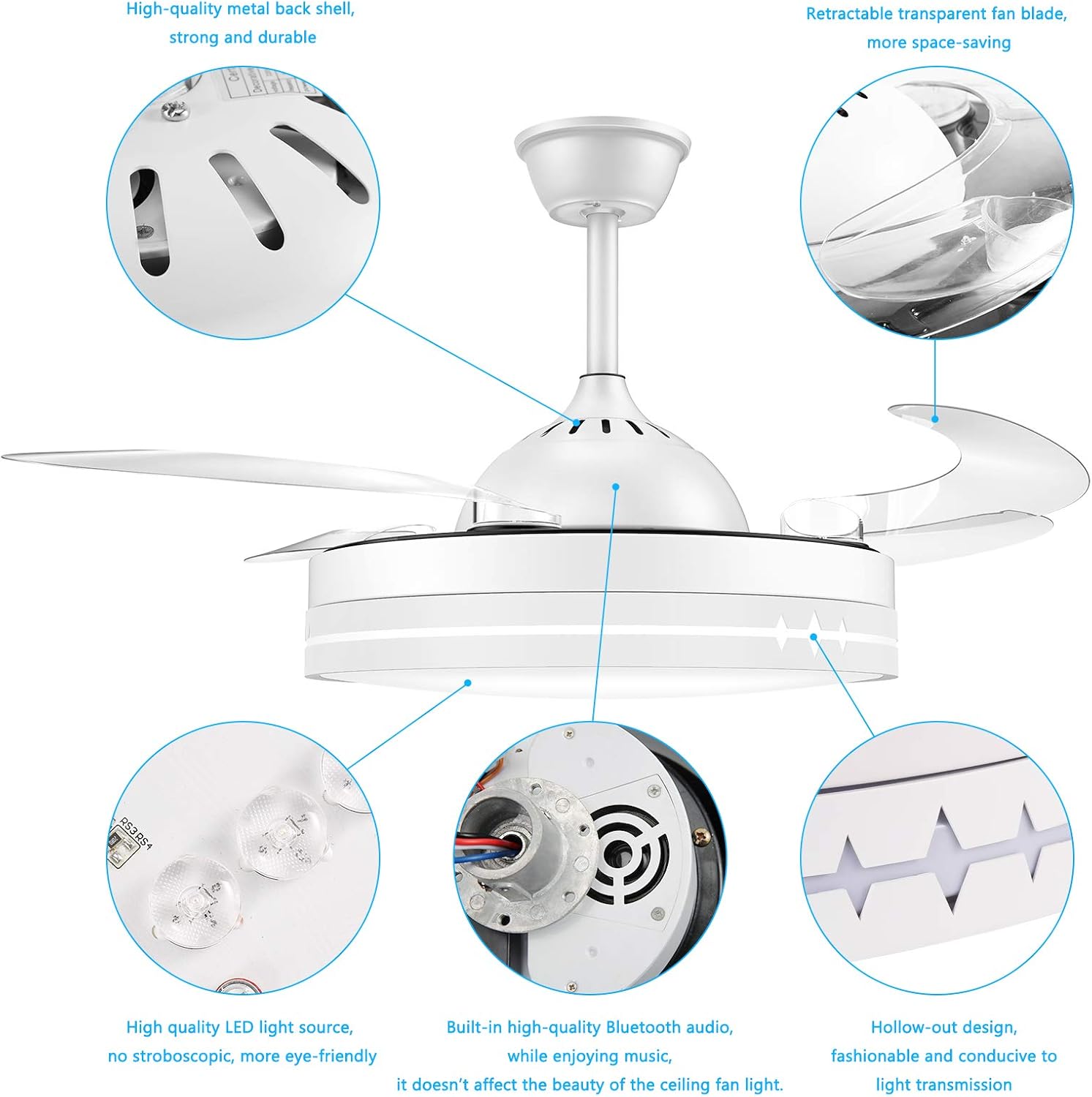
Image: A person sleeping peacefully under the Horevo B028 ceiling fan, with musical notes emanating from the fan, highlighting the silent motor and integrated Bluetooth speaker for music playback.
5.5 Aago Išė
- Tẹ awọn Àkókò button once for 1-hour auto-off.
- Press twice for 2-hour auto-off.
- Press three times for 3-hour auto-off.
- Tẹ Fagilee Time to deactivate the timer.
6. Itọju
Itọju deede ṣe idaniloju iṣẹ ṣiṣe ti o dara julọ ati gigun gigun ti olufẹ aja rẹ.
- Ninu: Ge asopọ agbara ṣaaju ṣiṣe mimọ. Lo asọ, damp cloth to wipe down the fan blades and light fixture. Do not use abrasive cleaners or solvents.
- Ayẹwo abẹfẹlẹ: Periodically check the retractable blades for any signs of damage or obstruction.
- Awọn skru Mu: Over time, some screws may loosen. Periodically check and tighten all screws on the mounting bracket and fan housing.
7. Laasigbotitusita
If you encounter issues with your Horevo B028 ceiling fan, refer to the following common problems and solutions.
| Isoro | Owun to le Fa | Ojutu |
|---|---|---|
| Fan ko ṣiṣẹ. | Kò sí ìpèsè agbára; àwọn wáyà tí kò ní agbára; bátìrì ìṣàkóso latọna jijin kò pọ̀. | Ṣayẹwo Circuit fifọ. Rii daju pe gbogbo awọn onirin ti sopọ ni aabo. Rọpo awọn batiri isakoṣo latọna jijin. |
| Imọlẹ ko tan. | No power; LED panel issue; remote control battery low. | Verify power. Check connections. Replace remote control batteries. |
| Agbọrọsọ Bluetooth ko sopọ. | Not in pairing mode; device too far; interference. | Ensure Bluetooth is enabled on your device. Move closer to the fan. Restart both devices. |
| Fan mu ki nmu ariwo. | Loose screws; unbalanced blades. | Check and tighten all mounting screws. Ensure blades are properly installed and balanced. |
| Fan emits a beeping sound upon startup. | Àbájáde iṣẹ́ déédéé. | This is a standard feature and cannot be disabled. |
8. Awọn pato
| Ẹya ara ẹrọ | Ẹ̀kúnrẹ́rẹ́ |
|---|---|
| Brand | Horevo |
| Nọmba awoṣe | B028 |
| Àwọ̀ | Funfun |
| Ohun elo | Akiriliki |
| Orisun agbara | Okun Itanna |
| Voltage | 220 Volts |
| Wattage | 36 Wattis |
| Imọlẹ Orisun Orisun | LED |
| Iwọn otutu awọ | 2700K-6500K (Atunṣe) |
| Pataki Awọn ẹya ara ẹrọ | Dimmable, Reversible Fan, Bluetooth Speaker, RGB Color Changing, Timer Function |
| Nọmba ti Blades | 4 (Retractable) |
| Awọn iyara Fan | 3 (Kekere, Alabọde, Giga) |
| Iṣagbesori Iru | Oke Oke |
| ASIN | B08R8WJR2D |
| GTIN/UPC | 696629190736 |

Image: EU Energy Efficiency Label for the Horevo B028, indicating an energy class F and consumption of 36 kWh/1000h. A QR code is also present, which links to the model description in the EU registration database.
For more details, refer to the EU registration database: http://Model description in EU registration database
9. Atilẹyin ọja ati Support
For warranty information or technical support, please contact Horevo customer service through your retailer or the official Horevo webojula. Tọju iwe-ẹri rira rẹ bi ẹri rira.


