
Sharp HP-TW30(BK)
Sharp HP-TW30 True Wireless Noise Cancelling Earphones
Model: HP-TW30(BK)
Ọja Pariview
The Sharp HP-TW30 True Wireless Noise Cancelling Earphones are designed for an immersive audio experience with enhanced comfort and durability. Featuring active noise cancellation, these earphones reduce background noise, making them ideal for various environments. They offer wireless charging, Bluetooth 5.0 connectivity, and are splashproof for active lifestyles.
Awọn ẹya pataki:
- Ifagile Ariwo Nṣiṣẹ: Reduces ambient noise by 22dB for improved focus and enjoyment.
- Gbigba agbara Alailowaya: Convenient charging with the included case, providing up to 4 full charges.
- Bluetooth 5.0: Ensures stable and efficient wireless connectivity with a range of up to 33 feet.
- IPX4 Splashproof: Resistant to splashes, sweat, and light rain, suitable for workouts and outdoor activities.
- Awọn iṣakoso Fọwọkan: Intuitive controls for managing playback, calls, and voice assistants.
- Iṣakoso ohun: Full integration with Apple Siri and Google Assistant for hands-free operation.
- Àkókò eré gígùn: Titi di awọn wakati 6 ti ṣiṣiṣẹsẹhin ohun lori idiyele ẹyọkan.

Figure 1: Sharp HP-TW30 True Wireless Earphones (Black)
Package Awọn akoonu
Ṣaaju ki o to bẹrẹ, jọwọ rii daju pe gbogbo awọn nkan wa ninu package:
- Sharp HP-TW30 True Wireless Earphones (Left and Right)
- Ngba agbara Case
- USB Type-C Charging Cable (not explicitly listed in 'whats_in_the_box' but implied by 'Charging Port: USB Type C')
- Small, Medium, and Large Ultra-comfortable Ear Tips (3 sizes)
- Ilana Afowoyi (iwe yii)
Ṣeto
1. Ngba agbara si Earphones ati Case
For first-time use, fully charge the earphones and the charging case. The charging case provides approximately 4 full charges for the earphones.
- Place both earphones into their respective slots in the charging case. Ensure they are seated correctly.
- So okun gbigba agbara Iru-C USB pọ si ibudo gbigba agbara lori ọran naa ati opin miiran si orisun agbara USB (fun apẹẹrẹ, ohun ti nmu badọgba ogiri, ibudo USB kọnputa).
- The LED indicators on the case will show charging status. Charging time for the case and earphones is approximately 2 hours.
- Ni kete ti o ti gba agbara ni kikun, ge asopọ okun gbigba agbara.
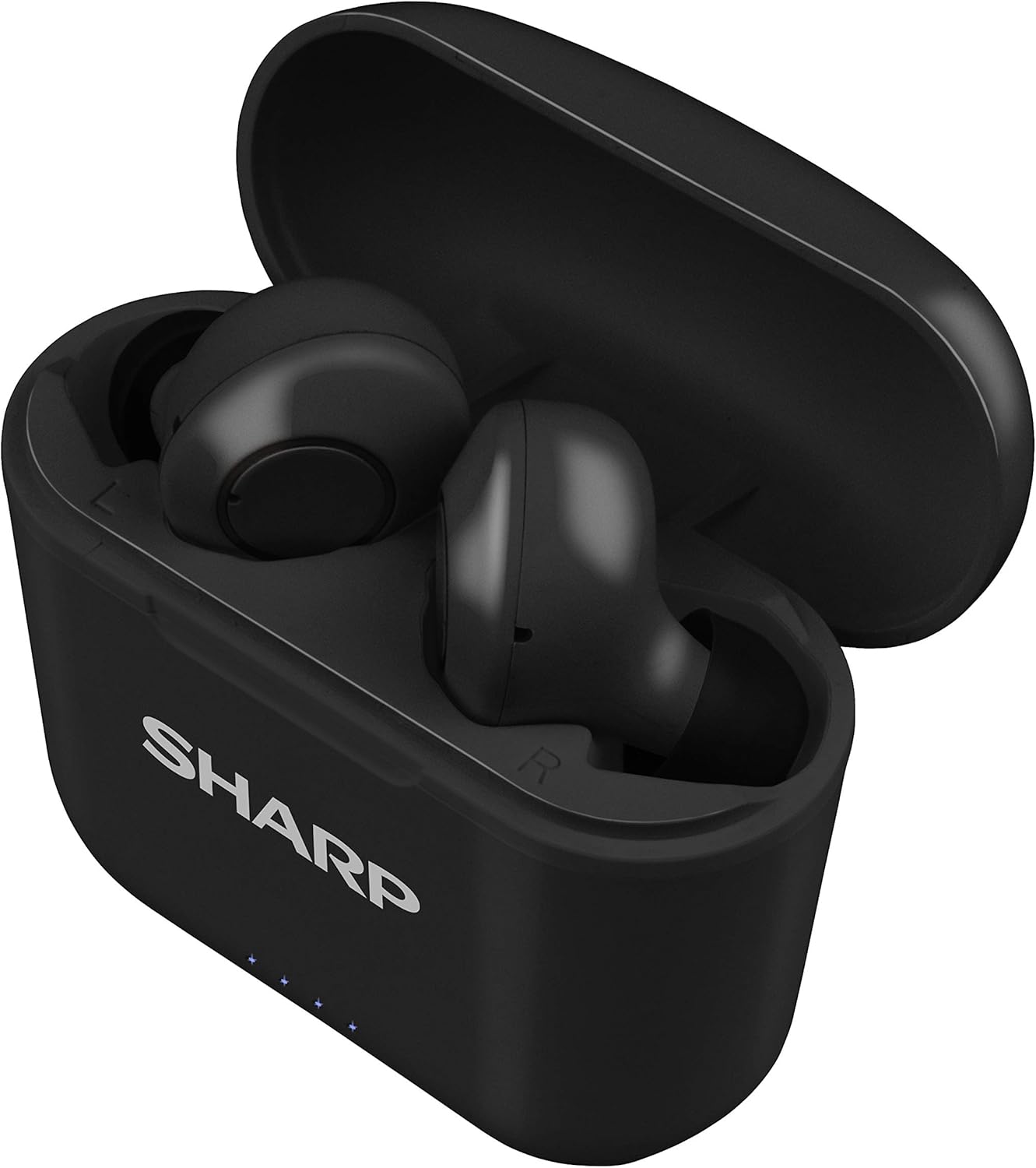
Ṣe nọmba 2: Awọn agbekọri ninu Ọran Gbigba agbara
2. Sisopọ pẹlu Ẹrọ Rẹ
The HP-TW30 earphones feature auto-pairing for effortless setup.
- Ṣii apoti gbigba agbara. Awọn agbekọri naa yoo tan laifọwọyi ati tẹ ipo sisopọ sii.
- Lori foonuiyara rẹ, tabulẹti, tabi ẹrọ miiran ti o ni Bluetooth, lọ si awọn eto Bluetooth.
- Wa fun available devices and select "HP-TW30" from the list.
- Ni kete ti a ti sopọ, itọka ohun kan yoo jẹrisi isọdọkan aṣeyọri.
- Awọn agbekọri naa yoo tun sopọ laifọwọyi si ẹrọ ti o so pọ to kẹhin nigbati o ba yọ kuro ninu ọran naa, ti o ba mu Bluetooth ṣiṣẹ lori ẹrọ naa.
Awọn ilana Iṣiṣẹ
Awọn iṣakoso ifọwọkan
The HP-TW30 earphones utilize touch-sensitive controls on each earbud for various functions:
- Ṣiṣẹ/Daduro: Fọwọ ba ẹyọkan lori boya agbekọri.
- Orin t’okan: Fọwọ ba lẹẹmeji lori agbekọri ọtun.
- Tẹlẹ Orin: Fọwọ ba lẹẹmeji lori agbekọri osi.
- Idahun/Ipe Ipari: Tẹ ẹyọkan lori boya agbekọri lakoko ipe ti nwọle.
- Kọ Ipe: Tẹ mọlẹ boya agbekọri fun iṣẹju meji 2 lakoko ipe ti nwọle.
- Activate Voice Assistant (Siri/Google Assist): Fọwọ ba meteta lori boya agbekọri.
- Active Noise Cancellation (ANC) On/Off: Tẹ ki o si mu afetigbọ ọtun fun awọn aaya 2.
Fagilee Ariwo Ti nṣiṣe lọwọ (ANC)
The ANC feature reduces ambient background noise, providing a more focused listening experience. Activate or deactivate ANC using the touch control as described above.
Atako Omi (IPX4)
The earphones are rated IPX4 splashproof, meaning they are resistant to water splashes from any direction. This makes them suitable for light rain, sweat, and gym use. Do not submerge the earphones in water.
Itoju
Itọju to dara ṣe idaniloju igbesi aye gigun ati iṣẹ to dara julọ ti awọn agbekọri rẹ.
- Ninu: Máa fi aṣọ tó rọ, gbẹ, tí kò ní àwọ̀ tó ń rọ̀ mọ́ etí àti àpótí ìgbafẹ́. Má ṣe lo àwọn ohun èlò ìfọmọ́ tàbí àwọn ohun èlò ìfọ́mọ́.
- Italolobo Eti: Yọọ kuro ati nu awọn imọran eti lorekore pẹlu ipolowoamp asọ ati ọṣẹ kekere, lẹhinna gbẹ daradara ṣaaju ki o to tunpo.
- Ibi ipamọ: Nigbati o ko ba si ni lilo, tọju awọn agbekọri sinu apoti gbigba agbara wọn lati daabobo wọn lọwọ eruku ati ibajẹ.
- Iwọn otutu: Avoid exposing the earphones to extreme temperatures (hot or cold) or high humidity.
- Awọn olubasọrọ gbigba agbara: Ensure the charging contacts on both the earphones and inside the case are clean and free of debris to maintain proper charging.
Laasigbotitusita
If you encounter issues with your Sharp HP-TW30 earphones, try the following solutions:
- Àwọn agbekọri tí kò sopọ̀/sopọ̀:
- Rii daju pe awọn agbekọri mejeeji ti gba agbara ni kikun.
- Pa Bluetooth lori ẹrọ rẹ, lẹhinna tan-an pada.
- Forget/delete "HP-TW30" from your device's Bluetooth list and attempt to re-pair.
- Place both earphones back into the charging case, close the lid for 5 seconds, then open it again to reset.
- Ohun agbekọri kan ṣoṣo ti n ṣiṣẹ:
- Rii daju pe awọn agbekọri mejeeji ti gba agbara.
- Gbe awọn agbekọri mejeeji pada sinu apoti gbigba agbara, pa ideri naa, lẹhinna ṣi i lẹẹkansi. Eleyi igba tun-syncs wọn.
- Nu awọn olubasọrọ gbigba agbara kuro lori awọn agbekọri mejeeji ati inu ọran naa.
- Try resetting and re-pairing the earphones as described above.
- Iwọn kekere tabi didara ohun ti ko dara:
- Ṣatunṣe iwọn didun lori ẹrọ mejeeji ati awọn agbekọri.
- Ensure the ear tips are the correct size for a snug fit and are clean.
- Check for any obstructions in the earbud nozzles.
- Awọn agbekọri ti ko gba agbara:
- Rii daju pe okun gbigba agbara ti sopọ ni aabo si ọran mejeeji ati orisun agbara.
- Gbiyanju okun USB Type-C miiran ati adapter agbara.
- Nu awọn olubasọrọ gbigba agbara lori awọn agbekọri ati inu ọran naa.
Awọn pato
| Orukọ awoṣe | HP-TW30(BK) |
| Asopọmọra Technology | Ailokun (Bluetooth) |
| Ẹya Bluetooth | 5.0 |
| Bluetooth Ibiti | Titi de 33 ẹsẹ (10 mita) |
| Ariwo Iṣakoso | Active Noise Cancellation (22dB reduction) |
| Akoko ere | Isunmọ. wakati meji 6 |
| Akoko Iduro | Isunmọ. wakati meji 90 |
| Akoko gbigba agbara | Approx. 2 hours (earphones and case) |
| Gbigba agbara Port | USB Iru-C |
| Omi Resistance | IPX4 Splashproof |
| Iṣakoso Iru | Iṣakoso ifọwọkan |
| Iṣakoso ohun | Apple Siri, Olùrànlọ́wọ́ Google |
| Awọn irinše to wa | Kekere, Alabọde, ati Awọn imọran Eti Irọrun Ultra nla |
| Ohun elo | Silikoni (awọn imọran eti) |
| Iwọn Nkan | 7.9 iwon |
Atilẹyin ọja ati Support
Sharp products are manufactured to the highest quality standards. For warranty information, technical support, or service inquiries, please refer to the warranty card included with your purchase or visit the official Sharp support website. Please have your model number (HP-TW30(BK)) and proof of purchase ready when contacting support.
For further assistance, you may visit the Sharp Store on Amazon: Sharp Official Store
Ask a question about this manual
Ask about setup, troubleshooting, compatibility, parts, safety, or missing instructions. Manuals+ will review the question and use this page’s manual context to help answer it.