
Hoco HC4
User Manual for Hoco HC4 Wireless Bluetooth Sports Speaker
Model: HC4 | Brand: Hoco
Ọrọ Iṣaaju
Thank you for choosing the Hoco HC4 Wireless Bluetooth Sports Speaker. This manual provides comprehensive instructions to help you understand, set up, operate, and maintain your speaker. Please read this manual carefully before use and keep it for future reference.
Alaye Aabo
- Ma ṣe fi agbọrọsọ si awọn iwọn otutu to gaju, imọlẹ orun taara, tabi ọriniinitutu giga.
- Yago fun sisọ tabi tẹriba agbọrọsọ si awọn ipa to lagbara.
- Do not disassemble, repair, or modify the speaker yourself. Contact qualified service personnel for assistance.
- Keep the speaker away from water and other liquids, especially during charging.
- Lo okun gbigba agbara pato nikan ati ohun ti nmu badọgba.
Package Awọn akoonu
Jọwọ ṣayẹwo awọn akoonu ti package lori unboxing:
- Hoco HC4 Wireless Bluetooth Sports Speaker
- Okun Ngba agbara USB
- Itọsọna olumulo
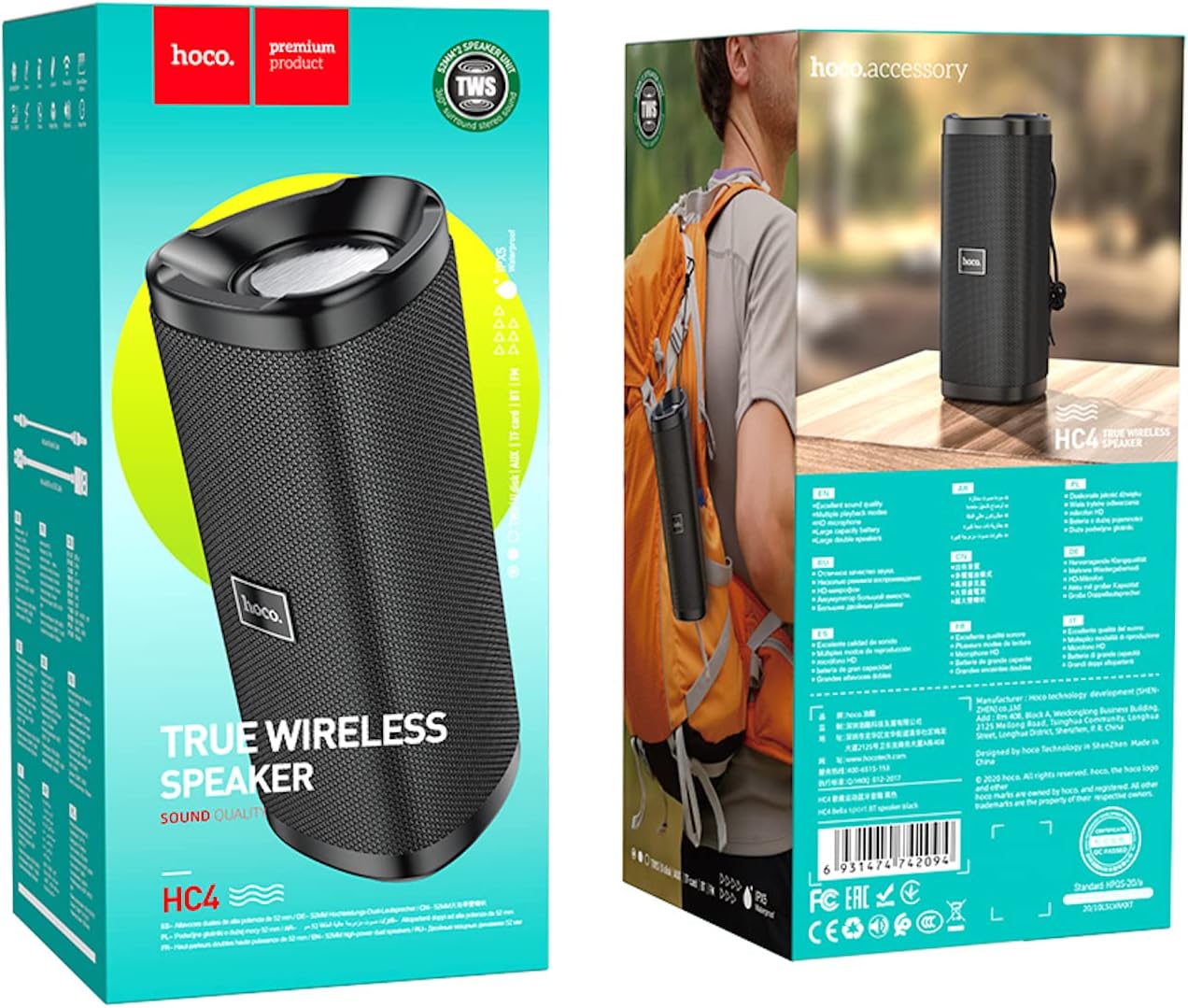
Image: The retail packaging of the Hoco HC4 speaker, showing the speaker and its box.
Ọja Pariview
Familiarize yourself with the components and controls of your Hoco HC4 speaker.

Aworan: Iwaju view of the Hoco HC4 wireless Bluetooth speaker, showcasing its cylindrical design and mesh grille with the 'hoco.' logo.

Aworan: Apa view of the Hoco HC4 speaker, showing the control buttons (power, mode, volume/track skip) and the speaker grille.

Aworan: Isunmọ view of the Hoco HC4 speaker's input ports, including AUX, DC-5V charging, USB, and TF card slot, protected by a rubber flap.
Ṣeto
1. Gbigba agbara Agbọrọsọ
Before first use, fully charge the speaker. Connect the provided USB charging cable to the DC-5V port on the speaker and the other end to a USB power adapter (not included) or a computer USB port.
- Ìmọ́lẹ̀ àmì ìgbóná yóò máa tàn nígbà tí a bá ń gba agbára.
- The light will turn off or change color when charging is complete.
- Akoko gbigba agbara jẹ isunmọ awọn wakati 2-3.
2. Agbara lori / Paa
- Lati Fi agbara: Tẹ mọlẹ bọtini agbara (⏻) for 2-3 seconds until you hear a power-on prompt.
- Lati Paarẹ: Tẹ mọlẹ bọtini agbara (⏻) for 2-3 seconds until you hear a power-off prompt.
3. Sisopọ Bluetooth
- Rí i dájú pé a ti tan agbọrọsọ naa ati pe o wa ni ipo asopọ Bluetooth (eyi ti a fihan nipasẹ LED buluu ti n tan imọlẹ).
- Lórí ẹ̀rọ alágbèéká rẹ (fóònù alágbèéká, tábìlẹ́ẹ̀tì, àti bẹ́ẹ̀ bẹ́ẹ̀ lọ), mu Bluetooth ṣiṣẹ́.
- Wa fun available Bluetooth devices. You should see "HC4" in the list.
- Select "HC4" to connect. Once paired, the LED indicator will stop flashing and remain solid blue, and you will hear a confirmation sound.
- Agbọrọsọ yoo tun sopọ laifọwọyi si ẹrọ ti o so pọ to kẹhin nigbati o ba wa ni ina, ti ẹrọ naa ba wa laarin ibiti ati Bluetooth ti ṣiṣẹ.
4. Connecting via AUX/USB/TF Card
- Ipo AUX: Insert a 3.5mm audio cable into the AUX port on the speaker and the other end into your audio source. The speaker will automatically switch to AUX mode.
- Ipo Wakọ USB: Fi kọnputa filasi USB sii sinu ibudo USB. Agbọrọsọ yoo ṣawari laifọwọyi yoo mu ohun ṣiṣẹ files lati wakọ.
- Ipo Kaadi TF: Insert a TF (microSD) card into the TF card slot. The speaker will automatically detect and play audio files lati kaadi.
- Use the Mode button (M) to switch between Bluetooth, AUX, USB, TF Card, and FM Radio modes.
5. TWS (True Wireless Stereo) Pairing (Optional)
If you have two Hoco HC4 speakers, you can pair them together for a true wireless stereo experience.
- Ensure both HC4 speakers are powered on and not connected to any Bluetooth device.
- On one speaker (this will be the primary speaker), double-press the Mode button (M). You will hear a prompt indicating TWS pairing mode.
- Àwọn agbọ́hùnsọ̀kan méjèèjì yóò wá ara wọn láìfọwọ́sí, wọn yóò sì so pọ̀ mọ́ ara wọn. Nígbà tí a bá ti so wọ́n pọ̀, a ó gbọ́ ohùn ìjẹ́rìísí kan.
- Now, connect your mobile device to the primary speaker via Bluetooth as described in step 3. Audio will play through both speakers in stereo.
Awọn ilana Iṣiṣẹ
1. Sisisẹsẹhin Orin
- Ṣiṣẹ/Daduro: Tẹ bọtini Play/Duro kukuru (▶‖).
- Orin t’okan: Tẹ bọtini Iwọn didun soke fun igba pipẹ (+).
- Tẹlẹ Orin: Tẹ bọtini Iwọn didun isalẹ fun igba pipẹ (-).
2. Iṣakoso iwọn didun
- Iwọn didun Up: Tẹ bọtini Iwọn didun Up kukuru (+).
- Iwọn didun isalẹ: Tẹ bọtini Iwọn didun isalẹ kukuru (-).
3. Call Functions (Bluetooth Mode)
- Idahun Ipe: Tẹ bọtini Play/Duro kukuru (▶‖) nigbati ipe ti nwọle ba ndun.
- Ipe Ipari: Tẹ bọtini Play/Duro kukuru (▶‖) nigba ipe.
- Kọ Ipe: Long press the Play/Pause button (▶‖) nigbati ipe ti nwọle ba ndun.
- Nọmba Ikẹhin Tun Tun: Double-press the Play/Pause button (▶‖).
4. Ipo Redio FM
- Tẹ bọtini Ipo (M) láti yípadà sí ipò rédíò FM.
- Tẹ bọtini Play/Duro kukuru (▶‖) láti ṣe àyẹ̀wò àti fi àwọn ibùdó FM tó wà sílẹ̀ láìfọwọ́sí.
- Short press the Volume Up (+) tabi Iwọn didun isalẹ (-) buttons to switch between saved stations.
Itoju
- Ninu: Lo asọ asọ ti o gbẹ lati sọ agbọrọsọ di mimọ. Ma ṣe lo abrasive ose tabi epo.
- Ibi ipamọ: Tọju agbohunsoke ni itura, aye gbigbẹ kuro lati orun taara ati awọn iwọn otutu to gaju.
- Itọju Batiri: Lati pẹ aye batiri, gba agbara si agbọrọsọ o kere ju lẹẹkan ni gbogbo oṣu mẹta ti ko ba si ni lilo deede. Yago fun gbigba agbara si batiri ni kikun nigbagbogbo.
Laasigbotitusita
| Isoro | Owun to le Fa | Ojutu |
|---|---|---|
| Agbọrọsọ ko ni agbara lori. | Batiri kekere. | Gba agbara si agbọrọsọ ni kikun. |
| Ko le so pọ nipasẹ Bluetooth. | Agbọrọsọ kò sí ní ipò ìsopọ̀; ẹ̀rọ Bluetooth ti pa; ó jìnnà jù sí ẹ̀rọ náà. | Ensure speaker is in pairing mode (flashing blue LED). Turn on Bluetooth on your device. Move speaker closer to device (within 10 meters). |
| Ko si ohun. | Iwọn didun kere ju; ipo ti ko tọ; ẹrọ ko sopọ mọ. | Increase speaker and device volume. Ensure correct mode (Bluetooth, AUX, etc.). Reconnect device. |
| Gbigba redio FM ti ko dara. | Ifihan agbara. | Move to an open area or adjust speaker position. |
Awọn pato
| Ẹya ara ẹrọ | Ẹ̀kúnrẹ́rẹ́ |
|---|---|
| Brand | Hoco |
| Orukọ awoṣe | HC4 |
| Asopọmọra Technology | Bluetooth, FM, TF card, U disk, AUX, TWS |
| Ẹya Bluetooth | 5.0 |
| O pọju Agbọrọsọ o wu Power | 10 Watt |
| Agbara Batiri | 1500 mAh |
| Akoko Iṣiṣẹ | wakati meji 3 |
| Ọja Mefa | 20 x 8.1 x 8.8 cm |
| Iwọn Nkan | 540 giramu |
| Ipo Ijade Ohun | Ayika |
| Iṣagbesori Iru | Tabili |
| Agbọrọsọ Iru | Ita gbangba |
| Pataki Awọn ẹya ara ẹrọ | Support Bluetooth, FM, TF card, U disk, AUX, TWS |
| Niyanju Lilo | For Surround Sound Systems, For Smartphones or Tablets, For Music Players |
| Awọn ẹrọ ibaramu | Ọpọ |
| Olupese | Hoco |
| Akọkọ Wa Ọjọ | Oṣu Kẹta Ọjọ 22, Ọdun 2021 |

Image: Diagram showing the dimensions of the Hoco HC4 speaker: 20cm length, 8.1cm width, and 8.8cm height.

Image: Lifestyle image of the Hoco HC4 speaker attached to a bicycle handlebar, illustrating its use for outdoor activities with text highlighting "Outdoor Riding" and "Long-lasting Battery Life (1500mAh)".
Atilẹyin ọja ati Support
Hoco products are designed and manufactured to the highest quality standards. For warranty information and technical support, please refer to the warranty card included in your package or visit the official Hoco webojula. Tọju iwe-ẹri rira rẹ bi ẹri rira fun awọn iṣeduro atilẹyin ọja.
For further assistance, please contact Hoco customer service.
Ask a question about this manual
Ask about setup, troubleshooting, compatibility, parts, safety, or missing instructions. Manuals+ will review the question and use this page’s manual context to help answer it.