
Ọrọ Iṣaaju
This manual provides detailed instructions for the installation, operation, and maintenance of your Kolink INSPIRE K9 Midi-Tower Gaming Case. Please read this manual thoroughly before beginning assembly or use to ensure proper functionality and safety. The Kolink INSPIRE K9 is designed for gaming enthusiasts, offering ample space for high-performance components, efficient cooling options, and customizable RGB lighting.
Ọja Awọn ẹya ara ẹrọ
- ATX Tower Compatibility: The interior accommodates motherboards from Mini-ITX to ATX formats, along with high-performance graphics cards up to 300 mm in length. CPU coolers can be installed with a maximum height of 155 mm.
- Eto Itutu: Features a pre-installed 120 mm fan at the rear with digitally addressable RGB lighting. Supports up to six 120 mm fans in total. Radiators up to 240 mm can be installed at the front, and up to 120 mm at the rear for water cooling setups.
- Awọn aṣayan ipamọ: The case provides space for up to 2 x 3.5/2.5 inch drive bays and 2 x 2.5 inch drive bays.
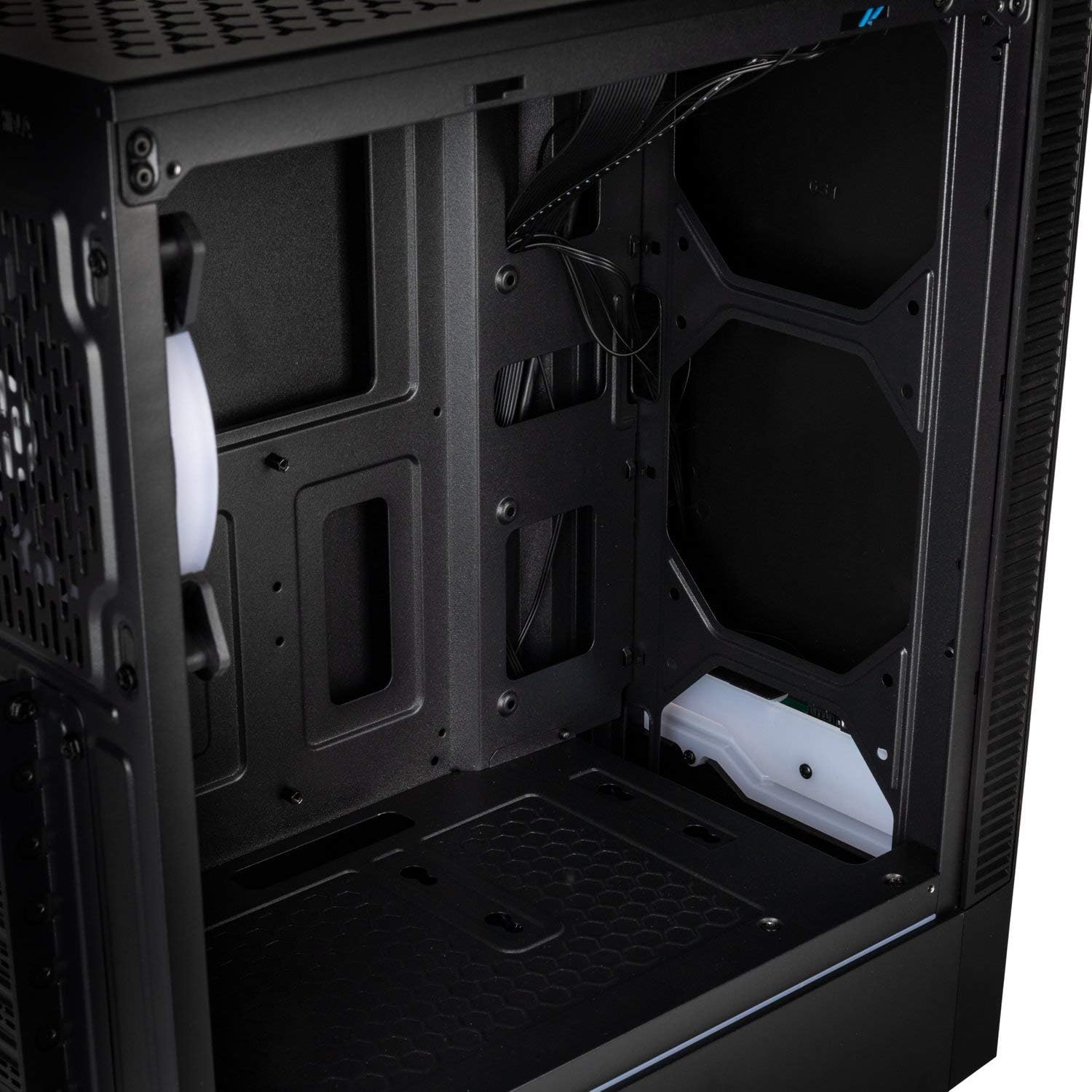
- Igbimọ I/O: Equipped with 1x USB 3.0 port, 2x USB 2.0 ports, and an RGB LED control button for easy access and customization.
- RGB Design with Tempered Glass: A side panel made of lightly tinted tempered glass complements the elegant design of the midi tower, allowing for a clear view of internal components and RGB lighting.
Awọn pato
| Brand | MO NPE |
| Orukọ awoṣe | Inspire K9 |
| Iru Irú | Ile-iṣọ Midi-iṣọ |
| Modaboudu Ibamu | Mini-ITX, ATX |
| Ohun elo | Gilasi ibinu |
| Àwọ̀ | Dudu |
| Ọna Itutu | Afẹfẹ, omi |
| Awọn onijakidijagan ti a ti fi sii tẹlẹ | 1 x 120mm (rear, RGB) |
| Max Fan Support | 6 x 120mm |
| Radiator Support | Front: up to 240mm, Rear: up to 120mm |
| Wakọ Bays | 2 x 3.5/2.5 inch, 2 x 2.5 inch |
| Imugboroosi Iho | 7 |
| I/O igbimo | 1x USB 3.0, 2x USB 2.0, RGB LED Control |
| Max GPU Ipari | 300 mm |
| Max Sipiyu kula Iga | 155 mm |
| Awọn iwọn Nkan (D x W x H) | 48D x 44B x 23H cm |
| Iwọn Nkan | 4 kilo |
Eto ati fifi sori
Follow these steps for proper assembly and installation of components within your Kolink INSPIRE K9 case.
1. Ngbaradi Ọran naa
- Tú àpótí náà sílẹ̀ kí o sì gbé e sí orí ilẹ̀ tí ó dúró ṣinṣin, tí ó tẹ́jú.
- Remove the tempered glass side panel by unscrewing the thumb screws, then carefully slide it off and set it aside on a soft, non-abrasive surface to prevent scratches.
- Remove the solid metal side panel by unscrewing the thumb screws at the rear and sliding it backward.
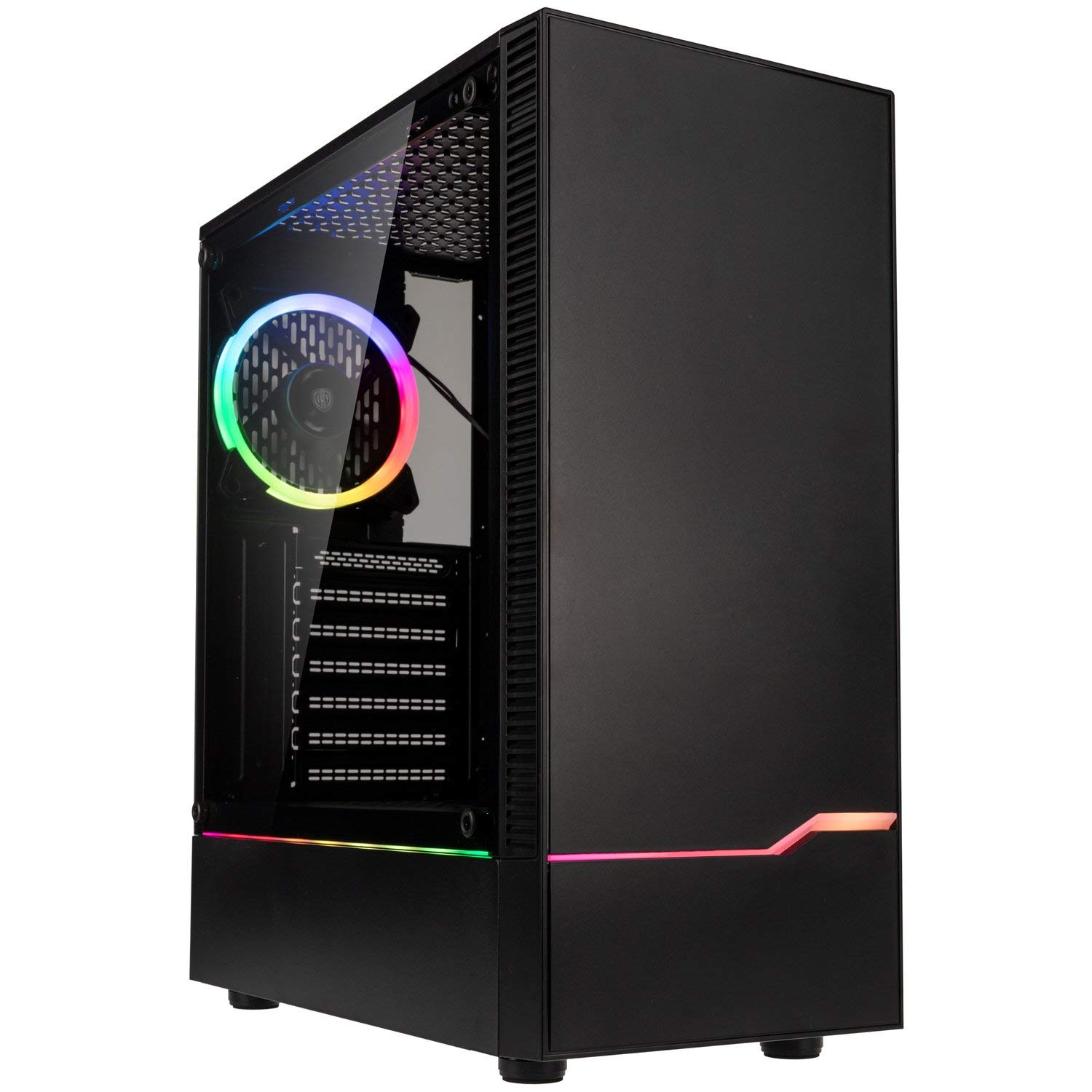
Àwòrán: Iwájú-òsì view of the Kolink INSPIRE K9 case, showcasing the tempered glass side panel and front RGB strip.

Image: Right side panel of the Kolink INSPIRE K9 case, showing the solid metal panel.
2. Modaboudu fifi sori
- Install the I/O shield that came with your motherboard into the designated slot at the rear of the case.
- Align your ATX or Mini-ITX motherboard with the standoffs inside the case. Ensure all standoffs match the screw holes on your motherboard.
- Secure the motherboard using the provided screws. Do not overtighten.
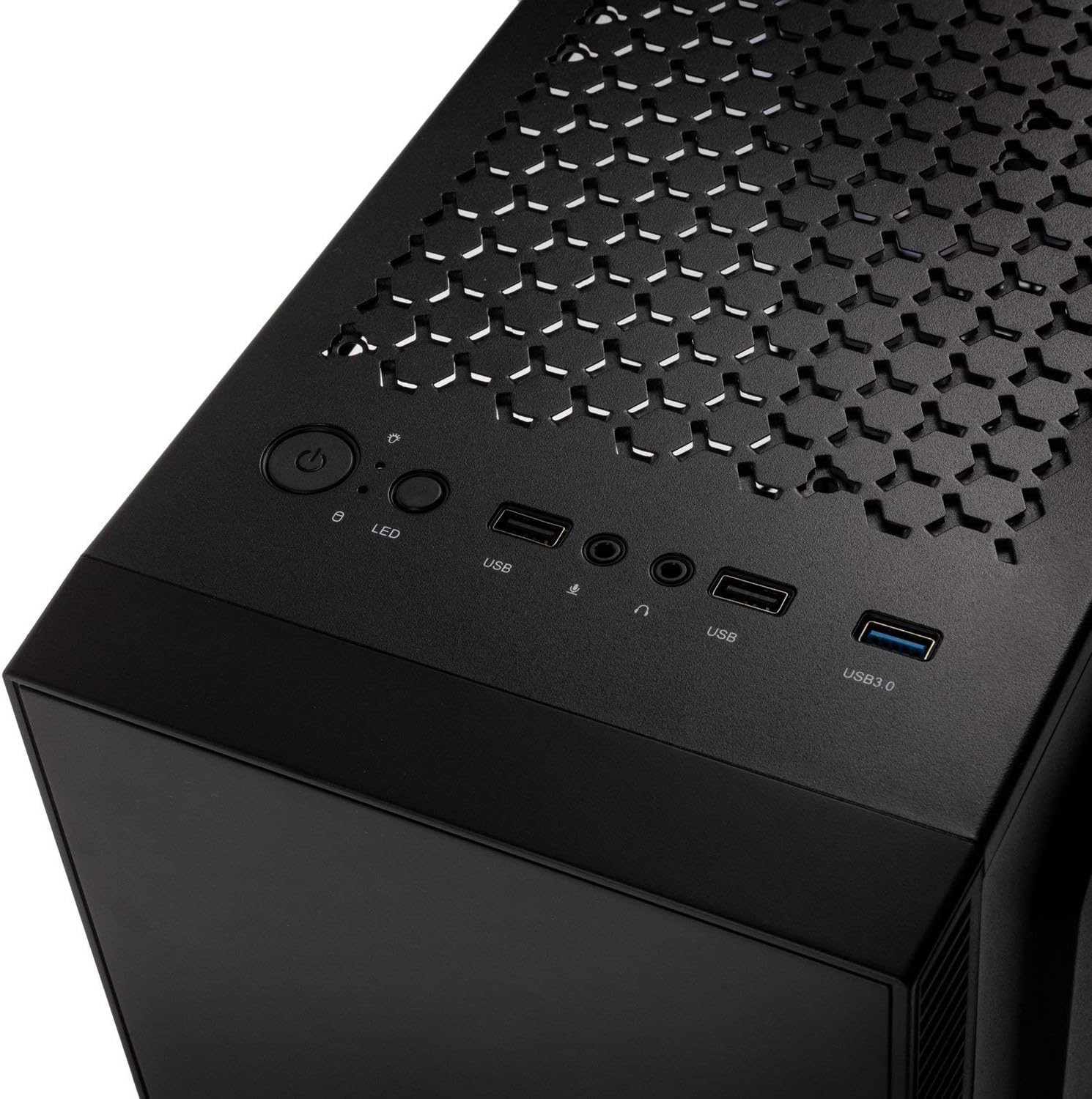
Aworan: inu view of the Kolink INSPIRE K9 case, showing the motherboard tray and cable routing options.
3. CPU and CPU Cooler Installation
- Install your CPU onto the motherboard socket according to your motherboard's instructions.
- Apply thermal paste to the CPU. Refer to the video below for proper thermal paste application techniques.
- Install your CPU cooler (air or liquid) ensuring it fits within the 155 mm height limit. For liquid coolers, install radiators at the front (up to 240mm) or rear (up to 120mm) of the case.
Video: Guide on how to apply thermal paste correctly to a CPU. This is crucial for efficient CPU cooling.
4. Kaadi eya aworan (GPU) fifi sori
- Remove the necessary expansion slot covers at the rear of the case. The case has 7 expansion slots.
- Insert your graphics card into the primary PCIe slot on your motherboard. Ensure it clicks into place.
- Secure the graphics card with screws. The case supports GPUs up to 300 mm in length.
5. Fifi sori ẹrọ Awakọ Ibi ipamọ
- Install 3.5-inch or 2.5-inch drives into the designated drive bays. The case supports 2 x 3.5/2.5 inch and 2 x 2.5 inch drives.
- So awọn awakọ naa mọ pẹlu awọn skru.
6. Agbara Ipese Unit (PSU) fifi sori
- Install your PSU into the bottom mounting area of the case.
- Ṣe aabo PSU pẹlu awọn skru lati ẹhin ọran naa.
7. Iṣakoso USB
- Route all power and data cables through the cutouts in the motherboard tray to the rear of the case.
- Use cable ties (not included) to neatly bundle and secure cables behind the motherboard tray. This improves airflow and aesthetics.

Aworan: Ẹyin view of the Kolink INSPIRE K9 case, showing the I/O shield cutout, expansion slots, and rear fan.

Aworan: inu view of the Kolink INSPIRE K9 case from the right side, showing cable routing space and drive bays.
8. Connecting Front Panel I/O
- Connect the front panel cables (USB 3.0, USB 2.0, HD Audio, Power Switch, Reset Switch, Power LED, HDD LED, RGB LED Control) to the corresponding headers on your motherboard. Refer to your motherboard manual for header locations.

Image: Close-up of the top I/O panel of the Kolink INSPIRE K9 case, featuring USB ports, audio jacks, power button, and RGB LED control.
Awọn ilana Iṣiṣẹ
- Titan/Apapa: Press the power button on the top I/O panel to turn your system on or off.
- Iṣakoso RGB: Use the dedicated RGB LED control button on the top I/O panel to cycle through various lighting modes and colors for the pre-installed RGB fan and front RGB strip.
- Awọn ibudo USB: Utilize the USB 3.0 and USB 2.0 ports for connecting peripherals and external devices.
- Awọn Jacks Audio: Connect your headphones and microphone to the audio jacks on the top I/O panel.
Aworan: Isunmọ view of the pre-installed 120mm RGB fan at the rear of the Kolink INSPIRE K9 case.
Itoju
Itọju deedee n ṣe iranlọwọ lati rii daju pe iṣẹ ṣiṣe to dara julọ ati igba pipẹ ti awọn paati PC rẹ.
- Pipa eruku: Periodically clean dust from the interior of the case, especially from fans and dust filters. Use compressed air or a soft brush.
- Ode Ninu: Nu awọn oju ita, pẹlu panẹli gilasi ti o tutu, pẹlu asọ ti o rọ.amp asọ. Yago fun abrasive ose.
- Ṣíṣàyẹ̀wò Ìṣàkóso Okùn: Occasionally check cable routing to ensure no cables are obstructing airflow or fan operation.
Laasigbotitusita
If you encounter issues with your PC build, consider the following common troubleshooting steps related to the case:
- Eto Ko Titan:
- Ensure the power supply is properly connected to the wall outlet and the PSU switch is in the ON position.
- Verify that the front panel power switch cable is correctly connected to the motherboard header.
- Ṣayẹwo gbogbo awọn asopọ agbara lati PSU si modaboudu ati awọn paati.
- Fans Not Spinning / RGB Not Working:
- Confirm that the fan power cables are securely connected to the motherboard or fan controller.
- Check that the RGB cables are properly connected to the motherboard's RGB header or the case's RGB controller.
- Press the RGB LED control button on the I/O panel to cycle through modes.
- Awọn ibudo USB Ko Ṣiṣẹ:
- Ensure the USB 3.0 and USB 2.0 front panel cables are correctly plugged into their respective headers on the motherboard.
- Awọn oran igbona pupọ:
- Verify that all case fans are spinning correctly and are oriented for optimal airflow (intake/exhaust).
- Clean any dust buildup from fans and filters.
- Ensure the CPU cooler is properly seated and thermal paste is correctly applied.
Atilẹyin ọja ati Support
For warranty information and technical support, please refer to the official KOLINK webojula tabi kan si alagbata rẹ. Jeki ẹri rira rẹ fun awọn iṣeduro atilẹyin ọja.
Olupese: MO NPE
Nọmba awoṣe: INSPIREK9
Nọmba Nkan Iṣowo Agbaye (GTIN): 05999094004030