
1. Ifihan
This manual provides detailed instructions for the installation, operation, and maintenance of your new ATA 43 Inch Full HD LED Smart TV, Model 43S1. Please read this manual thoroughly before using the television to ensure proper functionality and to maximize your viewiriri iriri. Jeki iwe afọwọkọ yii fun itọkasi ọjọ iwaju.
2. Alaye Aabo pataki
- Orisun Agbara: Ensure the TV is connected to a power supply within the specified voltage ibiti.
- Afẹfẹ: Ma ṣe dina awọn ṣiṣi atẹgun. Gba aaye to peye ni ayika TV fun ṣiṣan afẹfẹ to dara.
- Omi ati Ọrinrin: Ma ṣe fi TV han si ojo tabi ọrinrin. Yẹra fun gbigbe awọn nkan ti o kun fun awọn olomi, gẹgẹbi awọn vases, lori TV.
- Ninu: Yọ TV kuro ṣaaju ki o to di mimọ. Lo asọ asọ ti o gbẹ. Maṣe lo awọn olutọpa olomi tabi awọn ẹrọ aerosol.
- Ibi: Gbe TV sori iduro, ipele ipele. Yago fun gbigbe si orun taara tabi sunmọ awọn orisun ooru.
- Ṣiṣẹ: Maṣe gbiyanju lati ṣiṣẹ ọja yi funrararẹ. Tọkasi gbogbo iṣẹ si oṣiṣẹ oṣiṣẹ ti o peye.
3. Package Awọn akoonu
Jọwọ ṣayẹwo apoti fun awọn nkan wọnyi:
- ATA 43 Inch Full HD LED Smart TV (Model 43S1)
- Isakoṣo latọna jijin
- Iduro TV (awọn ege 2)
- Okun agbara
- Afowoyi Olumulo (iwe-ipamọ yii)
- Skru fun TV Imurasilẹ
4. Ọja Ipariview
4.1. Iwaju View
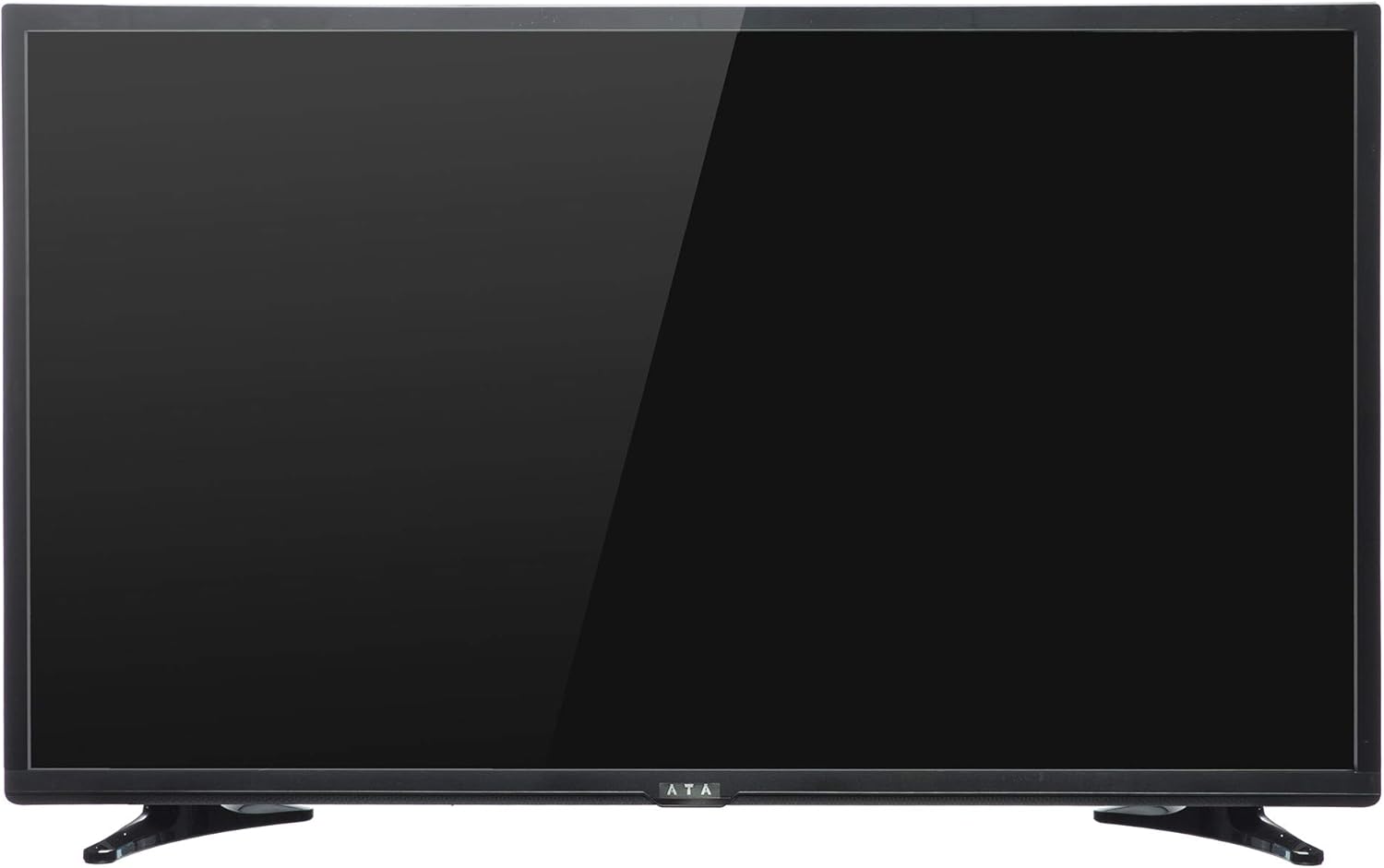
Aworan 1: Iwaju view of the ATA 43 Inch Smart TV. The screen is black, indicating it is powered off or in standby mode. The ATA logo is visible at the bottom center.
The front of the ATA 43S1 TV features a sleek design with a narrow bezel, maximizing the screen area. The ATA brand logo is centrally located at the bottom of the frame. An indicator light (not visible in image) and IR receiver for the remote control are typically located near the logo.
4.2. Ẹyìn View

Aworan 2: Ẹyin view of the ATA 43 Inch Smart TV. This image displays the back panel, including VESA mounting holes for wall installation and designated areas for input/output ports.
The rear panel of the TV includes VESA mounting points for wall installation (wall mount bracket sold separately). Various input and output ports are located on the side and bottom sections of the back panel for easy access.
4.3. Input / o wu Ports
Your ATA Smart TV is equipped with a variety of ports to connect external devices.

Image 3: Close-up of the side-facing ports, showing three HDMI ports (HDMI1, HDMI2, HDMI3) and two USB ports (USB2.0, USB2.0).
- Awọn ibudo HDMI (x3): For connecting high-definition devices such as Blu-ray players, gaming consoles, and set-top boxes.
- Awọn ibudo USB (x2): Fun sisopọ awọn ẹrọ ipamọ USB lati mu media ṣiṣẹ files tabi fun awọn imudojuiwọn software.

Image 4: Close-up of the bottom-facing ports, including Earphone, RJ45 (Ethernet), PC Audio, PC(VGA), Mini YPbPr, Video, L/R Audio (AV In), and Coaxial.
- RJ45 (Eternet) Ibudo: Fun isopọ Ayelujara ti a firanṣẹ.
- PC(VGA) Port: Lati so kọmputa pọ.
- Ohun PC Ninu: Audio input for VGA connection.
- AV In (Video, L/R Audio): Fun sisopọ awọn ẹrọ agbalagba pẹlu fidio akojọpọ ati awọn igbejade ohun sitẹrio.
- YPbPr kekere: Iwọle fidio paati.
- Coaxial: Fun sisopọ eriali tabi TV USB.
- Jack Earphone: Fun sisopọ olokun.
4.4. Isakoṣo latọna jijin

Image 5: The remote control for the ATA Smart TV. It features standard TV controls, navigation buttons, and dedicated function keys.
The remote control allows you to operate all functions of your TV. It includes buttons for power, input source selection, volume control, channel navigation, menu access, smart TV functions, and media playback controls.
- STANDBY (Red Button): Agbara Tan / Paa.
- ORISUN: Select input source (HDMI, AV, TV, etc.).
- Awọn bọtini nọmba (0-9): Aṣayan ikanni taara.
- VOL +/-: Ṣatunṣe iwọn didun.
- CH +/-: Yi awọn ikanni pada.
- DÁKÚN: Mu ohun mu dakẹ/dakẹjẹẹ.
- Akojọ: Wọle si akojọ aṣayan akọkọ.
- Tẹ: Jẹrisi yiyan.
- Awọn bọtini lilọ kiri (Soke/isalẹ/osi/ọtun): Lilö kiri nipasẹ awọn akojọ aṣayan.
- JADE: Exit current menu or function.
- ILE: Wọle si iboju ile Smart TV.
- P.MODE / S.MODE: Picture Mode / Sound Mode.
- SUBTITLE / AUDIO / REFRESH: Specific function buttons.
- PLAY/PAUSE, STOP, FF, FB, PREV, NEXT: Àwọn ìṣàkóso ìṣiṣẹ́ orin media.
5. Eto
5.1. So Iduro TV
- Fi iṣọra gbe TV ni oju-isalẹ lori rirọ, dada mimọ lati ṣe idiwọ ibajẹ iboju.
- Ṣe deede awọn ege imurasilẹ pẹlu awọn iho ti o baamu ni isalẹ ti TV.
- Ṣe aabo awọn ege imurasilẹ nipa lilo awọn skru ti a pese. Rii daju pe wọn ti di ṣinṣin.
- Farabalẹ gbe TV naa ki o si gbe sori iduro, ipele ipele.
Alternatively, you can use a VESA-compatible wall mount (not included) to mount the TV on a wall. Refer to the wall mount's instructions for installation.
5.2. Nsopọ Agbara
Connect the power cord to the TV's power input and then plug the other end into a wall outlet. The TV will enter standby mode.
5.3. Oṣo oluṣeto akọkọ
The first time you power on the TV, an initial setup wizard will guide you through basic settings.
- Tẹ awọn DURO DIE bọtini lori isakoṣo latọna jijin lati tan TV.
- Follow the on-screen prompts to select your preferred language, country/region, and time zone.
- Isopọ nẹtiwọki:
- Wi-Fi: Yan nẹtiwọọki Wi-Fi rẹ lati inu atokọ naa ki o tẹ ọrọ igbaniwọle sii.
- Àjọlò: If you connected an Ethernet cable to the RJ45 port, the TV should automatically detect the wired connection.
- Complete any remaining steps in the setup wizard, such as channel scanning (if connecting an antenna/cable).
6. Awọn ilana Iṣiṣẹ
6.1. Agbara Tan / Paa
- To turn on the TV from standby, press the DURO DIE bọtini lori isakoṣo latọna jijin.
- Lati fi TV si ipo imurasilẹ, tẹ awọn DURO DIE bọtini lẹẹkansi.
6.2. Aṣayan Orisun Input
To switch between connected devices (e.g., HDMI, AV, TV tuner):
- Tẹ awọn ORISUN bọtini lori isakoṣo latọna jijin.
- Use the Navigation buttons (Soke / Isalẹ) to highlight the desired input source.
- Tẹ WOLE lati jẹrisi aṣayan rẹ.
6.3. Iwọn didun ati Iṣakoso ikanni
- Tẹ VOL+ to increase volume, VOL - lati dinku iwọn didun.
- Tẹ CH + to go to the next channel, CH - lati lọ si ikanni ti tẹlẹ.
- Use the Number buttons to directly enter a channel number.
- Tẹ IKU to temporarily turn off the sound. Press again to restore.
6.4. Awọn ẹya Smart TV (Android 4.4.2)
Your TV runs on Android 4.4.2, providing access to various smart features and applications.
- Tẹ awọn ILE button on the remote to access the Smart TV home screen.
- From the home screen, you can navigate to pre-installed applications or access settings.
- Ensure your TV is connected to the internet via Wi-Fi or Ethernet to utilize online features.
- Use the Navigation buttons and WOLE to select and launch applications.
7. Itọju
- Ninu iboju: Rọra nu iboju naa pẹlu asọ ti ko ni lint. Fun awọn ami alagidi, die-die dampen asọ pẹlu omi tabi a specialized iboju regede (ma ṣe fun sokiri taara si iboju).
- Ninu Igbimọ Ile-igbimọ: Lo aṣọ rírọrùn tí ó gbẹ láti nu àpótí tẹlifíṣọ̀n náà. Má ṣe lo àwọn ohun ìfọmọ́ tàbí àwọn ohun èlò ìfọ́mọ́ra.
- Eruku: Regularly dust the ventilation openings on the back of the TV to prevent overheating.
- Okun Agbara: Periodically check the power cord for any damage. If damaged, contact service personnel for replacement.
8. Laasigbotitusita
| Isoro | Owun to le Fa | Ojutu |
|---|---|---|
| Ko si agbara | Okùn agbára kò sopọ̀ mọ́; Ibùdó agbára kò ṣiṣẹ́. | Rii daju pe okun agbara ti wa ni edidi ni aabo. Ṣe idanwo iṣan jade pẹlu ẹrọ miiran. |
| Ko si aworan, ṣugbọn ohun wa | Incorrect input source selected; Backlight issue. | Tẹ awọn ORISUN button to select the correct input. Check picture settings. |
| Ko si ohun, ṣugbọn aworan wa | Volume is muted or too low; Audio cables not connected properly. | Tẹ IKU or increase volume. Check audio cable connections. |
| Isakoṣo latọna jijin ko ṣiṣẹ | Àwọn bátìrì ti kú tàbí wọ́n ti fi sínú rẹ̀ lọ́nà tí kò tọ́; Ìdènà láàárín latọna jijin àti TV. | Rọpo awọn batiri. Rii daju pe o ti ri ibiti o ti le ri olugba IR ti TV naa. |
| Ko le sopọ si Wi-Fi | Ọ̀rọ̀ ìpamọ́ tí kò tọ́; Ìṣòro réètì; TV jìnnà jù sí réètì. | Verify Wi-Fi password. Restart router. Move TV closer or use Ethernet. |
9. Awọn pato
| Ẹya ara ẹrọ | Ẹ̀kúnrẹ́rẹ́ |
|---|---|
| Brand | ATA |
| Nọmba awoṣe | 43S1 (ATA43FOS) |
| Iwon iboju | 43 inches |
| Ifihan Iru | LED FHD |
| Ipinnu | 1920 x 1080 (HD ni kikun) |
| Oṣuwọn sọtun | 60 Hz |
| Eto isesise | Android 4.4.2 |
| Asopọmọra Technology | HDMI (x3), USB (x2), VGA, Ethernet (RJ45) |
| Pataki Awọn ẹya ara ẹrọ | Smart TV functionality, Flat Screen |
| Awọn iwọn Ọja (D x W x H) | 9 x 96.5 x 56 cm |
| Iwọn Nkan | 6.01 kg |
| Awọn irinše to wa | TV, duro |
10. Atilẹyin ọja ati Support
For warranty information, please refer to the warranty card included with your product or contact your local ATA authorized dealer or service center. Keep your purchase receipt as proof of purchase for warranty claims.
For technical support or service inquiries, please contact ATA customer service through their official webaaye tabi alaye olubasọrọ ti a pese ninu iwe ọja rẹ.