
1. Ifihan
The Thomson WEAR7701 Bluetooth HiFi Earbuds provide a wireless audio experience with high-fidelity sound. Designed for comfort and convenience, these lightweight in-ear headphones feature touch controls, voice assistant compatibility, and IPX4 splash protection, making them suitable for various activities, including sports.
This manual provides detailed instructions for setting up, operating, and maintaining your WEAR7701 earbuds to ensure optimal performance and longevity.

2. Package Awọn akoonu
Jọwọ ṣayẹwo pe gbogbo awọn nkan wa ninu package:
- 1x Thomson WEAR7701 Bluetooth Earbuds
- 1x Ọran gbigba agbara
- 3x Pairs of Silicone Ear Tips (Sizes S, M, L)
- 1x Micro USB Ngba agbara USB
- 1x Itọsọna olumulo
3. Eto
3.1 Gbigba agbara akọkọ
Ṣaaju lilo akọkọ, gba agbara ni kikun awọn agbekọri ati apoti gbigba agbara.
- Connect the supplied Micro USB cable to the charging port on the charging case and to a suitable USB power source.
- Place the earbuds into the charging case. Ensure they are correctly seated; indicator lights on the earbuds or case will confirm charging status.
- A full charge for the case takes approximately 3 hours. The earbuds charge within the case.
The charging case provides up to 3 additional full charges for the earbuds, extending their usage time.
3.2 Sisopọ pọ pẹlu Ẹrọ Bluetooth kan
For the first connection, it is crucial to remove both earbuds from the charging case simultaneously to ensure proper stereo pairing with your smartphone.
- Ensure your smartphone's Bluetooth function is enabled.
- Yọ àwọn agbekọri mejeeji kúrò nínú àpótí gbigba agbara. Wọn yóò tan ina laifọwọyi wọn yóò sì wọ inú ipò ìsopọ̀.
- On your smartphone, search for available Bluetooth devices.
- Select "Thomson WEAR7701" (or similar name) from the list of found devices.
- Nígbà tí a bá ti so pọ̀, ẹ̀rọ rẹ yóò fi hàn pé a ti ṣe àṣeyọrí sí ìsopọ̀.
Akiyesi pataki: If only one earbud connects, place both earbuds back into the charging case, close the lid, wait a few seconds, then remove both simultaneously and repeat the pairing process.

4. Awọn ilana Iṣiṣẹ
4.1 Agbara Tan / Pa
- Agbara Tan: Awọn agbekọri naa n tan ina laifọwọyi nigbati o ba yọ kuro ninu apoti gbigba agbara.
- Agbara Pa: The earbuds automatically power off when placed back into the charging case and the lid is closed.
4.2 Fọwọkan Iṣakoso
The earbuds feature intuitive touch controls for managing music playback and calls.
- Mu ṣiṣẹ/Danu Orin duro: Fọwọ ba ẹyọkan lori boya agbekọri.
- Orin t’okan: Fọwọ ba lẹẹmeji lori agbekọri ọtun.
- Tẹlẹ Orin: Fọwọ ba lẹẹmeji lori agbekọri osi.
- Idahun/Ipe Ipari: Fọwọ ba ẹyọkan lori boya agbekọri.
- Kọ Ipe: Tẹ ki o si di ọkan ninu awọn eti mejeeji mu fun iṣẹju-aaya meji.
- Mu Oluranlọwọ Ohun ṣiṣẹ (Siri/Oluranlọwọ Google): Fọwọ ba meteta lori boya agbekọri.

4.3 Wọ awọn Earbuds
Select the ear tips that provide the most comfortable and secure fit. The package includes three sizes (S, M, L) of Mushroom-shaped silicone ear tips to ensure a proper seal for optimal sound quality and stability, even during physical activity.
- Fi rọra fi agbekọri sinu odo eti rẹ.
- Rotate the earbud slightly until it feels secure and comfortable.
- If the fit is not ideal, try a different size of ear tip.
5. Itọju
5.1 Ninu
- Mọ awọn afikọti nigbagbogbo ati apoti gbigba agbara pẹlu asọ ti o gbẹ, asọ ti ko ni lint.
- Yọ awọn imọran eti kuro ki o sọ wọn di mimọ pẹlu ọṣẹ kekere ati omi, lẹhinna gbẹ daradara ṣaaju ki o to tun ṣe.
- Maṣe lo awọn afọmọ abrasive, ọti-lile, tabi awọn nkan ti kemikali.
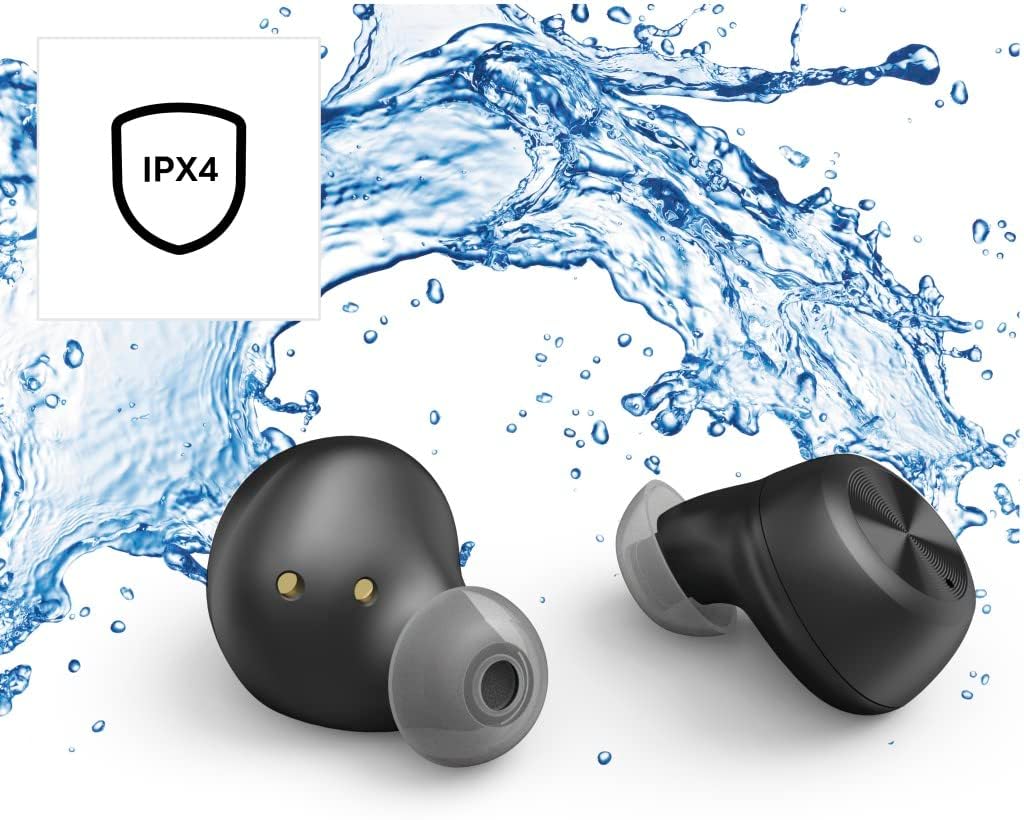
5.2 Omi Resistance (IPX4)
The Thomson WEAR7701 earbuds are rated IPX4, meaning they are protected against splashing water from any direction. This makes them suitable for use during workouts or in light rain.
- Ma ṣe tẹ awọn agbekọri naa sinu omi.
- Do not expose them to pressurized water or high-velocity water, such as showering or swimming.
- Rí i dájú pé àwọn agbekọri náà gbẹ kí o tó fi wọ́n sínú àpótí ìgbara láti dènà ìbàjẹ́ sí àwọn olùbáṣepọ̀ ìgbara.
5.3 Ibi ipamọ
Nigbati o ko ba si ni lilo, tọju awọn afikọti sinu apoti gbigba agbara wọn lati daabobo wọn ki o jẹ ki wọn gba agbara.
6. Laasigbotitusita
6.1 Earbuds Not Pairing or Only One Earbud Connects
- Rii daju pe awọn agbekọri mejeeji ti gba agbara ni kikun.
- Place both earbuds back into the charging case, close the lid, wait a few seconds, then remove both simultaneously.
- Delete the earbuds from your device's Bluetooth list ("Forget Device") and attempt to pair again from scratch.
- Ensure the earbuds are within Bluetooth range of your device (up to 10 meters).
6.2 Ko si Ohun tabi Iwọn kekere
- Ṣayẹwo ipele iwọn didun lori mejeeji ẹrọ ti o sopọ ati awọn agbekọri.
- Rí i dájú pé àwọn agbekọri náà wà ní etí rẹ dáadáa àti pé àwọn etí náà ní ìdè tó dára.
- Tun awọn agbekọri pọ mọ ẹrọ rẹ.
- Nu eyikeyi idoti kuro lati awọn agbohunsoke agbekọri.
6.3 Awọn ọran gbigba agbara
- Rii daju pe okun gbigba agbara ti sopọ ni aabo si ọran mejeeji ati orisun agbara.
- Verify that the power source is functional.
- Nu awọn olubasọrọ gbigba agbara kuro lori mejeeji agbekọri ati inu apoti gbigba agbara.
- Try a different Micro USB charging cable.
7. Awọn pato
| Orukọ awoṣe | WÁ7701 |
| Nọmba awoṣe | 132568 |
| Àwọ̀ | Dudu |
| Asopọmọra | Bluetooth 5.0 |
| Kilasi Bluetooth | Kilasi 2 |
| Igbohunsafẹfẹ Band | 2402-2480 MHz |
| Earbud Frequency Range | 20 Hz - 20 kHz |
| Gbohungbohun Igbohunsafẹfẹ Range | 100 Hz - 5 kHz |
| Earbud Impedance | 32 Ω |
| Imudanu Gbohungbohun | 2.2 kΩ |
| Ijinna gbigbe | 10 m |
| Earbud Sensitivity | 92 dB +/- 3 dB |
| Ifamọ Gbohungbohun | -42 dB ± 3 dB |
| O pọju. Aago Ọrọ | wakati meji 4 |
| Max. Music Playback Time | wakati meji 4 |
| Max. Akoko imurasilẹ | wakati meji 150 |
| Àtúnṣe Àpò Ìgbàgbára | Titi di igba 3 |
| Average Charging Time (Case) | wakati meji 3 |
| Gbigba agbara Iru | Micro USB |
| Ipo Gbohungbohun | Ti ṣepọ |
| Gbohungbohun Iru | Omnidirectional |
| Iṣakoso ohun | Apple Siri / Google Iranlọwọ |
| Ni atilẹyin Bluetooth Profiles | A2DP V1.3/AVRCP V1.6/HFP V1.7/SPP V1.2 |
| Pataki Awọn ẹya ara ẹrọ | Finger-Touch Sensor, QuickPair, Call Answer Button, True Wireless |
| Omi Resistance Rating | IPX4 (Imudaniloju Asesejade) |
| Iwọn (fun agbekọri) | 4 g |
| Apapọ iwuwo | 41 g (earbuds + case) |
| Iṣeduro Lilo | Awọn ere idaraya |
8. Atilẹyin ọja ati Support
Thomson products are manufactured with attention to quality and performance. For information regarding warranty coverage, please refer to the warranty card included with your product or visit the official Thomson webojula.
For technical support, troubleshooting assistance, or to inquire about replacement parts, please contact Thomson customer service through their official channels. Contact details can typically be found on the product packaging or the manufacturer's webojula.
Jọwọ ṣe idaduro ẹri rira rẹ fun awọn iṣeduro atilẹyin ọja.