
Forever ForeVigo 2 SW-330
Forever Smartwatch ForeVigo 2 SW-330 User Manual
Model: ForeVigo 2 SW-330
1. Ifihan
Welcome to your new Forever Smartwatch ForeVigo 2 SW-330. This manual provides essential information for setting up, operating, and maintaining your device. Please read it carefully to ensure proper use and to maximize the features of your smartwatch.
The ForeVigo 2 SW-330 is designed to be your daily companion, offering a range of features including sports tracking, health monitoring, and smart notifications. Its durable design and long-lasting battery make it suitable for various activities.
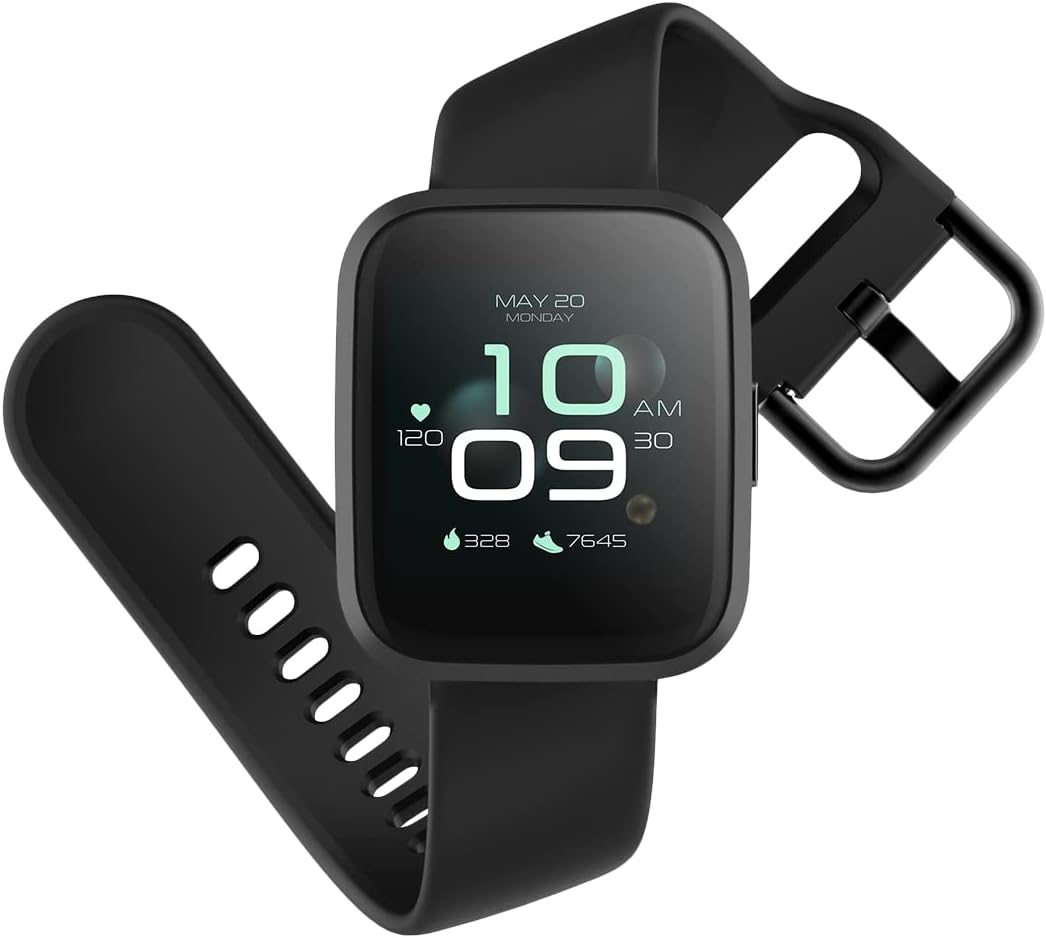
Image: The ForeVigo 2 SW-330 smartwatch with its main display showing the time, heart rate, and step count.
2. Eto
2.1. Gbigba agbara Smartwatch
Before first use, fully charge your smartwatch. The device features a 180 mAh battery, providing up to 12 days of usage on a single charge. A quick charge function is available.
- So okun gbigba agbara pọ si ibudo gbigba agbara lori ẹhin smartwatch.
- Pulọọgi opin USB ti okun naa sinu ohun ti nmu badọgba agbara USB boṣewa (kii ṣe pẹlu) tabi ibudo USB ti kọnputa kan.
- The screen will display a charging indicator.
- Allow approximately 2 hours for a full charge.

Image: The smartwatch screen showing a battery icon with a lightning bolt, indicating it is charging.
2.2. Agbara lori / Paa
- Lati Fi agbara: Tẹ mọlẹ bọtini ẹgbẹ titi ti iboju yoo fi tan.
- Lati Paarẹ: Navigate to the 'Settings' menu on the smartwatch, then select 'Power Off' or press and hold the side button and confirm power off.
2.3. Fifi sori App ati Sisopọ
To unlock the full potential of your smartwatch, download the companion application on your smartphone. The ForeVigo 2 SW-330 is compatible with both Android and iOS devices.
- Wa fun the official 'Forever Smart' or 'ForeVigo' app in your smartphone's app store (Google Play Store for Android, Apple App Store for iOS).
- Fi sori ẹrọ ohun elo.
- Ṣii app naa ki o tẹle awọn ilana loju iboju lati ṣẹda akọọlẹ kan tabi wọle.
- Mu Bluetooth ṣiṣẹ lori foonuiyara rẹ.
- In the app, select 'Add Device' or 'Pair Smartwatch' and choose 'ForeVigo 2 SW-330' from the list of available devices.
- Jẹrisi ibeere sisopọ lori mejeeji foonuiyara rẹ ati smartwatch naa.
3. Ṣiṣẹ Smartwatch
3.1. Lilọ kiri
The ForeVigo 2 SW-330 features a 1.4-inch high-quality touchscreen for intuitive navigation. Swipe left, right, up, or down to access different functions and menus. Press the side button to return to the home screen or wake the device.

Image: The smartwatch screen showing a grid of application icons, including Goals, Heart rate, Sleep, and Messages.
3.2. Sports Functions
The smartwatch supports various sports modes to track your physical activity:
- Owẹ̀: Track your performance during water activities.
- Nrin: Monitor steps, distance, and calories burned.
- Nṣiṣẹ: Record your runs with detailed metrics.
- Irin-ajo: Track outdoor adventures.
- Gigun kẹkẹ: Monitor your bike rides.
Access these modes through the 'Sports' menu on your smartwatch. The device includes a calorie counter, distance tracker, stopwatch, and pedometer.

Image: The smartwatch screen displaying a list of application icons, including Goals, Heart rate, Messages, and Sports.
3.3. Abojuto Ilera
- Abojuto oorun: The smartwatch monitors your sleep patterns, including light and deep sleep stages. View detailed reports in the companion app.
- Atẹle Oṣuwọn ọkan: The integrated heart rate sensor continuously tracks your heart rate. Access real-time data on the watch or historical data in the app.

Image: The smartwatch screen showing sleep tracking data, including light sleep, deep sleep, and total sleep time.
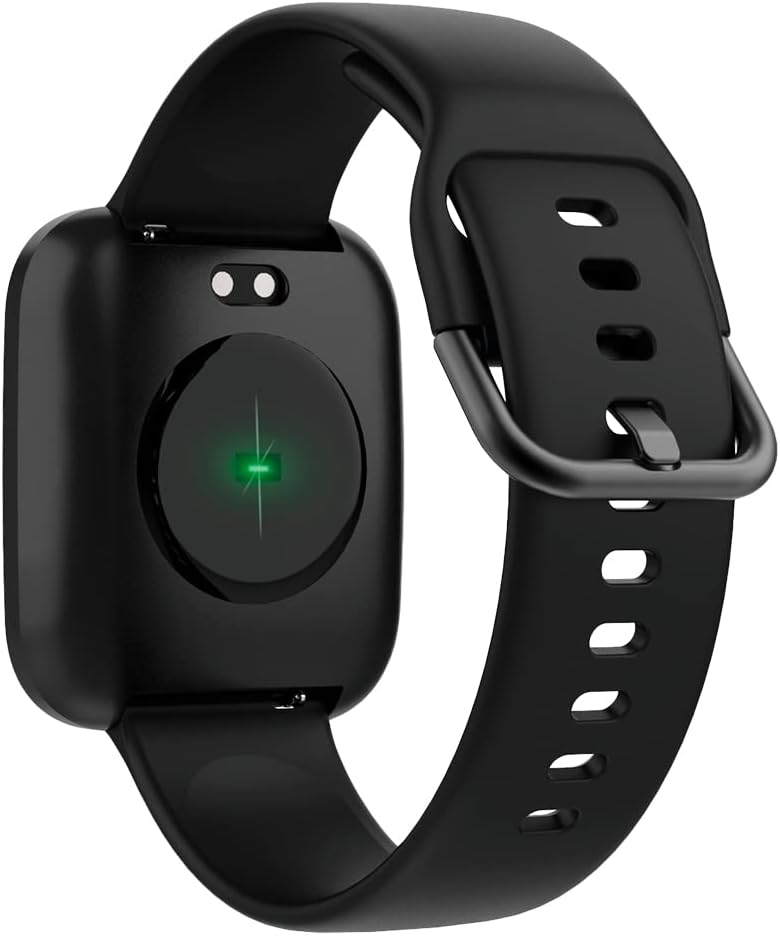
Image: The back of the smartwatch, highlighting the green light of the optical heart rate sensor.
3.4. Smart Awọn ẹya ara ẹrọ
- Awọn iwifunni foonu: Receive alerts for calls, messages, and app notifications directly on your wrist. Configure notification settings in the companion app.
- Iṣakoso Orin: Control music playback on your smartphone (play, pause, skip tracks) directly from your smartwatch.
- Latọna Kamẹra: Lo agogo smart rẹ gẹ́gẹ́ bí ohun èlò ìdábùú láti ọ̀dọ̀ àwọn kámẹ́rà fóònù rẹ.
- Daily Goals & Activity Reminders: Set daily activity goals and receive reminders to stay active throughout the day.
- Device Locator: Use the app to locate your smartwatch if it's within Bluetooth range.
4. Itọju
4.1. Omi Resistance
The ForeVigo 2 SW-330 is waterproof according to the IP68 standard, meaning it can withstand total immersion in water. This allows for tracking swimming activities. However, it is not recommended for hot water activities (e.g., hot showers, saunas) as steam can damage the seals.
4.2. Ninu ati Itọju
- Ṣe nu smartwatch rẹ nigbagbogbo ati okun pẹlu asọ, damp asọ.
- Yago fun lilo awọn kẹmika lile tabi awọn ohun elo abrasive.
- Rii daju pe awọn olubasọrọ gbigba agbara jẹ mimọ ati ki o gbẹ ṣaaju gbigba agbara.
4.3. Interchangeable Straps
The smartwatch features elegant and interchangeable straps made of silicone and metal. To change the strap, locate the quick-release pins on the underside of the strap and gently slide them to detach. Attach new straps by aligning the pins and sliding them into place.
5. Laasigbotitusita
If you encounter issues with your ForeVigo 2 SW-330, try the following solutions:
- Agogo Smart ko tan: Rii daju pe ẹrọ naa ti gba agbara ni kikun. Sopọ mọ ṣaja fun o kere 30 iṣẹju.
- Ko le so pọ pẹlu foonuiyara:
- Rii daju pe Bluetooth ti ṣiṣẹ lori foonuiyara rẹ.
- Make sure the smartwatch is within range of your smartphone.
- Tun bẹrẹ mejeeji smartwatch ati foonuiyara rẹ.
- Ṣayẹwo boya ohun elo ẹlẹgbẹ ti ni imudojuiwọn si ẹya tuntun.
- Awọn alaye ilera ti ko pe: Ensure the smartwatch is worn snugly on your wrist, but not too tight. Clean the heart rate sensor regularly.
- Awọn iwifunni ko han: Check notification settings in the companion app and your smartphone's system settings to ensure the app has necessary permissions.
- Iboju ko dahun: Try restarting the smartwatch. If the issue persists, ensure the screen is clean and dry.
For further assistance, refer to the support section of the companion app or contact customer support.
6. Awọn pato
| Ẹya ara ẹrọ | Ẹ̀kúnrẹ́rẹ́ |
|---|---|
| Brand | LAIYE |
| Nọmba awoṣe | SW-310 |
| Àwọ̀ | Dudu |
| Ibamu System isẹ | Android, iOS |
| Iwon iboju | 1.4 inches |
| Pataki Awọn ẹya ara ẹrọ | Lightweight, Stopwatch |
| Awọn ẹrọ ibaramu | Foonuiyara |
| Agbara Batiri | 180 mAh |
| Igbesi aye batiri | Titi di ọjọ mẹwa 12 |
| Alailowaya Ibaraẹnisọrọ | Bluetooth |
| GPS | GPS ti a ṣepọ |
| Omi Resistance | IP68 |
| Iwọn | 34 g |
| Awọn iwọn | 36 x 42 x 11 mm |
7. Atilẹyin ọja ati Support
Your Forever Smartwatch ForeVigo 2 SW-330 comes with a manufacturer's warranty. Please refer to the warranty card included in your product packaging for specific terms and conditions. For technical support, product inquiries, or warranty claims, please contact your retailer or the official Forever customer service through their website or the companion application.
Pa ẹri rira rẹ mọ fun awọn idi atilẹyin ọja.