
1. Ifihan
This manual provides essential instructions for the safe and effective use of your PUR LINE Airtester Co2 Air Quality Monitor. This device is designed to accurately measure carbon dioxide (CO2) levels, ambient temperature, and relative humidity, helping you maintain a healthy and comfortable indoor environment.
Key features include a clear LCD display for easy data interpretation, a wide measurement range for CO2, temperature, and humidity, and a convenient USB rechargeable battery for portability.
2. Package Awọn akoonu
- PUR LINE Airtester Co2 Air Quality Monitor
- Okun Ngba agbara USB
- Afowoyi Olumulo (iwe-ipamọ yii)
3. Ẹrọ Loriview

Nọmba 1: Iwaju view of the PUR LINE Airtester Co2 Air Quality Monitor. The display shows CO2 levels in ppm, temperature in degrees Celsius, and humidity in percentage. A single button is located below the screen.

Nọmba 2: Igun view ti atẹle naa, fihanasing its sleek and compact form factor suitable for various environments.

Nọmba 3: Angled ti o yatọ view of the PUR LINE Airtester Co2, emphasizing its modern design.
4. Eto
4.1 Gbigba agbara akọkọ
Before first use, fully charge the device. Connect the provided USB charging cable to the monitor's charging port and to a standard USB power adapter (not included) or a computer USB port. The battery indicator on the display will show charging status. A full charge typically takes several hours.
4.2 Ibi
Place the Airtester Co2 on a flat, stable surface in the area where you wish to monitor air quality. Ensure it is not obstructed by objects that could block airflow to the sensors. Avoid placing it near heat sources, direct sunlight, or in areas with high humidity or strong drafts, as these can affect measurement accuracy.

Nọmba 4: Example of the Airtester Co2 placed on a desk, illustrating a suitable monitoring location.
5. Awọn ilana Iṣiṣẹ
5.1 Agbara Tan / Pa
- Lati Fi agbara: Press and hold the button located below the display for approximately 3 seconds until the screen illuminates.
- Lati Paarẹ: Press and hold the button again for approximately 3 seconds until the display turns off.
5.2 Oye Ifihan naa
The LCD display provides real-time readings for three key air quality parameters:
- CO2 Level: Displayed in parts per million (ppm) at the top of the screen.
- Iwọn otutu: Displayed in degrees Celsius (°C) on the lower left.
- Ọriniinitutu: Ṣe afihan bi ogorun kantage (% RH) on the lower right.
A battery icon is also visible on the display, indicating the current charge level.
5.3 Interpreting CO2 Levels
CO2 levels are an indicator of indoor air ventilation. General guidelines for CO2 levels are:
- Below 800 ppm: Good air quality, well-ventilated.
- 800 - 1200 ppm: Moderate air quality, consider increasing afẹ́fẹ́.
- Above 1200 ppm: Poor air quality, immediate ventilation recommended.
6. Itọju
6.1 Ninu
Wipe the device with a soft, dry cloth. Do not use abrasive cleaners, solvents, or immerse the device in water. Ensure the sensor openings are free from dust and debris.
6.2 batiri Itọju
Recharge the device when the battery indicator shows a low charge. Use only the provided USB cable or a compatible cable. Avoid overcharging or completely draining the battery frequently to prolong its lifespan.
6.3 Ibi ipamọ
When not in use for extended periods, store the device in a cool, dry place away from direct sunlight and extreme temperatures. It is recommended to charge the battery periodically (e.g., every 3 months) to maintain battery health.
7. Laasigbotitusita
- Ẹrọ naa ko tan: Ensure the battery is charged. Connect the device to a USB power source and try again. If the issue persists, contact support.
- Awọn kika ti ko pe: Ensure the device is placed in an appropriate location, away from direct drafts, heat sources, or high humidity. Allow the device to stabilize for a few minutes after powering on. If readings seem consistently off, a factory reset might be necessary (refer to specific device instructions if available, or contact support).
- Batiri ko gba agbara: Check the USB cable and power source. Try a different USB port or adapter. Ensure the charging port on the device is clean and free of debris.
8. Awọn pato
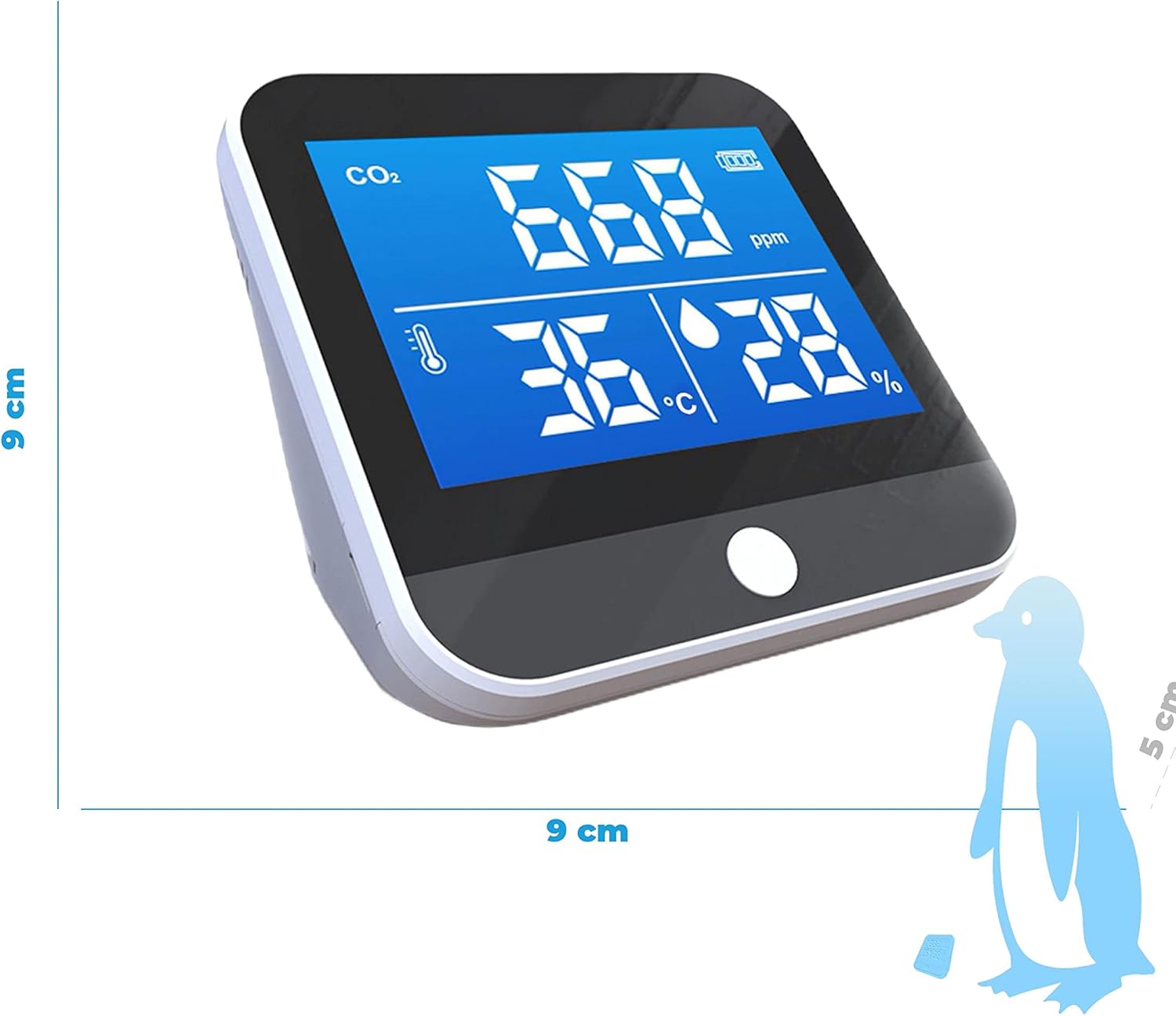
Nọmba 5: Dimensions of the Airtester Co2 monitor.
| Paramita | Iye |
|---|---|
| Awoṣe | Airtester Co2 |
| Iwọn Iwọn Iwọn CO2 | 400-5000 ppm |
| Iwọn Iwọn Iwọn otutu | -10°C si 50°C |
| Iwọn Iwọn Ọriniinitutu | 20% -85% RH |
| Batiri | 2000mAh Lithium, rechargeable via USB |
| Awọn iwọn (LxPxH) | 9 x 5 x 9 cm |
| Iwọn | 500 g |
| Olupese | Purline |
9. Atilẹyin ọja ati Support
For warranty information, technical assistance, or customer support, please refer to the documentation included with your purchase or visit the official PUR LINE webojula. Jeki ẹri rira rẹ fun awọn iṣeduro atilẹyin ọja.