
Ọrọ Iṣaaju
Thank you for choosing the Casio CSN 316 Calculator. This manual provides essential information to help you get the most out of your device, including setup instructions, operational guidance, maintenance tips, and troubleshooting solutions. Please read this manual thoroughly before using the calculator and keep it for future reference.
Ọja Pariview
The Casio CSN 316 is a reliable 12-digit calculator designed for everyday use. It features dual power sources, ensuring consistent performance in various environments. Its clear LCD display makes calculations easy to read.
Awọn ẹya pataki:
- 12-digit display capacity
- Dual power (Solar and Battery)
- Ko àpapọ LCD
- Standard arithmetic functions
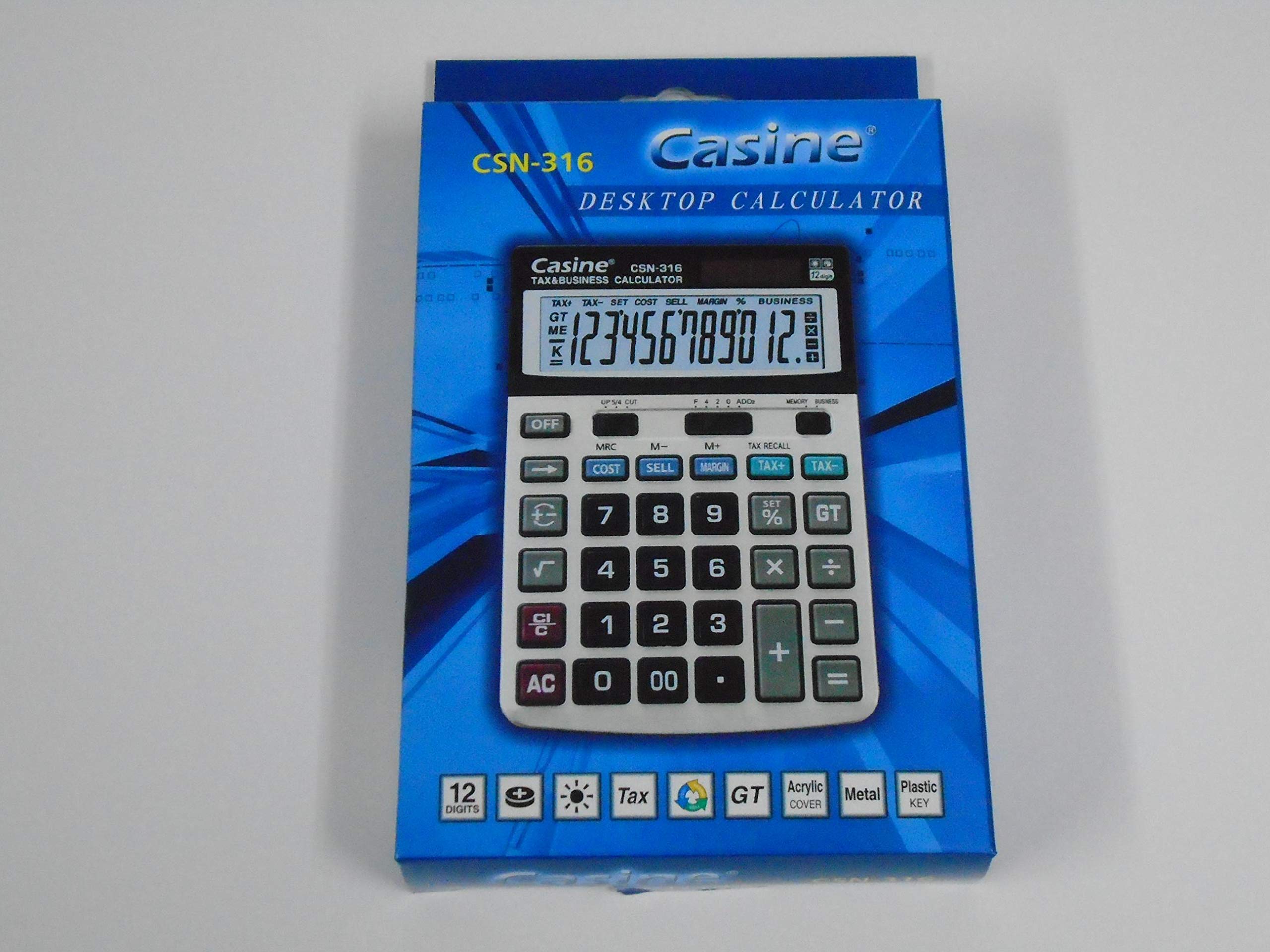
Nọmba 1: Iwaju view of the Casio CSN 316 Calculator, showing the 12-digit LCD display and key layout.
Ṣeto
1. Agbara Orisun
The Casio CSN 316 calculator operates on dual power: solar power and battery power. Under sufficient lighting, the calculator will primarily use solar power. In low light conditions, it will automatically switch to battery power.
2. Batiri sori / Rirọpo
- Rii daju pe ẹrọ iṣiro ti wa ni pipa.
- Wa ideri iyẹwu batiri ni ẹhin ẹṣiro naa.
- Using a small screwdriver, carefully remove the screw(s) securing the battery compartment cover.
- Yọ ideri kuro.
- Insert a new battery (type specified in Specifications section) with the correct polarity (+/-) as indicated inside the compartment.
- Rọpo ideri ibi ipamọ batiri naa ki o si fi skru(s) so o mọ.
Akiyesi: Sọ awọn batiri ti a lo ni ibamu si awọn ilana agbegbe.
Awọn ilana Iṣiṣẹ
Awọn iṣiro ipilẹ
- Afikun (+): Tẹ nọmba akọkọ sii, tẹ +, tẹ nọ́mbà kejì, tẹ =.
- Iyokuro (-): Tẹ nọmba akọkọ sii, tẹ -, tẹ nọ́mbà kejì, tẹ =.
- Ìsọdipúpọ̀ (×): Tẹ nọmba akọkọ sii, tẹ ×, tẹ nọ́mbà kejì, tẹ =.
- Ẹ̀ka (÷): Tẹ nọmba akọkọ sii, tẹ ÷, tẹ nọ́mbà kejì, tẹ =.
Clearing Entries
- Tẹ AC (All Clear) to clear all entries and reset the calculator.
- Tẹ CE (Clear Entry) to clear the last entered number without affecting previous calculations.
Awọn iṣẹ iranti
- M+: Ṣe afikun iye ti o han si iranti.
- M-: Yọkuro iye ti o han lati iranti.
- MR: Recalls the value stored in memory to the display.
- MC: Ó ń pa ìrántí mọ́.
Itoju
Ninu
To clean your calculator, wipe it gently with a soft, dry cloth. Do not use abrasive cleaners, solvents, or spray directly onto the calculator, as this may damage the display or internal components.
Ibi ipamọ
Store the calculator in a cool, dry place away from direct sunlight and extreme temperatures. Avoid placing heavy objects on top of the calculator.
Laasigbotitusita
| Isoro | Owun to le Fa | Ojutu |
|---|---|---|
| Ifihan ti ṣofo tabi baibai. | Ina ti ko to fun agbara oorun, tabi batiri kekere. | Move to a brighter area or replace the battery. |
| Awọn abajade iṣiro ti ko tọ. | Incorrect key input or previous calculation not cleared. | Tẹ AC to clear all and re-enter the calculation carefully. |
| Awọn bọtini ko ni idahun. | Calculator may be frozen or battery is completely drained. | Replace the battery. If problem persists, contact customer support. |
Awọn pato
- Brand: Casio
- Orukọ awoṣe: CSN 316
- Iru ifihan: LCD
- Nọmba awọn nọmba: 12
- Orisun Agbara: Dual Power (Solar and Battery Powered)
- Nọmba Abala Olupese: 2724633395248.0
- ASIN: B091BPDPC4
- Ọjọ akọkọ ti o wa: Oṣu Kẹta Ọjọ 30, Ọdun 2021
Atilẹyin ọja ati Support
For detailed warranty information, please refer to the warranty card included with your product packaging or visit the official Casio website. If you require further assistance or have questions not covered in this manual, please contact Casio customer support through their official channels.
O le ri awọn alaye olubasọrọ atilẹyin nigbagbogbo lori olupese webojula: www.casio.com