
1. Ifihan
This user manual provides essential information for the safe and efficient operation of your Candy Smart Pro CSOE H9A2TE-S 9KG Heat Pump Dryer. Please read these instructions carefully before using the appliance and retain them for future reference. Proper use and maintenance will ensure optimal performance and extend the lifespan of your dryer.
2. Alaye Aabo
Awọn ikilọ Aabo Gbogbogbo:
- Nigbagbogbo ge asopọ ohun elo lati ipese agbara ṣaaju ṣiṣe mimọ tabi ṣiṣe itọju eyikeyi.
- Do not allow children to play with the appliance or operate the controls.
- Ensure the dryer is installed on a stable, level surface to prevent vibration and noise.
- Ma ṣe gbẹ awọn nkan ti a ko fọ ninu ẹrọ gbigbẹ tumble.
- Awọn nkan ti a ti sọ di ẹlẹgbin pẹlu awọn nkan bii epo sise, acetone, oti, epo, epo, kerosene, awọn imukuro iranran, turpentine, waxes, ati awọn imukuro epo yẹ ki o fo ninu omi gbigbona pẹlu afikun iye ohun elo ṣaaju ki o to gbẹ ninu ẹrọ gbigbẹ tumble.
- Do not overload the dryer. Refer to the maximum load capacity of 9KG.
- Ensure adequate ventilation in the room to prevent the backflow of gases from appliances burning other fuels.
- Ohun elo ko gbọdọ fi sori ẹrọ lẹhin ilẹkun titiipa, ilẹkun yiyọ, tabi ilẹkun pẹlu mitari ni apa idakeji si ti ẹrọ gbigbẹ, ni iru ọna ti ṣiṣi kikun ti ẹnu-ọna gbigbe togbe ni ihamọ.
3. Ohun ti o wa ninu Apoti
Upon unpacking your Candy Smart Pro CSOE H9A2TE-S dryer, please verify that all components are present:
- Candy Smart Pro CSOE H9A2TE-S Heat Pump Dryer
- Imugbẹ Okun
- Easy Case Water Condensation Drawer
- Electrical Asopọ USB
- Ilana Afowoyi (iwe yii)
4. Eto ati fifi sori
4.1 Ṣiṣii silẹ
Carefully remove all packaging materials. Keep packaging away from children. Inspect the appliance for any damage during transit. If damage is found, do not install or operate the dryer and contact your retailer.
4.2 Ibi
Place the dryer on a firm, level floor. Adjust the feet to ensure stability. Allow sufficient space around the appliance for ventilation. Do not install the dryer in a room where the temperature may fall below 0°C, as this can affect the appliance's operation.

Àwòrán: Iwájú-òsì view of the Candy Smart Pro CSOE H9A2TE-S dryer with dimensions indicated. The dryer measures approximately 85cm in height, 60cm in width, and 58cm in depth.
4.3 Itanna Asopọ
Connect the power cable to a grounded electrical outlet. Ensure the voltage ati igbohunsafẹfẹ baramu awọn pato lori awọn ohun elo ká Rating awo. Ma ṣe lo awọn okun itẹsiwaju tabi awọn oluyipada pupọ.
4.4 Imugbẹ Hose Asopọ
The dryer collects condensed water in the Easy Case drawer. For continuous drainage, you can connect the provided drain hose to a suitable drain point. Refer to the detailed instructions in the full manual for specific steps on connecting the drain hose.
5. Ọja Ipariview
The Candy Smart Pro CSOE H9A2TE-S features a user-friendly design with a clear control panel and an innovative Easy Case water collection system.

Aworan: Iwaju view of the Candy Smart Pro CSOE H9A2TE-S dryer, showing the main door, control panel with display, and program selection dial.
5.1 Iṣakoso igbimo
The control panel includes a program selection dial, a Smart Text display, and various function buttons for customizing drying cycles. The Smart Text display provides clear information about the selected program, remaining time, and other settings.

Image: Close-up of the dryer's control panel, highlighting the Smart Text display which shows '2:50' (likely remaining time) and various icons for functions like Wi-Fi, delay start, and drying level.
5.2 Easy Case Water Tank
The Easy Case is a 5-liter water condensation drawer conveniently located in the dryer door. This design allows for easy removal and emptying of collected water.
6. Awọn ilana Iṣiṣẹ
6.1 Ikojọpọ togbe
Open the dryer door and load laundry into the drum. Do not overload the appliance. For best results, sort laundry by fabric type and drying requirements.
6.2 Yiyan Eto kan
Turn the program selection dial to choose one of the 15 available drying cycles. The dryer offers 7 rapid cycles for quick drying needs. The Smart Text display will show details of the selected program. You can adjust settings like drying level or delay start using the function buttons.
6.3 Using the hOn App (Wi-Fi and Voice Control)
Your Candy Smart Pro dryer is equipped with Wi-Fi connectivity, allowing remote control and access to additional features via the hOn App. The app provides remote control, washing tips, and immediate assistance. It is also compatible with Alexa and Google Home for voice control.
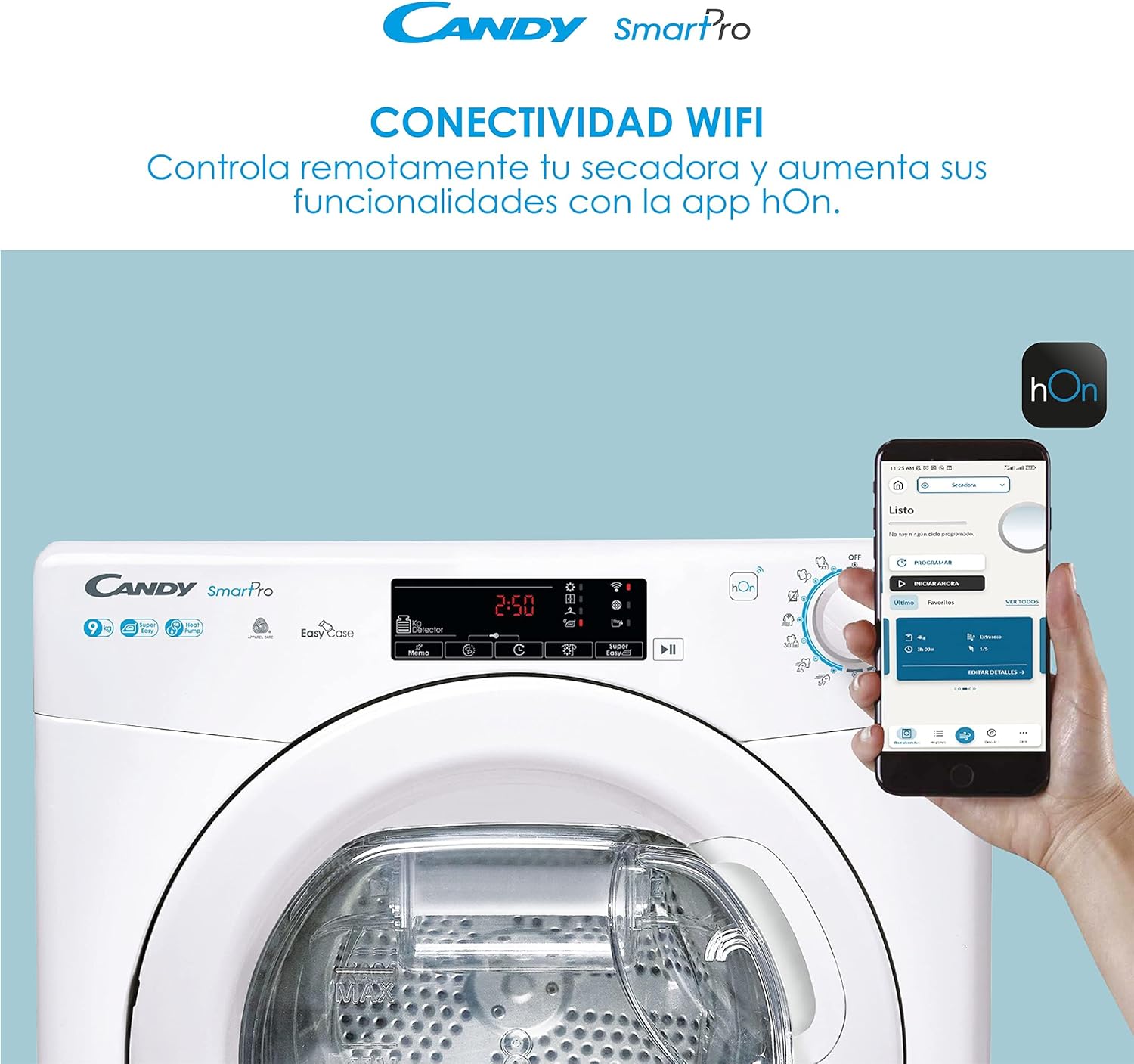
Image: A Candy Smart Pro dryer with a smartphone displaying the hOn app interface, illustrating the Wi-Fi connectivity feature for remote control and enhanced functionalities.
To connect to the hOn App:
- Download the hOn App from your smartphone's app store.
- Follow the in-app instructions to pair your dryer with your device.
- Once connected, you can start, pause, and monitor cycles remotely, and access additional programs.
6.4 Bibẹrẹ Ayika
After selecting your program and adjusting any desired options, press the Start/Pause button to begin the drying cycle.
7. Itọju
Itọju deedee n ṣe idaniloju pe ẹrọ gbigbẹ rẹ yoo pẹ to ati pe yoo ṣiṣẹ daradara.
7.1 Ninu Lint Filter
The lint filter should be cleaned after every drying cycle. Open the dryer door, remove the filter, and clear any accumulated lint. Rinse with water if necessary and ensure it is completely dry before reinserting.
7.2 Emptying the Easy Case Water Tank
The Easy Case water tank should be emptied after each drying cycle. Pull out the drawer from the door, empty the collected water, and push it back into place until it clicks.
7.3 Ninu Condenser
As a heat pump dryer, the condenser requires periodic cleaning (approximately every few months, depending on usage). Refer to the detailed instructions in the full manual for the correct procedure to access and clean the condenser unit.
7.4 Gbogbogbo Cleaning
Mu ese ita ti ẹrọ gbigbẹ pẹlu asọ, damp asọ. Ma ṣe lo abrasive ose tabi epo.
8. Laasigbotitusita
If you encounter issues with your dryer, consult the following table for common problems and solutions. For more complex issues, refer to the full instruction manual or contact customer support.
| Isoro | Owun to le Fa | Ojutu |
|---|---|---|
| Agbe ko bẹrẹ | Kò sí okùn agbára tí a so mọ́; kò sí ìlẹ̀kùn tí a ti tì dáadáa; kò sí ètò tí a yàn; Bọ́tìnì ìbẹ̀rẹ̀/Dúró kò sí tí a tẹ̀. | Ṣàyẹ̀wò ìsopọ̀ agbára; rí i dájú pé ìlẹ̀kùn náà ti dí; yan ètò kan; tẹ Bẹ̀rẹ̀/Dákẹ́. |
| Clothes are not drying properly | Lint filter clogged; condenser dirty; overloaded dryer; incorrect program selected. | Clean lint filter; clean condenser; reduce load size; select appropriate program. |
| Omi ojò kikun Atọka wa ni titan | Omi omi ti kun. | Empty the Easy Case water tank. |
| Ariwo dani tabi gbigbọn | Dryer not level; foreign objects in drum; motor issue. | Adjust leveling feet; check drum for objects; contact service if persistent. |
9. Awọn pato
| Ẹya ara ẹrọ | Sipesifikesonu |
|---|---|
| Nọmba awoṣe | CSOE H9A2TE-S |
| Brand | Suwiti |
| Agbara | 9 kilo |
| Iru | Ooru fifa togbe |
| Awọn iwọn (H x W x D) | 85 cm x 60 cm x 58.5 cm |
| Iwọn | 41.5 kilo |
| Asopọmọra | Wi-Fi, hOn App, Voice Control (Alexa, Google Home) |
| Omi ojò Agbara | 5 Liters (Easy Case) |
| Nọmba ti Yiyi | 15 (including 7 rapid cycles) |
| Ohun elo | Stainless Steel (drum), other components |
| Àwọ̀ | Funfun |
| Agbara ṣiṣe Rating | E |
10. Atilẹyin ọja ati Support
Your Candy Smart Pro CSOE H9A2TE-S dryer comes with a manufacturer's warranty. Please refer to the warranty card included with your purchase for specific terms and conditions. For technical assistance, spare parts, or to schedule a service appointment, please contact Candy customer support through their official webaaye tabi alaye olubasọrọ ti a pese ninu iwe rira rẹ.