
HOREVO B027-110V
HOREVO Retractable Ceiling Fan with Lights and Bluetooth Speaker Instruction Manual
Brand: HOREVO
Awoṣe: B027-110V
1. Ifihan ati Ọja Loriview
This manual provides detailed instructions for the installation, operation, and maintenance of your HOREVO Retractable Ceiling Fan with Lights and Bluetooth Speaker. This innovative product combines a ceiling fan, lighting, and an integrated Bluetooth speaker, offering convenience and ambiance for various rooms.
- Iṣọkan Ile Smart: Seamlessly control the fan and lights with Alexa and Google App for hands-free convenience.
- Retractable Blades: Unique retractable design conceals the fan blades when not in use, providing a sleek and modern appearance.
- Agbọrọsọ Bluetooth: Enjoy your favorite tunes directly from the built-in Bluetooth speaker, enhancing both function and ambiance.
- Kids Fan Light: 24W mini-size design, no noise, good choice for kid's room. Accompanied by starry lights, soft music and breeze, children will no longer be afraid of the dark night. Set a timer for the fan, so that no need to worry about catch cold.

Figure 1: HOREVO Retractable Ceiling Fan with Lights and Bluetooth Speaker. This image shows the fan with its blades extended and the light illuminated, with musical notes indicating the Bluetooth speaker function.
2. Eto ati fifi sori
The HOREVO Retractable Ceiling Fan is designed for easy installation. It comes with all necessary installation materials and clear instructions. Ensure power is disconnected before beginning installation.
2.1 Awọn iwọn
The fan has a diameter of 36 inches when the fan blades are extended and 16 inches when the blades are retracted. Rods of 3.9 inches and 7.9 inches are included for adjustable hanging, allowing for flexible installation heights.

Figure 2: Detailed dimensions of the HOREVO Retractable Ceiling Fan, showing its height and width in both extended and retracted states.
2.2 fifi sori Igbesẹ
- Ge Agbara: Kí o tó bẹ̀rẹ̀, rí i dájú pé a ti pa agbára ìpèsè sí agbègbè ìfisílé ní ibi tí ẹ̀rọ ìfọ́mọ́ra náà ti ń ṣiṣẹ́.
- Gbe Bracket soke: So bracket fifi sori ẹrọ mọ apoti ipade aja naa daradara.
- Awọn isopọ Waya: Connect the fan's electrical wires to your home's power supply wires according to local electrical codes. The fan is designed with three parts in one piece, simplifying wiring.
- Attach Fan Body: Carefully lift and attach the fan body to the mounted bracket.
- Fi sori ẹrọ Lampiboji: Rotate and install the lampshade onto the fan body.
- Pada Agbara pada: Once installation is complete, restore power and test the fan and light functions.
Note: Professional installation is recommended if you are unfamiliar with electrical wiring.
3. Awọn ilana Iṣiṣẹ
Your HOREVO ceiling fan offers multiple control options for convenience.
3.1 Iṣẹ iṣakoso latọna jijin
The fan comes with a dedicated remote control for easy access to all functions.
Figure 3: The remote control for the HOREVO ceiling fan, showing various buttons for fan speed, light control, and other functions.
- Iyara Olufẹ: Select from 3 fan speeds (low, medium, high) using the designated buttons.
- Iṣakoso ina: Turn the light on/off, adjust brightness, and change light color (white, warm, neutral, or RGB colors) using the light control buttons.
- Iṣẹ Aago: Set a timer for the fan to automatically turn off after 1, 2, or 3 hours.
- Ìfàsẹ́yìn Abẹ́: The blades automatically retract when the fan is turned off and extend when the fan is turned on.

Figure 4: Illustration of the fan's forward and reverse modes. Forward turn provides cool wind for summer, while reverse turn promotes warm air circulation for winter.
3.2 Smart Home Integration (Alexa/Google Home)
Control your fan and lights using voice commands through Alexa or Google Home. Ensure your fan is connected to your home Wi-Fi network and linked to the respective smart home app.
- Awọn pipaṣẹ ohun: Use commands like "Alexa, turn on the fan," "Google, set fan speed to 2," or "Alexa, change light color to blue."
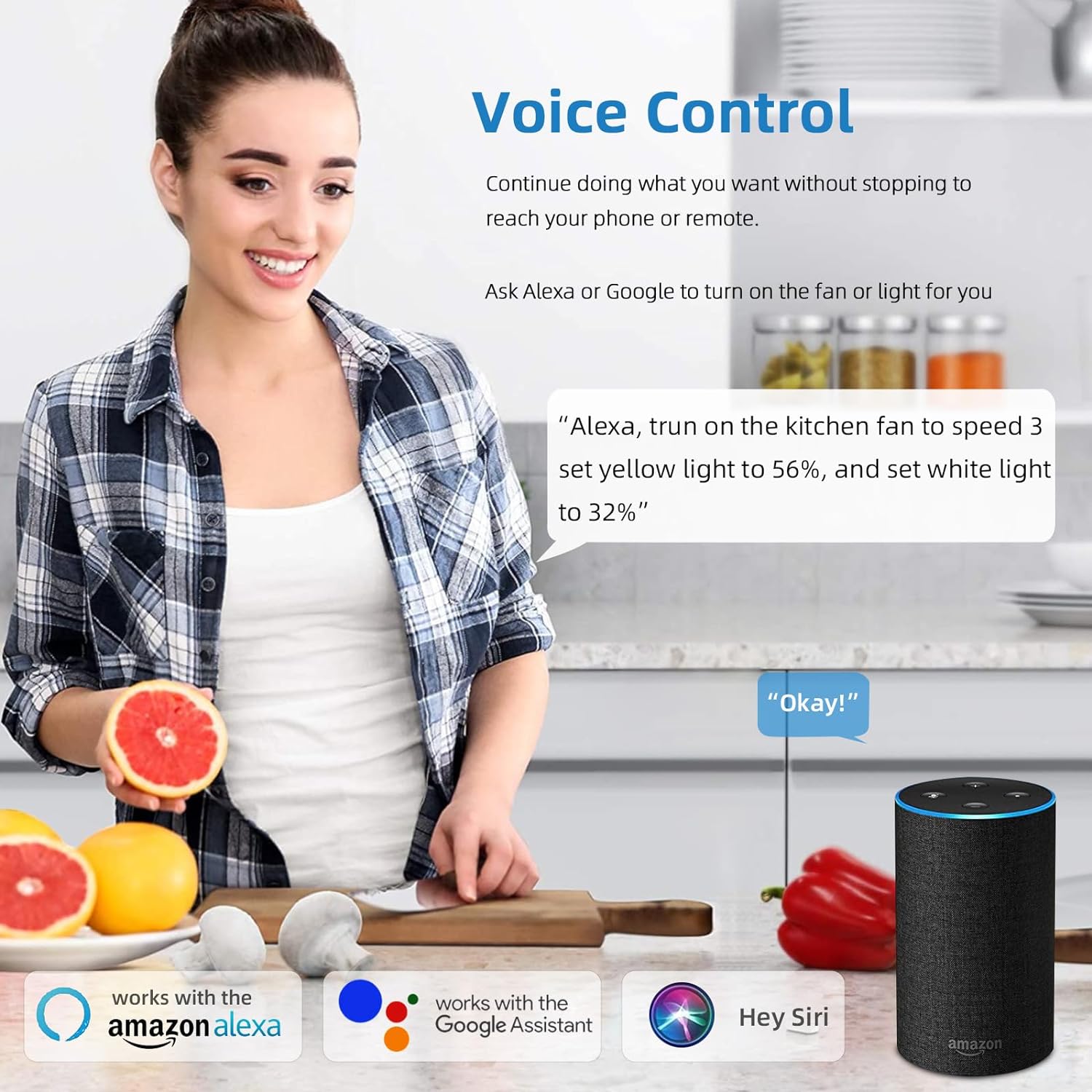
Figure 5: A user interacting with the HOREVO fan using voice commands via Alexa, demonstrating hands-free control.
Iṣẹ́ Agbọrọsọ Bluetooth 3.3
The integrated Bluetooth speaker allows you to play music directly from your smartphone or other Bluetooth-enabled devices.
- Pipọpọ: Enable Bluetooth on your device and search for the fan's Bluetooth name (usually "AnSLong" or similar). Select it to pair.
- Sisisẹsẹhin orin: Once paired, play music through your device, and it will stream through the fan's speaker.
- Light Synchronization: The lights can dance to the beat of the music, enhancing the ambiance.
Figure 6: Visual representation of the fan's Bluetooth connectivity, three-color light effect, colorful light options, music playback, and rhythm synchronization.
4. Itọju
Regular maintenance ensures the longevity and optimal performance of your HOREVO ceiling fan.
- Ninu:
- Before cleaning, ensure the fan is turned off and the power supply is disconnected.
- Wipe the fan blades and light fixture with a soft, damp asọ. Yẹra fun lilo awọn kẹmika lile tabi awọn afọmọ abrasive, nitori wọn le ba ipari jẹ.
- For crystal components, use a soft, lint-free cloth to gently polish.
- Ayẹwo abẹfẹlẹ: Periodically check the retractable blades for any dust accumulation or obstructions. Ensure they move smoothly.
- Orisun Imọlẹ: The LED light source is designed for long-term use and typically does not require replacement. If issues arise, consult the troubleshooting section or contact support.
5. Laasigbotitusita
If you encounter any issues with your HOREVO ceiling fan, refer to the following common troubleshooting steps:
| Isoro | Owun to le Fa | Ojutu |
|---|---|---|
| Fan ko ni tan-an. | No power supply; loose wiring; remote control battery dead. | Ṣàyẹ̀wò ẹ̀rọ ìdènà ìṣiṣẹ́; rí i dájú pé gbogbo wáyà so pọ̀ dáadáa; rọ́pò àwọn bátìrì ìṣàkóso latọna jijin. |
| Imọlẹ ko tan. | Loose wiring; LED driver issue; remote control battery dead. | Check wiring connections; contact support if LED driver is suspected; replace remote control batteries. |
| Agbọrọsọ Bluetooth ko sopọ. | Device not in pairing mode; fan not discoverable; interference. | Ensure Bluetooth is enabled on your device and the fan is in pairing mode; try restarting both devices. |
| Fan ki asopọ dani ariwo. | Loose screws; unbalanced blades; motor issue. | Check and tighten all screws; ensure blades are properly balanced; contact support if motor issue is suspected. |
| Blades do not retract/extend properly. | Obstruction; mechanism fault. | Check for any physical obstructions; contact support for mechanism issues. |
6. Awọn pato
Detailed technical specifications for the HOREVO Retractable Ceiling Fan:
- Brand: HOREVO
- Nọmba awoṣe: B027-110V
- Àwọ̀: 24w-crystal-36 inch
- Ohun elo: Akiriliki
- Ara: Igbalode
- Fọọmu Imuduro Imọlẹ: Aja
- Irú Yàrá: Awọn ọmọ wẹwẹ yara, Yara
- Awọn iwọn ọja: 15.7"L x 3.2"W x 15.7"H (retracted)
- Extended Diameter: 36 inches
- Orisun Agbara: Corded Electric, Battery Powered (for remote)
- Iru fifi sori ẹrọ: Ẹke Fula
- Ẹya Pataki: Isakoṣo latọna jijin
- Ọna Iṣakoso: Remote, Alexa/Google App
- Orisun Imọlẹ Imọlẹ: LED
- Pari Iru: Didan
- Ohun elo iboji: Akiriliki
- Nọmba Awọn orisun Imọlẹ: 1
- Voltage: 110 Volts
- Akori: Awọn ọmọ wẹwẹ
- Awọ Imọlẹ: White, RGB
- Awọn eroja to wa: Isakoṣo latọna jijin
- Ohun ọṣọ: Crystal
- Ọna itanna: Latọna jijin
- Nọmba Awọn nkan: 1
- Wattage: 24 watt
- Iru Adari: Isakoṣo latọna jijin
- Yipada Iru: Latọna jijin
- Iṣiro Ẹka: 1 Iṣiro
- Ipele Resistance Omi: Ko Omi Resistant
- Ilana Asopọmọra: Wi-Fi (for smart home integration)
- Imọlẹ: 2160 Lumen
- Iṣiṣẹ: 90 lm/W
- Iru fifi sori: Oke Oke
- Awọ iboji: Crystal
- Irú Amúró: Ti kii Yiyọ
- Apejọ ti a beere: Rara
- Ìwọ̀n Nkan: 18.96 iwon
- UPC: 696629191115
7. Atilẹyin ọja ati Support
HOREVO is committed to providing high-quality products. For any product-related inquiries, technical assistance, or warranty claims, please contact HOREVO customer support.
- Awọn Eto Idaabobo: Extended protection plans are available for purchase separately to cover your product beyond the standard warranty period. Please refer to your purchase documentation for details on available plans and coverage.
- Ibi iwifunni: For support, please visit the official HOREVO store on Amazon or refer to the contact details provided in your product packaging.
- Awọn orisun Ayelujara: Additional support and FAQs may be available on the HOREVO brand website or Amazon product page.
Ask a question about this manual
Ask about setup, troubleshooting, compatibility, parts, safety, or missing instructions. Manuals+ will review the question and use this page’s manual context to help answer it.