
1. Ifihan
The Pabobo Kid Sleep Globetrotter is a nomadic educational alarm clock designed to help children understand when it is time to sleep and when it is time to wake up. This device features a visual indicator that transitions between a sleeping figure and an awake figure, promoting better sleep habits for children and longer sleep for parents. It is portable and can be used with or without an audible alarm.
2. Alaye Aabo pataki
- Pa ẹrọ naa kuro ninu omi ati ọrinrin.
- Ma ṣe fi han si awọn iwọn otutu to gaju.
- This product is not a toy. Adult supervision is recommended for young children.
- Rí i dájú pé a fi àwọn bátìrì sí i dáadáa gẹ́gẹ́ bí àmì polarity.
- Yọ awọn batiri kuro ti ẹrọ naa kii yoo lo fun akoko ti o gbooro sii.
- Sọ awọn batiri ti a lo ni ifojusọna.
3. Package Awọn akoonu
- Pabobo Kid Sleep Globetrotter Unit
- Ilana itọnisọna
4. Ọja Ipariview
The Kid Sleep Globetrotter features a clear display with a visual indicator that changes to show whether it is day or night. The back panel contains controls for setting the time and alarm functions.

olusin 1: Iwaju view of the Kid Sleep Globetrotter, illustrating the day and night indicators.

olusin 2: Apa view with the integrated stand, showing the clock in an upright position.

olusin 3: Ẹyìn view showing the control buttons and battery compartment.
5. Eto
5.1 Fifi sori batiri
- Locate the battery compartment on the back of the device (refer to Figure 3).
- Ṣii ideri iyẹwu batiri naa.
- Fi awọn batiri AA 4 sii, ni idaniloju polarity ti o pe (+/-) bi itọkasi inu yara naa.
- Pa ideri batiri naa ni aabo.
5.2 Ibẹrẹ Agbara Lori
Upon inserting batteries, the device will power on. You may need to set the current time and the desired wake-up time.
6. Awọn ilana Iṣiṣẹ
6.1 Ṣíṣeto Àkókò Lọ́wọ́lọ́wọ́
- Press and hold the 'Time Set' button (usually marked with a clock icon) on the back panel.
- While holding 'Time Set', use the '+' or '-' buttons to adjust the hours.
- Release 'Time Set', then press and hold it again. Use '+' or '-' to adjust the minutes.
- Release 'Time Set' to confirm the current time.
6.2 Setting the Wake-Up Time (Day/Night Indicator)
This feature determines when the sleeping sheep changes to the awake sheep.
- Press and hold the 'Alarm Set' button (often marked with an alarm icon or a sun/moon icon).
- While holding 'Alarm Set', use the '+' or '-' buttons to adjust the desired wake-up hour.
- Release 'Alarm Set', then press and hold it again. Use '+' or '-' to adjust the wake-up minutes.
- Release 'Alarm Set' to confirm the wake-up time.
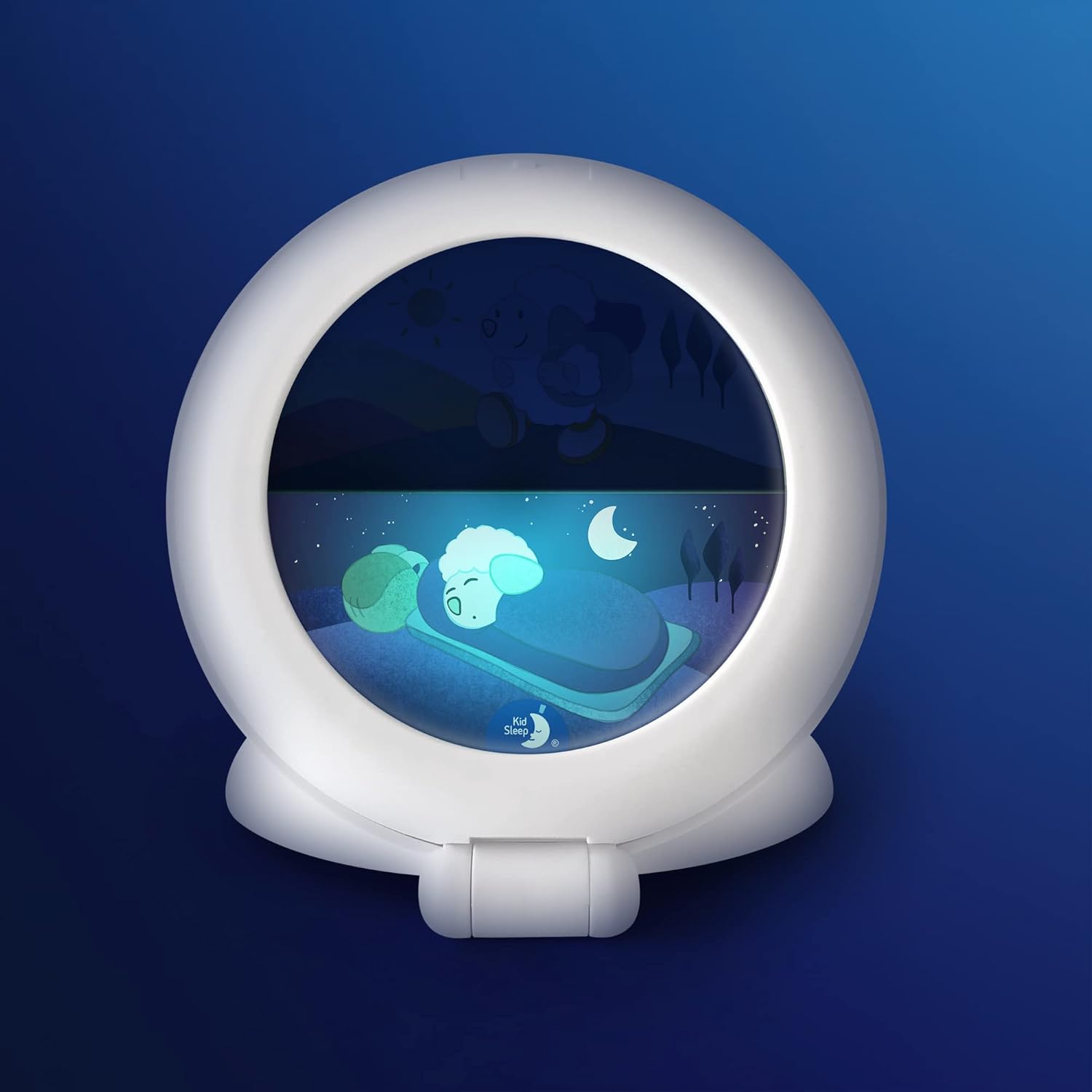
Figure 4: Night display with the sleeping sheep.

Figure 5: Day display with the awake sheep.
6.3 Alarm Function (Optional)
The device can emit a bird song sound at the set wake-up time.
- To enable the alarm, locate the alarm switch (often labeled 'Alarm ON/OFF' or with a speaker icon) on the back panel and slide it to the 'ON' position.
- To disable the alarm, slide the switch to the 'OFF' position.
6.4 Ipo ipalọlọ
The Kid Sleep Globetrotter can operate silently, relying solely on the visual day/night indicator. Ensure the alarm function is switched to the 'OFF' position for silent operation.
7. Itọju
To clean the device, gently wipe the exterior with a clean, dry cloth. Do not use abrasive cleaners or immerse the device in water.
8. Laasigbotitusita
- Ẹrọ naa ko tan:
- Ṣayẹwo boya a ti fi awọn batiri sii daradara ati pe wọn ko dinku. Rọpo awọn batiri ti o ba wulo.
- Time or alarm settings are incorrect:
- Refer to sections 6.1 and 6.2 to re-set the time and wake-up time.
- Alarm sound is not working:
- Ensure the alarm switch is in the 'ON' position (refer to section 6.3).
9. Imọ ni pato
| Brand | Pabobo |
| Nọmba awoṣe | CK0041-KSG-WH |
| Ifihan Iru | Analog (Visual Indicator) |
| Orisun agbara | Agbara Batiri (awọn batiri AA x 4, ko si) |
| Ohun elo | Acrylonitrile Butadiene Styrene (ABS) |
| Ọja Mefa | 5.63"W x 5.63"H |
| Iwọn Nkan | 5.7 iwon (0.16 kilo) |
| Pataki Awọn ẹya ara ẹrọ | Alarm, Silent Clock, Day/Night Indicator |
10. Atilẹyin ọja ati Onibara Support
Pabobo products are covered by a limited warranty. For specific warranty details, claims, or technical support, please refer to the warranty information provided at the time of purchase or visit the official Pabobo website. Please have your model number (CK0041-KSG-WH) and proof of purchase ready when contacting support.