
Ọrọ Iṣaaju
Thank you for choosing the Newskill Manticore Gaming PC Case. This manual provides essential information for the proper installation, operation, and maintenance of your new PC chassis. Please read these instructions carefully before beginning the assembly process to ensure optimal performance and longevity of your components.
Ọja Pariview
The Newskill Manticore is an ATX mid-tower gaming PC case designed for high-performance builds. It features a mesh front panel for superior airflow, a tempered glass side panel to showcase your components, and four pre-installed 120mm ARGB fans for effective cooling and customizable aesthetics.
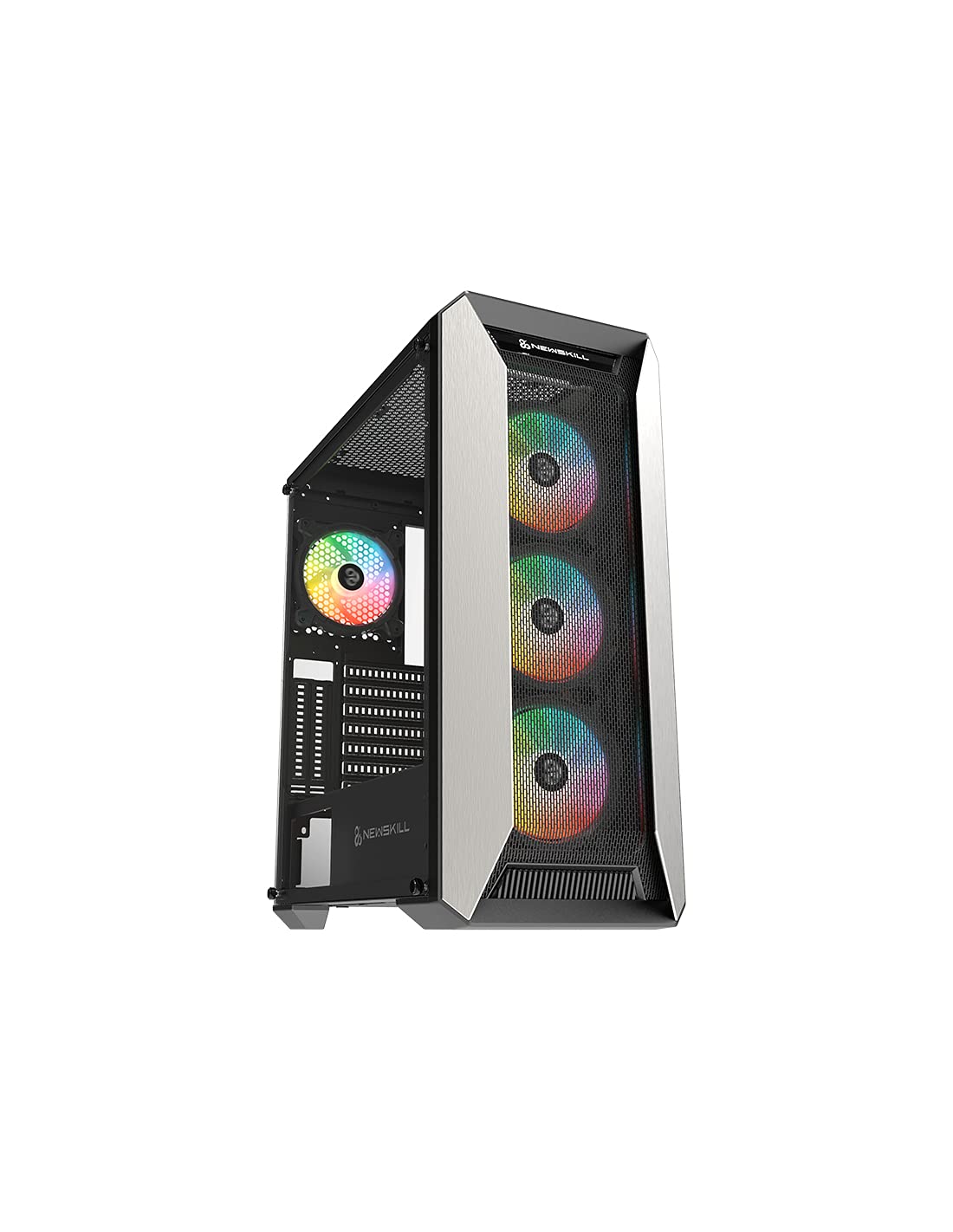
olusin 1: Iwaju view of the Newskill Manticore Gaming PC Case, highlighting the mesh front and tempered glass side panel.
Awọn ẹya pataki:
- ATX Mid-Tower compatibility
- Mesh front panel for optimized airflow
- Tempered gilasi ẹgbẹ nronu
- Four pre-installed 120mm ARGB fans
- Two removable dust filters
- USB 3.0 connectivity on the front panel
Eto ati fifi sori
1. Unpacking
Carefully remove the PC case from its packaging. Inspect for any damage that may have occurred during shipping. Retain the packaging for future transport or warranty claims.
2. Idanimọ paati
Ṣaaju ki o to fi sori ẹrọ, mọ ara rẹ pẹlu awọn paati apoti ati awọn ẹya ẹrọ ti o wa ninu rẹ:
- Newskill Manticore PC Case
- Àpótí ẹ̀rọ (àwọn skru, àwọn okùn okùn, àwọn ìdádúró)
- Afowoyi Olumulo (iwe-ipamọ yii)
3. Modaboudu fifi sori
- Remove the tempered glass side panel by unscrewing the thumb screws.
- Install the necessary motherboard standoffs into the motherboard tray.
- Carefully place your ATX motherboard onto the standoffs, aligning the screw holes.
- Ṣe aabo modaboudu pẹlu awọn skru ti a pese.
4. Agbara Ipese Unit (PSU) fifi sori
- Wa agbegbe fifi sori ẹrọ PSU ni isalẹ ẹhin apoti naa.
- Slide your PSU into position from the rear of the case.
- Secure the PSU with screws from the exterior rear of the case.
5. Fifi sori ẹrọ Awakọ Ibi ipamọ
The case supports various storage configurations. Refer to your specific drive type for mounting instructions (e.g., 2.5" SSDs, 3.5" HDDs).
6. Fifi Kaadi Aworan ati Kaadi Imugboroosi sori ẹrọ
Remove the necessary PCIe slot covers and install your graphics card or other expansion cards, securing them with screws.
7. Iwaju Panel Awọn isopọ
Connect the front panel cables (USB 3.0, HD Audio, Power Switch, Reset Switch, Power LED, HDD LED) to the corresponding headers on your motherboard. Consult your motherboard manual for exact pin layouts.
8. Iṣakoso USB
Lo àwọn ibi tí a ti gé àwọn okùn ìtọ́sọ́nà àti àwọn ibi tí a ti so mọ́ ẹ̀yìn àtẹ motherboard láti ṣàkóso àwọn okùn. Èyí mú kí afẹ́fẹ́ àti ẹwà wọn sunwọ̀n síi.
Awọn ilana Iṣiṣẹ
Titan / Pipa agbara
Press the power button located on the top panel of the case to turn on your system. To shut down, use the operating system's power-off function or press and hold the power button for several seconds for a forced shutdown (not recommended for regular use).
ARGB ina Iṣakoso
The pre-installed ARGB fans can be controlled via your motherboard's ARGB software (if compatible) or a dedicated ARGB controller (if included or purchased separately). Refer to your motherboard or controller manual for specific instructions on changing lighting effects and colors.
Itoju
Eruku Filter Cleaning
The Newskill Manticore includes two removable dust filters (typically located on the top and bottom/front). Regularly clean these filters to maintain optimal airflow and prevent dust buildup inside your PC. Gently slide them out, clean with water and mild soap, or use a vacuum cleaner, and ensure they are completely dry before re-inserting.
Ita Cleaning
Mu ese ita gbangba pẹlu asọ, damp cloth. Avoid abrasive cleaners or solvents that could damage the finish or tempered glass.
Laasigbotitusita
Ko si Agbara
- Rii daju pe PSU ti sopọ mọ ẹnu-ọna ogiri daradara ati pe o ti tan-an.
- Verify all power cables from the PSU are correctly connected to the motherboard and components.
- Ṣayẹwo awọn asopọ iyipada agbara iwaju nronu si modaboudu.
Awọn onijakidijagan Ko Yiyi / ARGB Ko Ina Soke
- Confirm fan power cables are securely connected to the motherboard or fan controller.
- Check ARGB connections to the motherboard's ARGB header or dedicated controller.
- Ensure ARGB software or controller settings are correctly configured.
Ko dara Airflow / Overheating
- Mọ eruku Ajọ nigbagbogbo.
- Ensure no obstructions are blocking air intake or exhaust vents.
- Verify all fans are spinning correctly and oriented for optimal airflow.
For further assistance, please contact Newskill support.
Awọn pato
| Ẹya ara ẹrọ | Ẹ̀kúnrẹ́rẹ́ |
|---|---|
| Orukọ awoṣe | Manticore |
| Nọmba awoṣe | 1102 |
| Iru Irú | Ile-iṣọ Mid |
| Modaboudu Ibamu | ATX |
| Awọn iwọn (L x W x H) | 60 x 60 x 85 cm |
| Iwọn | 1 kg |
| Ohun elo | Gilasi tempered, Irin |
| Ọna Itutu | Air (4x 120mm ARGB fans included) |
| Iwaju Awọn Ibudo I / O | USB 3.0, Audio Jacks, Power, Reset |
| Awọn Ajọ eruku | 2 (removable) |
| Iṣeduro Lilo | Ere |
Alaye atilẹyin ọja
The Newskill Manticore PC Case comes with a 2-odun olupese ká atilẹyin ọja. This warranty covers defects in materials and workmanship under normal use. It does not cover damage caused by misuse, accident, modification, or unauthorized repair. Please retain your proof of purchase for warranty claims.
Atilẹyin ati Olubasọrọ
For technical support, troubleshooting assistance, or warranty inquiries, please visit the official Newskill website or contact their customer service department. You can find contact information on the Newskill webojula: www.newskillgaming.com