
1. Ifihan
This manual provides detailed instructions for the proper use, setup, and maintenance of your cellularline Key In-Ear True Wireless Earbuds. Please read this manual thoroughly before using the product to ensure optimal performance and longevity.
2. Package Awọn akoonu
- cellularline Key In-Ear True Wireless Earbuds (Left and Right)
- Àpò Àfikún pẹ̀lú Ìfihàn LED
- USB-C Ngba agbara Cable
- Itọsọna olumulo
3. Ọja Ipariview
The cellularline Key In-Ear True Wireless Earbuds offer a compact design with intuitive touch controls and a convenient LED display charging case.

Nọmba 3.1: The cellularline Key In-Ear True Wireless Earbuds resting in their charging case.

Nọmba 3.2: The charging case features an LED display that indicates the current battery level.

Nọmba 3.3: The compact and lightweight design of the charging case allows for easy portability.
4. Ngba agbara si Earbuds ati Ọran
To ensure optimal performance, fully charge your earbuds and charging case before first use.
4.1. Ngba agbara si Earbuds
- Gbe awọn afikọti naa sinu awọn iho oniwun wọn ninu ọran gbigba agbara.
- Ensure the charging case has sufficient power. The earbuds will begin charging automatically.
4.2. Ngba agbara si Ọran Gbigba agbara
- So okun gbigba agbara USB-C ti a pese si ibudo gbigba agbara lori ọran naa.
- So opin keji okun USB-C pọ mọ orisun agbara USB ti o baamu (fun apẹẹrẹ, adapter odi, ibudo USB kọmputa).
- The LED display on the case will show the current charge level. A full charge takes approximately 4 hours.
The earbuds provide up to 4 hours of continuous playback on a single charge, with an additional 12 hours of playtime available from the fully charged case, totaling 16 hours of battery life.
5. Eto ati Sisopọ
Follow these steps to pair your cellularline Key Earbuds with your device.
5.1. Ibẹrẹ Ibẹrẹ
- Rí i dájú pé àwọn ètí rẹ ti gba agbára.
- Ṣii apoti gbigba agbara. Awọn agbekọri yoo tan ina laifọwọyi ati tẹ ipo sisopọ pọ sii.
- Lórí fóònù alágbèéká rẹ tàbí ẹ̀rọ Bluetooth, lọ sí àwọn ètò Bluetooth.
- Wa fun available devices and select "cellularline Key" from the list.
- Ni kete ti o ba ti sopọ, iwọ yoo gbọ ijẹrisi igbohun kan, ati awọn agbekọri yoo ṣetan fun lilo.
5.2. Automatic Reconnection
Lẹ́yìn ìsopọ̀ àkọ́kọ́, àwọn agbekọri náà yóò so pọ̀ mọ́ ẹ̀rọ ìbáṣepọ̀ tó kẹ́yìn nígbà tí a bá yọ wọ́n kúrò nínú àpótí ìgbara, tí a bá ti mú Bluetooth ṣiṣẹ́ lórí ẹ̀rọ náà.

Nọmba 5.1: The earbuds are designed for seamless wireless connection with your smartphone for music and calls.
6. Awọn ilana Iṣiṣẹ
The cellularline Key Earbuds feature intuitive touch controls for managing calls, music, and volume.
6.1. Awọn iṣakoso ifọwọkan
| Išẹ | Iṣe |
|---|---|
| Mu ṣiṣẹ/Danu Orin duro | Fọwọ ba ẹyọkan lori boya agbekọri |
| Next Track | Fọwọ ba lẹẹmeji lori agbekọri ọtun |
| Ti tẹlẹ Track | Tẹ ni kia kia lẹẹmeji lori agbekọri osi |
| Idahun/Pari Ipe | Fọwọ ba ẹyọkan lori boya agbekọri |
| Kọ Ipe | Tẹ mọlẹ boya agbekọri fun iṣẹju meji 2 |
| Mu Oluranlọwọ Ohun ṣiṣẹ | Triple tap on either earbud (functionality may vary by device) |
6.2. Double Master Function
The earbuds support a double master function, allowing you to use either the left or right earbud independently for calls or music playback. This provides flexibility and convenience.
7. Itọju ati Itọju
Itọju to dara yoo fa igbesi aye awọn agbekọri rẹ pọ si.
- Keep the earbuds and charging case clean and dry.
- Use a soft, dry cloth to wipe the surfaces. Avoid using abrasive cleaners or solvents.
- Tọju awọn agbekọri naa sinu apoti gbigba agbara wọn nigbati ko si ni lilo lati daabobo wọn ati jẹ ki wọn gba agbara.
- Yago fun awọn iwọn otutu to gaju ati imọlẹ orun taara.
- Do not attempt to disassemble the product, as this will void the warranty.
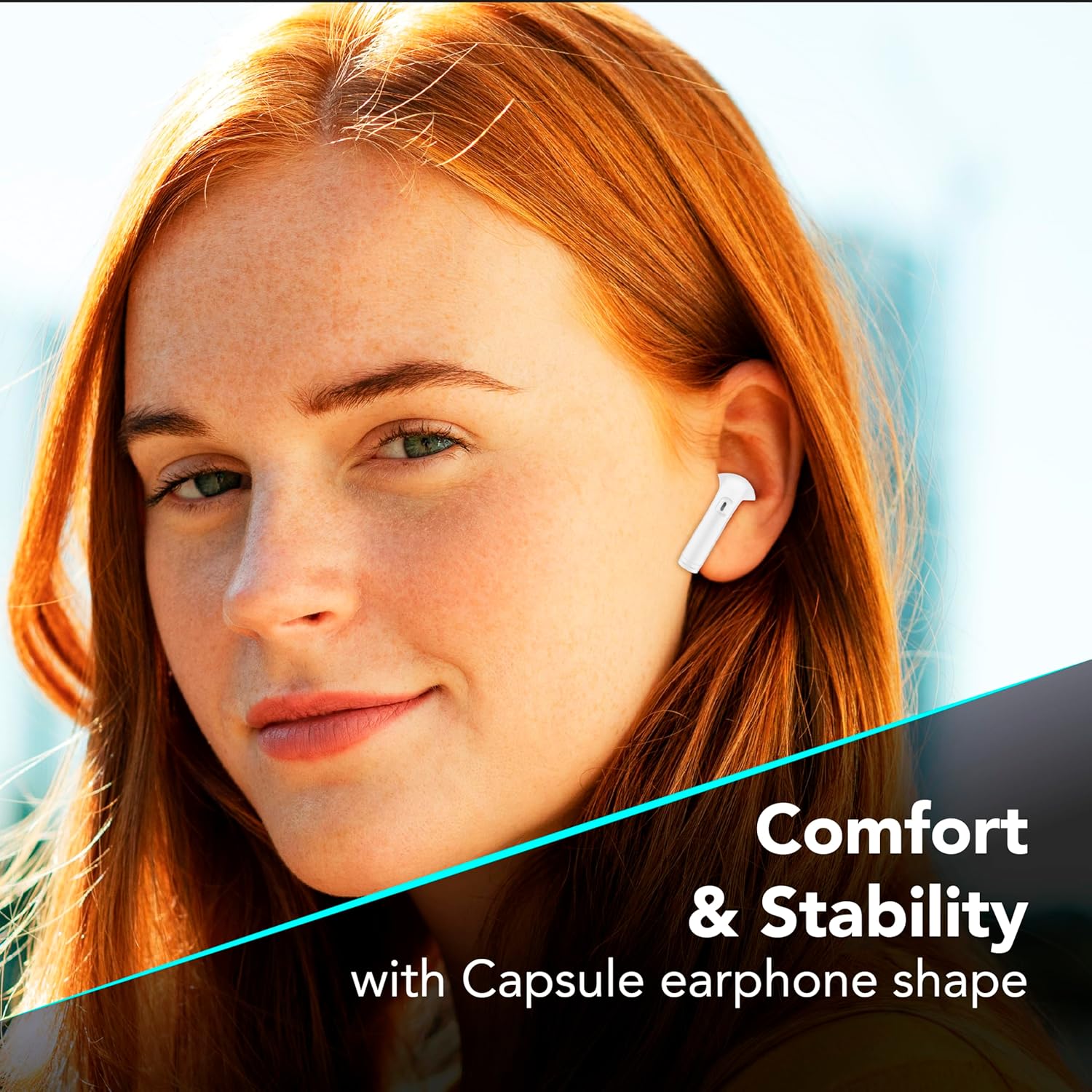
Nọmba 7.1: The in-ear design provides a comfortable and stable fit for extended wear.
8. Laasigbotitusita
If you encounter issues with your earbuds, refer to the following common solutions.
| Isoro | Owun to le Solusan |
|---|---|
| Earbuds ko so pọ |
|
| Ko si ohun lati agbekọri kan |
|
| Ngba agbara ko gba agbara |
|
| Awọn iṣakoso ifọwọkan ko dahun |
|
9. Awọn pato
| Ẹya ara ẹrọ | Ẹ̀kúnrẹ́rẹ́ |
|---|---|
| Nọmba awoṣe | BTKEYTWSW |
| Asopọmọra | Bluetooth 5 |
| Igbesi aye batiri Earbud | Titi di wakati 4 (agbara ẹyọkan) |
| Lapapọ akoko ere (pẹlu ọran) | Titi di wakati 16 |
| Akoko gbigba agbara (Ila) | O fẹrẹ to awọn wakati 4 |
| Gbigba agbara Port | USB-C |
| Ohun elo | Ṣiṣu |
| Pataki Awọn ẹya ara ẹrọ | True Wireless, Touch Control, LED Display Charging Case, Double Master Function |
10. Atilẹyin ọja ati Support
Your cellularline Key In-Ear True Wireless Earbuds are covered by a standard manufacturer's warranty. For specific warranty details, please refer to the warranty card included in your product packaging or visit the official cellularline webojula.
For technical support, troubleshooting assistance beyond this manual, or warranty claims, please contact cellularline customer service through their official channels.