
Ọrọ Iṣaaju
Thank you for choosing the Deli 4600 Wood Stapler. This manual provides essential information for the safe and efficient operation, setup, maintenance, and troubleshooting of your new tool. Please read these instructions carefully before use and keep them for future reference.
Alaye Aabo
Always follow basic safety precautions when using any hand tool to reduce the risk of injury.
- Aabo Oju Wọ: Nigbagbogbo wọ awọn gilaasi aabo tabi awọn gilaasi lati daabobo oju rẹ lati idoti ti n fo.
- Pa Ọwọ mọ: Ensure hands and other body parts are clear of the stapling area.
- Do Not Point: Never point the stapler at yourself, other people, or animals.
- Use Correct Staples: Only use staples of the specified size and type for this tool. Refer to the "Specifications" section.
- Ṣayẹwo Ṣaaju Lilo: Check the stapler for any damage or loose parts before each use. Do not use if damaged.
- Tọju lailewu: Store the stapler in a dry, secure place out of reach of children.
Ọja Pariview
The Deli 4600 Wood Stapler is a manual hand tool designed for various fastening tasks, particularly with wood and similar materials. It features a durable construction and an ergonomic design for comfortable use.
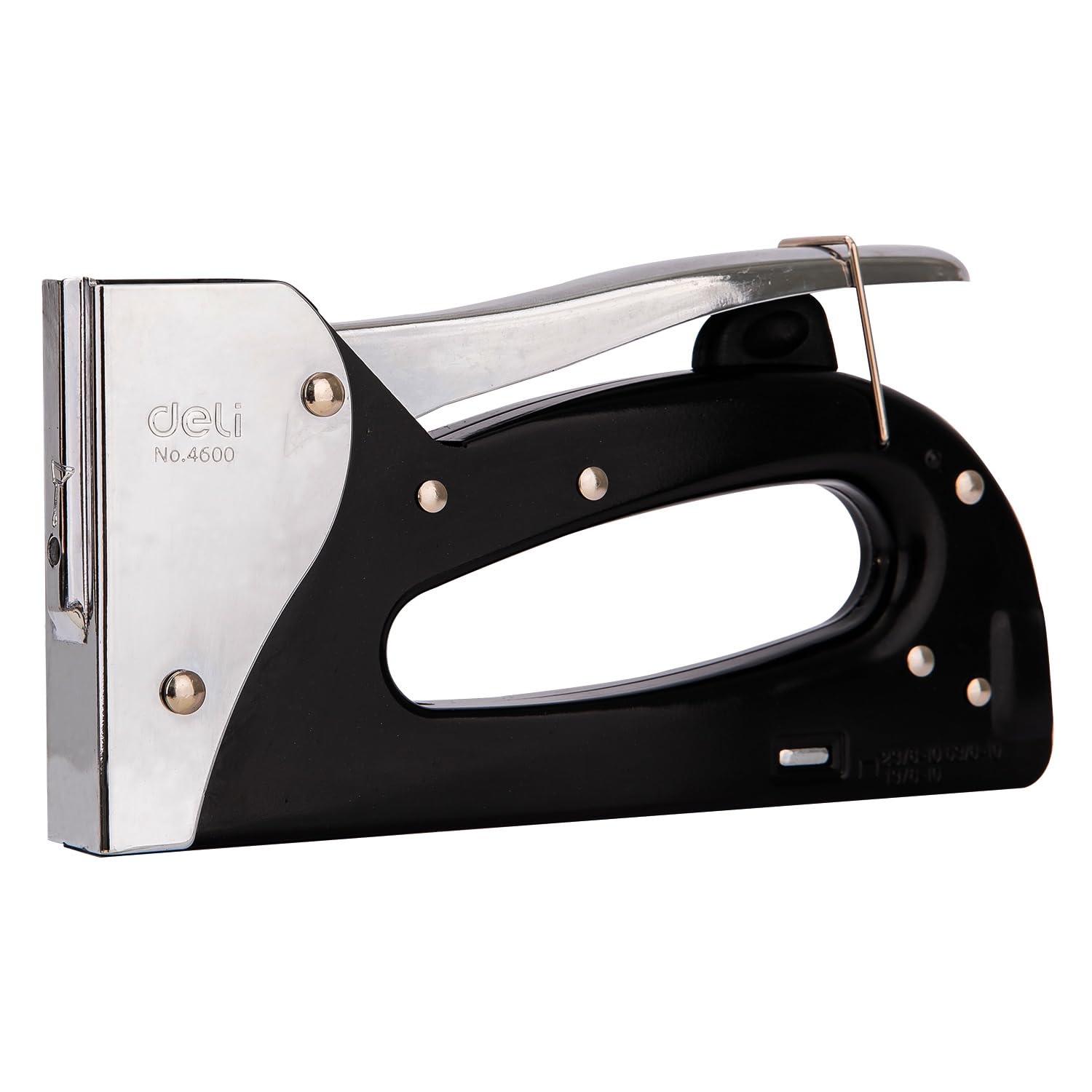
Nọmba 1: Lapapọ view of the Deli 4600 Wood Stapler, showcasing its black body and chrome handle.
Awọn eroja pataki:
- Mu: The upper part used to apply pressure and fire staples.
- Ìwé ìròyìn Staple: Located at the bottom rear, where staples are loaded.
- Staple Release Latch: Mechanism to open the staple magazine.
- Staple Exit: The front opening where staples are driven into the material.

Nọmba 2: Iwaju view of the stapler, showing the staple exit point.

Nọmba 3: Apa view of the stapler, highlighting the ergonomic grip.
Ṣeto
Awọn nkan ikojọpọ:
To load staples into your Deli 4600 Wood Stapler, follow these steps:
- Locate the Release Latch: Find the staple release latch at the rear bottom of the stapler.
- Open the Magazine: Press or pull the release latch to open and slide out the staple magazine.
- Insert Staples: Place a strip of compatible staples into the magazine with the staple points facing downwards. Ensure the staples are seated correctly.
- Close the Magazine: Slide the staple magazine back into the stapler until it clicks securely into place.

Nọmba 4: The staple magazine extended, ready for staple insertion.

Nọmba 5: The stapler on a surface next to compatible staples.
Awọn ilana Iṣiṣẹ
Once staples are loaded, your Deli 4600 Wood Stapler is ready for use.
- Mura Iṣẹ-ṣiṣe: Ensure the material you are stapling is stable and clean.
- Ipo Stapler: Place the front of the stapler firmly against the surface where you want to drive the staple. Ensure the stapler is held perpendicular to the surface for best results.
- Waye Ipa: Grip the handle firmly and press down with consistent force until the staple is fully driven into the material.
- Release and Repeat: Release the handle and lift the stapler. Repeat the process as needed.

Nọmba 6: Demonstrating the stapler in use on a wooden surface.
Itoju
Proper maintenance ensures the longevity and reliable performance of your stapler.
- Ninu: Periodically wipe down the stapler with a clean, dry cloth to remove dust and debris. Avoid using harsh chemicals.
- Lubrication: Lightly lubricate moving parts, such as the handle pivot points and staple pusher mechanism, with a small amount of light machine oil if operation becomes stiff.
- Ibi ipamọ: Store the stapler in a dry environment to prevent rust. Ensure it is unloaded before storage.
- Ayewo: Regularly check for any loose screws, worn parts, or damage. Tighten screws as needed.
Laasigbotitusita
If you encounter issues with your Deli 4600 Wood Stapler, refer to the following common problems and solutions:
| Isoro | Owun to le Fa | Ojutu |
|---|---|---|
| Staples not firing or jamming. |
|
|
| Staples not fully driven into material. |
|
|
Awọn pato
| Brand: | Deli |
| Awoṣe: | 4600 |
| Ipo isẹ: | Afowoyi |
| Awọn ohun elo ti o yẹ: | Wood, fabric, general fastening |
| Awọn Iru Staple Ibaramu: | 23/8-10, 53/8-10, 13/6-10 |
| Staple Magazine Capacity: | Full slide |
| ASIN: | B0965LC9Z6 |
Atilẹyin ọja ati Support
For warranty information or technical support, please refer to the documentation included with your purchase or contact Deli customer service directly. You can often find contact details on the manufacturer's official webojula tabi nipasẹ rẹ alagbata.
For more information about Deli products, visit the Deli Brand Store.