
1. Ifihan
The C-LOGIC 5100 is a manual ranging digital multimeter designed for precise electrical measurements. This versatile instrument is capable of measuring AC/DC voltage, AC/DC current, resistance, capacitance, frequency, temperature, and transistor hFE. It features a durable rubber housing for enhanced grip and comfort, along with a hinged bracket for convenient table-top operation. This manual provides essential information for the safe and effective use of your C-LOGIC 5100 Digital Multimeter.
2. Alaye Aabo
Always observe the following safety precautions when operating the C-LOGIC 5100 Digital Multimeter to prevent personal injury or damage to the instrument:
- Ensure the multimeter is set to the correct function and range before connecting the test leads to any circuit.
- Do not exceed the maximum input values specified for each function. The C-LOGIC 5100 is rated for CAT III 600V.
- Disconnect the test leads from the circuit before changing functions or ranges.
- Inspect test leads for damaged insulation or exposed metal before each use. Replace damaged leads immediately.
- Má ṣe lo multimeter náà bí ó bá dàbí pé ó ti bàjẹ́ tàbí tí àpótí náà bá ṣí sílẹ̀.
- Ṣọra pupọ nigbati o ba n ṣiṣẹ pẹlu voltagÀwọn es lókè 60V DC tàbí 30V AC RMS, nítorí pé àwọn wọ̀nyí ń fa ewu ìjayà.
- Remove test leads from the multimeter before opening the battery compartment or fuse cover.
3. Awọn ẹya Ọja
The C-LOGIC 5100 Digital Multimeter incorporates several features designed for user convenience and functionality:
- Rubber Housing: Provides improved grip and protection against accidental drops.
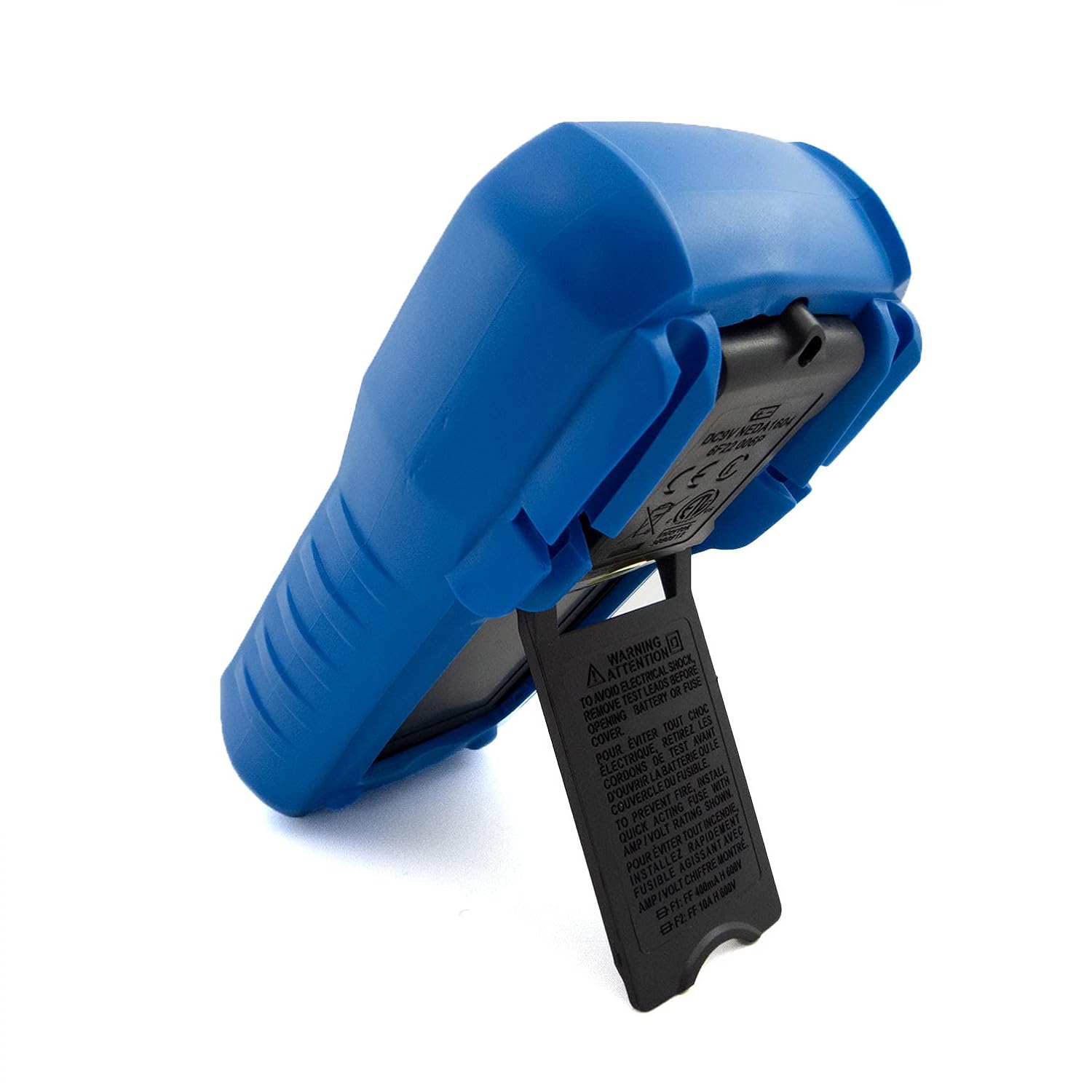
- Hinged Bracket: Allows the multimeter to stand upright for hands-free operation on a workbench.
- Awọn Agbara Iwọn: AC/DC Voltage, AC/DC Current, Resistance, Capacitance, Frequency, Temperature, and Transistor hFE.
- Awọn iṣiro ifihan: 2000-count digital display for clear readings.
- PARA Agbara Aifọwọyi (APO): Automatically turns off the device after a period of inactivity to conserve battery life.
- Idaduro data: Freezes the displayed reading for convenient recording.
- Low Battery Display (LBD): Indicates when the battery needs replacement.
- Diode Test and Continuity Buzzer: For testing diodes and checking circuit continuity.
4. Irinše ati idari

Nọmba 1: Iwaju view of the C-LOGIC 5100 Digital Multimeter, showing the display, function selector, and input jacks.
Mọ ararẹ pẹlu awọn eroja akọkọ ti multimeter rẹ:
- Ifihan LCD: Ṣe afihan awọn kika wiwọn, awọn ẹya, ati awọn afihan iṣẹ.
- Function/Range Selector Dial: A lo lati yan iṣẹ wiwọn ati ibiti o fẹ.
- Bọtini Dimu: Tẹ lati di kika lọwọlọwọ lori ifihan naa. Tẹ lẹẹkansi lati tu silẹ.
- ON/PA Yipada: Agbara multimeter naa tan tabi pa.
- Awọn Jacks ti nwọle:
- VΩHzTemp: Iṣagbewọle to dara fun voltage, resistance, frequency, temperature, capacitance, diode, and continuity measurements.
- COM: Wọpọ (odi) igbewọle fun gbogbo awọn wiwọn.
- mA: Positive input for current measurements up to 200mA.
- 10A: Positive input for current measurements up to 10A (MAX 30 sec. every 15 min.). This input is fused.
- Socket hFE: For testing transistor hFE (DC current gain).
5. Eto
5.1 Fifi sori batiri
The C-LOGIC 5100 requires one 9V 6F22 battery (not included). To install or replace the battery:
- Rí i dájú pé a ti pa multimeter náà, kí o sì yọ gbogbo àwọn ìdánwò kúrò nínú àwọn ìsopọ̀ ìtẹ̀síwájú.
- Locate the battery compartment cover on the rear of the unit.
- Tú àwọn skru tí ó wà ní ìpamọ́ náà kí o sì fi ìṣọ́ra yọ ìbòrí náà kúrò.
- So batiri 9V pọ mọ agekuru batiri naa, ki o wo polarity ti o tọ.
- Fi batiri sinu yara naa ki o si fi ideri naa pada, ki o si fi skru(s) so o mọ.
5.2 Igbeyewo asiwaju Asopọ
Proper connection of test leads is crucial for accurate and safe measurements:
- Fún ọ̀pọ̀lọpọ̀ ìwọ̀n (ìwọ̀n)tage, resistance, capacitance, frequency, temperature, diode, continuity), insert the pupa igbeyewo asiwaju sinu VΩHzTemp jack ati awọn dudu igbeyewo asiwaju sinu COM jaki.
- For current measurements up to 200mA, insert the pupa igbeyewo asiwaju sinu mA jack ati awọn dudu igbeyewo asiwaju sinu COM jaki.
- For current measurements up to 10A, insert the pupa igbeyewo asiwaju sinu 10A jack ati awọn dudu igbeyewo asiwaju sinu COM jaki.
6. Awọn ilana Iṣiṣẹ

Nọmba 2: The C-LOGIC 5100 Digital Multimeter actively measuring voltage ninu panẹli ina.
Tẹle awọn igbesẹ gbogbogbo wọnyi fun ṣiṣe awọn wiwọn:
- Turn the multimeter ON using the ON/OFF switch.
- Select the desired function and appropriate range using the rotary dial. If unsure of the range, start with the highest range and work downwards.
- So awọn itọsọna idanwo pọ mọ Circuit tabi paati ti a n ṣe idanwo naa.
- Ka iye wiwọn lori ifihan LCD.
- After measurement, disconnect the test leads and turn the multimeter OFF.
6.1 Awọn iṣẹ wiwọn pato
- DC Voltage (V=): Select the V= range. Connect the red lead to the positive side and the black lead to the negative side of the DC voltage orisun ni afiwe.
- AC Voltage (V~): Select the V~ range. Connect the test leads across the AC voltage source in parallel. Polarity is not critical for AC voltage.
- DC Current (A=): Select the A= range (mA or 10A jack). Disconnect power to the circuit. Open the circuit where current is to be measured and connect the multimeter in series. Reapply power.
- AC Current (A~): Select the A~ range (mA or 10A jack). Follow the same series connection procedure as for DC current.
- Agbára ìdènà (Ω): Select the Ω range. Ensure the circuit is de-energized. Connect the test leads across the component to measure its resistance.
- Idanwo Ilọsiwaju (♫): Select the continuity function. If resistance is below approximately 50Ω, the buzzer will sound, indicating continuity.
- Idanwo Diode (→|→): Select the diode function. Connect the red lead to the anode and the black lead to the cathode of the diode. The display will show the forward voltage drop. Reverse the leads; the display should show 'OL' (open loop) for a good diode.
- Agbara (F): Select the F range. Ensure the capacitor is discharged before connecting the test leads.
- Igbohunsafẹfẹ (Hz): Select the Hz range. Connect the test leads across the signal source.
- Iwọn otutu (Iwọn otutu): Select the Temp range. Connect a K-type thermocouple (if included or purchased separately) to the VΩHzTemp and COM jacks.
- Transistor hFE: Insert the transistor's emitter, base, and collector leads into the corresponding holes in the hFE socket, ensuring correct NPN/PNP type selection.
7. Itọju
7.1 Batiri Rirọpo
When the low battery indicator appears on the display, replace the 9V battery as described in Section 5.1. Using a multimeter with a low battery can lead to inaccurate readings.
7.2 Ninu
Lati nu multimeter, nu ọran naa pẹlu ipolowoamp cloth and a mild detergent. Do not use abrasive cleaners, solvents, or alcohol, as these may damage the casing or display. Ensure the multimeter is completely dry before use.
7.3 Fiusi Rirọpo
If the 10A current measurement function stops working, the fuse may need replacement. This procedure should only be performed by qualified personnel. Refer to the specifications for the correct fuse type and rating. Always disconnect test leads and power off the unit before opening the case.
8. Laasigbotitusita
If your C-LOGIC 5100 Multimeter is not functioning as expected, refer to the following common issues and solutions:
- Ko si Ifihan: Check if the multimeter is turned ON. Verify the 9V battery is correctly installed and has sufficient charge. Replace the battery if necessary.
- Awọn kika ti ko tọ: Ensure the correct function and range are selected for the measurement. Check that the test leads are securely connected to the correct input jacks and to the circuit. Verify the battery is not low.
- Àmì 'OL' (Àfikún) This indicates that the input value exceeds the selected range. Switch to a higher range or ensure the input is within the multimeter's maximum specifications.
- Kò sí Ìtẹ̀síwájú Ìpè: Check if the continuity function is selected. Ensure the circuit is de-energized.
- Wiwọn lọwọlọwọ Ko Ṣiṣẹ: Check the fuse for the current input (especially the 10A input). Replace if blown. Ensure test leads are connected to the correct current jacks (mA or 10A) and the multimeter is in series with the circuit.
9. Awọn pato

Nọmba 3: Detailed specifications and features of the C-LOGIC 5100 Digital Multimeter.
| Wiwọn | Ibiti / iye |
|---|---|
| DC Voltage | Titi di 600V |
| AC Voltage | Titi di 600V |
| DC Lọwọlọwọ | Titi di 10A |
| AC Lọwọlọwọ | Titi di 10A |
| Atako | Títí dé 200MΩ |
| Agbara | Up to 100µF |
| Igbohunsafẹfẹ | Titi di 20kHz |
| Iwọn otutu | -20°C si 1000°C / 1°F si 1832°F |
| Awọn iṣiro ifihan | 2000 |
| Ibi ti ina elekitiriki ti nwa | 1x 9V 6F22 Battery |
| Awọn iwọn Ọja (LxWxH) | 18.8 x 9.3 x 5 cm (7.4 x 3.7 x 1.96 inches) |
| Iwọn Ọja | 380 g (0.84 lbs) |
| Aabo Rating | Nran III 600V |
| Awọn iwe-ẹri | CE, ETL, RoHS |
10. Awọn ohun elo akọkọ
Nọmba 4: Visual representation of common domestic and electronics applications for the C-LOGIC 5100 Multimeter.
The C-LOGIC 5100 Digital Multimeter is suitable for a wide range of applications, including:
- Domestic Electrical Testing: Checking household wiring, outlets, batteries, and appliance continuity.
- Awọn Ayẹwo Ọkọ ayọkẹlẹ: Testing vehicle electrical systems, battery voltage, and component resistance.
- Electronics Troubleshooting: Iwọn wiwọntage, current, resistance, and capacitance in electronic circuits, testing diodes and transistors.
- HVAC System Checks: Verifying voltage and current in heating, ventilation, and air conditioning systems.
- Hobbyist and DIY Projects: Essential tool for various electrical and electronic projects.
11. Atilẹyin ọja ati Support
For information regarding warranty coverage, technical support, or customer service, please visit the official C-LOGIC website or contact their support team directly. You can find more product details at clogic-intl.com/clogic-5100 tabi akọkọ webojula ni clogic-intl.com.