
1. Ọja Ipariview
The GeekShare Cat Ears Carry Case is a portable hardshell travel case designed to protect your Nintendo Switch or Switch OLED console and its accessories. It features a unique cat-themed design with functional elements for enhanced usability and protection.
Awọn ẹya pataki:
- Apẹrẹ atilẹba: Features cute cat ears that double as a stand, raised cat paw details, and a custom cat tail zipper head.
- Idaabobo ni kikun: Constructed from high-quality, easy-to-clean PU material with a soft inner velvet lining to safeguard against drops, bumps, water splashes, and scratches.
- Agbara nla: Includes built-in slots for up to 10 game cards and a zippered mesh pocket for additional accessories like chargers or extra Joy-Cons.
- Gbigbe: Comes with a removable wrist strap for convenient carrying.
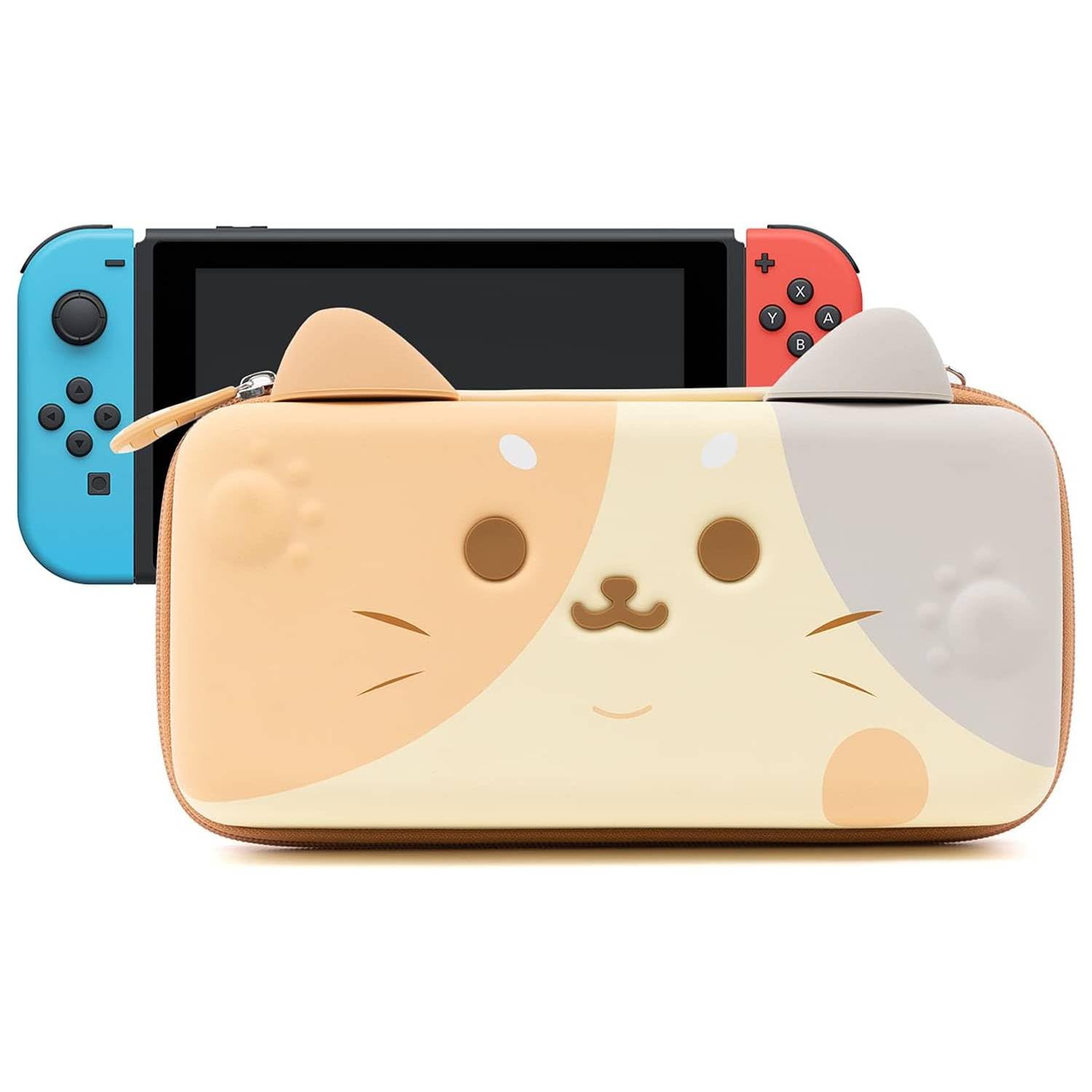
olusin 1: Iwaju view of the GeekShare Cat Ears Carry Case.
2. Eto ati Ibi ipamọ
2.1 Inserting the Console
- Unzip the case completely using the cat tail zipper pull.
- Place your Nintendo Switch or Switch OLED console into the designated lower compartment. Ensure it fits snugly.
- Secure the console with the elastic strap provided in the case.

Figure 2: The case opened, revealing the console compartment and game card slots.
2.2 Storing Game Cards and Accessories
- Lift the soft flap covering the console. This flap contains 10 individual slots for game cartridges. Insert your game cards into these slots.
- Utilize the zippered mesh pocket located in the upper lid of the case for larger accessories such as charging cables, power adapters, or additional Joy-Cons.

Figure 3: The case demonstrating its capacity to hold a console, game cards, and various accessories.
3. Operating the Carry Case
3.1 Securing the Case
Once all items are placed inside, close the case by aligning the two halves and zipping it shut. The custom cat tail shaped zipper pull is designed for easy grip and smooth operation.

Figure 4: Detail of the cat tail zipper pull.
3.2 Using the Wrist Strap
Attach the removable wrist strap to the designated loop on the case for secure and convenient carrying. This helps prevent accidental drops while on the go.
3.3 Utilizing the Cat Ears as a Stand
The silicone cat ears on top of the case are designed to function as a stable stand. When the case is open, position the ears to prop up the console for comfortable viewing or gameplay.

Figure 5: The case demonstrating the use of its cat ears as a stand.
4. Itọju
4.1 Cleaning Awọn ilana
The exterior of the case is made from easy-to-clean PU material. For minor scuffs or dirt, gently wipe the surface with a slightly damp cloth or a magic eraser. Avoid using harsh chemicals or abrasive cleaners, as these may damage the material or design.
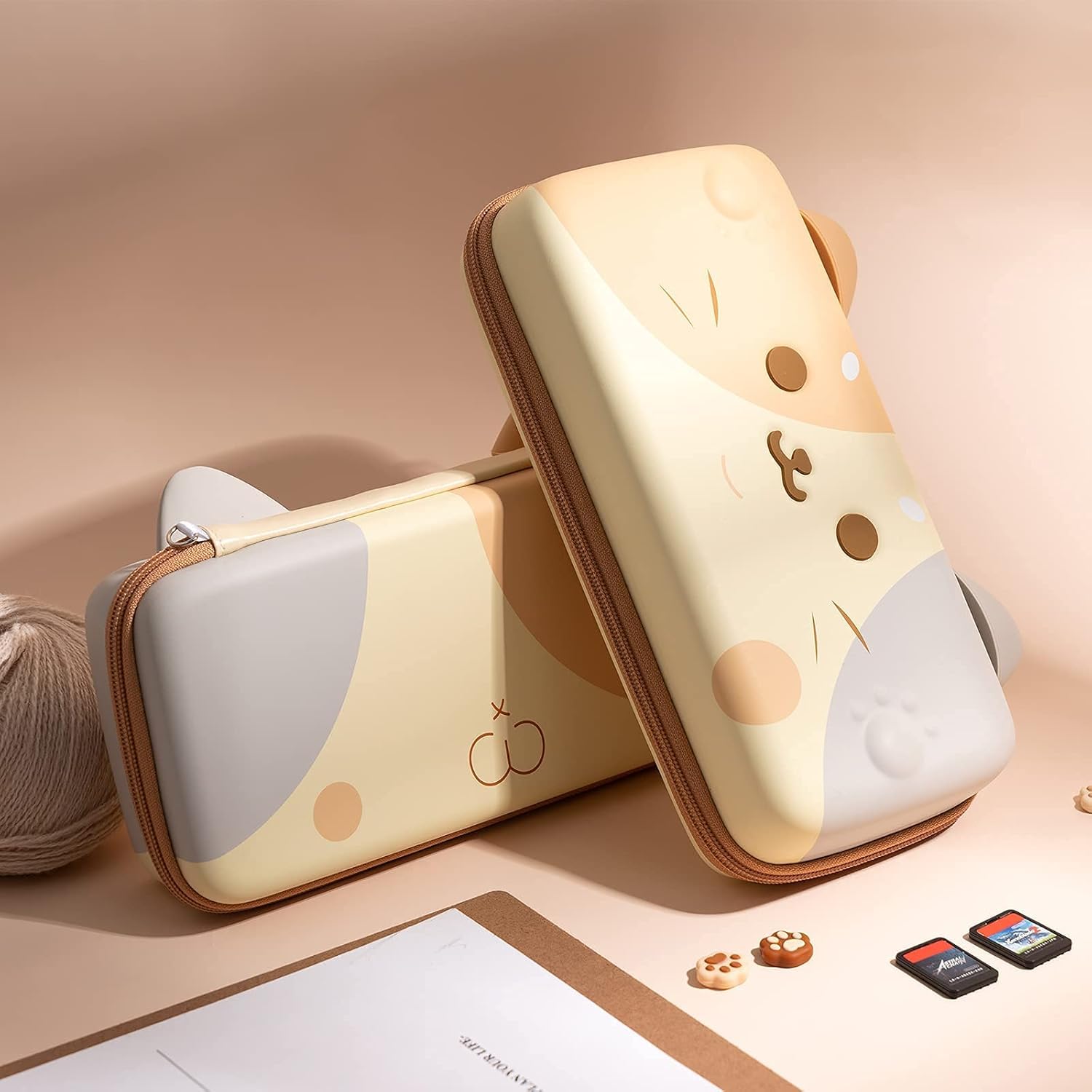
olusin 6: Pada view of the case, showing the smooth surface for easy cleaning.
5. Laasigbotitusita
5.1 Console Not Fitting Properly
Ensure that the console is placed correctly in its compartment without any attached accessories that might obstruct closure. If using a slim cover case on your Switch, the GeekShare carry case is designed to accommodate it.
5.2 Àwọn Ìṣòro Sípítà
If the zipper becomes stiff, ensure no fabric or items are caught in the teeth. Apply a small amount of zipper lubricant if necessary, avoiding contact with the case material.
6. Awọn pato
| Ẹya ara ẹrọ | Ẹ̀kúnrẹ́rẹ́ |
|---|---|
| Awọn ẹrọ ibaramu | Yipada Nintendo, Yipada Nintendo OLED |
| Tiipa Iru | Sipper |
| Mu Iru | Carrying straps, Removable Wrist Strap |
| Nọmba ti Compartments | 10 (Game Card Slots) |
| Àpèjúwe Àpò | Zipper Pocket (Mesh) |
| Awọn Iwọn Nkan (L x W x H) | 10.2"L x 5.1"W x 1.6"H |
| Iwọn Nkan | 0.36 kilo |
| Ohun elo Iru | Polyurethane (PU) |
| Ikarahun Iru | Lile |
| Nọmba awoṣe | CE-NIB-90 |
7. Atilẹyin ọja ati Support
GeekShare strives for customer satisfaction. If you encounter any problems with your Cat Ears Carry Case, including damage, scratches, or dirt, please contact GeekShare customer support. We are committed to meeting customer needs with quality products and service.
For support inquiries, please visit the official GeekShare store or contact their customer service channels. Refer to your purchase documentation for specific warranty details and contact information.