
NC SWM 9702
NC Car Radio 1 Din MP5 Player User Manual
Model: SWM 9702
Ọja Pariview
This manual provides detailed instructions for the installation, operation, and maintenance of your NC Car Radio 1 Din MP5 Player (Model SWM 9702). This versatile unit features a 7-inch retractable HD screen, Bluetooth connectivity, GPS navigation, USB support, iOS/Android Mirror Link, and FM radio. It is designed to enhance your in-car entertainment and navigation experience.

Nọmba 1.1: The NC Car Radio MP5 Player unit shown with its essential components, including the main head unit, two wiring harnesses for power and speakers, a GPS antenna for navigation, and the user operation manual. This image provides a comprehensive view of what is included in the product package.
Eto ati fifi sori
1. Package Awọn akoonu
Ṣaaju ki o to bẹrẹ fifi sori ẹrọ, jọwọ rii daju pe gbogbo awọn paati wa ninu package:
- Main Head Unit (Car Radio MP5 Player)
- Eriali GPS
- Disassembly Keys (2)
- Power Cords (2) - for rear tail cable plus front connections
- Itọsọna Isẹ olumulo
2. Wiring Awọn isopọ
Proper wiring is crucial for the functionality of the car radio. Refer to the wiring diagram provided with the unit for specific connections. Below are general guidelines:
- Asopọ agbara: Connect the yellow wire to constant 12V (B+), the red wire to accessory 12V (ACC), and the black wire to ground.
- Awọn isopọ Agbọrọsọ: Connect the speaker wires to your vehicle's speaker system. Ensure correct polarity for optimal sound.
- Asopọmọra Antenna: So eriali redio ọkọ ayọkẹlẹ naa pọ.
- Eriali GPS: Connect the provided GPS antenna to the designated port on the rear of the unit. Position the antenna in a location with a clear view of the sky for best signal reception.
- Ẹyìn View Ìtẹ̀wọlé kámẹ́rà (Àṣàyàn): Ti o ba fi sori ẹrọ a ru view camera (not included with this specific model), connect its video output to the "REVERSE IN" RCA port and its power to the reverse light circuit.
- Awọn abajade RCA: Utilize the 2 audio outputs for connecting to external ampliifiers tabi subwoofers.
- Awọn ibudo USB: The unit features 2 rear tail cable USB ports and a front USB port for media playback and phone connectivity.
Akiyesi: Incorrect wiring can damage the unit or your vehicle's electrical system. If you are unsure, consult a professional installer.
3. Iṣagbesori Unit
Insert the 1-DIN unit into your vehicle's dashboard opening. Secure it using the provided mounting brackets or screws. Ensure the retractable screen mechanism has sufficient clearance to extend and retract without obstruction.
Awọn ilana Iṣiṣẹ
1. Awọn iṣẹ ipilẹ
- Titan/Apapa: Press the power button (usually the VOL knob) to turn the unit on or off.
- Iṣakoso iwọn didun: Rotate the VOL knob to adjust the volume.
- Aṣayan Ipo: Use the "MODE" button or the touchscreen interface to switch between functions like Radio, USB, AUX, Bluetooth, and Navigation.
- Redio (FM): Access the FM radio function to scan for stations (87.5~108MHz).
- Sisisẹsẹhin USB: Insert a USB drive into the front or rear USB ports to play audio (MP3/WMA/WAV/APE/FLAC), video, or view pictures (JPG).
- Iṣẹ AUX: Connect external audio devices via the front AUX audio input.

Nọmba 2.1: Ipariview of the diverse functionalities offered by the car radio, including Mirrorlink for phone integration, GPS Navigation, WiFi connectivity, Reverse Image display, Bluetooth for hands-free calls and audio streaming, Aux In for external devices, USB support for media, a responsive Capacitive touchscreen, support for high-quality audio formats like FLAC/APE, 1080P video playback, Driving Record capability, and FM Radio.
2. Awọn ẹya ara ẹrọ ti ilọsiwaju
- Bluetooth Function (Version 4.0):
- Pipọpọ: Enable Bluetooth on your mobile device and search for the car radio (e.g., "CarBT"). Select and pair.
- Ipe laisi ọwọ: Once paired, you can make and receive calls directly through the unit.
- Streamingi Streaminganwọle Audio: Play music from your phone wirelessly via Bluetooth.
- Mirror Link (Mobile Phone Interconnection):
- Android: Supports USB and WiFi screencasting. You can operate your phone from the car screen.
- Apple (iOS): Supports WiFi screencasting. The phone screen is mirrored to the player.
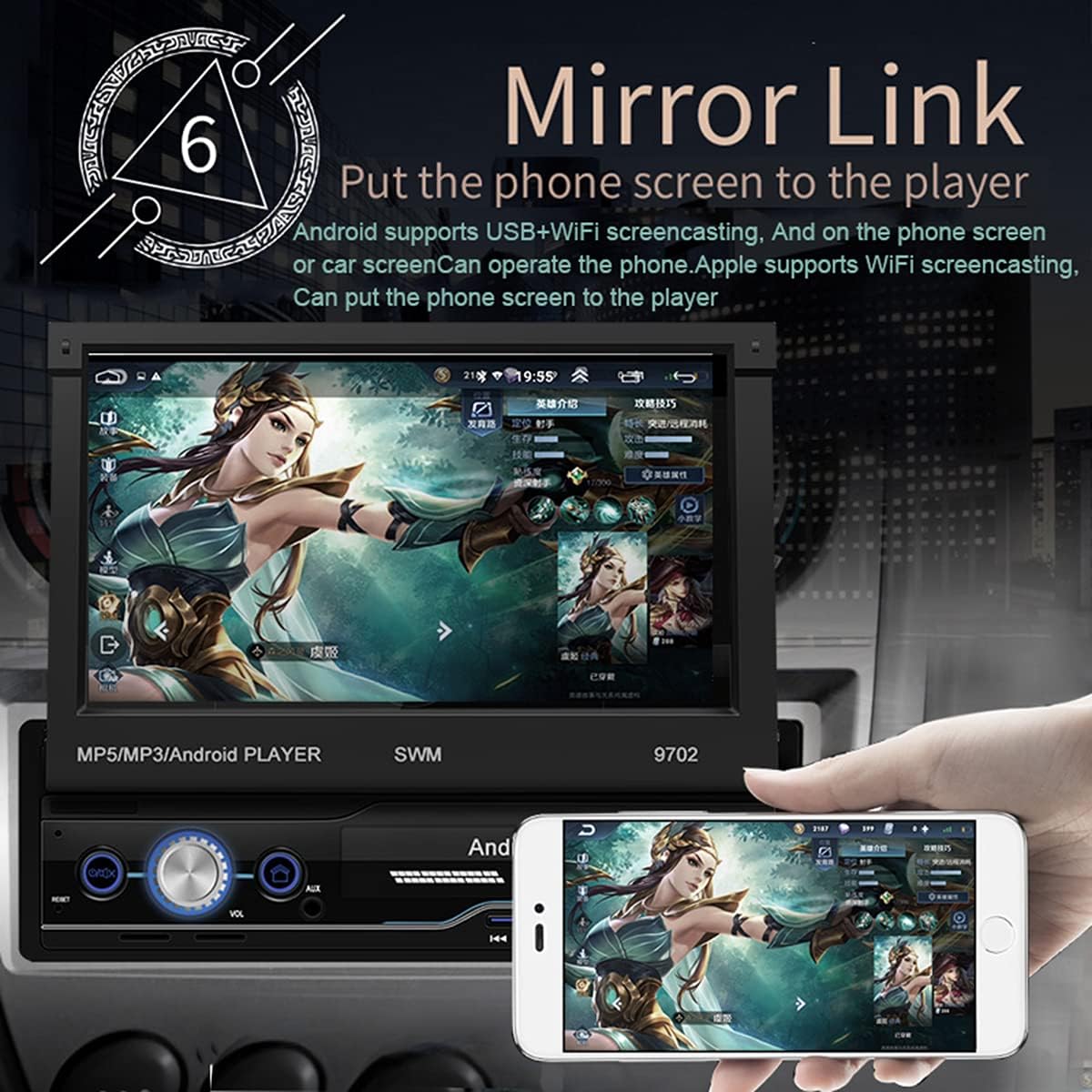
Nọmba 2.2: The Mirror Link function in action, showing a smartphone's display content, such as a game, being mirrored onto the car radio's 7-inch retractable screen. This feature allows for seamless integration and control of mobile applications directly from the car's display.
- GPS Lilọ kiri:
- The unit comes with built-in offline maps (Europe).
- Supports online real-time traffic maps and quick positioning.
- Access navigation applications through the touchscreen.

Nọmba 2.3: The GPS navigation interface on the car radio screen, showing a detailed map with route guidance and estimated travel time. Icons for popular navigation applications are also visible, highlighting the unit's capability for multiple navigation options and real-time traffic updates.
- Ẹyìn View Iṣẹ:
- Nigbati ẹhin ibaramu view camera is connected (optional, not included), the screen automatically displays the rear view image when the vehicle is put into reverse.
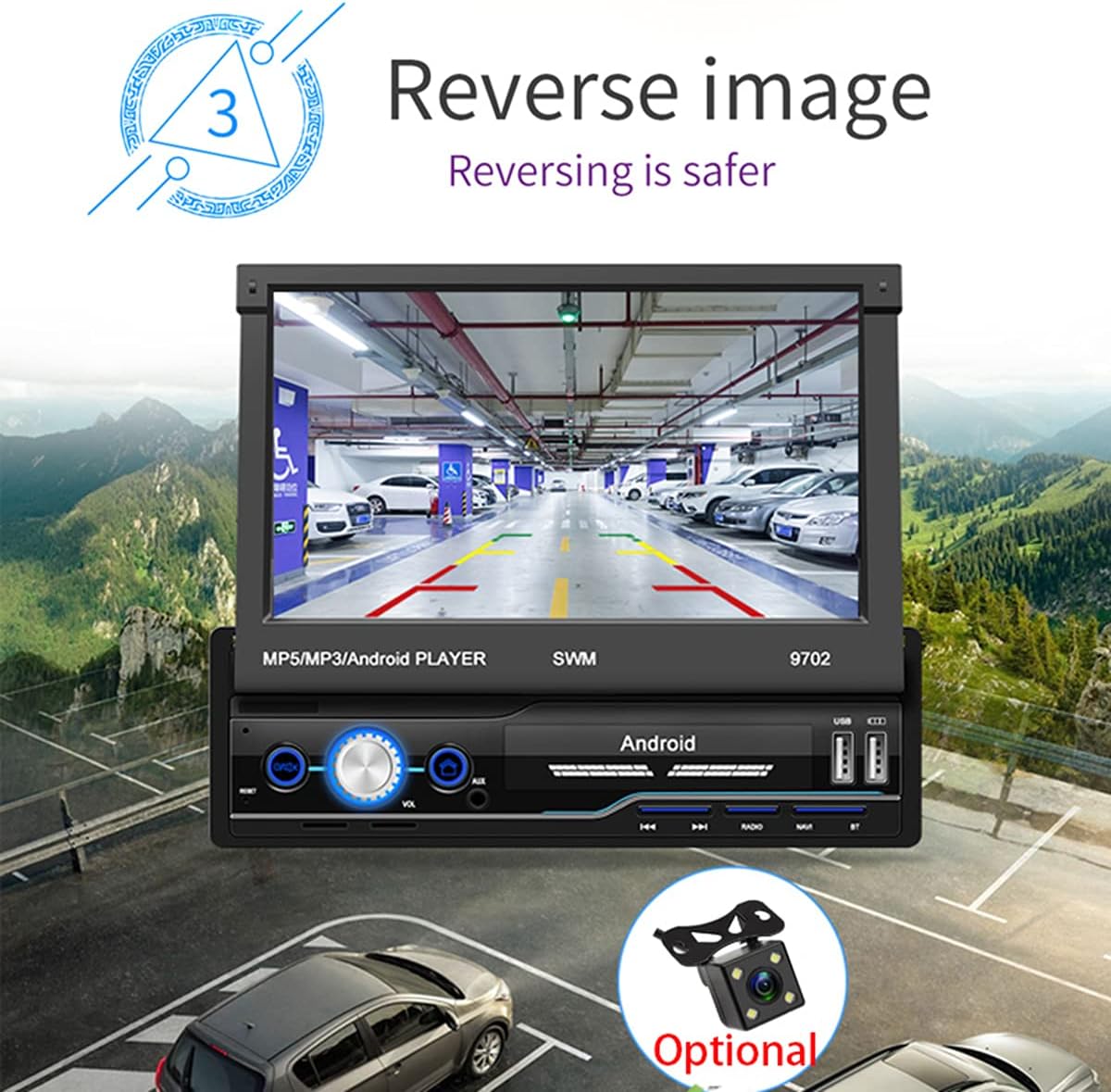
Nọmba 2.4: The reverse image feature in operation, displaying a clear view from a rear camera on the car radio's screen. This function enhances safety during parking and reversing maneuvers by providing a wide-angle view of the area behind the vehicle, complete with guiding lines.
- WIFI Internet Access:
- Connect to a mobile hotspot or available Wi-Fi networks to access online features, download apps, and browse the internet.

Nọmba 2.5: The car radio's screen showcasing a variety of application icons, including social media, navigation, and entertainment apps, demonstrating the unit's WiFi connectivity and ability to run Android applications. This feature allows users to access online content and services directly from the car's display.
- Steering Wheel Control Function:
- The unit supports learning functions for your original car's steering wheel controls. This allows you to control basic functions (e.g., volume, track skip) without taking your hands off the wheel.
- Navigate to "Steering Learn" in the settings menu to configure.
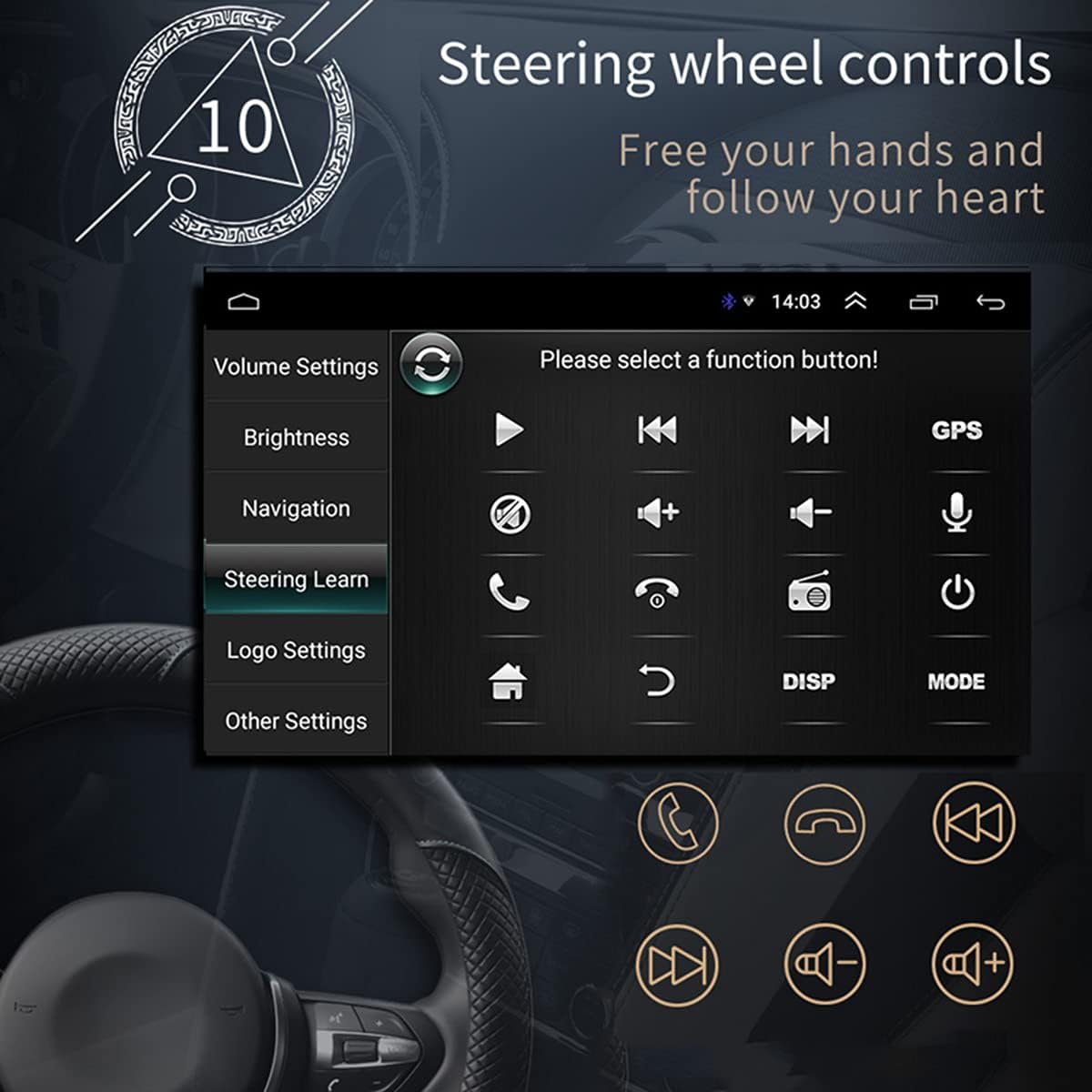
Nọmba 2.6: The steering wheel control learning interface on the car radio, showing options to configure various functions like volume, track control, and call handling directly from the vehicle's steering wheel buttons. This feature enhances driving safety and convenience by keeping hands on the wheel.
- Fifi sori ẹrọ:
- As an Android system, you can install compatible applications directly onto the unit.
- Car Logo Replacement:
- Customize the boot-up logo to match your car's brand. (Factory setting password: 1111)
Itoju
- Isọsọ iboju: Lo asọ rirọ, ti ko ni lint lati pa iboju naa rọra. Fun agidi smudges, die-die dampen awọn asọ pẹlu omi tabi a iboju-ailewu regede. Yago fun awọn ohun elo abrasive tabi awọn kemikali lile.
- Isọsọ gbogboogbo: Keep the unit free from dust and debris. Use a soft brush or compressed air to clean vents and buttons.
- Awọn imudojuiwọn sọfitiwia: Lorekore ṣayẹwo olupese ká website or contact support for available software updates to ensure optimal performance and access to new features.
- Yago fun Awọn iwọn otutu to gaju: Má ṣe fi ẹ̀rọ náà sí ooru tàbí òtútù líle, nítorí èyí lè ní ipa lórí iṣẹ́ rẹ̀ àti ìgbésí ayé rẹ̀.
Laasigbotitusita
| Isoro | Owun to le Fa | Ojutu |
|---|---|---|
| Ko si Agbara | Incorrect wiring (power/ground), blown fuse, vehicle battery issue. | Check power and ground connections. Verify vehicle fuses. Ensure battery has sufficient charge. |
| Ko si Ohun | Volume too low, mute activated, incorrect speaker wiring, damaged speakers. | Increase volume. Check if mute is on. Verify speaker connections and polarity. Test with different audio source. |
| GPS Signal Lost/Weak | GPS antenna not properly connected or obstructed, unit in an area with poor satellite reception. | Ensure GPS antenna is securely connected and placed in a clear line of sight to the sky. Move to an open area. |
| Bluetooth Ko Nsopọ | Bluetooth not enabled on phone/unit, incorrect pairing, interference. | Rí i dájú pé Bluetooth ti ṣiṣẹ́ lórí àwọn ẹ̀rọ méjèèjì. Pa àwọn ìsopọ̀ ìṣáájú rẹ́ kí o sì tún so wọ́n pọ̀. Sún mọ́ ẹ̀rọ náà. |
| Screen Not Retracting/Extending | Ìdènà, ìṣòro ẹ̀rọ. | Check for any physical obstructions. Do not force the screen. If issue persists, contact support. |
| Touchscreen ko dahun | Software glitch, screen dirty, physical damage. | Restart the unit. Clean the screen. If issue persists, contact support. |
Awọn pato
| Ẹya ara ẹrọ | Ẹ̀kúnrẹ́rẹ́ |
|---|---|
| Awoṣe | SWM 9702 |
| Voltage | 12V |
| Eto | Android |
| Iṣeto ni | 1G+16G |
| Awoṣe iboju | 7 inch HD |
| Ipinnu iboju | 1024*600 |
| Iwọn igbimọ | 188*58mm |
| Agbara | 60W |
| Awọn iwọn otutu ṣiṣẹ | -10 ~ 60 iwọn Celsius |
| Awoṣe Bluetooth | Ẹya 4.0 |
| Agbara Amplifier Chip | TDA7388 |
| Igbohunsafẹfẹ Redio | FM 87.5 ~ 108MHz |
| Built-in Offline Map | Yuroopu |
| USB Interface | Okùn ìrù ẹ̀yìn méjì pẹ̀lú iwájú |
| Ifihan Ibùdó RCA | Àwọn ìjáde ohùn méjì, àwọn ìjáde ohùn méjì, àwọn ìjáde fidio méjì, ìjáde ìyípadà 1, ìjáde fidio kan |
| Ìtẹ̀wọlé Ohùn AUX Iwájú | Bẹẹni |
| Iṣẹ DVR | Atilẹyin |
| Fọ́ọ̀mù Àwòrán Tí A Tẹ́wọ́gbà | JPG |
| Awọn ọna kika Audio atilẹyin | MP3 / WMA / WAV / APE / FLAC |
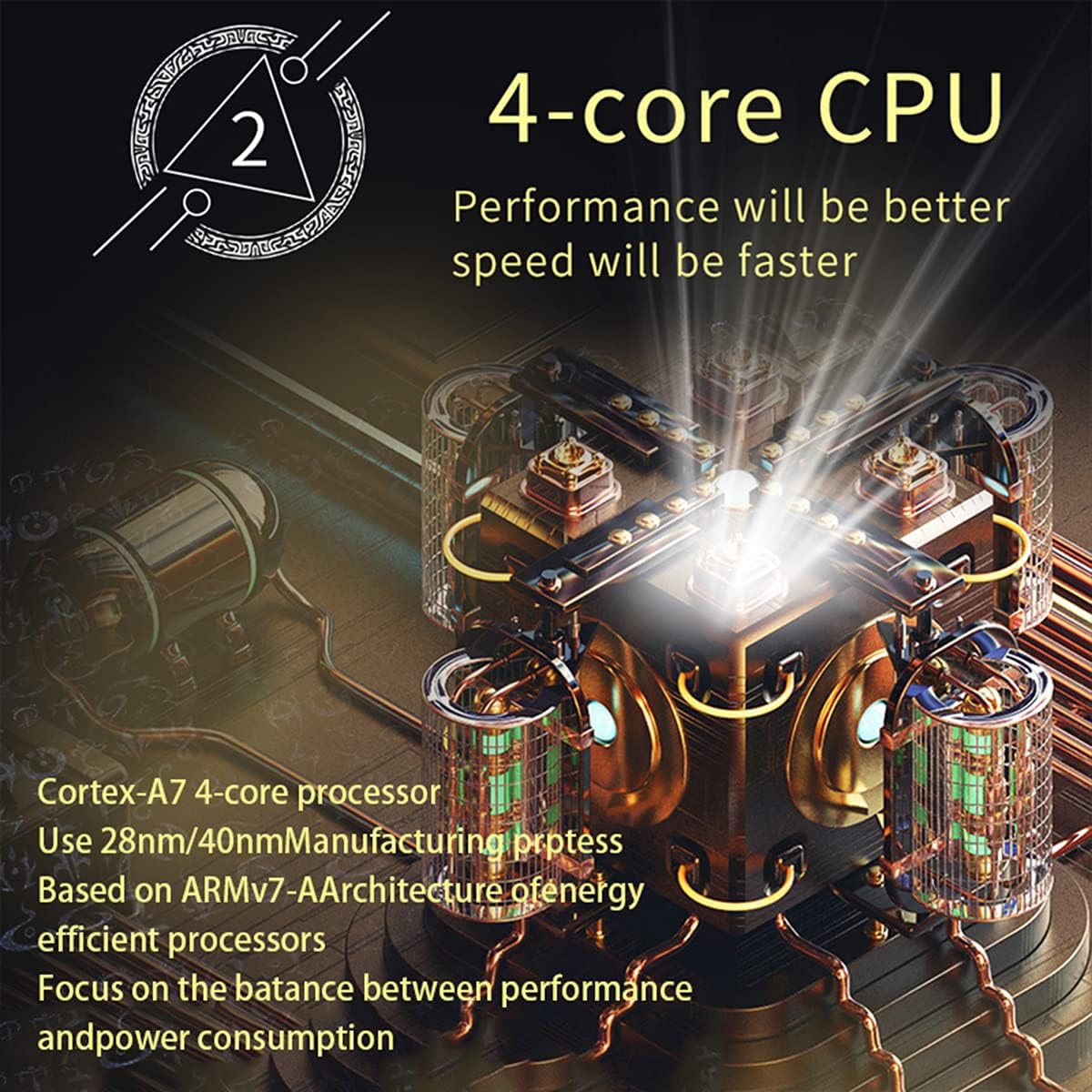
Nọmba 3.1: An illustration of the unit's 4-core Cortex-A7 processor, emphasizing its efficient architecture and manufacturing process (28nm/40nm). This powerful CPU ensures better performance and faster operation for all functions.

Nọmba 3.2: The audio playback interface on the car radio, demonstrating support for high-fidelity lossless audio formats such as APE and FLAC. This ensures a superior listening experience with native sound quality, powered by the TDA7388 high-power ampolutayo IC.
Atilẹyin ọja ati Support
Fun alaye atilẹyin ọja, atilẹyin imọ ẹrọ, tabi awọn ibeere iṣẹ, jọwọ kan si ataja tabi olupese taara. Tọju iwe-ẹri rira rẹ bi ẹri rira.
You can visit the official NC Store on Amazon for more information and product updates: Ile itaja NC
Ask a question about this manual
Ask about setup, troubleshooting, compatibility, parts, safety, or missing instructions. Manuals+ will review the question and use this page’s manual context to help answer it.