
Ọrọ Iṣaaju
This manual provides essential information for the proper installation, operation, and maintenance of your SoloGood 20A ESC Brushless Electronic Speed Controller. Designed for FPV drones, QAV drones, multirotors, and quadcopters, this ESC features BLHeli_S firmware and DSHOT support for reliable performance. Please read this manual thoroughly before use to ensure safe and optimal functionality.
Key Awọn ẹya ara ẹrọ
- 20A Continuous Current: Capable of handling 20 Amperes of continuous current.
- Brushless Motor Compatibility: Designed for use with brushless motors.
- DSHOT Support: Supports DSHOT digital throttle protocols (DSHOT150, DSHOT300, DSHOT600) for precise motor control.
- BLHeli_S Firmware: Pre-installed with BLHeli_S firmware, allowing for easy updates and configuration via the ESC signal cable.
- Jakejado Voltage Ibiti: Compatible with 2-4S LiPo batteries.
- Awọn ohun elo Didara giga: Utilizes original components to ensure high-quality current capability and reliability.
- Optimized for Multi-axis: Specifically optimized for multi-axis aircraft, also suitable for fixed-wing and helicopters.
- Twisted Pair Signal Cable: The throttle signal cable is a twisted pair, effectively reducing crosstalk during signal transmission.
- Adjustable Throttle Range: Throttle range can be configured to be compatible with various receivers, providing smooth and delicate speed control.
- Iwọn Iwapọ: Small dimensions (24mm x 12.7mm) for easy integration into various builds.
Awọn pato
| Ẹya ara ẹrọ | Sipesifikesonu |
|---|---|
| Awoṣe | 20A |
| Ilọsiwaju lọwọlọwọ | 20A |
| Iṣagbewọle Voltage | 2-4S LiPo |
| Firmware | BLHeli_S |
| Throttle Protocols Supported | DSHOT150, DSHOT300, DSHOT600, PWM, Oneshot125, Oneshot42, Multishot |
| MCU | EMF8BB21F16G |
| Igbohunsafẹfẹ Ṣiṣẹ | Titi di 48MHz |
| Awọn iwọn | 24mm x 12.7mm |
| Iwọn Nkan | Approximately 0.95 ounces (for 4 units) |

Image: SoloGood 20A ESC showing its compact dimensions of 24mm in length and 12.7mm in width.

Image: Four SoloGood 20A ESC units placed on a digital scale, indicating a combined weight of 19 grams, highlighting their lightweight design.
Awọn ilana iṣeto
Proper installation is crucial for the performance and safety of your drone. Follow these steps carefully:
- Mounting the ESCs: Securely mount each ESC to your drone frame. Ensure good airflow for cooling. Avoid placing them near sensitive electronics without proper insulation.
- Asopọ Motor: Connect the three motor wires from each ESC to the corresponding motor. The order of connection determines the motor's rotation direction. If a motor spins in the wrong direction, you can swap any two of the three motor wires, or reverse it in the BLHeli_S configurator.
- Asopọ agbara: Connect the main power wires (red for positive, black for negative) from the ESC to your Power Distribution Board (PDB) or flight controller, ensuring correct polarity. These ESCs are designed for 2-4S LiPo batteries.
- Isopọ ifihan agbara: Connect the signal wire (typically white) from each ESC to the appropriate motor output pin on your flight controller. The twisted pair signal cable helps reduce electrical noise.
- Receiver Link: The small black connector on the signal wire is for linking to the receiver. Connect this to the appropriate channel on your flight controller or receiver if direct connection is required for setup/flashing.

Image: A single SoloGood 20A ESC unit, showing the power wires (red and black), signal wire (white), and the small black connector for receiver linkage, crucial for initial setup and configuration.
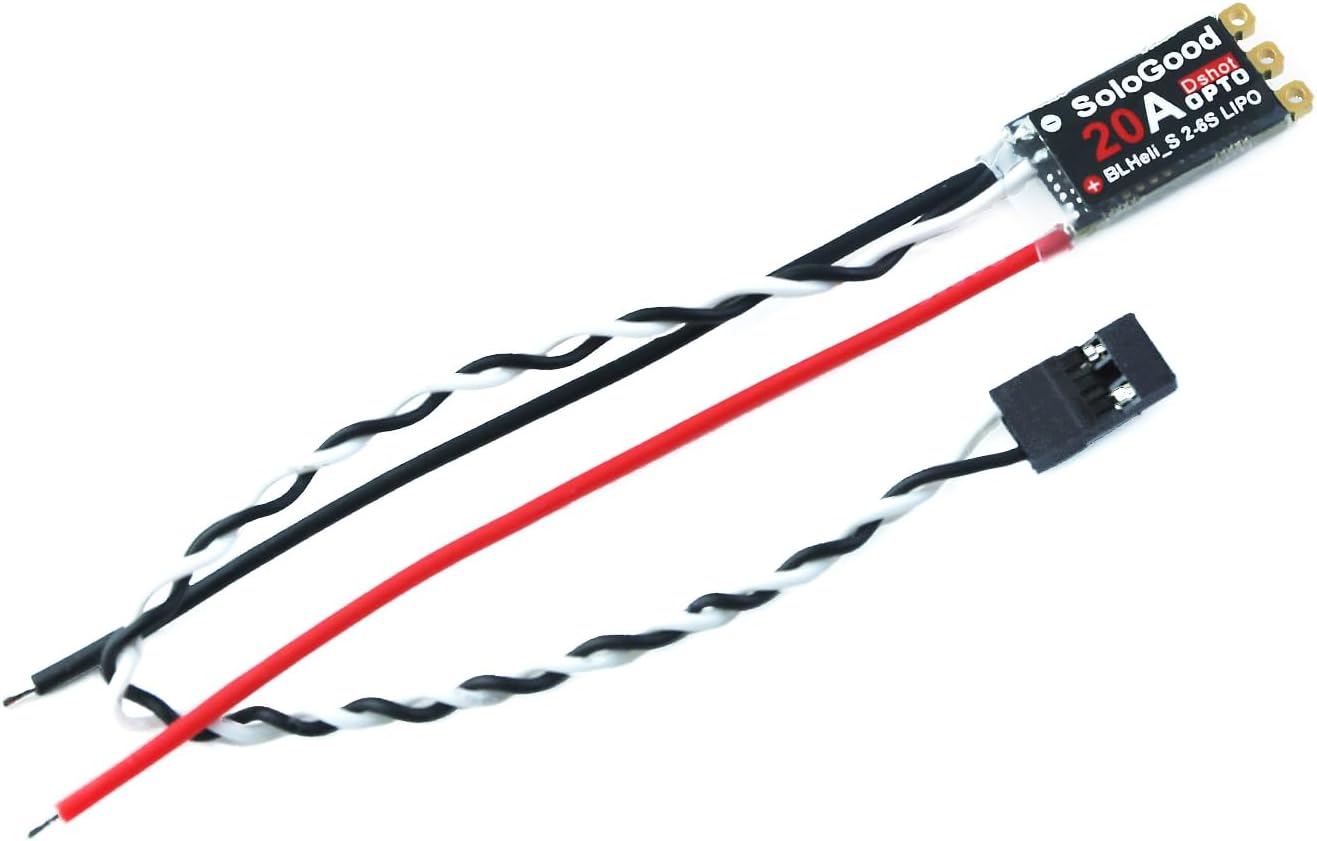
Aworan: Oke-isalẹ view of the SoloGood 20A ESC, illustrating the compact circuit board and the attached power and signal wires.

Aworan: Isalẹ view of two SoloGood 20A ESCs, revealing the MOSFETs and other electronic components that contribute to its high-quality current capability.

Image: Two SoloGood 20A ESCs displayed side-by-side, showcasing their identical design and compact form factor.
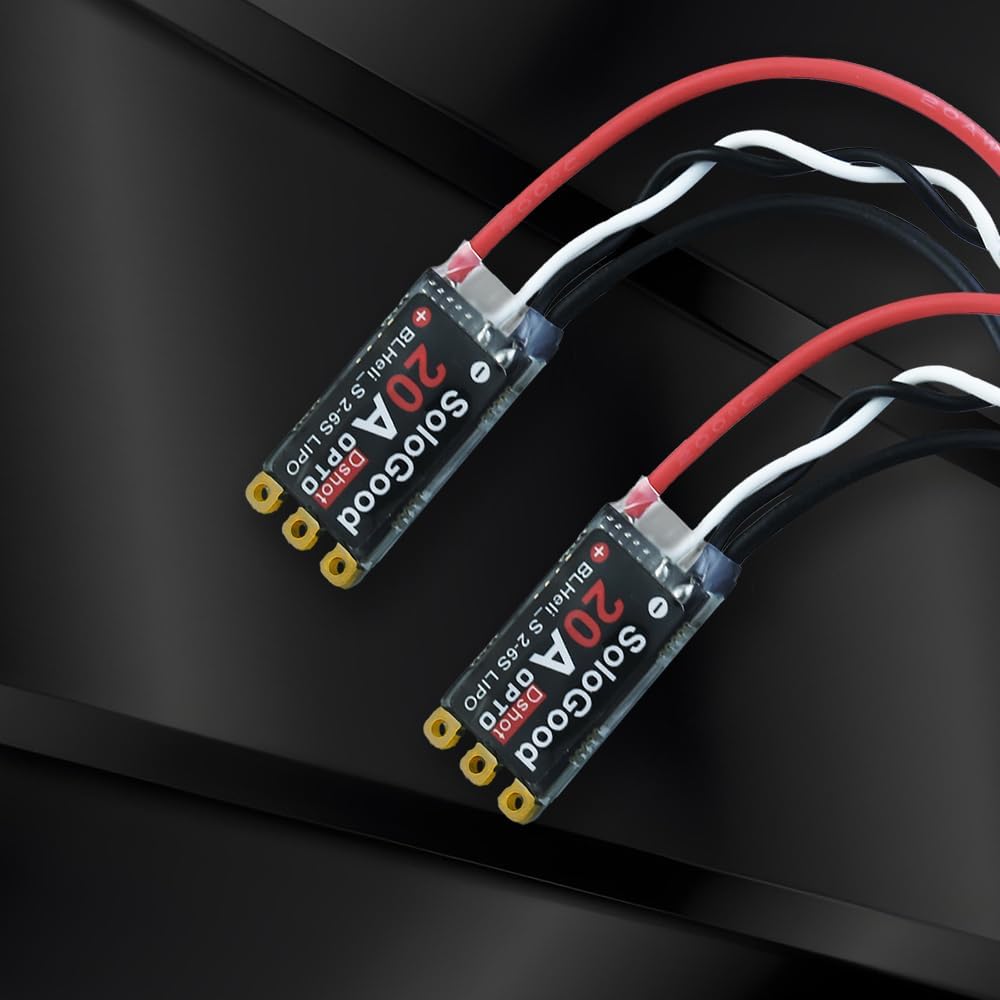
Image: Two SoloGood 20A ESCs with their signal wires twisted, illustrating the design feature that reduces signal crosstalk.

Image: A diagram detailing the various throttle protocols supported by the ESC, including DSHOT 600/300/150, PWM, Oneshot125, Oneshot42, and Multishot.

Aworan: Isunmọ view of the ESC's internal chip (MCU EMF8BB21F16G), highlighting its MOSFET power delivery for reliability and the BLHeli_S firmware.
Awọn ilana Iṣiṣẹ
Once installed, the ESCs work in conjunction with your flight controller to manage motor speed and direction.
- Iṣeto Famuwia: Use the BLHeli_S Suite software to configure ESC settings. This allows for fine-tuning parameters such as motor direction, DSHOT protocol selection, and other advanced settings. The ESC can be flashed or upgraded via the signal cable.
- Isọdiwọn Ẹjẹ: Perform throttle calibration if necessary, following your flight controller's specific instructions. This ensures the ESCs accurately interpret the throttle signals from the flight controller.
- Ṣiṣayẹwo Ọkọ ofurufu-ṣaaju: Before each flight, ensure all connections are secure and motors spin freely. Verify motor direction matches your flight controller's configuration.
- Isẹ ọkọ ofurufu: The ESCs will automatically respond to commands from your flight controller, translating throttle inputs into motor speed adjustments for stable and responsive flight.
Video: An official product video demonstrating the SoloGood 20A BLHeli_S ESC. This video provides a visual overview of the product and its features, aiding in understanding its application and operation.

Image: A drone equipped with SoloGood 20A ESCs, illustrating a typical installation scenario for FPV QAV Drone Multirotor Quadcopters.

Àwòrán: Òmíràn view of a drone with the SoloGood 20A ESCs integrated, demonstrating how they fit into a multirotor build.
Itoju
To ensure the longevity and optimal performance of your ESCs, consider the following maintenance tips:
- Ayẹwo igbagbogbo: Periodically inspect the ESCs for any signs of physical damage, loose connections, or burnt components.
- Mimọ: Keep the ESCs free from dust, dirt, and moisture. Use compressed air or a soft brush to clean them.
- Isakoso Ooru: Ensure adequate airflow around the ESCs during operation to prevent overheating. Overheating can lead to reduced performance and premature failure.
- Awọn imudojuiwọn famuwia: Check for and apply BLHeli_S firmware updates as they become available. Updates often include performance improvements and bug fixes.
Laasigbotitusita
If you encounter issues with your SoloGood 20A ESCs, refer to the following common problems and solutions:
- Mọto Ko Yiyi:
- Check all motor and signal wire connections for looseness or incorrect polarity.
- Verify that the ESC is receiving power from the battery.
- Ensure the motor is not physically obstructed.
- Check BLHeli_S settings for motor direction and protocol.
- Erratic Motor Behavior:
- Recalibrate awọn finasi ibiti o.
- Inspect signal wires for damage or interference; the twisted pair design helps, but external factors can still affect it.
- Ensure the ESC firmware is up to date and settings are correct for your motor and flight controller.
- ESC Overheating:
- Check for proper ventilation and airflow around the ESCs.
- Ensure the motor/propeller combination is not drawing excessive current beyond the ESC's 20A rating.
- Daju pe batiri voltage is within the 2-4S LiPo range.
- No Power to ESC:
- Ṣàyẹ̀wò ìsopọ̀ bátìrì àti ìpele agbára.
- Inspect power wires for breaks or shorts.
- Verify connections to the PDB or flight controller.
Atilẹyin ọja ati Support
SoloGood products are designed for reliability and performance. For specific warranty details, please refer to the purchase documentation or contact your retailer. For technical support, firmware updates, and additional resources, please visit the official SoloGood webojula tabi kan si wọn onibara iṣẹ. Tọju iwe-ẹri rira rẹ bi ẹri rira fun eyikeyi awọn ibeere atilẹyin ọja.
Manufacturer: SoloGood
Niyanju Ọjọ ori: 14 ọdun ati si oke