
1. Alaye Aabo
Please read and understand all safety information before operating this digital multimeter. Failure to follow these instructions may result in electric shock, fire, or damage to the device.
- Rí i dájú pé a ti ṣètò multimeter náà sí iṣẹ́ àti ìwọ̀n tó yẹ kí o tó ṣe àwọn ìwọ̀n.
- Má ṣe kọjá iye ìtẹ̀síwájú tó pọ̀ jùlọ tí a sọ fún iṣẹ́ kọ̀ọ̀kan.
- Lo iṣọra nigbati o ba n ṣiṣẹ pẹlu voltagÀwọn tó wà lókè 30V AC RMS, 42V tente oke, tàbí 60V DC, nítorí wọ́n ń fa ewu ìjayà.
- Ṣe àyẹ̀wò àwọn ìdánwò ìdánwò fún ìbàjẹ́ kí o tó lò ó ní gbogbo ìgbà. Má ṣe lò ó tí ìdènà bá bàjẹ́.
- IKILO: Before opening the case for battery or fuse replacement, always remove the test leads from the object being measured and disconnect from any power source to avoid electric shock.
- This device features F0.5A/600V fuse overload protection. Replace fuses only with specified types and ratings.
2. Ọja Ipariview
The ANENG AN101 is a portable digital multimeter designed for measuring AC voltage, AC current, DC voltage, DC current, and resistance. It features an easy-to-read LCD display with 1999 counts and supports both automatic and manual ranging for versatile use in various electrical and electronic applications.
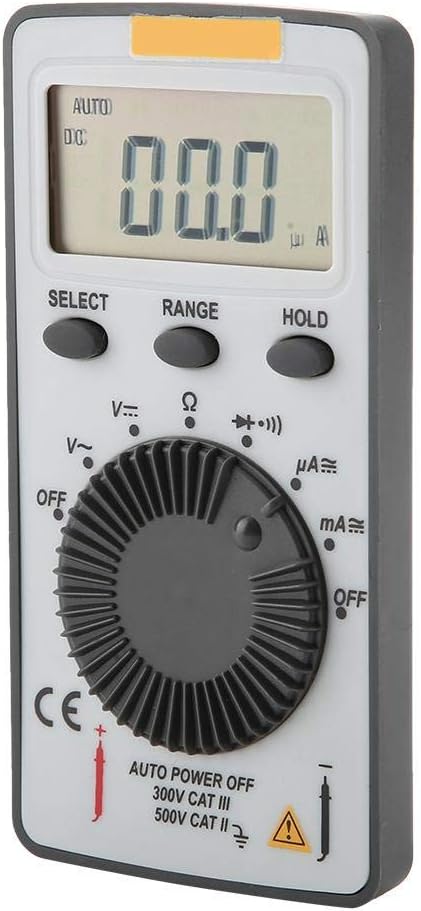
olusin 2.1: Iwaju view of the ANENG AN101 Digital Multimeter. This image displays the device's LCD screen, the central rotary function dial, and the 'SELECT', 'RANGE', and 'HOLD' buttons.
3. Eto
3.1 Fifi sori batiri
- Ensure the multimeter is powered off and disconnect any test leads.
- Wa yara batiri ni ẹhin ẹrọ naa.
- Lo screwdriver lati ṣii ideri iyẹwu batiri naa.
- Insert two 3V CR2032 batteries, observing the correct polarity.
- Rọpo ideri kompaktimenti batiri ki o ni aabo pẹlu dabaru.

olusin 3.1: Pada view of the ANENG AN101 Digital Multimeter. This image shows the battery compartment cover and a safety warning regarding opening the case.
3.2 Nsopọ Awọn itọsọna Igbeyewo
- Insert the red test lead into the 'VΩmA' input jack.
- Fi okun idanwo dudu sinu apoti titẹ sii 'COM'.
- Ensure the connections are firm before proceeding with measurements.
4. Awọn ilana Iṣiṣẹ
4.1 Agbara Tan / Pa
Rotate the central dial from 'OFF' to any measurement function to power on the device. To power off, rotate the dial back to 'OFF'. The multimeter also features an auto power-off function to conserve battery life.
4.2 Aṣayan iṣẹ
Turn the rotary dial to select the desired measurement function (e.g., DC Voltage (V=), AC Voltage (V~), Resistance (Ω), DC Current (μA=, mA=), AC Current (μA~, mA~)).
4.3 Range Selection (Auto/Manual)
The AN101 supports both automatic and manual ranging. In auto-ranging mode, the meter automatically selects the best range for the measurement. Press the 'RANGE' button to switch between auto and manual ranging. In manual mode, press 'RANGE' repeatedly to cycle through available ranges.
4.4 Idiwon DC Voltage
- Set the rotary dial to 'V='.
- So asiwaju idanwo pupa naa pọ mọ apa rere ti iyipo naa ati asiwaju idanwo dudu naa si apa odi.
- Ka voltage value on the LCD display. The polarity will be indicated automatically.
4.5 Iwọn AC Voltage
- Set the rotary dial to 'V~'.
- So awọn itọsọna idanwo kọja AC voltage orisun.
- Ka voltage iye lori ifihan LCD.
4.6 Wiwọn DC Lọwọlọwọ
- Set the rotary dial to 'μA=' or 'mA=' depending on the expected current.
- IKILO: To measure current, the multimeter must be connected in series with the circuit. Do not connect it in parallel across a voltage orisun.
- Break the circuit and connect the multimeter in series, ensuring the red lead is towards the higher potential and the black lead towards the lower potential.
- Ka awọn ti isiyi iye lori LCD àpapọ.
4.7 Wiwọn Okun AC
- Set the rotary dial to 'μA~' or 'mA~'.
- IKILO: So multimeter pọ ni jara pẹlu Circuit naa.
- Break the circuit and connect the multimeter in series.
- Ka awọn ti isiyi iye lori LCD àpapọ.
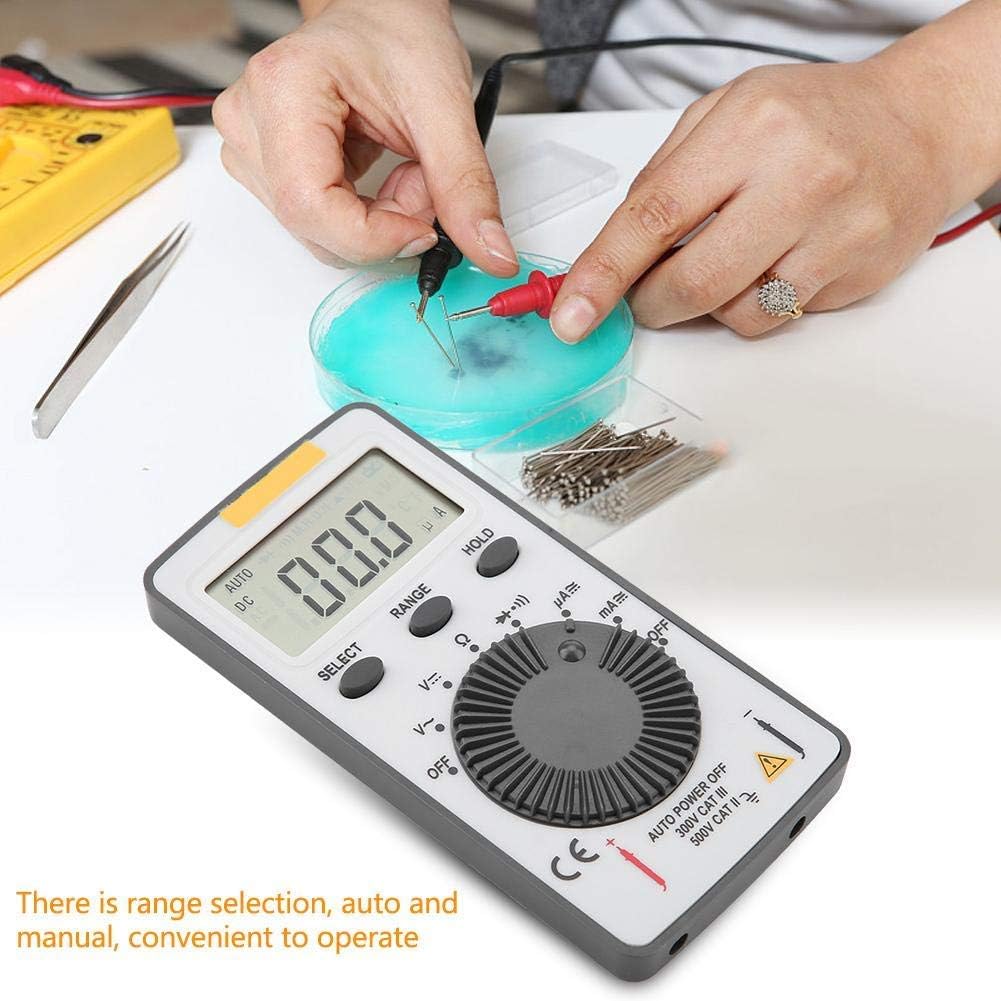
Figure 4.1: The ANENG AN101 Digital Multimeter in use, demonstrating its application for measuring electrical components. The image highlights the ease of operation with auto and manual range selection.
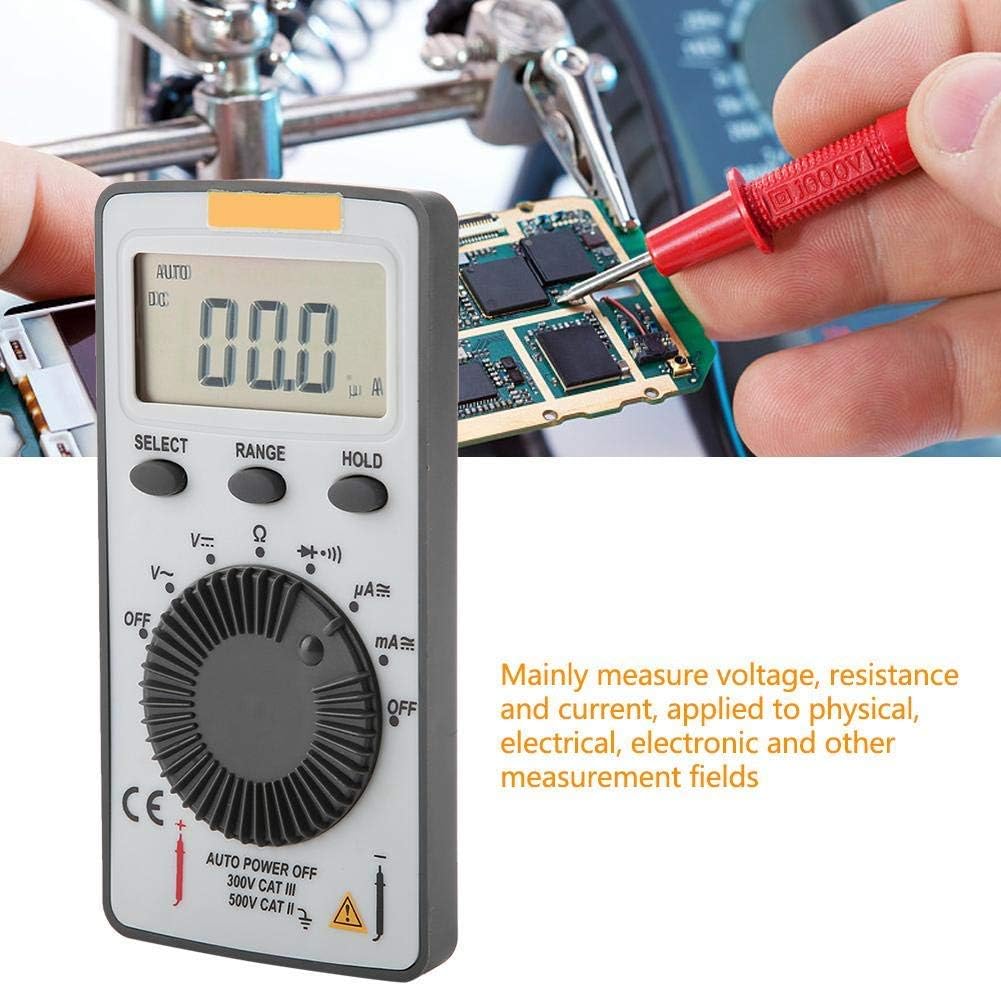
Figure 4.2: The ANENG AN101 Digital Multimeter being used to measure voltage or current on a circuit board. This illustrates its primary function in physical, electrical, and electronic measurement fields.
4.8 idaduro Išė
Press the 'HOLD' button to freeze the current reading on the display. Press it again to release the hold function and resume live measurements.
5. Itọju
5.1 Ninu
Wipe the device with a dry, soft cloth. Do not use abrasive cleaners or solvents. Keep the device free from dust and moisture.
5.2 Batiri Rirọpo
When the battery indicator appears on the display, replace the batteries as described in Section 3.1. Always use two new 3V CR2032 batteries.
5.3 Fiusi Rirọpo
If the current measurement functions stop working, the fuse may need replacement. Refer to the safety warnings in Section 1 before attempting to open the case. Replace the fuse only with a F0.5A/600V type.
6. Laasigbotitusita
- Ko si ifihan: Ṣàyẹ̀wò fífi bátìrì sílẹ̀ kí o sì rí i dájú pé àwọn bátìrì náà kò tán.
- "OL" tí a fi hàn: This indicates an over-range condition. Either the measured value exceeds the selected range, or the circuit is open (for resistance/current measurements). Select a higher range or check circuit continuity.
- Awọn kika ti ko tọ: Ensure test leads are properly connected, the correct function and range are selected, and the circuit connections are secure.
- Wiwọn lọwọlọwọ ko ṣiṣẹ: Check the fuse as described in Section 5.3.
7. Awọn pato
| Ẹya ara ẹrọ | Sipesifikesonu |
|---|---|
| Brand | ANENG |
| Awoṣe | AN101 |
| Ifihan | LCD, 1999 Counts |
| Oṣuwọn imudojuiwọn | 2 igba / keji |
| LCD Iwon | 40 * 20 mm |
| Ifihan Polarity | Automatic '-' |
| Lori-ibiti Itọkasi | 'OL' |
| Aṣayan ibiti o wa | Auto tabi Afowoyi |
| Awọn iwọn otutu ti nṣiṣẹ | 0℃ to 40℃, Relative Humidity: <80% RH |
| Ibi ipamọ otutu | -10℃ to 50℃, Relative Humidity: <85% RH |
| Batiri Iru | 2 * 3V, CR2032 size (not included) |
| DC Voltage Input Impedance | 10MΩ |
| DC Voltage Apọju Idaabobo | 600V DC / AC RMS |
| O pọju. DC Voltage Input | 600V DC |
| DC Current Overload Protection | F0.5A / 600V Fuse |
| Max. DC Current Input | 500mA |
| AC Current Overload Protection | F0.5A / 600V Fuse |
| Max. AC Current Input | 500mA |
| AC Current Frequency Range | 40Hz - 400Hz |
| AC Voltage Input Impedance | 10MΩ |
| AC Voltage Igbohunsafẹfẹ Range | 40Hz - 400Hz |
| AC Voltage Apọju Idaabobo | 600V DC / AC RMS |
| O pọju. AC Voltage Input | 600V AC RMS |
| Iwọn | Isunmọ. 102g / 3.6 iwon |
| Awọn iwọn | Approx. 110 * 55 * 10 mm / 4.3 * 2.2 * 0.4 in |
| Package Awọn akoonu | 1 * Digital Multimeter, 2 * Test Leads |

Figure 7.1: Dimensions of the ANENG AN101 Digital Multimeter, showing its compact size for portability.
8. Atilẹyin ọja ati Support
Fún àlàyé nípa àtìlẹ́yìn àti ìrànlọ́wọ́ ìmọ̀ ẹ̀rọ, jọ̀wọ́ wo àwọn ìwé tí a pèsè ní àkókò tí o ń rà á tàbí kí o kan sí olùtajà rẹ. Pa ìwé ẹ̀rí ìrajà rẹ mọ́ gẹ́gẹ́ bí ẹ̀rí ìrajà náà.