
1. Ifihan ati Loriview
Welcome to the EKSA EM200 Gaming Mouse user manual. This guide provides comprehensive instructions for setting up, operating, and maintaining your new gaming mouse. The EM200 is designed for gamers seeking an ergonomic, customizable, and high-performance wired mouse experience.

Figure 1: The EKSA EM200 Gaming Mouse, showcasing its interchangeable back cover and tunable weight system.
2. Eto
The EKSA EM200 Gaming Mouse is a plug-and-play device, requiring no additional drivers for basic functionality on most operating systems. Simply connect the USB cable to an available USB port on your computer.
2.1 Nsopọ Asin
- Unpack the EKSA EM200 Gaming Mouse from its packaging.
- Locate an available USB port on your Windows PC, Mac, or Laptop.
- Insert the USB connector of the mouse cable firmly into the USB port.
- The mouse's RGB lighting will illuminate, indicating a successful connection. Your computer should automatically detect the device.
Video 1: An official EKSA video demonstrating the unboxing and initial setup of the EM200 Gaming Mouse, including connecting it to a laptop and showcasing ina RGB rẹ.
3. Features and Customization
3.1 Adjustable DPI (Dots Per Inch)
The EM200 features a 12,000 DPI optical sensor with 6 adjustable DPI settings: 1000/2000/3200/4800/6400/12000. This allows for on-the-fly sensitivity adjustments to match different gaming scenarios or work tasks.
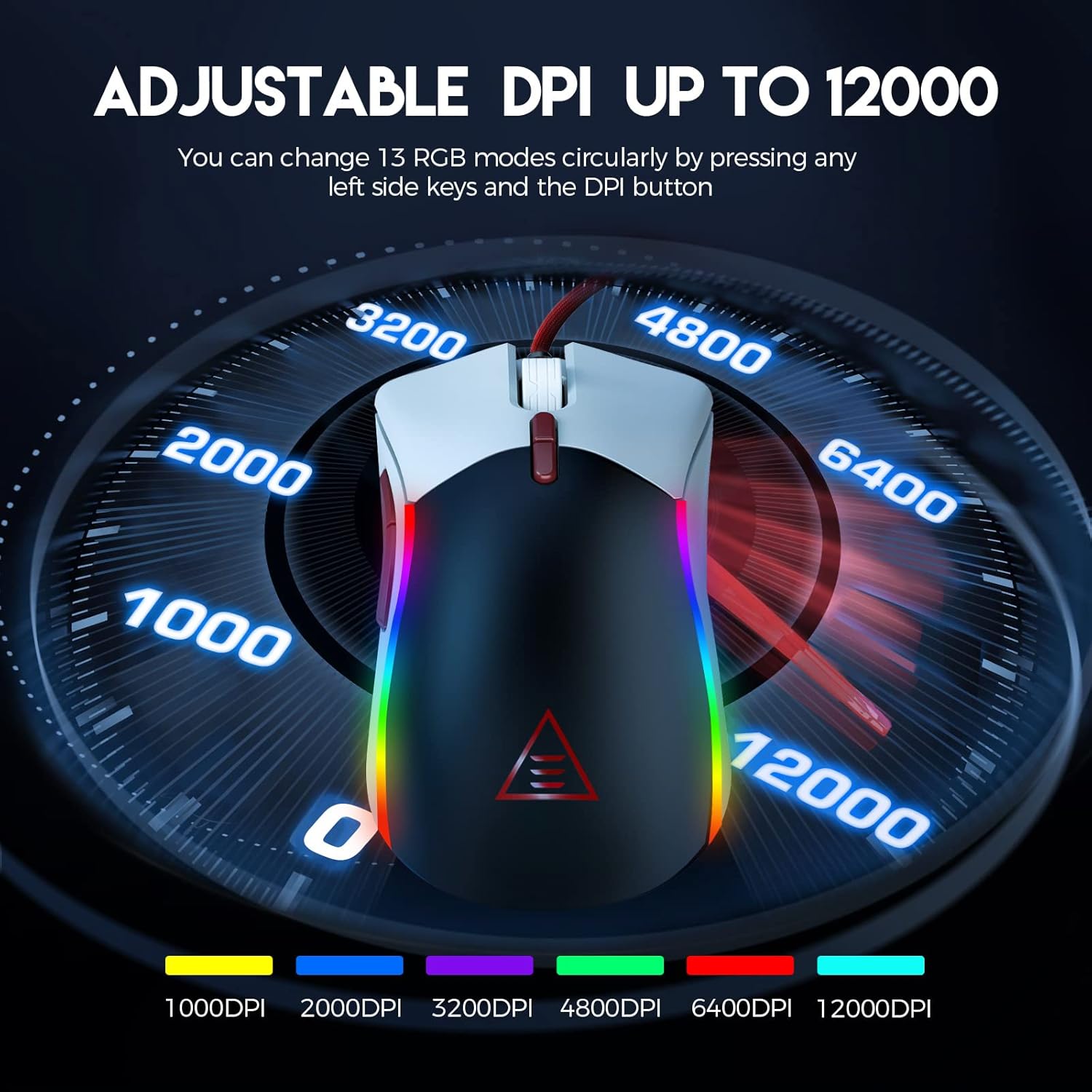
Figure 2: Visual representation of the adjustable DPI settings on the EKSA EM200 Gaming Mouse, highlighting the range from 1000 to 12000 DPI.
3.2 Ìmọ́lẹ̀ RGB tí a lè ṣe àtúnṣe
Personalize your gaming atmosphere with 13 customizable RGB lighting modes, offering 16.8 million color combinations. These modes can be cycled through using the dedicated buttons.
3.3 Tunable Weight System
Adjust the mouse's weight from 91.8g to 108g using the 6 included 2.7g weights. This allows for personalized weight and balance tuning, enabling lightning-fast reactions or precise control depending on your gameplay style.

Figure 3: The tunable weight system of the EKSA EM200, illustrating the compartment for six 2.7g weights.
3.4 7 Programmable Buttons
The EM200 features 7 programmable buttons, allowing you to assign macros and secondary functions for superior productivity and efficiency in various gaming and application scenarios.

Figure 4: A detailed diagram labeling the 7 programmable buttons on the EKSA EM200 Gaming Mouse, including left, right, scroll, forward, backward, DPI+, and DPI- buttons.
3.5 Interchangeable Back Covers
Customize the aesthetic of your mouse with two removable magnetic back covers (black & white), allowing you to switch styles effortlessly.
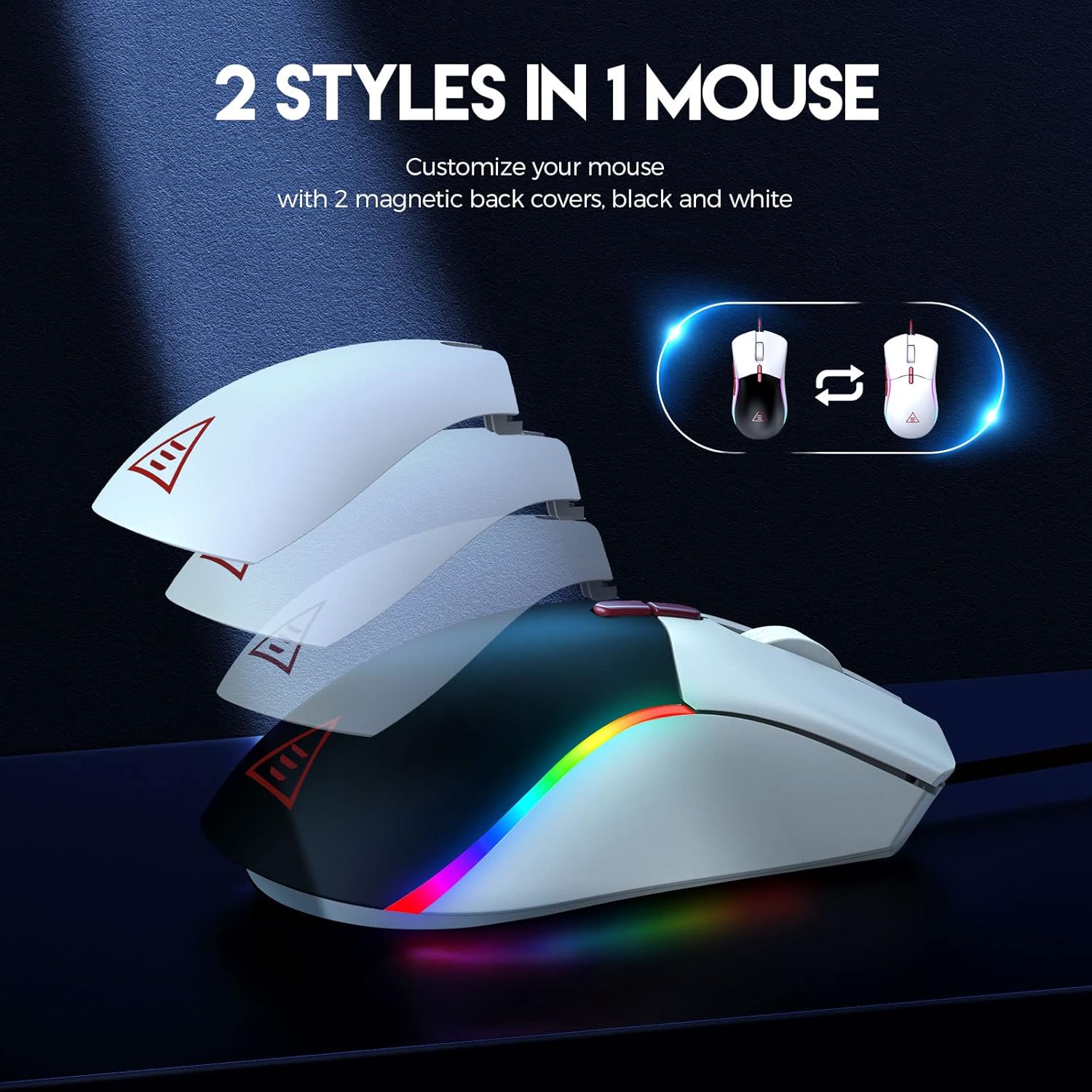
Figure 5: The EKSA EM200 Gaming Mouse demonstrating its two interchangeable magnetic back covers, offering different aesthetic options.
3.6 Ergonomic Design
The mouse features a comfortable contoured shape with high-performance rubber grips, designed to naturally fit your hand and reduce fatigue during extended use. Its universal symmetrical design is suitable for both left and right-handed users.

Figure 6: An illustration highlighting the ergonomic design of the EKSA EM200 Gaming Mouse, emphasizing its comfortable fit for prolonged use.
4. Awọn ilana Iṣiṣẹ
4.1 Adjusting DPI
Use the DPI+ and DPI- buttons (located below the scroll wheel) to cycle through the available DPI settings (1000/2000/3200/4800/6400/12000). Each setting may correspond to a different LED color for easy identification.
4.2 Changing RGB Modes
The EM200 offers 13 RGB modes. You can customize these modes by pressing any left side keys and the DPI button simultaneously, or through dedicated software if available (refer to manufacturer's webaaye fun wiwa software).
4.3 Customizing Weight
- Fi pẹ̀lẹ́pẹ̀lẹ́ yọ ideri ẹ̀yìn oofa ti asin naa kuro.
- Locate the weight compartment.
- Add or remove the 2.7g weights as desired to achieve your preferred mouse feel.
- Securely reattach the magnetic back cover.
4.4 Lilo awọn Bọtini Eto
The 7 programmable buttons can be assigned specific functions or macros. For advanced customization and macro programming, please download the official EKSA software from the manufacturer's website. The software interface allows you to reassign button functions to suit your gaming or productivity needs.

Figure 7: The EKSA software interface, demonstrating how to program the 7 buttons for different gaming needs.
5. Itọju
To ensure the longevity and optimal performance of your EKSA EM200 Gaming Mouse, follow these maintenance guidelines:
- Ninu: Lo aṣọ rírọrùn tí ó gbẹ láti nu àwọn eku náà nígbà gbogbo. Fún eruku líle, fi díẹ̀ sí i.amp A le lo aṣọ, ṣugbọn rii daju pe ọrinrin ko wọ inu awọn ẹya inu. Yẹra fun awọn kemikali lile tabi awọn afọmọ fifọ.
- Itọju Sensọ: Jeki sensọ opiti ti o wa ni abẹlẹ ti Asin mọ ati ofe kuro ninu eruku tabi idoti lati rii daju titele deede.
- Iṣakoso USB: Avoid sharp bends or excessive pulling on the braided USB cable to prevent damage. Use the included cable tie to keep it neatly organized when not in use.
- Ibi ipamọ: Nigbati o ko ba si ni lilo, tọju asin naa sinu mimọ, agbegbe gbigbẹ kuro ni iwọn otutu to gaju.
6. Laasigbotitusita
If you encounter any issues with your EKSA EM200 Gaming Mouse, please try the following steps:
- Asin Ko Dahun:
- Rí i dájú pé okùn USB náà so mọ́ ibudo USB ti kọmputa náà dáadáa.
- Gbiyanju yiyi asin sinu ibudo USB ti o yatọ.
- Tun kọmputa rẹ bẹrẹ.
- Titọpa aipe:
- Nu sensọ opitika ni isalẹ ti Asin naa.
- Rí i dájú pé o ń lo àsín náà lórí ojú ilẹ̀ mímọ́, tí kò ní àwọ̀ tàbí pádì àsín.
- Ṣe àtúnṣe sí ètò DPI sí ìpele tó yàtọ̀.
- Awọn imọlẹ RGB Ko Ṣiṣẹ/Ti ko tọ:
- Rii daju pe asin naa ti sopọ daradara.
- Cycle through the RGB modes using the designated buttons.
- If using software, ensure it is up-to-date and configured correctly.
Tí àwọn ìgbésẹ̀ wọ̀nyí kò bá yanjú ìṣòro náà, jọ̀wọ́ wo apá Àtìlẹ́yìn àti Àtìlẹ́yìn fún ìrànlọ́wọ́ síwájú síi.
7. Awọn pato
| Ẹya ara ẹrọ | Ẹ̀kúnrẹ́rẹ́ |
|---|---|
| Ọja Mefa | 5 x 2.6 x 1.6 inches |
| Iwọn Nkan | 7.4 iwon |
| Nọmba Awoṣe Nkan | EM200 |
| Brand | EKSA |
| Àwọ̀ | EM200 White |
| Asopọmọra Technology | USB |
| Pataki Ẹya | Apẹrẹ Ergonomic |
| Imọ-ẹrọ Iwari išipopada | Opitika |
8. Atilẹyin ọja ati Support
The EKSA EM200 Gaming Mouse comes with a standard manufacturer's warranty. For detailed warranty information, product registration, and technical support, please visit the official EKSA webojula tabi kan si wọn onibara iṣẹ taara. Tọju iwe-ẹri rira rẹ bi ẹri rira fun awọn iṣeduro atilẹyin ọja.
For the latest drivers, software, and FAQs, please visit the EKSA Official Store on Amazon.