
1. Ifihan
Thank you for choosing Kinganda Q71 Bluetooth Earbuds. This manual provides detailed instructions for setting up, operating, and maintaining your new wireless earbuds. Please read this manual carefully before use to ensure proper functionality and to maximize your listening experience.
2. Alaye Aabo
- Má ṣe fi àwọn ètí ìró tàbí àpótí ìgbóná sí ibi tí ooru bá pọ̀ jù, ọriniinitutu, tàbí àyíká tí ó lè ba nǹkan jẹ́.
- Yago fun gbigbọ ni awọn ipele iwọn didun giga fun awọn akoko gigun lati dena ibajẹ igbọran.
- Jeki ẹrọ naa kuro lọdọ awọn ọmọde ati awọn ohun ọsin.
- Má ṣe gbìyànjú láti tú tàbí ṣe àtúnṣe ọjà náà. Èyí yóò sọ àtìlẹ́yìn náà di òfo.
- Nu afikọti ati apoti gbigba agbara pẹlu asọ ti o gbẹ nikan.
3. Package Awọn akoonu
Jọwọ ṣayẹwo pe gbogbo awọn ohun kan wa ninu apo rẹ:
- Kinganda Q71 Bluetooth Earbuds (Left and Right)
- Ngba agbara Case
- Okun Ngba agbara USB
- Ọpọ titobi ti Eti Italolobo
- Itọsọna olumulo
4. Ọja Ipariview
Familiarize yourself with the components of your Kinganda Q71 Bluetooth Earbuds.
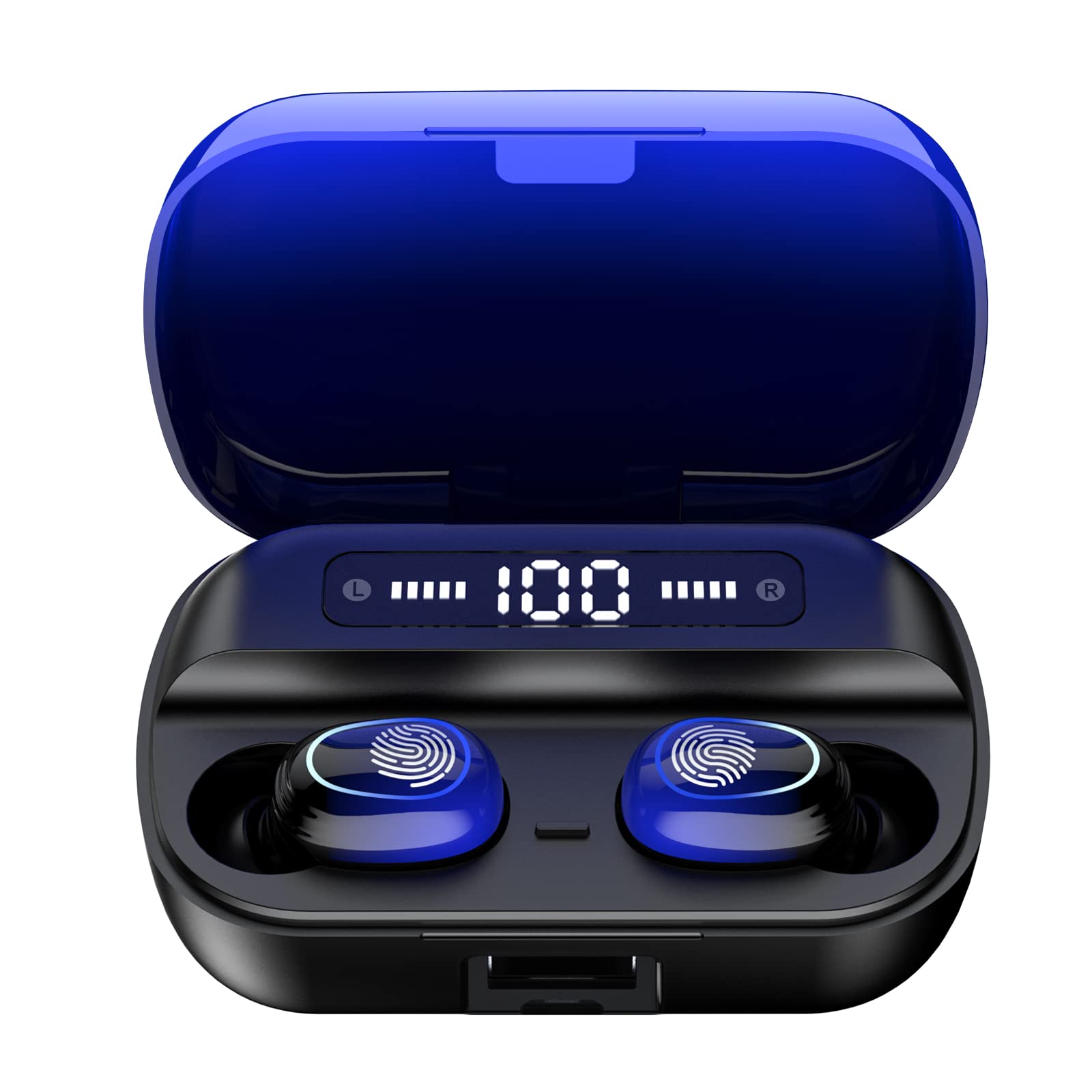
Aworan 4.1: Pariview of Kinganda Q71 Bluetooth Earbuds and key features including Bluetooth 5.1, low latency, low power consumption, touch control, clear calls, 10mm speakers, compatibility with iOS and Android, and a 33-foot signal range.
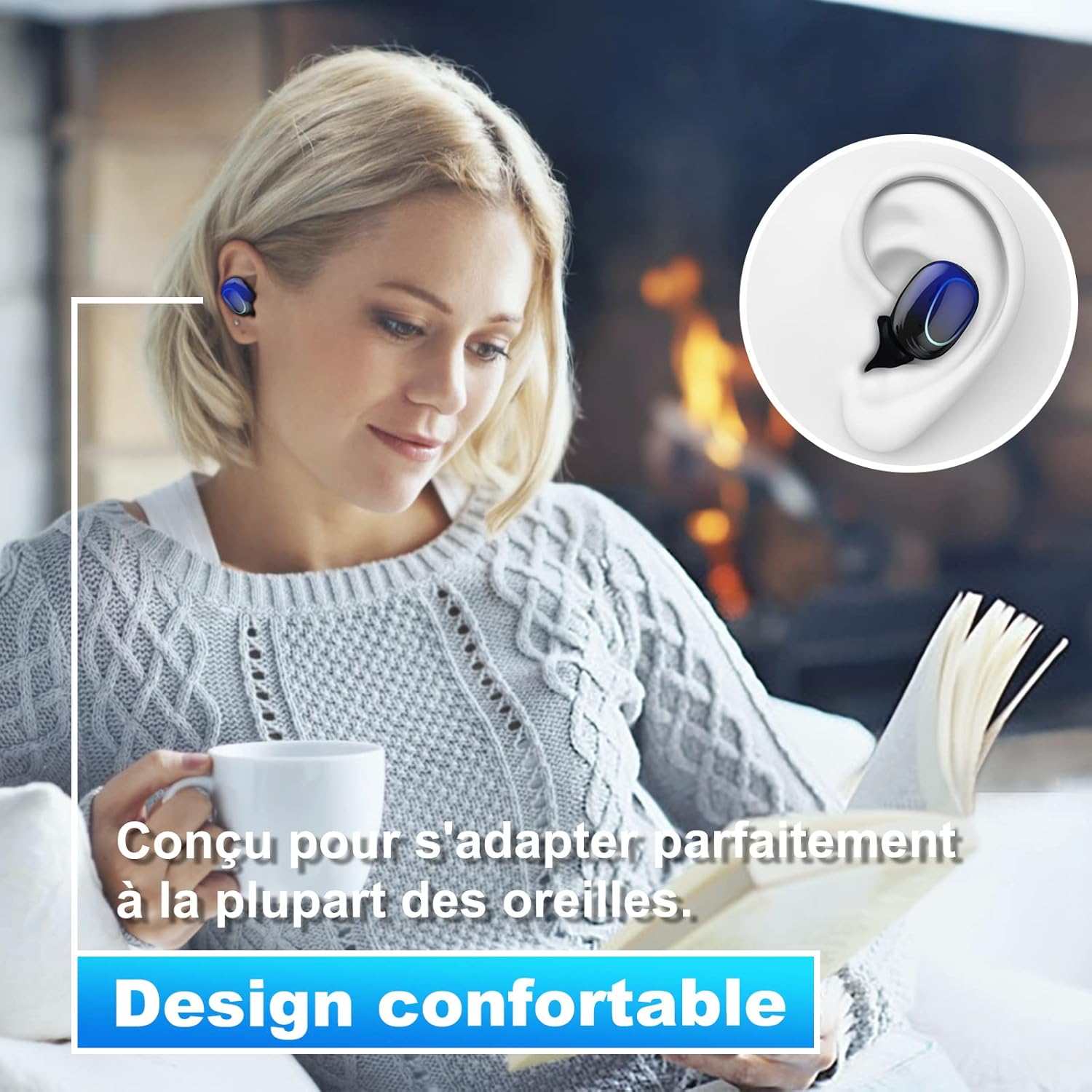
Image 4.2: The Kinganda Q71 earbuds are designed for a comfortable and secure fit in most ears.
5. Eto
5.1 Ngba agbara si Earbuds ati Ọran
Ṣaaju lilo akọkọ, gba agbara ni kikun apoti gbigba agbara ati awọn agbekọri.
- Gbe awọn agbekọri sinu apoti gbigba agbara. Rii daju pe wọn joko ni deede.
- So okun gbigba agbara USB pọ si ibudo gbigba agbara lori ọran naa ati si orisun agbara (fun apẹẹrẹ, ohun ti nmu badọgba ogiri USB, ibudo USB kọnputa).
- Awọn ina Atọka lori ọran naa yoo fi ipo gbigba agbara han. Ni kete ti o ba ti gba agbara ni kikun, awọn ina yoo tọka si ipari tabi paa.

Image 5.1: The charging case has a 3500mAh battery. Earbuds provide approximately 5 hours of playback, and the case extends total usage to about 150 hours. A full recharge takes approximately 1.5 hours.
5.2 Sisopọ pọ pẹlu Ẹrọ Bluetooth kan
The earbuds use Bluetooth 5.1 for a stable connection.
- Ṣii apoti gbigba agbara. Awọn agbekọri yoo tan ina laifọwọyi ati tẹ ipo sisopọ pọ sii.
- Lori ẹrọ rẹ (foonuiyara, tabulẹti, ati be be lo), jeki Bluetooth.
- Wa fun available Bluetooth devices and select "Kinganda Q71" (or similar name) from the list.
- Ni kete ti o ti sopọ, iwọ yoo gbọ ohun orin idaniloju, ati awọn ina atọka lori awọn agbekọri yoo yipada.
5.3 Wọ awọn Earbuds
For optimal sound quality and comfort, choose the correct ear tip size and ensure a snug fit.
- Select the ear tips that best fit your ear canals.
- Gently insert each earbud into your ear, twisting slightly until it feels secure and comfortable.
6. Awọn ilana Iṣiṣẹ
The Kinganda Q71 earbuds feature touch controls for easy operation.

Image 6.1: Touch controls for various functions including power, music playback, call management, and voice assistant activation.
6.1 Ipilẹ Awọn iṣẹ
- Titan/Apapa: Earbuds power on automatically when removed from the case and power off when placed back in the case. Alternatively, long-press the touch area for manual power on/off.
- Ṣiṣẹ/Daduro: Fọwọ ba ẹyọkan lori boya agbekọri.
- Orin t’okan: Fọwọ ba agbekọri ọtun lẹẹmeji.
- Tẹlẹ Orin: Fọwọ ba agbekọri osi lẹẹmeji.
- Idahun/Ipe Ipari: Tẹ ẹyọkan lori boya agbekọri lakoko ipe ti nwọle.
- Kọ Ipe: Long-press on either earbud during an incoming call.
- Mu Olùrànlọ́wọ́ Ohùn (Siri) ṣiṣẹ́: Fọwọ ba meteta lori boya agbekọri.
6.2 Awọn ọna lilo
The Kinganda Q71 earbuds support various listening modes.

Image 6.2: The earbuds can be used in mono mode (single earbud) to stay aware of surroundings, TWS stereo mode for immersive sound, or twin mode to share music with another person.
- Ipo Mono: Use a single earbud (left or right) to listen to audio while keeping the other ear open to your surroundings. Simply remove one earbud from the case.
- TWS Stereo Mode: Use both earbuds for a full stereo audio experience. Both earbuds will automatically connect to each other and your device when removed from the case.
- Ipò Twin: Share your music with a friend by giving them one earbud. Both earbuds will play the same audio.
7. Itọju
7.1 Ninu
Mimọ deede ṣe iranlọwọ lati ṣetọju didara ohun ati imototo.
- Lo asọ ti o gbẹ, asọ ti ko ni lint lati nu awọn afikọti ati apoti gbigba agbara.
- Remove ear tips and clean them with mild soap and water if necessary, then dry thoroughly before reattaching.
- Maṣe lo awọn kẹmika lile tabi awọn ohun elo abrasive.
7.2 Ibi ipamọ
Nigbati o ko ba si ni lilo, tọju awọn afikọti sinu apoti gbigba agbara wọn lati daabobo wọn ki o jẹ ki wọn gba agbara.
8. Laasigbotitusita
Ti o ba pade awọn iṣoro, gbiyanju awọn ojutu wọnyi:
- Awọn agbekọri ti ko so pọ: Ensure both earbuds are charged. Place them back in the case, close it, then open it again to re-initiate pairing mode. Check your device's Bluetooth settings and try reconnecting.
- Agbekọri agbekọri kan ṣoṣo ti n ṣiṣẹ: Place both earbuds back in the charging case, close the lid, wait a few seconds, then open the lid and remove them simultaneously. This should force them to re-sync.
- Ko si ohun: Check the volume level on your device and ensure the earbuds are properly connected.
- Awọn iṣoro gbigba agbara: Rí i dájú pé okùn gbigba agbara náà so mọ́ àpótí àti orísun agbára náà dáadáa. Gbìyànjú okùn gbigba agbara tàbí adapter agbára mìíràn.
- Didara ohun ti ko dara: Ensure the earbuds are clean and properly seated in your ears. Try different ear tip sizes for a better seal.
9. Awọn pato
| Orukọ awoṣe | Q71 |
| Brand | Kinganda |
| Asopọmọra Technology | Ailokun (Bluetooth 5.1) |
| Alailowaya Ibiti | Titi de 33 ẹsẹ (10 mita) |
| Audio Driver Type | Awakọ Yiyipo (10mm) |
| Ọna Iṣakoso | Iṣakoso ifọwọkan |
| Ohun elo | Ṣiṣu, Silikoni |
| Omi Resistance Ipele | Mabomire (IPX7) |
| Igbesi aye batiri Earbud | Isunmọ. wakati meji 5 |
| Igbesi aye batiri gbigba agbara | Approx. 150 hours (with case) |
| Gbigba agbara Case | 3500mAh |
| Igba Tunse | Isunmọ. wakati meji 1.5 |
| Awọn ẹrọ ibaramu | Bluetooth-enabled devices (iOS, Android) |
| Pataki Ẹya | Ìwúwo Fúyẹ́ |

Image 9.1: The 10mm immersive drivers deliver enhanced sound quality with deeper bass.

Image 9.2: With an IPX7 waterproof rating, the earbuds are protected against sweat and water splashes, making them suitable for sports.
10. Atilẹyin ọja ati Support
Kinganda products are designed for reliability and performance. This product comes with a standard manufacturer's warranty. For specific warranty details, please refer to the warranty card included in your package or contact Kinganda customer support.
If you have any questions, require technical assistance, or need to claim warranty service, please contact our customer support team through the contact information provided on the Kinganda official webojula tabi rẹ ra Syeed.


