
Okunamplify SPMC-MZ1C12711
Okunamplify MIC Tripod RGB Cardioid Microphone User Manual
Model: SPMC-MZ1C12711
Ọrọ Iṣaaju
This manual provides comprehensive instructions for the setup, operation, and maintenance of your Streamplify MIC Tripod RGB Cardioid Microphone. Please read this manual thoroughly before using the product to ensure optimal performance and longevity.
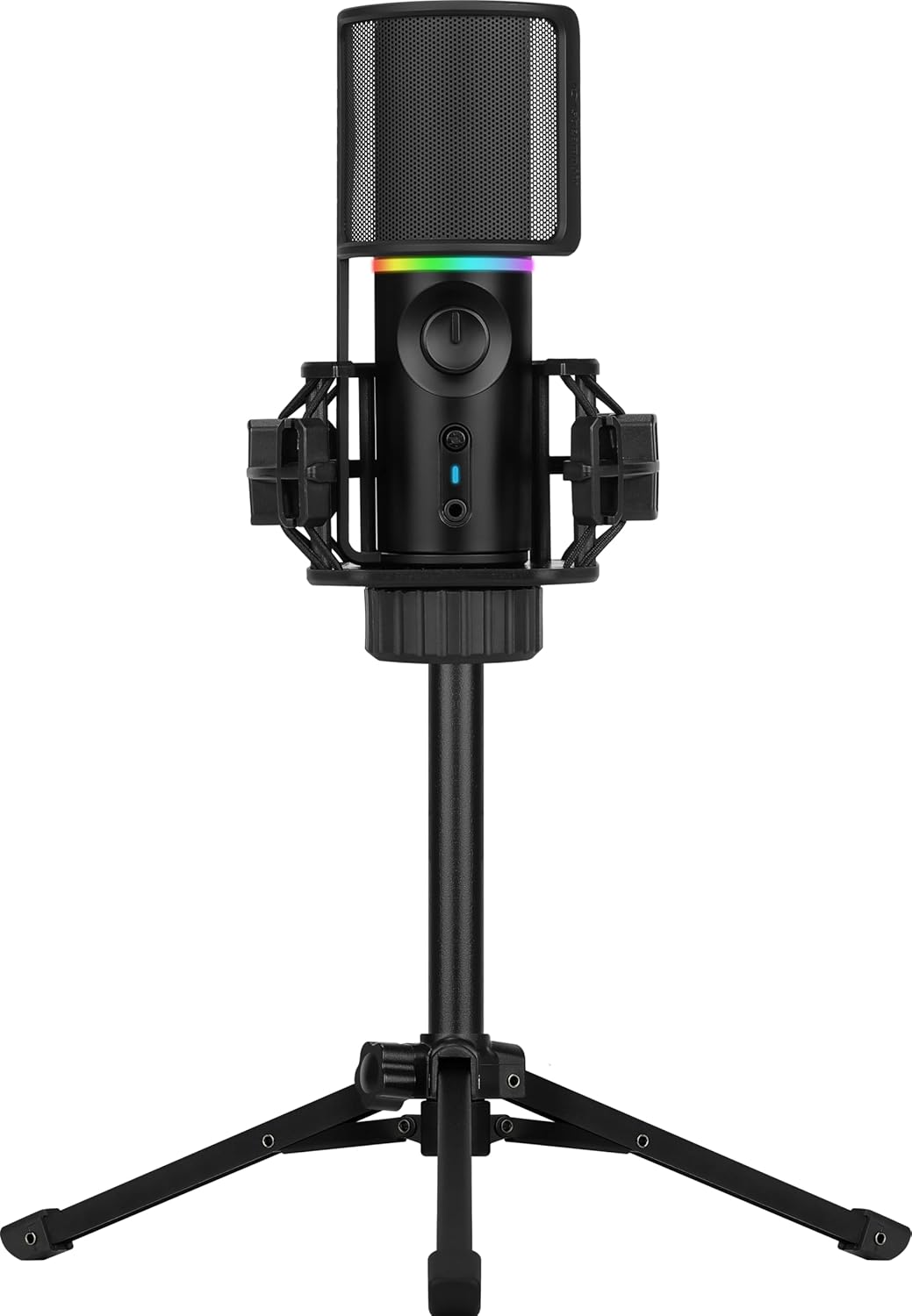
Image: The Streamplify MIC Tripod RGB Cardioid Microphone, fully assembled with its pop filter and tripod stand.
Package Awọn akoonu
Daju pe gbogbo awọn ohun ti a ṣe akojọ si isalẹ wa ninu apoti ọja rẹ:
- Okunamplify MIC Cardioid Microphone
- Iduro Tripod Foldable
- Mọnamọna Oke
- Agbejade Agbejade
- USB Iru-A to USB Iru-C USB

Image: All individual components of the microphone system, including the microphone unit, tripod, shock mount, pop filter, and USB cable, displayed separately.
Awọn ilana iṣeto
- Ṣe apejọ Tripod naa: Unfold the legs of the tripod stand and place it on a stable, flat surface.
- So Mókòótì Ìdènà mọ́: Screw the shock mount onto the tripod stand's threaded connector. Ensure it is securely fastened.
- Fi Gbohungbohun sii: Carefully place the Streamplify MIC into the shock mount. The shock mount is designed to reduce vibrations.
- So Àlẹ̀mọ́ Pọ́pù pọ̀ mọ́: Position the pop filter in front of the microphone. The pop filter helps to reduce plosive sounds (e.g., 'p' and 'b' sounds) during recording.
- Sopọ si Ẹrọ: Connect the USB Type-C end of the provided cable to the microphone and the USB Type-A end to an available USB port on your computer (PC, Laptop) or compatible gaming console (PS4/PS5/Xbox).
- Fifi sori Awakọ: The microphone is Plug & Play. Your operating system should automatically detect and install the necessary drivers.

Image: The microphone fully assembled with its shock mount, tripod, and pop filter, ready for connection.
Awọn ilana Iṣiṣẹ
Audio Playback Modes
The microphone offers two distinct audio playback modes:
- Full Playback Podcast Mode: This mode plays back your input audio, allowing you to monitor your audio levels while simultaneously capturing ambient sounds. The LED ring will blink blue in this mode.
- One-way Playback Gaming Mode: Designed for gaming, this mode cancels background noise, enabling clear communication without distractions. The LED ring will blink green in this mode.

Image: Visual representation explaining the Full Playback Podcast Mode (LED blue) and One-way Playback Gaming Mode (LED green).
Quick Mute Function
The microphone features a convenient mute button with an LED indicator. Press the mute button to rapidly cut off voice recording. When muted, the microphone's LED will blink red, accompanied by an audible notification sound.
Dynamic RGB Lighting Modes
Cycle between various preset RGB and LED lighting modes to personalize your setup. Refer to the product's quick start guide or manufacturer's website for specific button presses to change lighting effects.

Image: A composite image highlighting the microphone's features: clear audio capture, high sound quality, and customizable dynamic RGB lighting modes.
Àpẹẹrẹ Agbẹru Cardioid
The microphone utilizes a cardioid pickup pattern, which is highly sensitive to sound coming directly from the front of the microphone. It exhibits nearly zero sensitivity to sounds from directly behind and reduced sensitivity to sounds from the sides. This design effectively blocks out unwanted noise and focuses on the primary sound source.

Image: A polar pattern diagram demonstrating the cardioid pickup characteristic, showing highest sensitivity at the front and reduced sensitivity at the sides and rear.
Itoju
- Ninu: Use a soft, dry cloth to clean the microphone and tripod. Avoid using abrasive cleaners or solvents.
- Ibi ipamọ: Tí o kò bá lò ó, fi gbohùngbohùn náà sí ibi gbígbẹ tí kò ní eruku.
- Mimu: Handle the microphone and its components with care to prevent damage. Avoid dropping or subjecting it to strong impacts.
Laasigbotitusita
- Ko si Ijade ohun:
- Rí i dájú pé okùn USB náà so mọ́ gbohungbohun àti ẹ̀rọ rẹ dáadáa.
- Daju pe a yan gbohungbohun bi ẹrọ titẹ sii aiyipada ninu awọn eto ohun ẹrọ ẹrọ rẹ.
- Check if the microphone is muted (red LED indicator).
- Test with a different USB port or computer if possible.
- Didara Ohun Ko dara:
- Ensure the pop filter is correctly positioned to reduce plosives.
- Adjust microphone gain settings in your software to avoid clipping or low volume.
- Confirm the microphone is positioned correctly, facing the sound source directly due to its cardioid pattern.
- Minimize background noise in your recording environment.
- Imọlẹ RGB Ko Ṣiṣẹ:
- Rii daju pe gbohungbohun ti sopọ daradara ati agbara.
- Refer to the product's quick start guide for instructions on cycling through RGB modes.
Awọn pato
Detailed technical specifications for the Streamplify MIC Tripod RGB Cardioid Microphone:

Image: A comprehensive table detailing the technical specifications of the microphone, including sensor type, sampling rate, connectivity, and compatibility.
| Sensọ Iru | Ø16 mm condenser capsules |
| Number of Condensers | 1 |
| Aṣayan Gbigbe | Cardioid |
| SampOṣuwọn ling | 16bit, 48kHz |
| Idahun Igbohunsafẹfẹ | 100Hz-18kHz |
| Ifihan Ibuwọlu-si-Noise | > 85 dB |
| Ifamọ | -36dB d 3dB |
| Ipele Ipa Ohun | 120dB |
| Ipalara | <680Ω |
| THD | <0.1% (ni 1kHz) |
| Audio-jade | Yes, 3.5mm Jack |
| Dakẹ Iṣẹ | Bẹẹni |
| Ina Ipa | 8 Modes, 2 RGB modes |
| Agbara ti a beere | 5V500mA |
| Pulọọgi & Ṣiṣẹ | Yes, standard UVC & UVA protocol |
| Asopọmọra Iru | USB 2.0 type A, Compatible to type 3.0 connector |
| USB Ipari | 180cm |
| Ẹrọ ibaramu | Laptop, PC, Gaming Consoles (PS4/PS5/Xbox) |
| Compatible Software & OS | Windows 10/8/7/Vista/XP, Mac OS, Chrome OS |
| Awọn iwọn Nkan L x W x H | 23.62 x 23.62 x 33.46 inches |
| Iwọn Nkan | 1.87 iwon |
| Ohun elo | Ṣiṣu |
| Olupese | AeroCool Advanced Technologies Corp. |
Atilẹyin ọja ati Support
For warranty information, technical support, or service inquiries, please refer to the official Streampgbega webaaye tabi kan si atilẹyin alabara wọn taara. Tọju iwe-ẹri rira rẹ bi ẹri rira fun awọn iṣeduro atilẹyin ọja.
Atilẹyin Ayelujara: Visit the official Streampgbega website for FAQs, driver downloads, and further assistance.
Ibi iwifunni: Refer to your product packaging or the Streampgbega webojula fun pato olubasọrọ awọn alaye.