
Final ZE3000
Ìwé Ìtọ́sọ́nà Olùlò fún Àwọn Agbọ́rọ̀ Aláìlókùn Tòótọ́ ZE3000 Ìkẹyìn
Model: ZE3000
Ọrọ Iṣaaju
Thank you for choosing the Final ZE3000 True Wireless Earbuds. This manual provides essential information for the proper setup, operation, and maintenance of your earbuds to ensure an optimal audio experience. Please read this manual thoroughly before use.
Ohun ti o wa ninu Apoti
- Final ZE3000 True Wireless Earbuds (Left and Right)
- Ngba agbara Case
- USB-C Ngba agbara Cable
- Afowoyi Olumulo (iwe-ipamọ yii)
- Eartips (oriṣiriṣi titobi)

Image: Final ZE3000 True Wireless Earbuds and their charging case, displayed in black.
Ọja Pariview
The Final ZE3000 earbuds are designed for high-fidelity sound reproduction with a focus on comfort and stable wireless connectivity. Each earbud features a touch control panel and an LED indicator.

Aworan: Isunmọ view of the Final ZE3000 earbuds, highlighting their unique geometric design and audiophile-level quality.

Image: The Final ZE3000 charging case, showcasing its premium SHIBO textured finish.
Ṣeto
1. Ngba agbara si Earbuds ati Ọran
Before first use, fully charge the earbuds and charging case. Connect the supplied USB-C cable to the charging port on the case and a USB power source. The LED indicator on the case will show charging status. A full charge takes approximately 1.5 hours.

Image: Final ZE3000 earbuds placed inside their charging case.
2. Sisopọ pẹlu Ẹrọ kan
- Open the charging case. The earbuds will automatically enter pairing mode, and the LED indicators on the earbuds will flash.
- Lori ẹrọ rẹ (foonuiyara, tabulẹti, ati be be lo), jeki Bluetooth.
- Wa fun available Bluetooth devices and select "ZE3000" from the list.
- Once connected, the LED indicators on the earbuds will stop flashing.
The ZE3000 uses Bluetooth 5.2 for a stable connection up to 10 meters.

Image: A smartphone screen showing the 'ZE3000' listed as an available Bluetooth device for pairing.
3. Ibamu awọn Earbuds
Proper fit is crucial for sound quality and comfort. Choose the eartips that provide the best seal and comfort for your ears. Gently insert the earbuds into your ear canals and twist slightly until they feel secure.
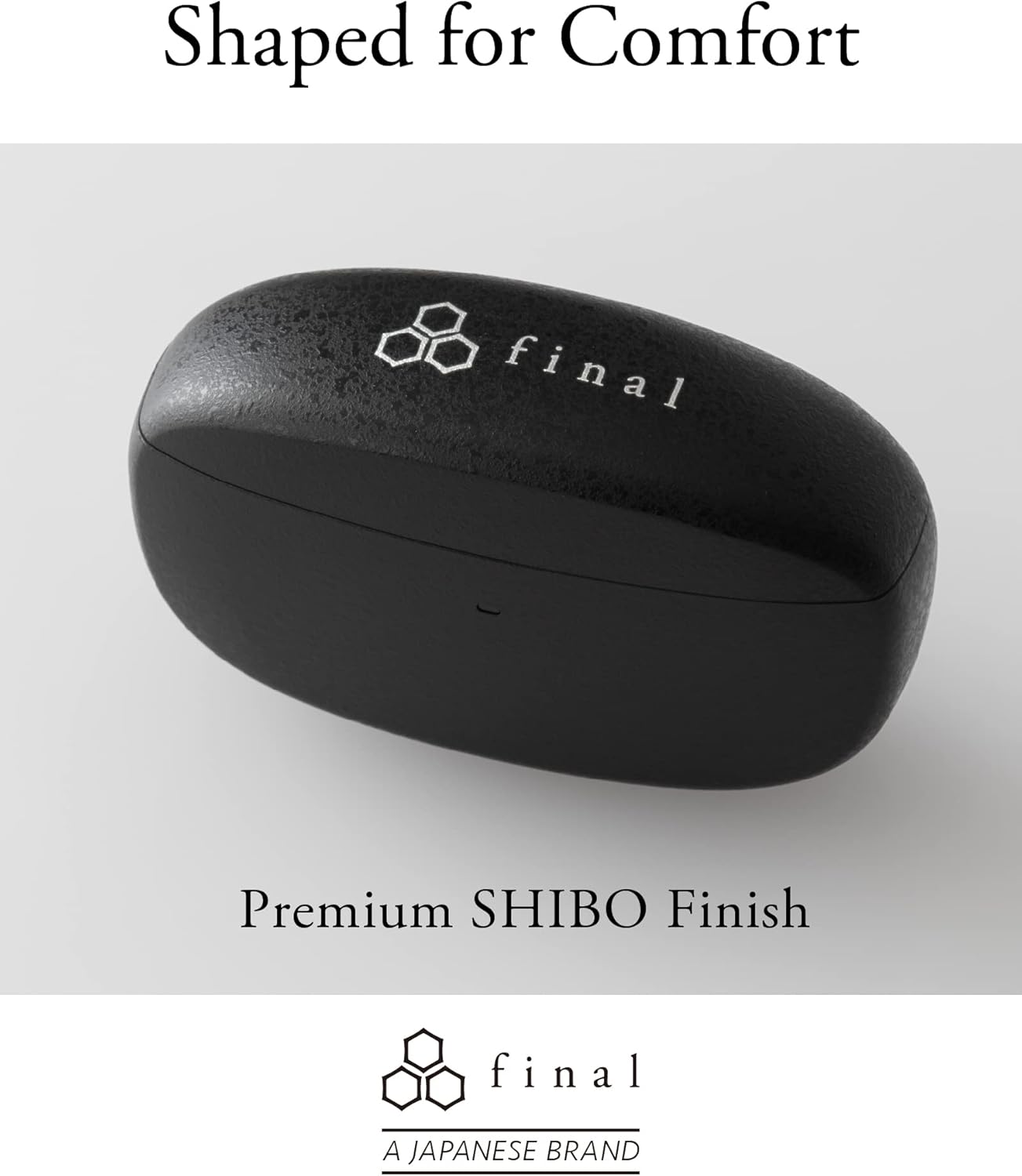
Image: A person demonstrating the correct way to wear the Final ZE3000 earbuds for a secure and comfortable fit.
Awọn ilana Iṣiṣẹ
Awọn iṣakoso ifọwọkan
The ZE3000 earbuds feature intuitive touch controls on the outer surface of each earbud.

Image: Diagram illustrating the location of the touch control panel, microphone, and LED indicator on the earbud.
| Iṣe | Išẹ |
|---|---|
| Tẹ ẹyọkan (osi/ọtun) | Mu ṣiṣẹ/sinmi orin, Dahun/pari ipe |
| Tẹ lẹẹmeji (ọtun) | Itele orin |
| Tẹ lẹẹmeji (Osi) | Ti tẹlẹ orin |
| Tẹ lẹẹmẹta (ọtun) | Iwọn didun soke |
| Fọwọ ba Meta (Osi) | Iwọn didun isalẹ |
| Tẹ Gigun (Osi/Ọtun) | Mu oluranlọwọ ohun ṣiṣẹ |
Titan / Paa
- Agbara Tan: Ṣii apoti gbigba agbara, ati awọn afikọti yoo tan ina laifọwọyi ati sopọ si ẹrọ isọdọkan to kẹhin.
- Agbara Pa: Gbe awọn agbekọri naa pada sinu apoti gbigba agbara ki o pa ideri naa. Wọn yoo pa ina laifọwọyi ati bẹrẹ gbigba agbara.
Itoju
Ninu
Mọ awọn afikọti rẹ nigbagbogbo ati ọran gbigba agbara lati ṣetọju iṣẹ ṣiṣe ati mimọ.
- Lo asọ ti o gbẹ, asọ ti ko ni lint lati nu awọn afikọti ati apoti gbigba agbara.
- Yọ awọn eartips kuro ki o si sọ wọn di mimọ pẹlu ọṣẹ kekere ati omi, lẹhinna gbẹ daradara ṣaaju ki o to tun ṣe.
- Fi owú gbígbẹ fọ àwọn ohun tí ó ń gba agbára lórí àwọn ètí àti àpótí náà pẹ̀lú ìbòrí owú gbígbẹ.
Ibi ipamọ
Nigbati ko ba si ni lilo, tọju awọn afikọti sinu apoti gbigba agbara wọn lati daabobo wọn ati rii daju pe wọn wa ni idiyele.
Atako Omi (IPX4)
The Final ZE3000 earbuds are IPX4 water-resistant, meaning they are protected against splashing water from any direction. They are not designed for submersion in water. Avoid exposing them to heavy rain, showering, or swimming.
Laasigbotitusita
- Ko si Ohun/Awọn ọrọ Asopọmọra:
- Rii daju pe awọn agbekọri ti gba agbara.
- Rii daju pe Bluetooth ti ṣiṣẹ lori ẹrọ rẹ ati pe a ti yan awọn agbekọri.
- Gbiyanju aiṣiṣẹpọ ati tun-pipọ awọn agbekọri pẹlu ẹrọ rẹ.
- Rii daju pe ko si awọn ẹrọ miiran ti o ni asopọ taara si agbekọri.
- Agbohunsafefe kan Ko Ṣiṣẹ:
- Place both earbuds back in the case, close the lid, wait a few seconds, then open again.
- Check charging contacts for debris.
- Àwọn Ìṣàkóso Fọwọ́kàn Kò dáhùn:
- Rii daju pe awọn ika ọwọ rẹ mọ ati gbẹ.
- Try restarting the earbuds by placing them in the case and closing the lid.
Awọn pato
| Ẹya ara ẹrọ | Ẹ̀kúnrẹ́rẹ́ |
|---|---|
| Nọmba awoṣe | ZE3000 |
| Asopọmọra Technology | Bluetooth 5.2 |
| Alailowaya Ibaraẹnisọrọ | Bluetooth |
| Audio Driver Type | Yiyi Awakọ |
| Iwọn Igbohunsafẹfẹ | 20 Hz - 20,000 Hz |
| Igbesi aye batiri (Earbuds) | Titi di wakati 7 |
| Lapapọ Akoko Sisisẹsẹhin (pẹlu Ọran) | Titi di wakati 35 |
| Akoko gbigba agbara | Isunmọ. wakati meji 1.5 |
| Iṣakoso Iru | Iṣakoso ifọwọkan |
| Omi Resistance Ipele | IPX4 (Atako omi) |
| Bluetooth Ibiti | 10 Mita |
| Iwọn Nkan | 42 Giramu (lapapọ) |
| Ọja Mefa | 1.38 x 2.76 x 0.98 inches |
Atilẹyin
For further assistance or inquiries, please visit the official Final store or contact customer support.
Awọn iwe aṣẹ ti o jọmọ - ZE3000
 |
final ZE3000 for ASMR Bluetooth Earphones User Manual Official user manual for the final ZE3000 for ASMR Bluetooth earphones. Learn about package contents, charging, pairing, touch controls, safety precautions, troubleshooting, and warranty information. |
 |
Afọwọṣe olumulo ZE3000 ipari: Eto, Isẹ, ati Laasigbotitusita Itọsọna okeerẹ si Ik ZE3000 awọn agbekọri sitẹrio alailowaya otitọ, awọn akoonu ti package, gbigba agbara, sisopọ pọ, awọn iṣakoso ifọwọkan, itọju, awọn ikilọ, ati awọn igbesẹ laasigbotitusita. |
 |
Ik ZE3000 Bluetooth Earphone User Afowoyi Ìwé ìtọ́ni tó péye fún ẹ̀rọ ìbánisọ̀rọ̀ Bluetooth ZE3000 tó kẹ́yìn, tó bo àkóónú àpò, gbígbà agbára, iṣẹ́ agbára, sísopọ̀ ẹ̀rọ pọ̀, ìṣàkóso ìfọwọ́kàn, àtúntò ilé iṣẹ́, fífọ etí, ìtọ́jú, àwọn ìṣọ́ra ààbò, ìṣòro, àti ìwífún nípa àtìlẹ́yìn. |
 |
D2 Afọwọṣe Olumulo Awọn agbekọri Bluetooth – Awoṣe D2, FCC ID 2BAHV-D2 Itọsọna olumulo fun awọn agbekọri Bluetooth D2 (Awoṣe: D2, FCC ID: 2BAHV-D2, 2BAHVD2) nipasẹ Shenzhen Hengshengzhizhao Technology Co., Ltd., ṣe alaye awọn pato, awọn iṣẹ ṣiṣe, sisopọ, gbigba agbara, awọn akọsilẹ pataki, ati awọn ikilọ FCC. |
 |
ik S5000 olumulo Afowoyi: oso, awọn ẹya ara ẹrọ, ati itoju Iwe afọwọkọ olumulo pipe fun awọn agbekọri S5000 ti o kẹhin. Kọ ẹkọ nipa ọja ti pariview, awọn ilana lilo, itọju, atilẹyin ọja, ati awọn pato fun ẹrọ ohun afetigbọ rẹ. |
 |
TREBLAB X8 Afọwọkọ Olumulo Earbuds Alailowaya otitọ Ìwé ìtọ́ni tó péye fún àwọn Earbuds True Wireless TREBLAB X8, àwọn ẹ̀ya ara ẹ̀rọ bíi Active Noise Cancelling, Bluetooth 5.4, IPX5 tó ń dènà omi, àkókò eré wákàtí 40, àti àwọn máàkì ENC méjì fún ohùn àti ìtùnú tó dára jùlọ nígbà eré ìdárayá àti ìrìn àjò. |
Ask a question about this manual
Ask about setup, troubleshooting, compatibility, parts, safety, or missing instructions. Manuals+ will review the question and use this page’s manual context to help answer it.