
1. Ifihan
O ṣeun fun riraasing the Comix S360A Cross Cut Paper Shredder. This manual provides essential information for the safe and efficient operation, maintenance, and troubleshooting of your shredder. Please read these instructions carefully before use and retain them for future reference.
The Comix S360A is designed for secure disposal of sensitive documents, credit cards, and CDs. It features a cross-cut mechanism for enhanced security and includes a jam-proof system with reverse and forward functions to clear paper jams. An energy-saving mode ensures optimal efficiency during operation.
2. Awọn Ilana Aabo pataki
IKILO: Ikuna lati tele awọn ilana aabo wọnyi le ja si ina, mọnamọna, tabi ipalara.
- Pa awọn ọmọde ati awọn ohun ọsin kuro lati shredder.
- Pa aṣọ, ohun ọ̀ṣọ́, irun àti àwọn aṣọ tí kò ní ìwúwo mọ́ kúrò ní ibi tí a ti ń wọ ìwé.
- Má ṣe fi ìka tàbí àwọn ẹ̀yà ara mìíràn sínú ihò ìtẹ̀síwájú ìwé náà.
- Má ṣe fọ́n àwọn ọjà tàbí lubricants tí ó lè jóná sínú ohun èlò ìfọṣọ náà.
- Do not shred metal objects, wet paper, or adhesive labels.
- Always unplug the shredder when not in use or before cleaning.
- Do not operate the shredder if the power cord is damaged. Contact customer support for assistance.
- Rii daju pe a gbe shredder sori iduro, ipele ipele.
- Ma ṣe apọju shredder kọja agbara dì ti a ti sọ tẹlẹ.
3. Package Awọn akoonu
Jọwọ ṣayẹwo package fun awọn nkan wọnyi:
- Comix S360A Shredder Head
- Waste Bin (13 Liter capacity)
- Ilana Afowoyi (iwe yii)
4. Eto
- Yọ Shredder kuro: Ni ifarabalẹ yọ gbogbo awọn paati kuro ninu apoti.
- Place the Waste Bin: Position the waste bin on a flat, stable surface.
- Mount the Shredder Head: Carefully place the shredder head onto the top of the waste bin, ensuring it is securely seated. The shredder will not operate if the head is not correctly positioned.
- So agbara: Pulọọgi okun agbara sinu kan boṣewa itanna iṣan.
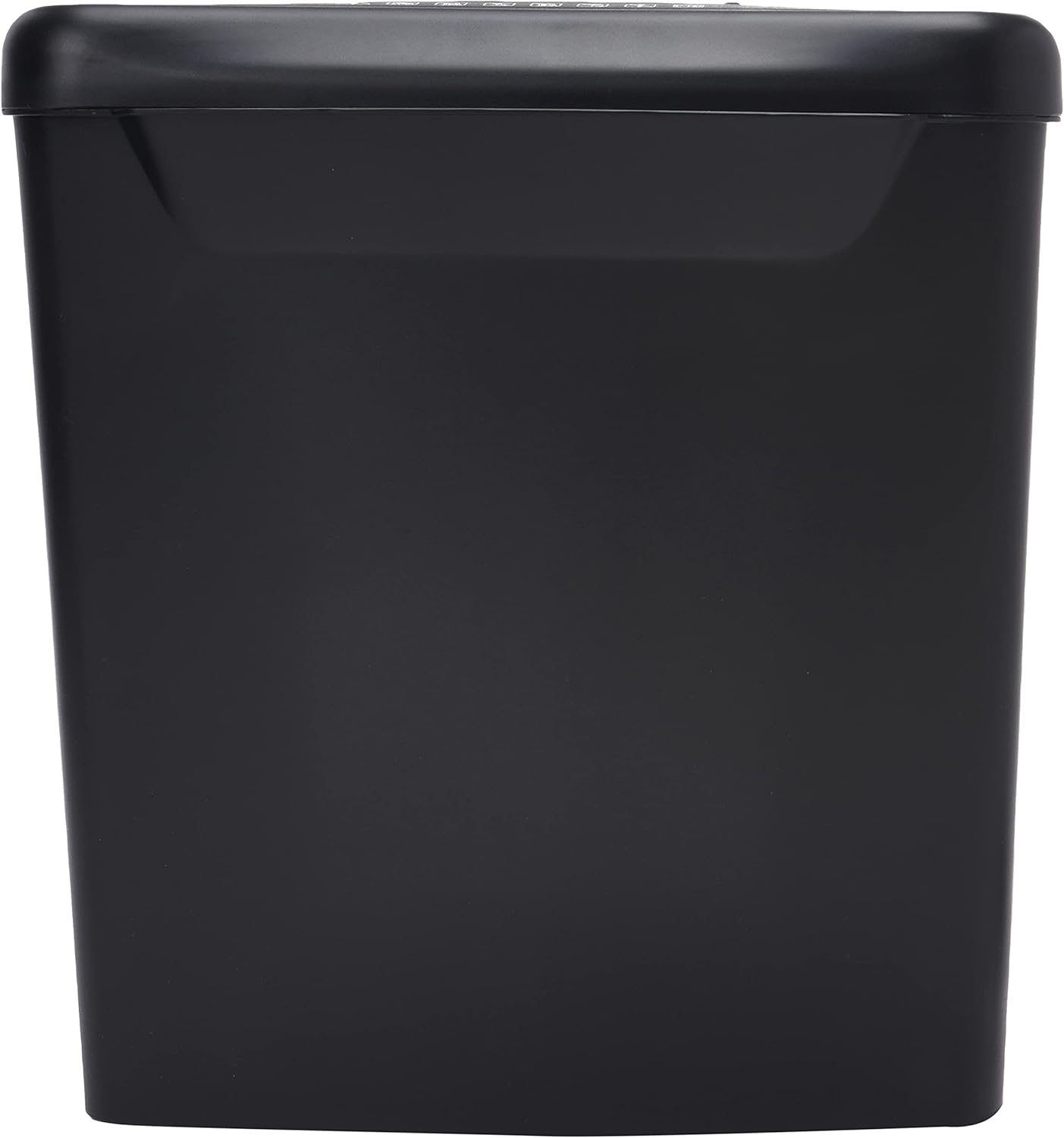
Aworan: Apa view of the Comix S360A shredder bin, showing its black exterior and compact design. The shredder head is not visible in this image.
5. Awọn ilana Iṣiṣẹ
5.1 Iṣakoso Yipada
The shredder features a slide switch with three positions:
- LATIO: The shredder will automatically start when paper is inserted and stop when shredding is complete. This is the normal operating mode.
- PA: The shredder is powered off. Always set the switch to OFF when emptying the bin or when the shredder is not in use.
- REV (Yípadà): This position reverses the shredder blades to help clear paper jams.

Aworan: Oke view of the shredder head, highlighting the paper entry slot, the three-position control switch (Rev, OFF, Auto), and various safety warning icons.
5.2 Shredding Awọn iwe aṣẹ
- Ensure the shredder head is securely placed on the waste bin.
- Pulọọgi okun agbara sinu itanna iṣan.
- Ṣeto iyipada iṣakoso si AUTO.
- Insert up to 8 sheets of 70gsm A4 paper into the paper entry slot. The shredder will start automatically.
- For credit cards or CDs, use the dedicated slot if available (refer to product specifications for capability).
- The shredder will stop automatically once the shredding process is complete.
5.3 Ojuse ọmọ
The Comix S360A has a continuous run time of 2 iṣẹju, followed by a rest time of 40 iṣẹju. Exceeding the run time may cause the shredder to overheat and automatically shut off. Allow the shredder to cool down for the specified rest time before resuming operation.
6. Itọju
6.1 Ofo awọn Egbin Bin
- Ṣeto iyipada iṣakoso si PAA.
- Yọọ shredder kuro ni iṣan agbara.
- Gbe awọn shredder ori kuro ni egbin bin.
- Sọ iwe ti a ti fọ kuro.
- Ropo awọn shredder ori labeabo pẹlẹpẹlẹ awọn egbin bin.
- So shredder pada sinu ibudo agbara.
6.2 Sísọ àwọn abẹ́ Shredder di epo
Regular oiling of the shredder blades is recommended to maintain optimal performance and extend the life of your shredder. Use shredder oil specifically designed for paper shredders.
- Waye laini tinrin ti epo shredder kọja iho titẹsi iwe.
- Ṣeto iyipada iṣakoso si AUTO.
- Insert a sheet of paper to distribute the oil evenly across the blades.
- Repeat this process periodically, especially after emptying a full waste bin or if the shredder's performance decreases.
6.3 Ninu
Wipe the exterior of the shredder with a soft, dry cloth. Do not use abrasive cleaners or solvents. Ensure the shredder is unplugged before cleaning.
7. Laasigbotitusita
| Isoro | Owun to le Fa | Ojutu |
|---|---|---|
| Shredder ko bẹrẹ. |
|
|
| Jam iwe. |
|
|
| Shredder duro lakoko iṣẹ. |
|
|
8. Awọn pato
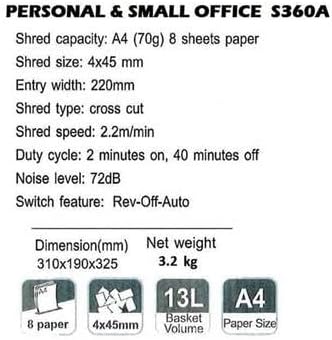
Image: Technical specifications sheet for the Comix S360A, detailing performance metrics and physical attributes.
- Awoṣe: S360A
- Irisi gige: Agbelebu Ge
- Iwon ti a ge: 4 x 45 mm
- Shred Capacity (A4, 70g): 8 iwe
- Iwọn Iwọle: 220 mm
- Iyara Iyara: 2.2 m/ min
- Agbara Bin Egbin: 13 liters
- Àyíká Iṣẹ́: Awọn iṣẹju 2 Tan / 40 iṣẹju Paa
- Ipele Ariwo: 72 dB
- Switch Feature: Rev-Off-Auto
- Awọn iwọn ọja: 310 x 190 x 325 mm (L x W x H)
- Apapọ iwuwo: 3.2 kg
- Awọn ẹya pataki: Energy Saving Mode, Jam Pro, Quiet Operation
9. Atilẹyin ọja ati Support
For warranty information or technical support, please refer to the warranty card included with your product or contact Comix customer service through their official website or the retailer where the product was purchased. Please have your model number (S360A) and purchase date available when contacting support.