
1. Ọja Ipariview
The LENRUE TouchGo F4 is a compact, portable Bluetooth speaker designed for clear audio and ease of use. It features touch controls, Bluetooth 5.0 connectivity, and supports TWS (True Wireless Stereo) pairing for an enhanced audio experience. The speaker comes with a hard EVA travel case for protection and portability.

Figure 1: LENRUE TouchGo F4 Bluetooth Speaker.
2. Package Awọn akoonu
Jọwọ ṣayẹwo package fun awọn nkan wọnyi:
- LENRUE TouchGo F4 Bluetooth Speaker
- Hard EVA Travel Case
- TYPE-C Ngba agbara Cable
- Itọsọna olumulo
3. Eto
3.1 Gbigba agbara akọkọ
Before first use, fully charge the speaker. Connect the provided TYPE-C charging cable to the speaker's charging port and a compatible USB power adapter (not included). The charging indicator light will show the charging status. A full charge typically takes approximately 4 hours.
3.2 Titan / Pa a
- Lati Fi agbara: Press and hold the power button (usually the central play/pause button) for a few seconds until you hear an audible prompt and the indicator light illuminates.
- Lati Paarẹ: Press and hold the power button again for a few seconds until you hear an audible prompt and the indicator light turns off.
3.3 Sisopọ Bluetooth
To connect the speaker to your device:
- Ensure the speaker is powered on and in pairing mode (the indicator light will typically flash blue).
- Lori ẹrọ rẹ (foonuiyara, tabulẹti, ati bẹbẹ lọ), mu Bluetooth ṣiṣẹ ki o wa awọn ẹrọ to wa.
- Select "ToughGo" or "LENRUE TouchGo" from the list of devices.
- Once connected, you will hear a confirmation sound, and the indicator light will turn solid blue.
Agbọrọsọ yoo tun sopọ laifọwọyi si ẹrọ ti o so pọ to kẹhin nigbati o ba wa ni ina, ti ẹrọ naa ba wa laarin ibiti ati Bluetooth ti ṣiṣẹ.

Figure 2: Speaker with touch controls for sensitive and elegant operation.
3.4 TWS Wireless Pairing (Connect Two Speakers)
To achieve dual-channel stereo sound, you can pair two TouchGo F4 speakers together:
- Power on both TouchGo F4 speakers.
- Ensure both speakers are disconnected from any other Bluetooth devices.
- On ọkan of the speakers, press and hold the "+" button until you hear a prompt indicating TWS pairing mode.
- The two speakers will automatically pair with each other. You will hear a "beep" sound upon successful TWS pairing.
- Now, connect your device's Bluetooth to the device name "ToughGo". Both speakers will play audio in stereo.
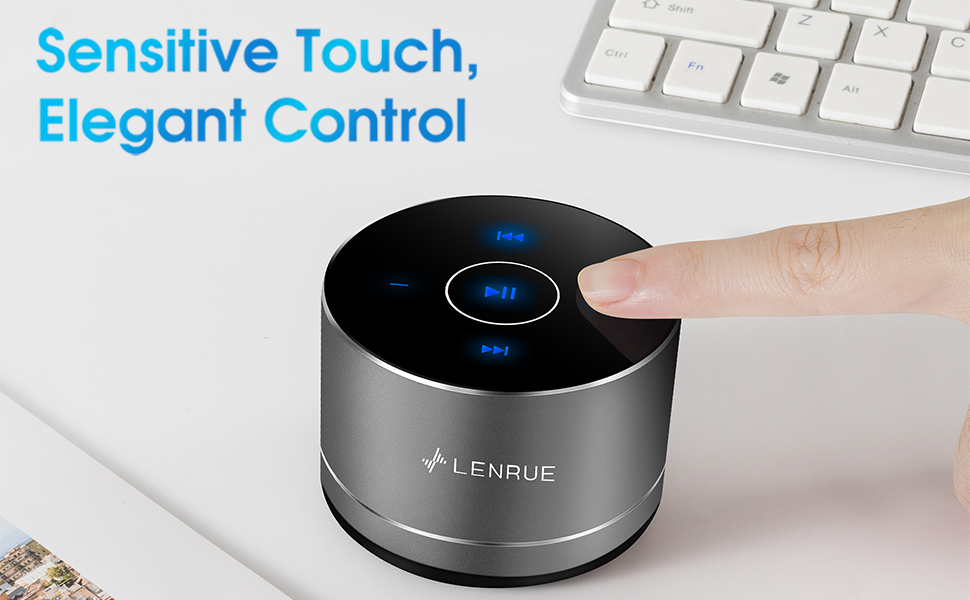
Figure 3: Two speakers connected for TWS wireless stereo pairing.
4. Awọn ilana Iṣiṣẹ
4.1 Fọwọkan Iṣakoso
The speaker features intuitive touch controls located on the top surface:
- Ṣiṣẹ/Daduro: Tap the central button once to play or pause music.
- Iwọn didun Up: Tap the "+" button to increase volume.
- Iwọn didun isalẹ: Tap the "-" button to decrease volume.
- Orin t’okan: Tap the ">>" button to skip to the next song.
- Tẹlẹ Orin: Tap the "<<" button to go to the previous song.
4.2 Ọwọ-Ọfẹ Npe
The speaker includes a built-in microphone for hands-free calls:
- Idahun Ipe: When a call comes in, tap the central button once to answer.
- Ipe Ipari: During a call, tap the central button once to end the call.
- Kọ Ipe: Tẹ bọtini aarin ki o si dimu fun bii iṣẹju-aaya meji lati kọ ipe ti nwọle.
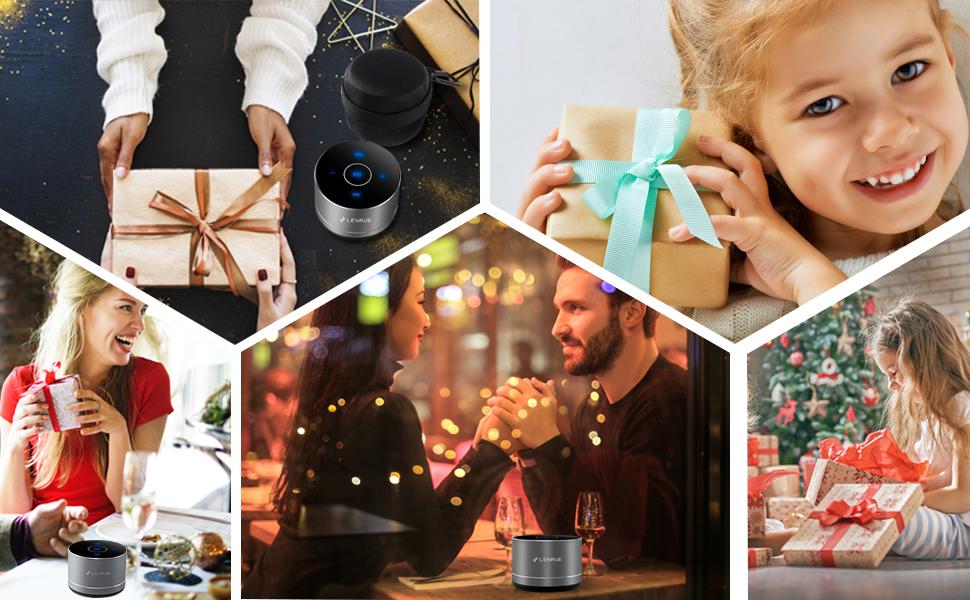
Figure 4: Speaker with hands-free calling capability.
4.3 Aye batiri ati Nfi agbara
The speaker is equipped with a 1200mAh lithium-ion battery, providing 6-15 hours of music playback at 2/3 volume. To conserve power, the speaker will automatically shut down if Bluetooth is disconnected for 30 minutes.
5. Itọju
5.1 Ninu
To clean the speaker, use a soft, dry cloth. Do not use abrasive cleaners, solvents, or immerse the speaker in water.
5.2 Ibi ipamọ
When not in use for extended periods, store the speaker in its hard EVA travel case in a cool, dry place. Avoid extreme temperatures and direct sunlight.
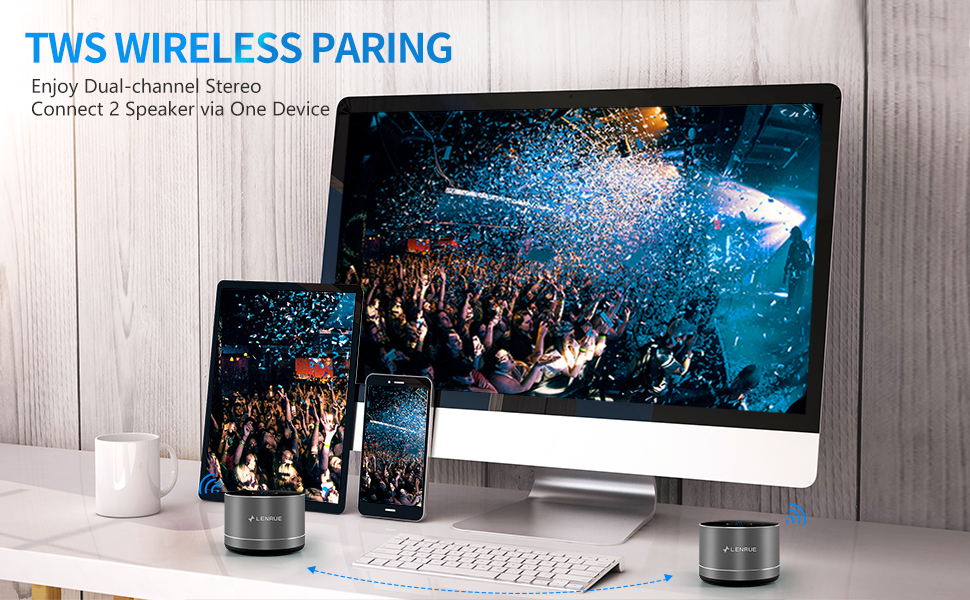
Figure 5: Speaker with its protective hard EVA travel case.
6. Laasigbotitusita
| Isoro | Owun to le Fa | Ojutu |
|---|---|---|
| Agbọrọsọ ko ni tan. | Batiri kekere; Bọtini agbara ko tẹ ni deede. | Charge the speaker fully; Press and hold the power button for a few seconds. |
| Ko le so pọ pẹlu ẹrọ Bluetooth. | Agbọrọsọ kò sí ní ipò ìsopọ̀; Bluetooth ẹ̀rọ ti pa; Agbọrọsọ ti sopọ̀ mọ́ ẹ̀rọ mìíràn tẹ́lẹ̀. | Ensure speaker is in pairing mode (flashing blue light); Turn on Bluetooth on your device; Disconnect from other devices and try again. |
| Poor sound quality / Muffled sound. | Speaker placement; Obstructions; Low volume. | Ensure the speaker is placed on a flat, open surface, ideally not directly on its bottom where the speaker grille is located. Try placing it on its side for clearer sound. Remove any obstructions; Adjust volume on both speaker and device. |
| TWS sisopọ kuna. | Speakers already paired to a device; Incorrect pairing procedure. | Ensure both speakers are disconnected from any Bluetooth devices before initiating TWS pairing. Follow the TWS pairing steps precisely. |
| Ko si ohun. | Volume too low; Paused playback; Device not connected. | Increase volume on both speaker and device; Press play; Verify Bluetooth connection. |
7. Awọn pato
| Ẹya ara ẹrọ | Ẹ̀kúnrẹ́rẹ́ |
|---|---|
| Nọmba awoṣe | F4 |
| Asopọmọra Technology | Bluetooth 5.0 |
| Agbọrọsọ Agbara Ijade ti o pọju | 5 Wattis |
| Orisun agbara | Agbara Batiri (Batiri Lithium ion 1 to wa) |
| Agbara Batiri | 1200mAh |
| Akoko ere | 6-15 hours (at 2/3 volume) |
| Akoko gbigba agbara | O fẹrẹ to awọn wakati 4 |
| Ọna Iṣakoso | Fọwọkan |
| Ọja Mefa | 3.15 x 3.15 x 1.18 inches |
| Iwọn Nkan | 9 iwon |
| Pataki Ẹya | Portable, Hands-Free Calling, TWS Pairing |
8. Atilẹyin ọja ati Support
For warranty information and customer support, please refer to the documentation included with your purchase or contact LENRUE customer service directly. Contact details can typically be found on the official LENRUE webojula tabi nipasẹ rẹ alagbata.