
Ọrọ Iṣaaju
Thank you for choosing the MageGee GT860 96-Key Wired RGB Backlit Gaming Keyboard. This keyboard is designed for both gaming and daily use, featuring a compact layout, ergonomic design, and customizable RGB backlighting. This manual will guide you through the setup, operation, and maintenance of your new keyboard to ensure optimal performance and user experience.
Package Awọn akoonu
- MageGee GT860 96-Key Wired RGB Backlit Gaming Keyboard
- Itọsọna olumulo
Ọja Pariview
Ifilelẹ bọtini itẹwe
The MageGee GT860 features a 92% compact layout, retaining essential keys while offering a space-saving design. It includes a full numeric keypad and function keys.

Image: The MageGee GT860 keyboard showcasing its 96-key layout with RGB backlighting and black and yellow keycaps.

Aworan: A alaye view of the standard 96-key layout with full RGB backlighting, highlighting the compact yet functional design.
Key Awọn ẹya ara ẹrọ
- Ifilelẹ Iwapọ 92%: Offers a balance between full functionality and a space-saving design.
- Membrane pẹlu Irora Mekanical: Utilizes advanced imitation mechanical technology for a tactile typing experience.
- Apẹrẹ Ergonomic: Key layout is engineered for comfortable use during extended periods, reducing fatigue.
- Imọlẹ afẹyinti RGB: Features multiple lighting modes and colors, with adjustable brightness and breathing speed.
- Pulọọgi ati Ṣiṣẹ: Ko si awakọ ti a nilo fun iṣẹ ipilẹ.
- Ibamu gbooro: Supports Windows 10, 8, 7, XP, VISTA, and Mac OS.
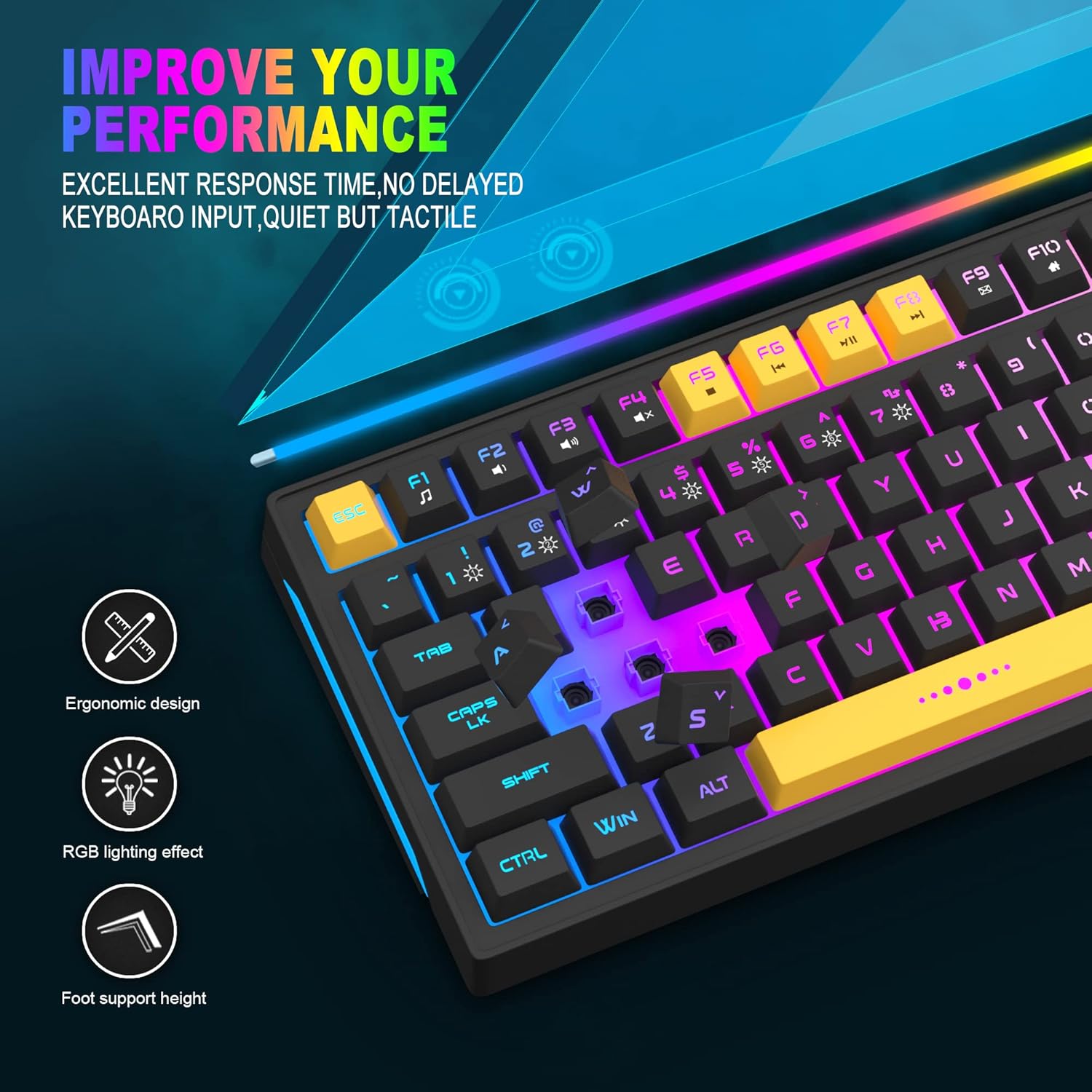
Image: Close-up showing the ergonomic design and RGB lighting effect of the keyboard, emphasizing comfort and visual appeal.

Aworan: A ẹgbẹ view of the keyboard illustrating its thoughtful ergonomic design with a 7-degree tilt for improved typing posture.
Awọn ilana iṣeto
- Unpack the keyboard and ensure all package contents are present.
- So okun USB pọ lati keyboard si ibudo USB ti o wa lori kọnputa rẹ.
- The keyboard is plug-and-play and should be automatically recognized by your operating system (Windows, Mac OS). No additional drivers are typically required for basic functionality.
- Once connected, the RGB backlighting will illuminate, indicating the keyboard is powered on and ready for use.
Awọn ilana Iṣiṣẹ
Iṣakoso Imọlẹ ẹhin RGB
The MageGee GT860 keyboard features customizable RGB backlighting with various modes and effects.
- Iyipada Awọn ọna Imọlẹ: Tẹ awọn FN key combined with keys 1 nipasẹ 6 to cycle through different RGB lighting effects and colors.
- Ṣiṣatunṣe Imọlẹ: Use specific key combinations (refer to keyboard legends or experiment with FN + Arrow keys if not explicitly labeled) to increase or decrease backlight brightness.
- Ṣíṣe àtúnṣe ìyára ìmí: Some modes allow adjustment of the breathing or animation speed.

Image: The keyboard displaying various RGB backlit lighting modes, illustrating the range of color options available.

Image: A dynamic view ti ifihan keyboardasing its 18 RGB LED light effects, highlighting the vibrant backlighting.
Multimedia ati Awọn bọtini iṣẹ
The keyboard includes dedicated function keys (F1-F12) that can be accessed by pressing the FN bọtini ni nigbakannaa pẹlu F-bọtini ti o fẹ.
| Apapo bọtini | Išẹ |
|---|---|
| FN + F1 | Media Player |
| FN + F2 | Iwọn didun isalẹ |
| FN + F3 | Iwọn didun soke |
| FN + F4 | Pa ẹnu mọ́ |
| FN + F5 | Ti tẹlẹ Track |
| FN + F6 | Next Track |
| FN + F7 | Ṣiṣẹ / Sinmi |
| FN + F8 | Duro |
| FN + F9 | Imeeli |
| FN + F10 | Oju-iwe Ile |
| FN + F11 | Yi lọ Titiipa |
| FN + F12 | Ẹrọ iṣiro |

Image: Diagram illustrating the various multimedia and function key combinations using the FN key (FN + F1-F12).
Itoju
To ensure the longevity and optimal performance of your MageGee GT860 keyboard, follow these maintenance guidelines:
- Ninu: Regularly clean the keyboard with a soft, dry cloth. For deeper cleaning, use compressed air to remove dust and debris from between the keys. A slightly damp cloth (not wet) can be used for keycap surfaces.
- Yago fun Olomi: Má ṣe tú omi sí orí keyboard. Tí ìtújáde bá ṣẹlẹ̀, yọ keyboard kúrò lórí kọ̀ǹpútà rẹ lẹ́sẹ̀kẹsẹ̀ kí o sì jẹ́ kí ó gbẹ pátápátá kí o tó tún padà sípò.
- Ibi ipamọ: Tọju keyboard ni itura, aye gbigbẹ kuro lati orun taara ati awọn iwọn otutu to gaju nigbati o ko ba wa ni lilo fun awọn akoko gigun.
- Itọju USB: Yẹra fún títẹ̀ tàbí yíyí okùn USB pọ̀ jù láti dènà ìbàjẹ́ inú.

Aworan: A sunmọ-soke view of the keyboard with some keycaps removed, showing the underlying switches. This illustrates the internal structure for cleaning purposes.
Laasigbotitusita
If you encounter issues with your MageGee GT860 keyboard, please refer to the following common troubleshooting steps:
- Keyboard Ko Dahun:
- Ensure the USB cable is securely connected to both the keyboard and your computer's USB port.
- Gbiyanju lati so keyboard pọ mọ ibudo USB ti o yatọ lori kọnputa rẹ.
- Ṣe idanwo keyboard lori kọnputa miiran lati pinnu boya ọrọ naa wa pẹlu keyboard tabi eto rẹ.
- Imọlẹ afẹyinti Ko Ṣiṣẹ tabi Ti ko tọ:
- Rí i dájú pé keyboard so pọ̀ dáadáa àti pé ó ń gba agbára.
- Cycle through the RGB lighting modes using FN + 1-6 to ensure a mode is selected.
- Adjust the brightness settings.
- Awọn bọtini Ko Iforukọsilẹ:
- Clean the affected keys to remove any debris that might be obstructing the switch.
- Rí i dájú pé kò sí ìforígbárí sọ́fítíwètì kankan (fún àpẹẹrẹ, àwọn awakọ̀ kííbọọ̀dù míràn tàbí sọ́fítíwètì eré).
- Iwa airotẹlẹ:
- Tun kọmputa rẹ bẹrẹ.
- If the issue persists, contact MageGee customer support for further assistance.
Awọn pato
| Ẹya ara ẹrọ | Ẹ̀kúnrẹ́rẹ́ |
|---|---|
| Brand | MageGee |
| Awoṣe | GT860 |
| Ìfilélẹ | 96 Keys (92% Compact) |
| Asopọmọra | USB ti a firanṣẹ |
| Imọlẹ afẹyinti | RGB Backlit (Multiple modes) |
| Iru bọtini | Membrane with Mechanical Feeling |
| Ergonomics | Apẹrẹ Ergonomic |
| OS ibaramu | Windows 10, 8, 7, XP, VISTA, Mac OS |
| Ọja Mefa | 35.56 x 10.16 x 5.08 cm (14 x 4 x 2 inches) |
| Iwọn | 744 g (1.64 lbs) |
| Voltage | 5 Volts |
| Àwọ̀ | Yellow dudu |
Atilẹyin ọja ati Support
For warranty information or technical support, please refer to the documentation provided with your purchase or contact MageGee customer service directly. Contact details can typically be found on the manufacturer's official webaaye tabi lori apoti ọja.
Jọwọ ṣe idaduro ẹri rira rẹ fun eyikeyi awọn ibeere atilẹyin ọja.