
LAUNCH X431 PADVII
ÌFÍLẸ̀ ÌWÉ ÌWÉ ÌRÒYÌN ÀWỌN ONÍṢẸ́ ÀWỌN ÌṢẸ̀WÒ ÀGBÀGBÀ X431 PADVII
1. Ifihan
This manual provides detailed instructions for the LAUNCH X431 PADVII Elite diagnostic scanner. It covers the device's features, setup procedures, operational guidelines, maintenance tips, and troubleshooting information to ensure optimal performance and effective vehicle diagnostics.

Image 1.1: The LAUNCH X431 PADVII Elite diagnostic tablet and SmartLink C VCI.
2. Eto
2.1 Unboxing ati irinše
Carefully unpack the LAUNCH X431 PADVII Elite. Verify that all components are present:
- 13.3-inch high-definition display tablet
- SmartLink C Vehicle Communication Interface (VCI)
- MINI-HDMI to HDMI line
- Adapter agbara
- Type-A to Type-C USB Cable
- OBD I Adaptor BOX transfer line
2.2 Powering On and Initial Charge
Connect the power adaptor to the tablet and a power outlet. Allow the device to charge fully before first use. The tablet features a 9360mAh battery, providing over 20 hours of operation on a full charge.
2.3 Iṣeto ni ibẹrẹ
Upon first startup, follow the on-screen prompts to configure the Android 9.0 operating system. This includes setting up Wi-Fi connectivity, which is essential for software updates and online functions.
3. Awọn ilana Iṣiṣẹ
3.1 Nsopọ si Ọkọ ayọkẹlẹ kan
Locate the vehicle's OBD-II diagnostic port, typically found under the dashboard. Connect the SmartLink C VCI to the OBD-II port, then connect the SmartLink C to the LAUNCH X431 PADVII Elite tablet wirelessly via Wi-Fi. The device supports various communication protocols including J2534, Do-IP, and CANFD for broad vehicle compatibility (1987-2024 models, 12V/24V passenger and commercial vehicles).
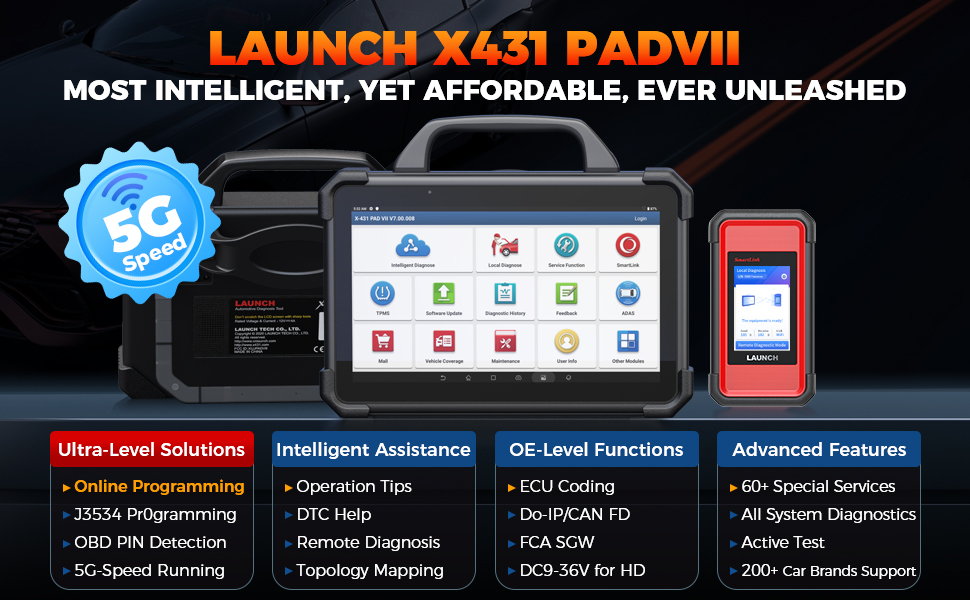
Image 3.1: Connecting the SmartLink C VCI to the vehicle.
3.2 Intelligent Diagnostics
The X431 PADVII Elite offers advanced diagnostic features:
- Ṣíṣàfihàn Ilẹ̀-ara: Visually displays all system relationships and Diagnostic Trouble Codes (DTCs) in a color-coded topology map, allowing for quick identification of faulty parts.
- Pin Detection: Detects DLC (Data Link Connector) pin voltage and identifies protocol types to troubleshoot issues with the DLC port.
- Awọn iṣẹ itọsọna: Provides on-screen prompts for accurate diagnostics, particularly useful for V.A.G vehicles, simplifying complex procedures.
- Repair Tips and DTC Analysis: Offers diagnostic plans, repair assistance information, component measurement guidance, and relevant case studies to enhance repair efficiency.

Image 3.2: Topology mapping feature for visual diagnostics.
3.3 Ṣíṣeto àti Ṣíṣe Kóòdì ECU
The device supports comprehensive ECU programming and coding for over 30 vehicle brands:
- Online Programming: Reprograms ECU modules, including replacing existing software/firmware and programming new ECUs. Features data backup and restore capabilities for original ECUs.
- Ifaminsi ECU: Allows for recoding ECU data, personalization, and other advanced coding functions.
- J2534 Reprogramming: Utilizes the SmartLink C as a local J2534 PassThru device for programming with manufacturer-specific software.
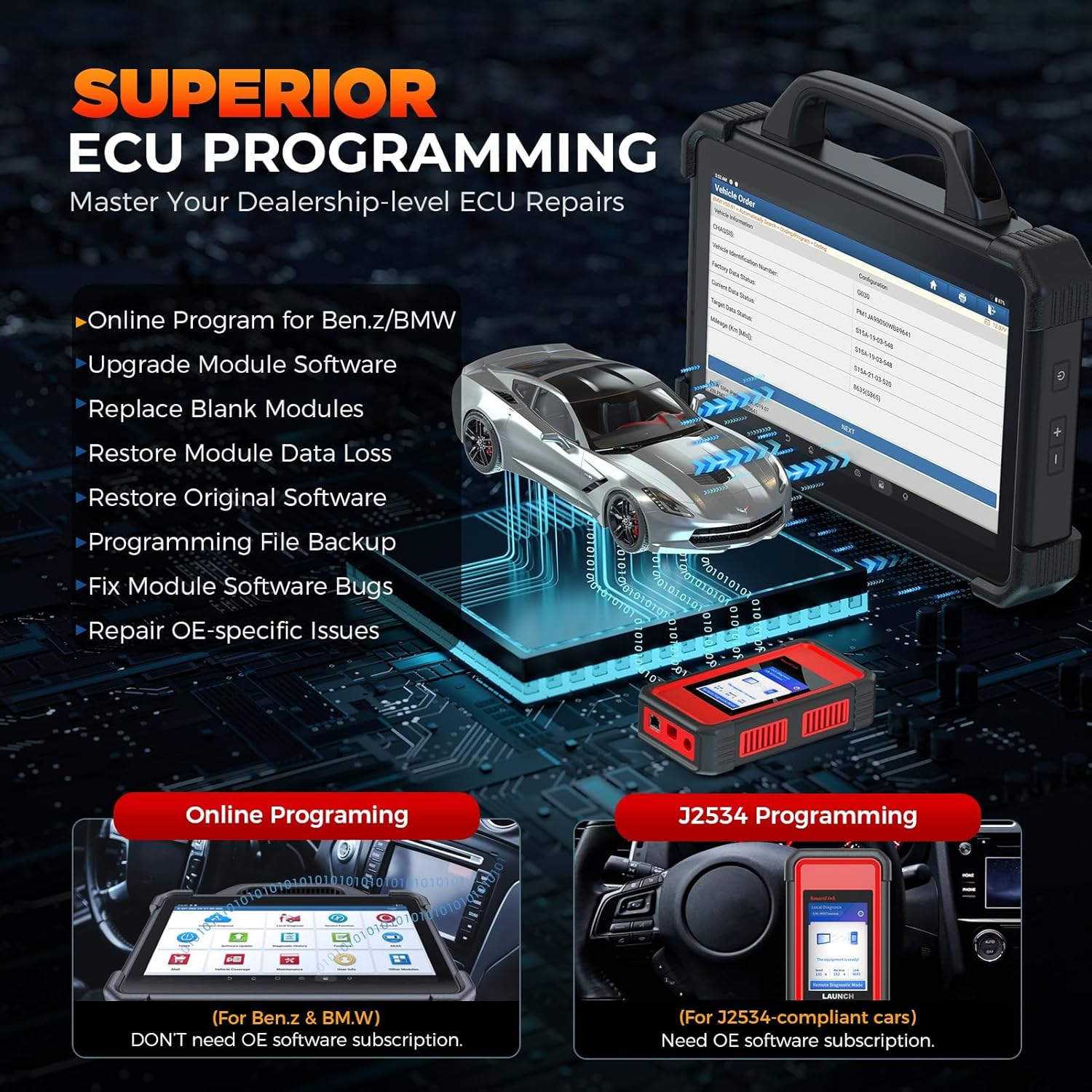
Image 3.3: ECU Programming capabilities.
3.4 Special Functions and Bidirectional Control
The X431 PADVII Elite includes over 60 reset functions and bidirectional control capabilities:
- Awọn iṣẹ atunto: Perform services such as Oil Reset, Electronic Parking Brake (EPB) reset, Steering Angle Sensor (SAS) calibration, Power Balance, Idle Relearn, ABS/Window Initialization, and HVAC calibration.
- Iṣakoso Itọnisọna Meji: Conduct active tests to command vehicle components, such as EVAP tests, A/C clutch tests, lane keeping assist system tests, and window/door/sunroof tests, to quickly locate faults.

Aworan 3.4: Pariview of special functions and bidirectional control.
3.5 Add-on Modules
The X431 PADVII Elite supports various optional add-on modules (sold separately) for expanded diagnostic and inspection capabilities, including oscillographs, sensors, battery testers, endoscopes, Wi-Fi printers, and the TSGUN for TPMS functions.
4. Itọju
4.1 Software imudojuiwọn
Regularly update the device software to ensure access to the latest vehicle coverage, diagnostic functions, and performance optimizations. Connect the tablet to a stable Wi-Fi network and navigate to the 'Software Update' section in the main menu to check for and install available updates.
4.2 Itọju Ẹrọ
Keep the tablet and VCI clean and free from dust and debris. Store the device in a cool, dry place. The tablet features an IP65 rating for water and shock resistance, but it is not fully waterproof and should be protected from excessive moisture.
5. Laasigbotitusita
5.1 Asopọ Oran
If the device fails to connect to the vehicle, use the 'Pin Detection' feature to verify the voltage and protocol types at the DLC port. Ensure the SmartLink C VCI is securely connected to the OBD-II port and properly paired with the tablet via Wi-Fi.
5.2 Software or Performance Issues
If you experience slow performance or software glitches, ensure the device has the latest software updates installed. Restarting the tablet can often resolve minor issues. For persistent problems, refer to the support section.
6. Awọn pato
| Ẹya ara ẹrọ | Sipesifikesonu |
|---|---|
| Awoṣe | LAUNCH X431 PADVII |
| Eto isesise | Android 9.0 |
| isise | 8-core Cortex-A53 (2GHz) |
| Ifihan | 13.3-inch touchscreen, 1920*1080 resolution |
| Iranti | 8GB RAM + 256GB Storage (expandable) |
| Batiri | 9360mAh (20+ hours operation) |
| Asopọmọra | 5G Dual Wi-Fi |
| Iduroṣinṣin | IP65 Water & Shock Proof |
| Ibamu Ọkọ | Universal Fit, 200+ car brands (1987-2024), 12V/24V Passenger & Commercial vehicles |
| Ilana ti ni atilẹyin | J2534, Do-IP, CANFD |
| Iwọn Nkan | 30.1 iwon |
| Package Mefa | 27 x 19.5 x 8.5 inches |
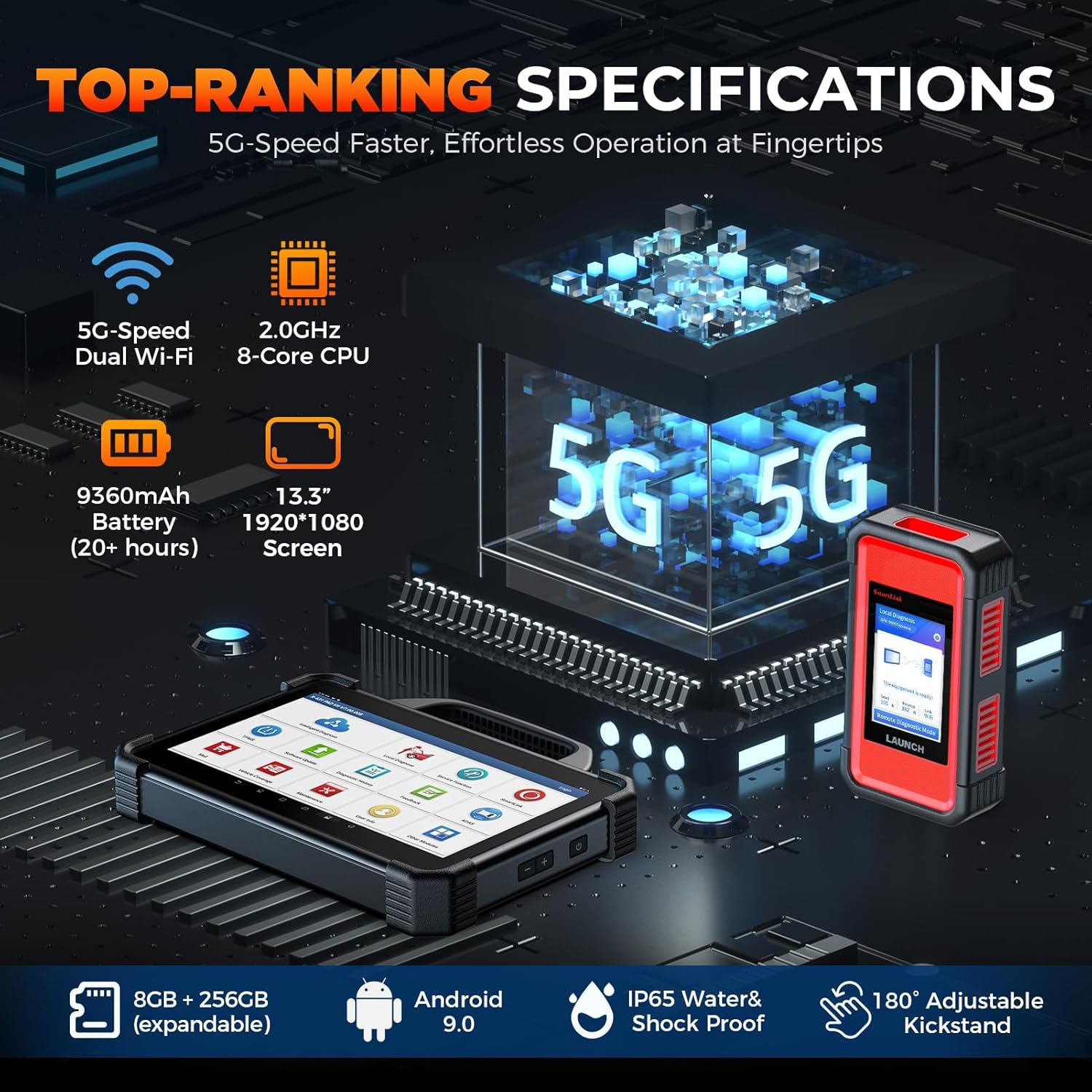
Image 6.1: Key hardware specifications of the X431 PADVII Elite.
7. Atilẹyin ọja ati Support
7.1 Imọ Support
For technical assistance, questions regarding product operation, or troubleshooting complex issues, please contact LAUNCH customer support:
- Foonu: 1-888-756-2936
- Awọn wakati: Monday - Friday, 9 AM - 6 PM EST
Information regarding the "LAUNCH X431 PADVII online programming activation method" and instructions on using a VPN to bypass IP restrictions for accessing online programming features for additional vehicle models (beyond Benz & BMW in the U.S.) are available upon request from support.

Image 7.1: Accessing user information and support resources on the device.
7.2 atilẹyin ọja Alaye
Specific warranty details are provided at the time of purchase. Please retain your proof of purchase for warranty claims. For any warranty-related inquiries, contact LAUNCH customer support.
Ask a question about this manual
Ask about setup, troubleshooting, compatibility, parts, safety, or missing instructions. Manuals+ will review the question and use this page’s manual context to help answer it.