
Riyo H361
Riyo H361 Wired USB Headset Instruction Manual
Model: H361 | Brand: Riyo
1. Ifihan
O ṣeun fun riraasing the Riyo H361 Wired USB Headset. This manual provides essential information for the proper setup, operation, and maintenance of your new headset. Please read it thoroughly before use and keep it for future reference.
2. Key Awọn ẹya ara ẹrọ
- Adjustable Noise-Cancelling Microphone: The microphone can be rotated 270° and features a built-in noise-cancelling sound card for clear communication, minimizing ambient noise.
- Ibamu Olona Platform: Connects via USB, 3.5mm jack, or Type-C adapter, supporting a wide range of devices including smartphones, laptops, desktop PCs (Windows, MacOS, ChromeOS), and tablets.
- Awọn iṣakoso laini to rọ: Easy access to microphone mute, speaker mute, and volume adjustment buttons on the USB remote cable.
- Ìwúwo Fúyẹ́ àti Apẹrẹ Itunu: Features an adjustable headband and high-density sponge earpads for extended wear without discomfort.
- Ikole ti o tọ: Equipped with a tangle-resistant fabric cord for enhanced durability.
3. Package Awọn akoonu
- Riyo H361 Headset Unit (x1)
- Type-C Adapter (x1)
- USB Remote Cable (x1)
- Instruction Manual (Japanese) (x1)
4. Eto Itọsọna
4.1 Siṣàtúnṣe Agbekọri
The Riyo H361 headset is designed for comfort and versatility. Adjust the headband and microphone to fit your needs.
- Atunse Okọri: The headband is adjustable to fit various head sizes. Gently extend or retract the headband until it sits comfortably on your head.
- Ipo gbohungbohun: The boom microphone can be rotated 270 degrees, allowing you to wear it on either your left or right side. Position the microphone close to your mouth for optimal voice capture.

Image: The microphone boom can be rotated 270 degrees for use on either side.
4.2 Nsopọ Agbekọri
The Riyo H361 offers multiple connection options for broad compatibility.
- 3.5mm Jack Connection: Plug the 3.5mm audio jack directly into devices with a compatible port, such as smartphones, tablets, or game controllers.
- Asopọ USB-A: For computers and other devices with a USB-A port, use the included USB remote cable. Simply plug the USB-A connector into your device.
- Asopọ USB-C: For devices with a USB-C port, attach the Type-C adapter to the USB-A connector of the USB remote cable, then plug it into your device.

Image: Connection options for the Riyo H361 headset, including 3.5mm, USB-A, and USB-C.
Video: Demonstrates the features and connections of the Callez USB-C Headset, including Type-C wired headphones and noise cancelling.
Video: Shows the Callez USB Connection Headset with Noise Cancelling Microphone, a wired Type-C PC headphone.
5. Awọn ilana Iṣiṣẹ
5.1 In-line Remote Control
The USB remote cable features convenient controls for managing your audio and calls:
- Iṣakoso iwọn didun: Use the '+' and '-' buttons to adjust the speaker volume.
- Pa gbohungbohun: Press the microphone mute button to toggle the microphone on/off. A red light indicates the microphone is muted.
- Dakẹ́ Agbọrọsọ: Press the speaker mute button to toggle speaker audio on/off.
- Idahun/Ipe: For Android devices, press once to answer or mute a call, long press to hang up. For iPhone, press once to answer or end a call, long press to mute a call.
- Sisisẹsẹhin orin: Press once to play/pause music. Press twice for the next track, three times for the previous track.

Aworan: Alaye view of the in-line remote control for volume and mute functions.
Video: Demonstrates the features and connections of the Callez USB-C Headset, including Type-C wired headphones and noise cancelling.
6. Awọn ohun elo
The Riyo H361 headset is suitable for a variety of uses:
- Online voice chats (Line, Skype, Zoom, WhatsApp)
- Web conferencing and remote meetings
- Telework and call center operations
- Online classes and learning
- Enjoying music with clear audio

Image: Various usage scenarios for the headset, including business and personal communication.
Video: Illustrates the Callez PC Headset with 3.5mm connection for Skype, web conferencing, business, telework, and video conferencing.
7. Itọju
To ensure the longevity and optimal performance of your Riyo H361 headset, follow these maintenance guidelines:
- Ninu: Gently wipe the earpads and headband with a soft, dry cloth. Avoid using harsh chemicals or abrasive materials.
- Ibi ipamọ: Tọ́jú agbekọri naa si ibi ti o mọ, ti o si gbẹ, kuro ninu iwọn otutu ti o ga julọ ati oorun taara.
- Itọju USB: The fabric cord is designed to be tangle-resistant. Avoid excessive pulling or bending of the cable to prevent damage.
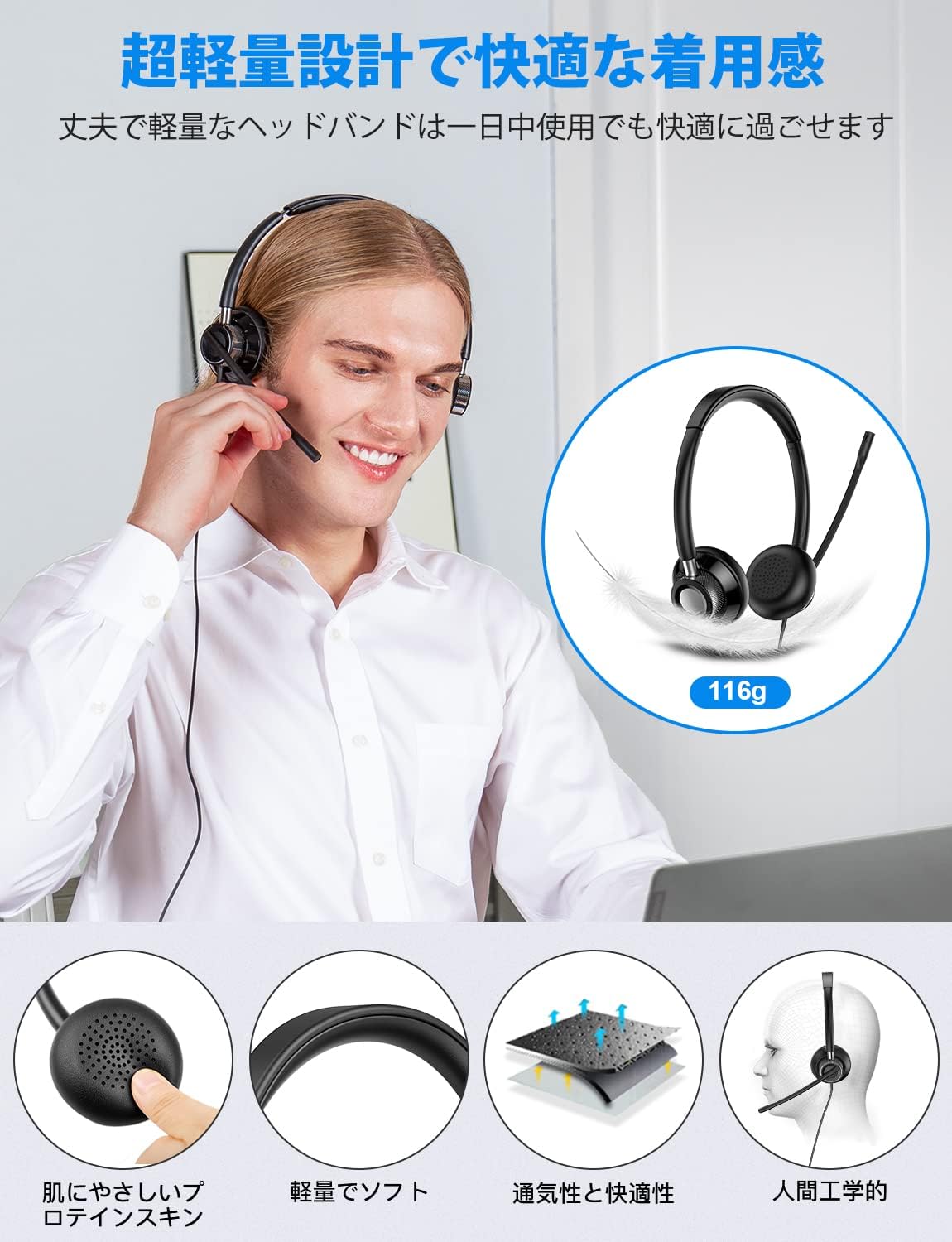
Image: The headset's lightweight design and comfortable, breathable earpads for extended use.
8. Laasigbotitusita
If you encounter any issues with your Riyo H361 headset, please refer to the following common solutions:
- No Sound from USB Connection: If there is no sound when connected via USB, ensure the USB plug is firmly inserted. Sometimes a loose connection can cause audio interruption. Re-insert the plug securely.
- Gbohungbohun Ko Ṣiṣẹ: Check if the microphone mute button on the in-line remote is activated (red light). Ensure the microphone is positioned correctly and not obstructed. Verify microphone settings on your device.
- Didara Olohun ko dara: Ensure all connections are secure. Check your device's audio settings and volume levels. If using a 3.5mm connection, ensure the jack is fully inserted into the port.
9. Awọn pato
| Ẹya ara ẹrọ | Ẹ̀kúnrẹ́rẹ́ |
|---|---|
| Brand | Riyo |
| Nọmba awoṣe | H361 |
| Àwọ̀ | Dudu |
| Gbigbe Eti | Lori-Eti |
| Agbekọri Iru | Lori-Eti |
| Ipalara | 32 ohms |
| Iṣakoso Iru | Noise Cancelling, Noise Cancelling Sound Card |
| Ariwo Iṣakoso | Ti nṣiṣe lọwọ Noise Ifagile |
| Ohun elo | Leather (Earpads) |
| Cable Ẹya | Iyasọtọ |
| Additional Product Description | Pẹlu Gbohungbohun |
| Jack agbekọri | 3.5mm Jack |
| Asopọmọra Interface | Ti firanṣẹ |
| Iwọn Nkan | 116 giramu |
10. Atilẹyin ọja ati Support
The Riyo H361 headset comes with a 1-odun atilẹyin ọja. If you encounter any issues or have questions, please contact our customer service. We provide 24-hour service to resolve your concerns.
Ask a question about this manual
Ask about setup, troubleshooting, compatibility, parts, safety, or missing instructions. Manuals+ will review the question and use this page’s manual context to help answer it.