
1. Ifihan
The Kipcush E1 White Noise Bluetooth Transmitter is a portable device designed to provide a relaxing audio environment. It features 20 high-fidelity soothing sounds and a timer function to help users fall asleep faster and stay asleep longer. This device is specifically designed for use with Bluetooth-enabled earphones, such as Apple AirPods.

Image: Kipcush E1 device highlighting its Hi-Fi Lossless Sound capabilities and DAC audio decoder chip.
2. Awọn Ilana Aabo pataki
- Never drop or insert any objects into openings of the device.
- This device should not be used near water, such as in bathtubs, swimming pools, faucets, or basins.
- Disconnect the power supply of the device when it is unused for an extended period of time or when moving the machine.
- Lo ẹrọ yi fun lilo ipinnu rẹ nikan gẹgẹbi a ti ṣalaye ninu iwe afọwọkọ yii.
- Never operate this device if it has damaged cord, cable, or housing.
- Do not use this product if you have a pacemaker or other medical device that may be affected by electromagnetic radiation.
- Jeki ọja yi kuro ni arọwọto awọn ọmọde.
- Do not use this product while sleeping to avoid the risk of overheating.
- Charge the battery only with the provided charger to avoid the risk of electric shock.
- Do not use this product if the battery is damaged or leaking.
- Ọja yii kii ṣe nkan isere ati pe ko ṣe ipinnu fun lilo nipasẹ awọn ọmọde.
- Always follow the manufacturer's instructions for safe use and storage.
3. Package Awọn akoonu
- Kipcush E1 White Noise Bluetooth Transmitter x1
- USB Iru-C USB gbigba agbara x1
- Ilana olumulo x1
4. Ọja Ipariview
Awọn iṣakoso ati Awọn Atọka
Aworan: Oke view of the Kipcush E1 device displaying its control buttons and indicators.
- Bọtini PẸLU: Ti bẹrẹ ipo sisọpọ Bluetooth.
- Bọtini Agbara Tan/Paa: Tan ẹrọ naa si tan tabi pa.
- Volume Up (+) / Next Track Button: Increases volume or skips to the next sound.
- Volume Down (-) / Previous Track Button: Decreases volume or goes to the previous sound.
- Bọ́tìnnì Ṣíṣe/Sánu duro: Plays or pauses the current sound.
- Bọtini Aago: Activates or adjusts the sleep timer.
- Atọka Bluetooth: Ṣe afihan ipo asopọ Bluetooth.
- Atọka akoko: Shows timer status.
- Atọka Ipele Batiri: Displays current battery charge.
- USB Type-C Jack: Fun gbigba agbara ẹrọ.
5. Eto
5.1 Ngba agbara si Ẹrọ
Before first use, fully charge your Kipcush E1 using the provided USB Type-C cable. Connect the cable to the device's Type-C jack and a compatible USB power source. The battery level indicator will show charging status.
5.2 Titan / Pa a
To power on the device, press and hold the Power On/Off button until the power/pairing indicator flashes blue three times. To power off, repeat the process.
5.3 Sisopọ Bluetooth
The Kipcush E1 is designed to connect with Bluetooth audio devices, primarily Apple earphones. Follow these steps to pair your device:
- Turn on your Bluetooth headphone device (e.g., Apple AirPods) and ensure it is in pairing mode. This is usually found on your earphone's charging case.
- With the E1 transmitter powered on, press and hold the PẸRẸ button until the Bluetooth indicator blinks blue, indicating it is in 'ready to pair' mode.
- Briefly press and hold both the PẸRẸ button on the E1 and the pairing button on your headphone device until the Bluetooth light on the E1 stays solid blue.
- Once successfully paired, you will hear a sound confirming the connection. The E1 will automatically connect to this device in the future.
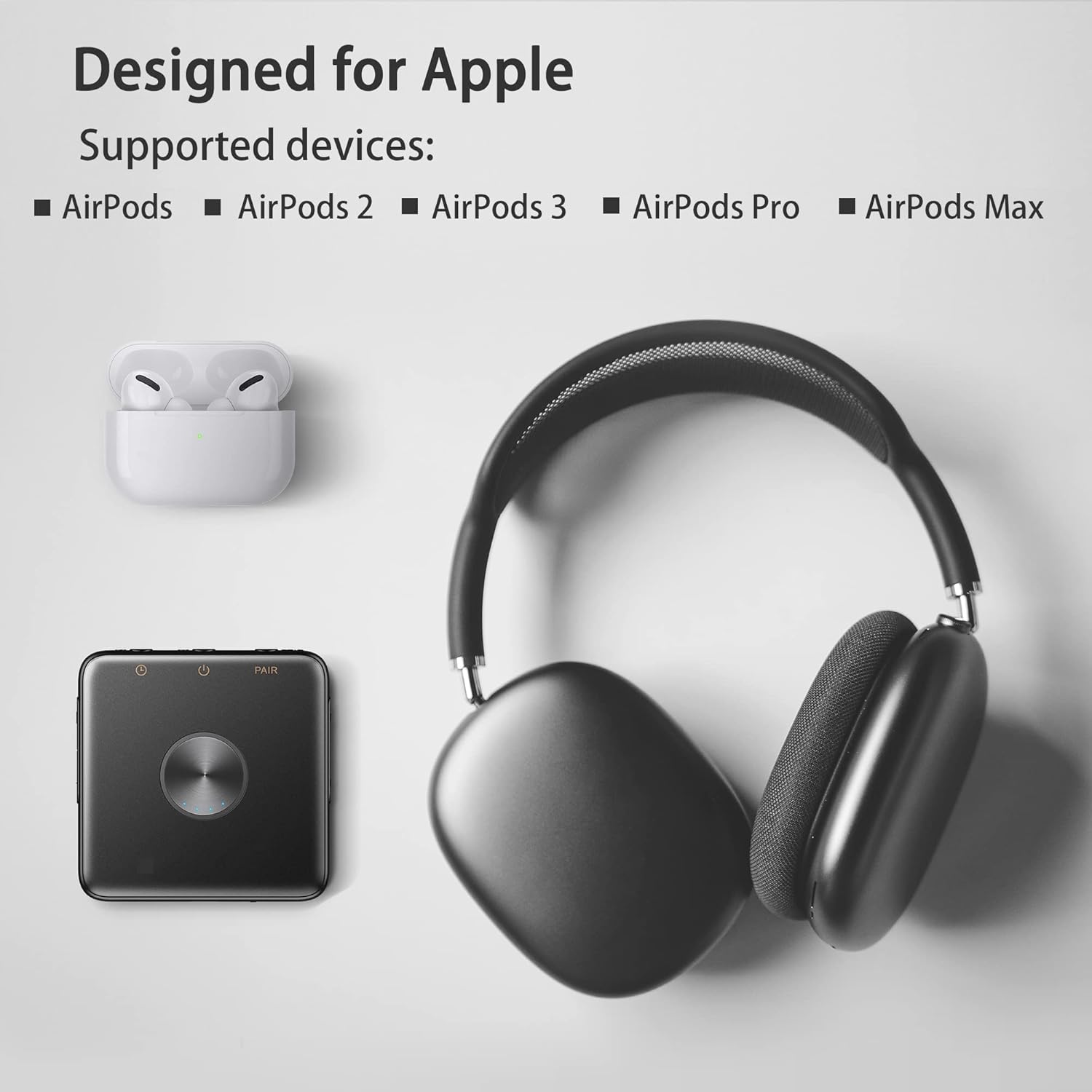
Image: Kipcush E1 shown with various Apple AirPods models, indicating compatibility.
Video: Demonstration of the Kipcush E1 Bluetooth Transmitter pairing process with Apple earphones.
6. Ṣiṣẹ ẹrọ naa
6.1 Aṣayan ohun
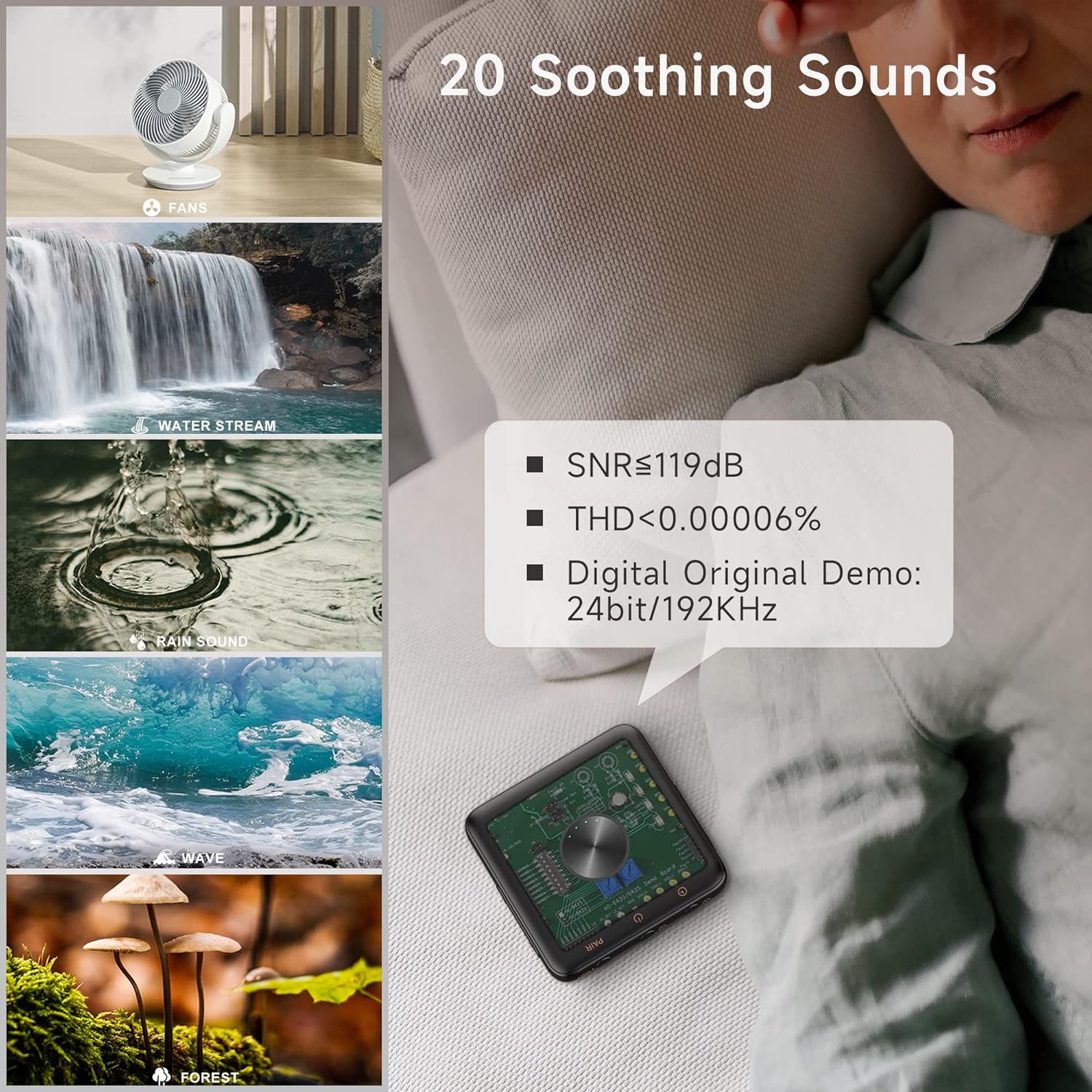
The Kipcush E1 offers 20 high-fidelity soothing sounds, including white noise, fan noises, natural sounds, and water stream sounds. Use the Iwọn didun Up (+) / Orin atẹle button to skip to the next sound, and the Iwọn didun isalẹ (-) / Orin ti tẹlẹ button to go to the previous sound.

Image: Visual representation of the 20 soothing sounds available on the Kipcush E1, including natural and fan noises.
6.2 Iṣakoso iwọn didun
Satunṣe iwọn didun nipa lilo awọn Iwọn didun soke (+) ati Iwọn didun isalẹ (-) buttons. The device has up to 32 volume level settings.
6.3 Mu / Sinmi
Tẹ awọn Ṣiṣẹ / Sinmi button to start or stop the current sound.
6.4 Aago Išė
The Kipcush E1 includes timer functions at 15, 30, 60, 90, and 120-minute intervals. Tap the Aago button to cycle through the available timer settings. The timing indicator will turn green when a timer is successfully set. To turn off the timer, press the Aago button until the timing indicator turns off.
7. Itọju
- Mu ẹrọ naa nu pẹlu asọ ti o gbẹ. Ma ṣe lo abrasive ose tabi epo.
- Tọju ẹrọ naa ni itura, aye gbigbẹ kuro lati orun taara ati awọn iwọn otutu to gaju.
- Ensure the USB Type-C port is free from dust and debris.
8. Laasigbotitusita
| Isoro | Ojutu |
|---|---|
| Ẹrọ naa ko ṣiṣẹ. | Ensure the device is fully charged. Press and hold the Power On/Off button for a few seconds. |
| Cannot pair with Bluetooth earphones. | Ensure both the E1 and your earphones are in pairing mode. Make sure your earphones are not connected to another device. Re-enter pairing mode on both devices if necessary. |
| Ko si ohun tabi iwọn kekere. | Check the volume level on both the E1 and your connected earphones. Ensure the devices are properly paired. |
| Didara ohun ko dara. | Ensure the E1 is within range of your Bluetooth earphones. Avoid obstacles that may interfere with the signal. |
| Iṣẹ aago ko ṣiṣẹ. | Ensure the Timer button is pressed correctly to select a duration. The timing indicator should light up green. |
9. Awọn pato
| Ẹya ara ẹrọ | Ẹ̀kúnrẹ́rẹ́ |
|---|---|
| Awoṣe | E1 |
| Iru-C Input | 5V = 1.5A |
| Agbara Batiri | 1000mAh |
| Ọja Mefa | 70 x 70mm |
| Typical Bluetooth Transmit Power | 2dBm |
| Isẹ otutu Range | -10°C si 45°C |
| Ibi ipamọ otutu Ibiti | -30°C si 45°C |
| Iwọn Nkan | 50 giramu |
| Ohun elo | Ṣiṣu |
10. Atilẹyin ọja ati Support
Atilẹyin ọja
We strive to build our products with the highest attention to detail and craftsmanship. However, sometimes there are occurrences of defects, and we understand this. As such, we are happy to offer a one-year hassle-free warranty on all our devices as we continue and strive to make amazing products.
Atilẹyin
Please contact us if you have any questions regarding this product or require assistance. Refer to the product packaging or the official Kipcush webojula fun alaye olubasọrọ.