
Ọrọ Iṣaaju
Thank you for choosing the Kipcush K1 White Noise Machine. This device is designed to create a peaceful environment, aiding in relaxation and sleep for individuals of all ages. It features 14 high-fidelity sounds, an adjustable night light, and convenient timer and memory functions. Please read this manual thoroughly to ensure proper use and maintenance of your device.
Alaye Aabo
Iṣọra:
- For adult use only. Do not leave within reach of children without supervision.
- Unplug the device from the power outlet when not in use or during cleaning.
- Avoid prolonged exposure to high sound levels to prevent potential hearing damage.
- Ma ṣe fi ẹrọ naa han si omi tabi ọrinrin pupọ.
- Ma ṣe gbiyanju lati tunto tabi tun ẹrọ naa funrararẹ. Kan si atilẹyin alabara fun iranlọwọ.
Package Awọn akoonu
- Kipcush K1 White Noise Machine
- Adapter agbara
- Itọsọna olumulo

Ọja Pariview
The Kipcush K1 features an intuitive design with touch controls for easy operation.

Awọn iṣakoso:
- Top Touch Grille: Used for turning the night light on/off and adjusting light settings.
- Awọn bọtini iwọn didun (+/-): Located on the side, these buttons adjust the sound volume.
- Timer Button (T): Located on the side, this button cycles through timer options.
- Àwọn bọ́tìnì yíyàn ohùn: Located on the top ring, these buttons allow you to cycle through the available soundscapes.
Ṣeto
- Yọ Ẹrọ naa kuro: Carefully remove the Kipcush K1 White Noise Machine and its accessories from the packaging.
- So agbara: Plug the provided power adapter into the DC input port on the back of the machine. Then, plug the adapter into a standard electrical outlet.
- Ibi: Place the machine on a stable, flat surface away from water sources and direct sunlight.
Awọn ilana Iṣiṣẹ
Titan / Paa
The device powers on automatically when plugged in. To turn off the sound and light, press and hold the power button (usually indicated by a circle with a vertical line) on the top ring until the device powers down. Press it again to power on.
Sound Selection and Volume Adjustment
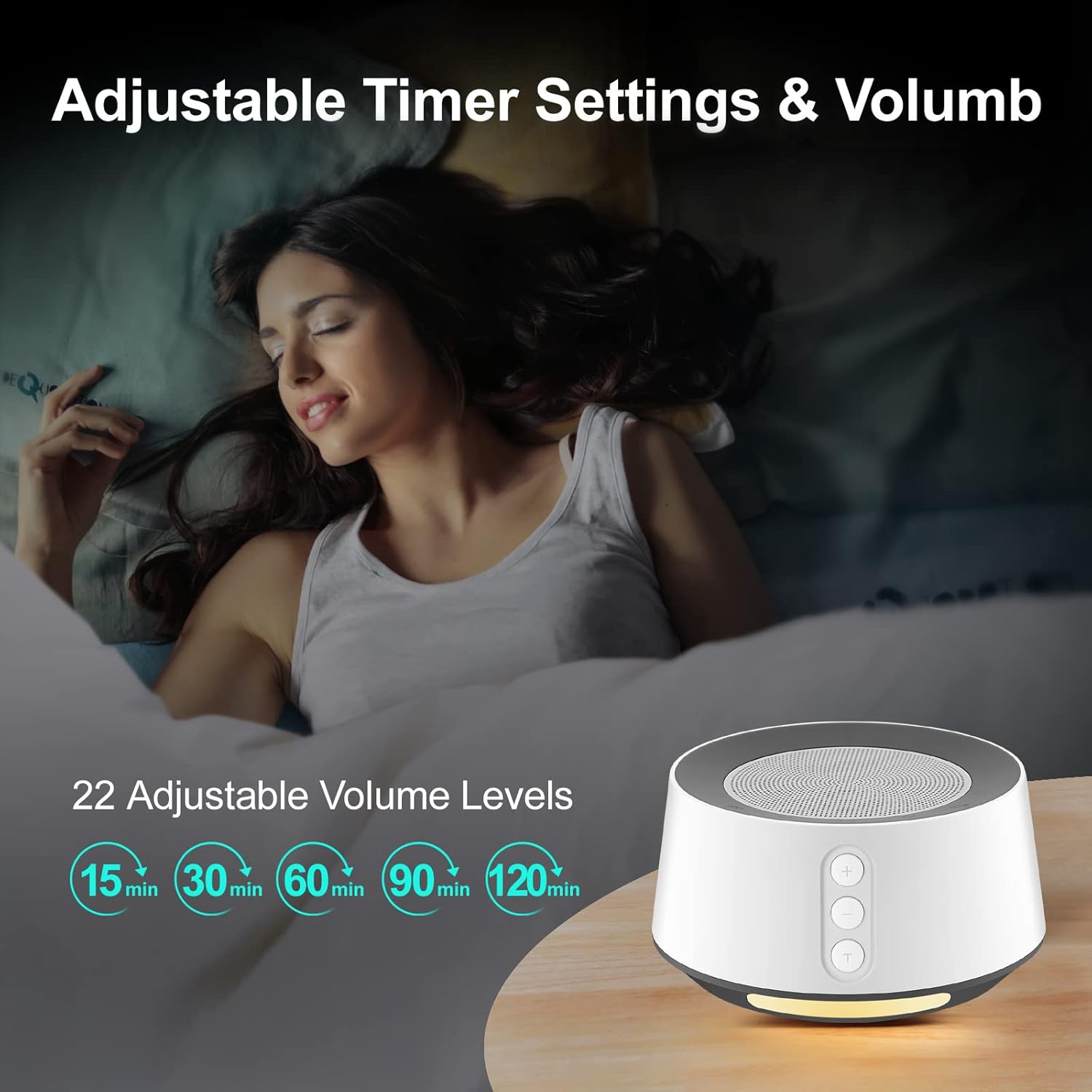
The Kipcush K1 offers 14 high-fidelity soothing sounds, including white noise, pink noise, brown noise, fan noise, nature sounds, and lullabies. It also features 22 adjustable volume settings.
- Yan Ohun: Press the sound selection buttons on the top ring to cycle through the available soundscapes.
- Ṣatunṣe Iwọn didun: Use the '+' and '-' buttons on the side of the machine to increase or decrease the volume.

Night Light Isẹ
The device includes a comfortable ambient night light with 6 different light options and 10 adjustable brightness levels.
- Tan -an/Pa a: Tap the large touchable speaker mesh on the top to turn the light on or off.
- Ṣatunṣe Imọlẹ: Once the light is on, tap and hold the touch grille, or use specific light control buttons on the top ring (if available, refer to device markings) to cycle through brightness levels or light colors.

Aago Išė
The Kipcush K1 offers timer functions at 15, 30, 60, 90, and 120-minute intervals. It can also play sound continuously throughout the night.
- Ṣeto Aago: Press the 'T' button on the side to cycle through the available timer settings. The indicator light will show the selected duration.
- Idaraya Tesiwaju: If no timer is set, the machine will play continuously until manually turned off.
Iranti Išė
The device is equipped with a memory function that recalls the last sound and volume settings used. This eliminates the need to reconfigure your preferred settings each time you turn on the machine.
Itoju
- Ninu: Disconnect the power adapter before cleaning. Use a soft, dry cloth to wipe the exterior of the machine. Do not use liquid cleaners or abrasive materials.
- Ibi ipamọ: When not in use for extended periods, store the machine in a cool, dry place, away from direct sunlight and extreme temperatures.
- Yago fun Awọn Idilọwọ: Ensure the speaker grille and any ventilation openings are free from dust and obstructions.
Laasigbotitusita
| Isoro | Owun to le Fa | Ojutu |
|---|---|---|
| Ẹrọ naa ko ṣiṣẹ. | Not properly plugged in; Power outlet issue; Damaged adapter. | Ensure the power adapter is securely connected to both the machine and a working electrical outlet. Try a different outlet. If the issue persists, contact customer support. |
| Ko si ohun tabi idajade ohun kekere. | Volume too low; Incorrect sound selected. | Increase the volume using the '+' button. Cycle through sound options to ensure a sound is selected. |
| Night light not working. | Light is off; Brightness set to minimum. | Tap the top touch grille to turn on the light. Adjust brightness levels. |
| Ẹrọ wa ni pipa airotẹlẹ. | Ti mu iṣẹ aago ṣiṣẹ. | Check if a timer is set. If continuous play is desired, ensure no timer is active. |
Awọn pato
- Nọmba awoṣe: K1
- Brand: Kipcush
- Orisun Agbara: Okun Itanna
- Ohun elo: Ṣiṣu
- Awọn iwọn: 4.8 x 4.76 x 4.02 inches
- Ìwúwo: 15.2 iwon
- Awọn orin ohun: 14 High-Fidelity Soundtracks
- Awọn ipele Iwọn: 22
- Night Light Levels: 10 Brightness Levels, 6 Ambient Light Options
- Awọn aṣayan Aago: 15, 30, 60, 90, 120 minutes, or continuous play
- Awọn ẹya pataki: Memory Function, Full Touch Metal Grille and Buttons
Atilẹyin ọja ati Support
Kipcush products are designed for reliability and performance. For warranty information, technical support, or any questions regarding your Kipcush K1 White Noise Machine, please refer to the contact information provided on the product packaging or visit the official Kipcush webojula. Jọwọ ṣe idaduro ẹri rira rẹ fun awọn iṣeduro atilẹyin ọja.