
1. Ifihan
Thank you for choosing the InFocus P120 INL412 Multimedia Projector. This manual provides essential information for the safe and efficient operation of your projector. Please read it thoroughly before using the device and retain it for future reference. The InFocus P120 INL412 is designed for versatile multimedia presentations, offering clear and vibrant images for various applications.
2. Alaye Aabo
To ensure safe operation and prevent damage to the projector, please observe the following safety precautions:
- Do not block the ventilation openings. Ensure adequate space around the projector for proper airflow to prevent overheating.
- Yago fun a wo taara sinu pirojekito lẹnsi nigbati awọn lamp ó ń ṣiṣẹ́, nítorí pé ìmọ́lẹ̀ tó mọ́lẹ̀ lè fa ìpalára ojú.
- Do not place the projector on an unstable cart, stand, or table. The projector may fall, causing serious injury to a child or adult, and serious damage to the unit.
- Disconnect the power cord from the wall outlet if the projector will not be used for an extended period.
- Tọkasi gbogbo iṣẹ si awọn oṣiṣẹ iṣẹ ti o peye. Maṣe gbiyanju lati ṣii tabi tun pirojekito naa funrararẹ.
- Keep the projector away from water or moisture. Do not expose it to rain or immerse it in liquid.
- Use only the power cord supplied with the projector or an authorized replacement.
3. Package Awọn akoonu
Verify that all items listed below are included in your projector package:
- InFocus P120 INL412 Multimedia Projector
- Okun agbara
- Isakoṣo latọna jijin pẹlu awọn batiri
- Okun VGA
- Afowoyi Olumulo (iwe-ipamọ yii)
- Quick Bẹrẹ Itọsọna
4. Ọja Ipariview
Familiarize yourself with the main components of your InFocus P120 INL412 projector.
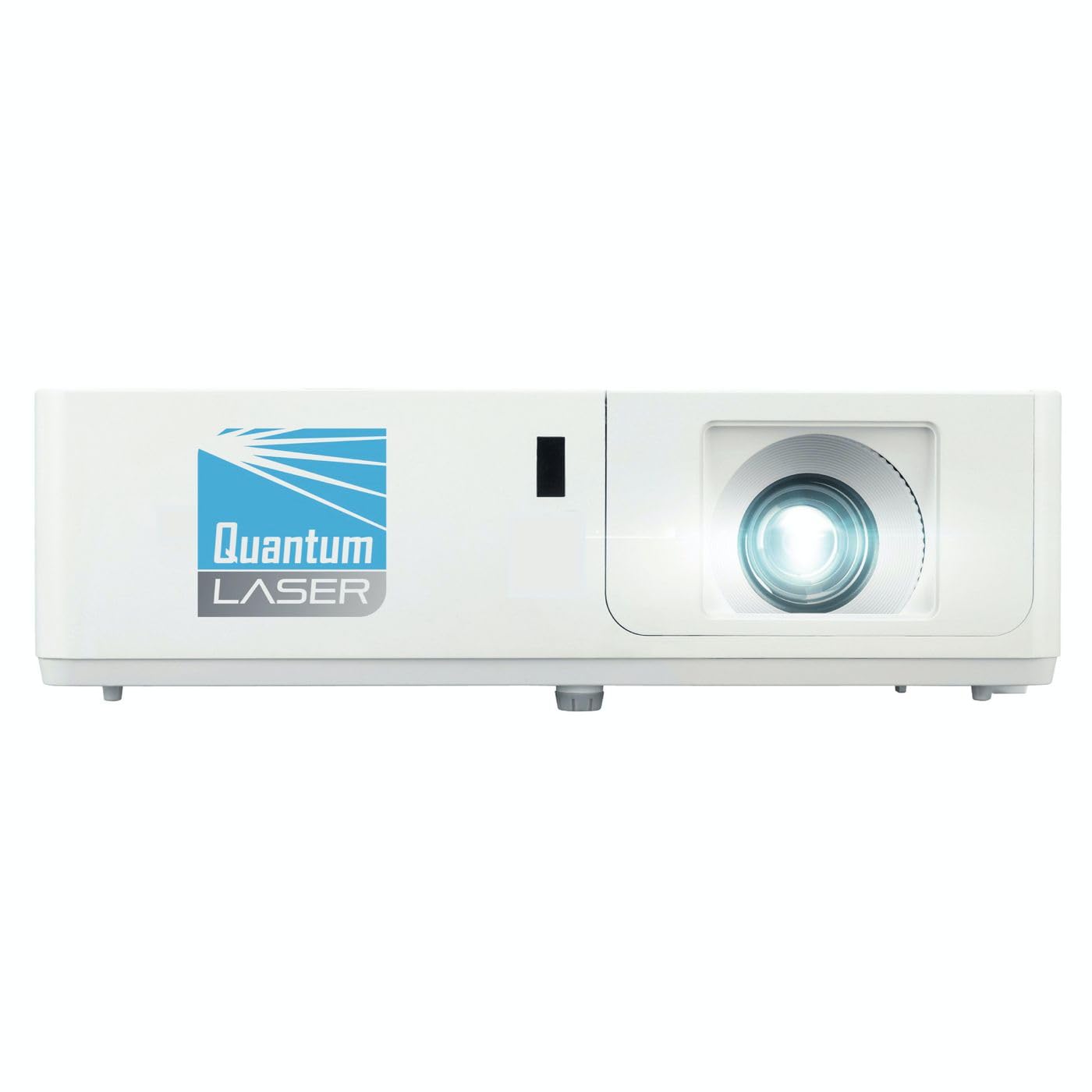
Aworan 1: Iwaju view of the InFocus P120 INL412 Multimedia Projector, showing the lens and ventilation grilles.
4.1 Igbimọ iwaju
- Lẹnsi asọtẹlẹ: Emits the image onto the screen.
- Idojukọ Oruka: Ṣe àtúnṣe kedere àwòrán tí a gbé kalẹ̀.
- Oruka Sun-un: Ṣe atunṣe iwọn ti aworan akanṣe.
- Olugba IR: Ngba awọn ifihan agbara lati isakoṣo latọna jijin.
4.2 Igbimọ Top
- Ibi iwaju alabujuto: Buttons for power, menu navigation, source selection, and keystone correction.
- Awọn imọlẹ Atọka: Display the projector's status (e.g., power, lamp, temperature).
4.3 Rear Panel (Connectivity)
- Input HDMI: Connects to HDMI-enabled devices (laptops, Blu-ray players).
- Iṣawọle VGA: Connects to computers with VGA output.
- Ibudo USB: For service or connecting USB devices (if supported by model).
- Ohun Wọle/Jade: For connecting external audio sources or speakers.
- Iwọle agbara: So okun agbara pọ.
5. Eto
Tẹle awọn igbesẹ wọnyi fun iṣeto akọkọ ti pirojekito rẹ:
- Ibi: Place the projector on a stable, flat surface or mount it securely. Ensure the projector is positioned at an appropriate distance from the screen to achieve the desired image size.
- Asopọ agbara: Connect the power cord to the projector's power inlet and then to a grounded electrical outlet.
- Sopọ Orisun Ẹrọ: Connect your source device (e.g., laptop, DVD player) to the projector using an appropriate cable (HDMI, VGA, etc.). Ensure the cable is securely connected to both the source and the projector.
- Agbara Tan: Press the power button on the projector's control panel or the remote control to turn on the projector. The power indicator light will illuminate.
- Adjust Focus and Zoom: Once an image is projected, rotate the focus ring on the lens until the image is sharp and clear. Use the zoom ring to adjust the image size to fit your screen.
- Atunse okuta bọtini: If the image appears trapezoidal, use the keystone correction function (either via buttons on the projector/remote or through the on-screen menu) to square the image.
6. Awọn ilana Iṣiṣẹ
6.1 Agbara Tan / Pa
- Lati Fi agbara: Press the power button once. The projector will go through a warm-up sequence.
- Lati Paarẹ: Press the power button twice. The first press will prompt a shutdown confirmation; the second press will initiate shutdown. Allow the projector to cool down completely before unplugging.
6.2 Orisun Aṣayan
Press the 'Source' button on the projector or remote control to cycle through available input sources (HDMI, VGA, etc.) until your desired source is displayed.
6.3 Lilọ kiri Akojọ aṣyn
Press the 'Menu' button to access the on-screen display (OSD) menu. Use the arrow buttons to navigate through options and 'Enter' or 'OK' to select. Use the 'Exit' or 'Menu' button to close the OSD.
- Eto Aworan: Adjust brightness, contrast, color, aspect ratio, and picture mode.
- Awọn Eto Ifihan: Configure keystone, projection mode (front/rear, desktop/ceiling), and resolution.
- Eto ohun: Control volume and audio output options.
- Eto Eto: Manage language, timer, power-saving modes, and factory reset.
7. Itọju
Itọju deede ṣe idaniloju iṣẹ ṣiṣe to dara julọ ati fa igbesi aye pirojekito rẹ pọ si.
- Fifọ lẹnsi: Rọra nu awọn lẹnsi pirojekito pẹlu asọ, asọ ti ko ni lint ti a ṣe apẹrẹ pataki fun awọn oju opiti. Maṣe lo awọn afọmọ abrasive tabi agbara ti o pọ ju.
- Ìfọ̀mọ́ ilé iṣẹ́ ilé: Use a soft, dry cloth to clean the projector's exterior. For stubborn marks, dampen the cloth slightly with water. Avoid using harsh chemicals.
- Afẹfẹ Fifọ ati Rirọpo: Check the air filter periodically. If your model has a removable filter, clean it with a soft brush or vacuum cleaner. Replace the filter as recommended in the on-screen menu or when visibly dirty to maintain proper ventilation.
- Lamp Rọpo: Pirojekito lamp ni ipari igbesi aye. Nigbati lamp life indicator appears, or the image brightness significantly decreases, replace the lamp according to the instructions provided in the full service manual or by a qualified technician. Always allow the projector to cool down completely before attempting lamp rirọpo.
8. Laasigbotitusita
Tọkasi tabili ni isalẹ fun awọn ọran ti o wọpọ ati awọn ojutu wọn:
| Isoro | Owun to le Fa | Ojutu |
|---|---|---|
| Ko si aworan han | Power cord disconnected, incorrect input source, source device off. | Check power connections. Select correct input source. Ensure source device is powered on. |
| Aworan jẹ blurry | Lẹnsi kuro ni idojukọ, ijinna asọtẹlẹ ti ko tọ. | Adjust the focus ring on the lens. Reposition the projector closer or further from the screen. |
| Aworan jẹ trapezoidal | Àwòrán tí a fi ń gbé àwòrán jáde kò dúró sí ìbòjú náà. | Use keystone correction (manual or automatic) to square the image. |
| Pirojekito overheats ati ki o ku | Blocked ventilation, dirty air filter. | Rí i dájú pé àlàfo tó wà ní àyíká àwọn afẹ́fẹ́ kò ní àlàfo. Fọ àlẹ̀mọ́ afẹ́fẹ́ tàbí kí o pààrọ̀ rẹ̀. |
| Isakoṣo latọna jijin ko ṣiṣẹ | Dead batteries, obstruction between remote and projector, incorrect angle. | Replace batteries. Ensure clear line of sight to IR receiver. Point remote directly at the projector. |
9. Awọn pato
Key technical specifications for the InFocus P120 INL412 Multimedia Projector:
| Ẹya ara ẹrọ | Sipesifikesonu |
|---|---|
| Nọmba awoṣe | P120 INL412 (Item model number: 7296144) |
| Ifihan Iru | DLP |
| Ipinnu abinibi | 1280 x 800 |
| Ipinnu Ifihan ti o pọju | 1280 x 800 |
| Asopọmọra Technology | USB (and other standard inputs like HDMI, VGA) |
| Ọja Mefa | 5.25 x 0.31 x 1.66 inches |
| Iwọn Nkan | 6.6 iwon |
| Olupese | Ni Idojukọ |
10. Atilẹyin ọja ati Support
The InFocus P120 INL412 Multimedia Projector comes with a standard manufacturer's warranty. Please refer to the warranty card included in your package for specific terms and conditions, including warranty duration and coverage details. For technical support, service, or further inquiries, please visit the official InFocus support webojula tabi kan si wọn onibara iṣẹ Eka.
Fun alaye atilẹyin ti ode-ọjọ, jọwọ ṣabẹwo: www.infocus.com/support