
GP 130E811USB210/85C8
GP ReCyko E811 8-Slot Charger User Manual
Model: 130E811USB210/85C8 | Brand: GP
Ọrọ Iṣaaju
This user manual provides comprehensive instructions for the safe and efficient operation of your GP ReCyko E811 8-Slot Charger. Please read this manual thoroughly before using the charger and retain it for future reference.
Alaye Aabo
- Use only with NiMH rechargeable batteries. Do not attempt to charge alkaline, carbon-zinc, or other non-rechargeable batteries.
- Ma ṣe fi ṣaja han si ojo tabi ọrinrin.
- Má ṣe tú charger náà ká tàbí yí i padà. Tọ́ka gbogbo iṣẹ́ ìtọ́jú náà sí àwọn òṣìṣẹ́ tó mọ̀ nípa rẹ̀.
- Ensure proper battery polarity when inserting batteries into the charger.
- Jeki kuro ni arọwọto awọn ọmọde.
- Yọ ṣaja kuro lati orisun agbara nigbati o ko ba lo tabi ṣaaju ki o to nu.
Ọja Pariview
The GP ReCyko E811 is an 8-slot battery charger designed for NiMH AA and AAA rechargeable batteries. It features individual charging channels and LED indicators for monitoring charging status. Its compact and lightweight design makes it highly portable.

Figure 1: GP ReCyko E811 Charger with Batteries
This image displays the GP ReCyko E811 8-slot charger, showcasing its capacity to charge both AA and AAA size batteries simultaneously. The charger is white, and the batteries are green, indicating their rechargeable nature.

Figure 2: Empty GP ReCyko E811 Charger Slots
This image shows the empty charging slots of the GP ReCyko E811 charger, illustrating the design of the eight individual bays ready for battery insertion.
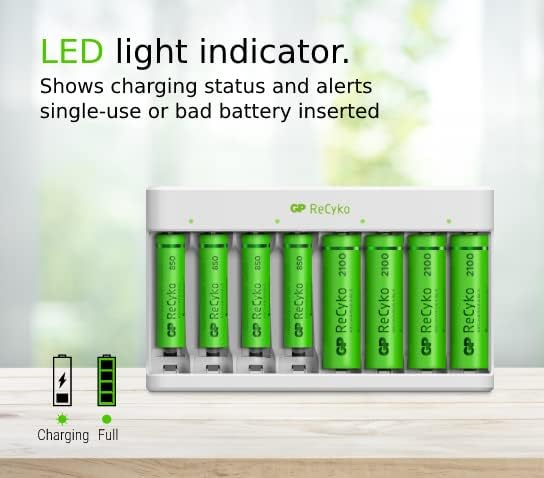
Figure 3: Compact Design with Dimensions
Aworan yii pese oke-isalẹ view of the charger, indicating its compact size with approximate dimensions of 12.6 cm in length and 7.4 cm in width, emphasizing its portability.
Ṣeto
- Yọ Ṣaja naa kuro: Fara yọ ṣaja kuro ninu apoti rẹ.
- So agbara: Plug the USB cable into the charger's USB port and connect the other end to a compatible USB power adapter (e.g., 5V USB wall adapter, computer USB port).
- Fi awọn batiri sii: Insert NiMH AA or AAA rechargeable batteries into the charging slots. Ensure correct polarity (+ and - ends) as indicated on the charger. The charger supports simultaneous charging of up to 8 batteries.
- Ṣe akiyesi Awọn Atọka LED: Each slot has an LED indicator. When a battery is properly inserted and charging begins, the corresponding LED will illuminate.
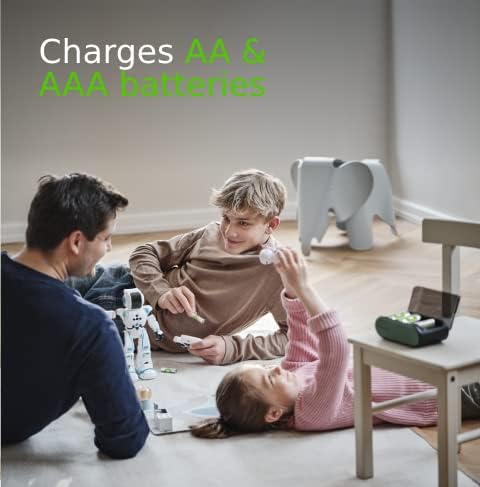
Figure 4: LED Light Indicators
This image highlights the LED indicators on the charger, which provide visual feedback on the charging status of each individual battery.
Awọn ilana Iṣiṣẹ
Once batteries are inserted and the charger is powered, the charging process will begin automatically. The charger is designed for safe and efficient charging.
- Ilana gbigba agbara: The LED indicator for each slot will show the charging status. Typically, a blinking or solid light indicates charging, and a steady light indicates fully charged. Refer to the charger's specific LED behavior for detailed status.
- Ibamu Batiri: The charger is compatible with both AA and AAA NiMH rechargeable batteries.
- Tiipa aifọwọyi: The charger features an auto power cut-off mechanism to prevent over-charging, over-voltage, ati kukuru iyika, aridaju ailewu gbigba agbara.
- Akoko gbigba agbara: Charging time can vary depending on the battery capacity and its current charge level. For example, 4 ReCyko AA batteries (2100mAh) may take approximately 8-9 hours to fully charge.
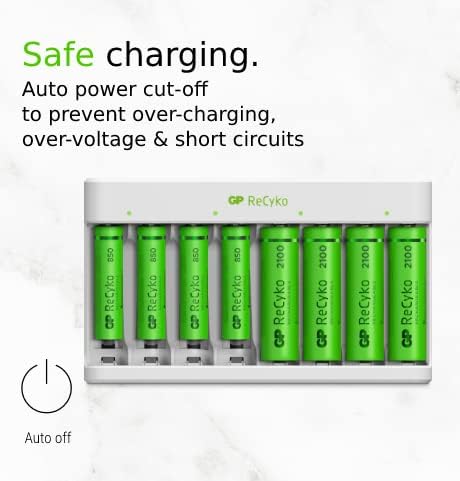
Figure 5: AA and AAA Battery Compatibility
This image illustrates the charger's ability to accommodate both AA and AAA size rechargeable batteries, making it versatile for various devices.

Figure 6: Safe Charging Features
This image highlights the built-in safety features of the charger, including automatic power cut-off to protect against over-charging, over-voltage, ati kukuru iyika.
Itoju
- Ninu: Disconnect the charger from the power source before cleaning. Use a soft, dry cloth to wipe the exterior of the charger. Do not use liquid cleaners or abrasive materials.
- Ibi ipamọ: Tọju ṣaja ni itura, aye gbigbẹ kuro lati orun taara ati awọn iwọn otutu to gaju.
- Itọju Batiri: For optimal battery life, avoid fully discharging batteries before recharging them.
Laasigbotitusita
| Isoro | Owun to le Fa | Ojutu |
|---|---|---|
| Atọka LED ko tan imọlẹ. | Charger not powered, battery incorrectly inserted, or battery is non-rechargeable/damaged. | Ensure USB cable is securely connected and power source is active. Re-insert battery with correct polarity. Verify battery type is NiMH rechargeable. Try a different battery. |
| Awọn batiri ko gba agbara ni kikun. | Insufficient charging time, battery capacity too high for charger, or old/damaged batteries. | Allow more time for charging. Ensure batteries are NiMH and within the charger's recommended capacity range. Replace old or damaged batteries. |
| Ṣaja naa gbona nigba ti o n ṣiṣẹ. | Iṣiṣẹ deede. | Ó jẹ́ ohun tó wọ́pọ̀ kí charger àti bátìrì gbóná díẹ̀ nígbà tí wọ́n bá ń gba agbára. Tí ó bá gbóná jù, yọ kúrò lẹ́sẹ̀kẹsẹ̀ kí o sì pe olùrànlọ́wọ́. |
Awọn pato
- Brand: GP
- Nọmba awoṣe: 130E811USB210/85C8
- Awọn isopọ: Firanṣẹ (USB)
- Awọn ẹya pataki: Fast Charger, High Capacity (referring to charger's capability), Auto Power Cut-off
- Lapapọ Awọn ibudo USB: 1
- Batiri Tiwqn: NiMH
- Atilẹyin Batiri Atunṣe: Bẹẹni
- Ìwọ̀n Nkan: 53 giramu
- O wujade Voltage: 5 Volts
- Iṣagbewọle Voltage: 5 Volts
- Akoko gbigba agbara: Approximately 9 hours (for full charge, varies by battery capacity)
- Idiwon lọwọlọwọ: 8 A
- Supported Battery Sizes: AA, AAA
Atilẹyin ọja ati Support
For warranty information and technical support, please refer to the documentation included with your purchase or visit the official GP Batteries webojula. Jeki ẹri rira rẹ fun awọn iṣeduro atilẹyin ọja.
Ask a question about this manual
Ask about setup, troubleshooting, compatibility, parts, safety, or missing instructions. Manuals+ will review the question and use this page’s manual context to help answer it.