
1. Ọja Ipariview
The MECCANIXITY FFC (Flexible Flat Cable) and FPC (Flexible Printed Circuit) cables are designed for high-density electronic applications. These cables provide a compact and reliable connection solution for various electronic devices.
Common applications include laptops, DVD players, LCD monitors, audio systems, 3D printers, cameras, and other DIY electronic projects where space-saving and flexible interconnections are crucial.

Àwòrán 1: Gbogbogbòò view of the MECCANIXITY FFC FPC Flat Flexible Cable.
2. Awọn ẹya Ọja
- High Density Connectivity: Ideal for applications requiring numerous connections in a confined space.
- Apẹrẹ Rọ: The ultra-thin flat ribbon cable construction allows for significant space-saving and flexible routing within electronic enclosures.
- Reinforced Stiffeners: Both ends of the cable are equipped with stiffeners to enhance stability and strength during connection and use.
- A Type Configuration: Features pins on the same side at both ends, ensuring consistent orientation for specific connection requirements.

Figure 2: Illustration of the 'A Type' FFC/FPC cable, showing pins on the same side at both ends.
3. Awọn pato
| Brand | MECCANIXITY |
| Nọmba awoṣe | mea220104ee1012 |
| USB Iru | FFC/FPC Flat Flexible Cable (A Type) |
| Nọmba PIN | 40 Pinni |
| ipolowo | 0.5mm |
| Gigun | 200mm (7.87 inches) |
| Ìbú | 20.5mm (0.81 inches) |
| Ohun elo | Ejò |
| Àwọ̀ | Funfun |
| Package Opoiye | 5 x FFC Cable |
Note: All dimensions are measured manually; please allow a tolerance of +/- 0.1 inch.

Figure 3: Cable dimensions including length and width.
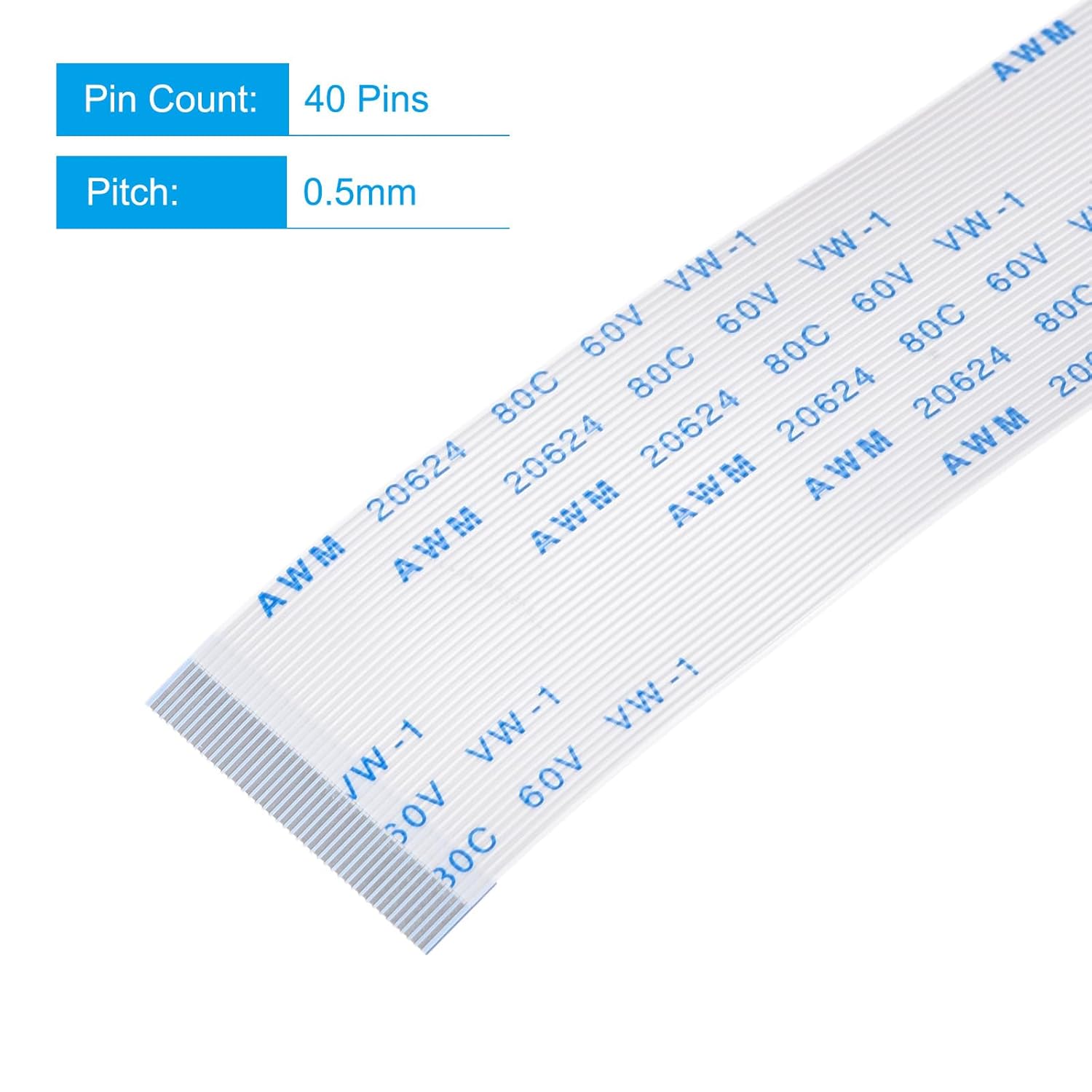
Figure 4: Details on pin count and pitch of the FFC/FPC cable.
4. Itọsọna fifi sori ẹrọ
Follow these steps for proper installation of the FFC/FPC cable:
- Mura aaye asopọ: Ensure the receiving connector on your equipment's circuit board is clean and free from debris. Gently open the connector's locking mechanism if present.
- Fi okun waya sii: Carefully insert one end of the FFC/FPC cable into the corresponding connector on your equipment's board. Ensure the cable is fully seated and aligned correctly with the pins.
- Ṣe aabo asopọ naa: Close the connector's locking mechanism (if applicable) to firmly secure the cable in place. Avoid excessive force to prevent damage to the cable or connector.
- Connect the Other End: Repeat steps 2 and 3 for the other end of the FFC/FPC cable, connecting it to the second component or board.
- Iṣe idanwo: After installation, power on your equipment and test its functions to confirm that the connection is successful and stable.

Olusin 5: Examples of FFC/FPC cable application within a laptop and connected to a circuit board.
5. Awọn ilana Iṣiṣẹ
As a passive component, the FFC/FPC cable does not require specific operating instructions beyond proper installation. Once correctly installed, it facilitates the electrical connection between components. Ensure that the cable is not subjected to sharp bends or excessive tension during operation to maintain signal integrity and prevent damage.
6. Itọju
FFC/FPC cables are generally maintenance-free. However, to ensure longevity and reliable performance:
- Jeki mimọ: Avoid dust and debris accumulation on the cable and its connectors. If cleaning is necessary, use a soft, dry cloth or a gentle air blower. Do not use liquid cleaners directly on the cable or connectors.
- Yago fun Wahala Ti ara: Do not bend the cable sharply or apply excessive force, as this can damage the internal conductors or the stiffeners.
- Ayewo Lokọọkan: If the equipment is frequently opened or serviced, periodically inspect the cable for any signs of wear, fraying, or damage to the connectors.
7. Laasigbotitusita
If you experience issues after installing the FFC/FPC cable, consider the following troubleshooting steps:
- Ko si ifihan agbara/Asopọ laarin:
- Ensure both ends of the cable are fully and correctly seated in their respective connectors.
- Check that the connector locking mechanisms are properly engaged.
- Inspect the cable for any visible damage, such as kinks, tears, or bent pins.
- Verify that the cable type (A Type) matches the requirements of your equipment.
- Bibajẹ ti ara:
- If the cable is physically damaged, it should be replaced immediately to prevent short circuits or further equipment damage.
8. Alaye Aabo
When handling FFC/FPC cables and electronic components:
- Always disconnect power from the equipment before installing or removing cables.
- Handle cables by their stiffened ends to avoid damaging the flexible conductor area.
- Avoid touching the metallic contacts of the cable or connectors to prevent electrostatic discharge (ESD) damage to sensitive components. Use appropriate ESD precautions if available.
- Do not force connections; if a cable does not fit, recheck its orientation and compatibility.
9. Atilẹyin ọja ati Support
For specific warranty information or technical support regarding your MECCANIXITY FFC/FPC Flat Flexible Cable, please refer to the product packaging or contact MECCANIXITY customer service directly. Keep your purchase receipt as proof of purchase for any warranty claims.