
1. Ifihan
The MageGee V650 Wireless Keyboard and Mouse Combo is designed for efficient and comfortable use with your computer. This combo features a full-size 104-key keyboard with a number pad and multimedia shortcuts, paired with a sensitive and quiet mouse. Both devices connect wirelessly via a single 2.4G USB receiver, offering a stable connection within a 10-meter range.

Image 1.1: MageGee V650 Wireless Keyboard and Mouse Combo.

Image 1.2: Key features of the MageGee V650 combo.
2. Package Awọn akoonu
Jọwọ ṣayẹwo package fun awọn nkan wọnyi:
- 1 x Keyboard Alailowaya
- 1 x Asin Alailowaya
- 1 x USB Receiver (stored inside the keyboard)
- 1 x AA Batiri (fun Asin)
- 2 x Awọn batiri AAA (fun keyboard)
- 1 x Itọsọna olumulo
3. Awọn ilana iṣeto
3.1. Fifi sori batiri
- Fun Keyboard: Wa ibi tí batiri wà ní ìsàlẹ̀ keyboard náà. Fi bátìrì AAA méjì sí i, kí o lè rí i dájú pé ó pé (+/-).
- Fun Asin: Wa ibi tí batiri wà ní ìsàlẹ̀ àwo náà. Fi bátìrì AA kan sí i, kí o lè rí i dájú pé ó pé (+/-).

Image 3.1: Keyboard battery compartment and USB receiver storage.
3.2. Nsopọ Olugba USB
- Locate the USB receiver. It is typically stored in a dedicated slot on the underside of the keyboard for safekeeping.
- Plug the USB receiver into an available USB port on your computer (PC, desktop, laptop, or notebook).
- The system should automatically detect and install the necessary drivers. No additional software download is required.
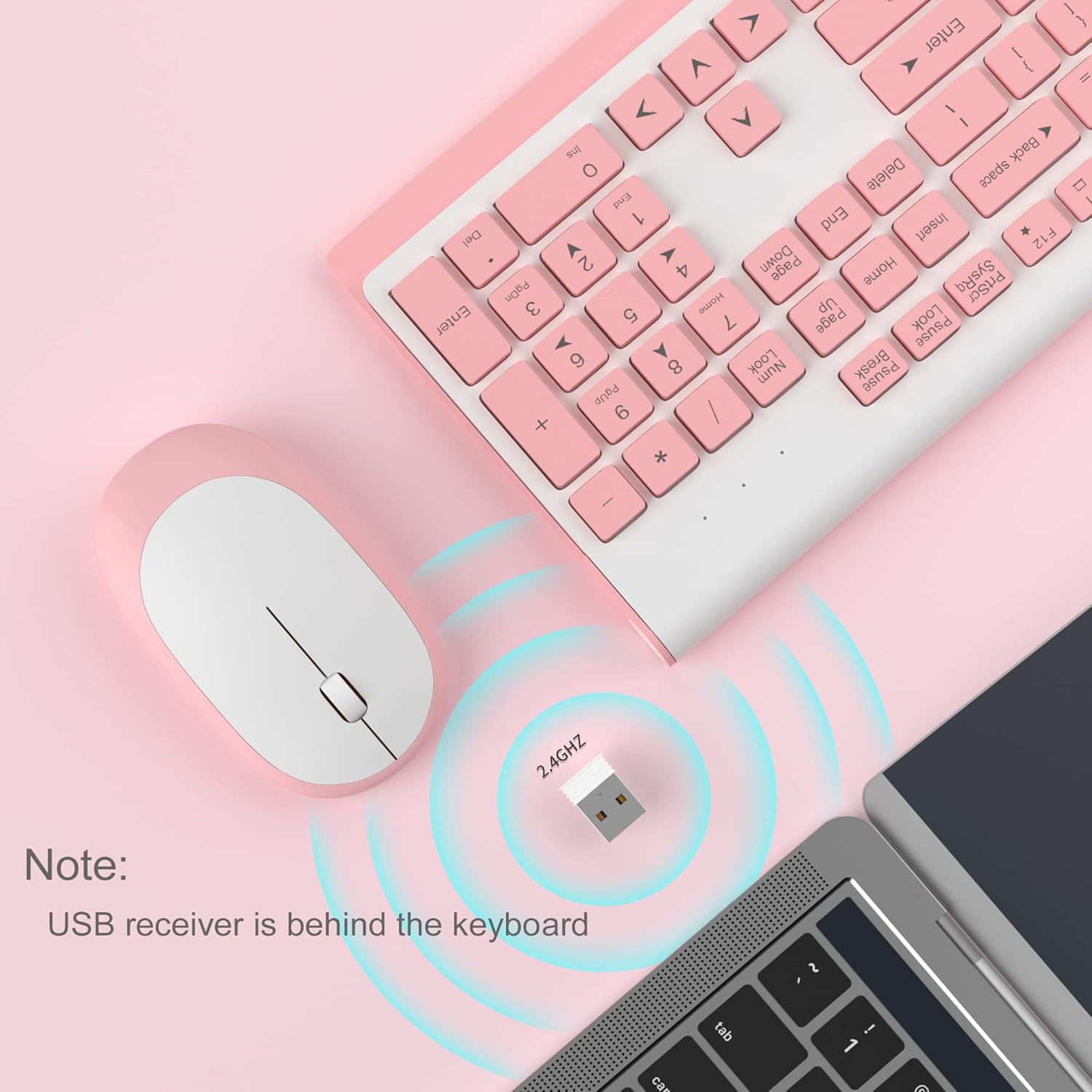
Image 3.2: USB receiver connection and storage location.

Image 3.3: 2.4G wireless connection diagram.
3.3. Agbara Lori
Ensure the power switches on both the keyboard and mouse are in the 'ON' position. The devices should now be ready for use.
4. Awọn ilana Iṣiṣẹ
4.1. Awọn iṣẹ bọtini itẹwe
The V650 keyboard features a standard 104-key layout, including a full number pad for data entry and dedicated arrow keys. The keys are designed for quiet and responsive typing.
Awọn ọna abuja Multimedia
The keyboard includes 12 multimedia shortcuts accessible by pressing the Fn key in combination with the F1-F12 function keys. These shortcuts allow quick access to common functions such as volume control, media playback, and more.

Image 4.1: Keyboard multimedia function key combinations.
| Apapo | Išẹ |
|---|---|
| Fn + F1 | Multimedia |
| Fn + F2 | Iwọn didun - |
| Fn + F3 | Iwọn didun + |
| Fn + F4 | Pa ẹnu mọ́ |
| Fn + F5 | Ti tẹlẹ Track |
| Fn + F6 | Next Track |
| Fn + F7 | Ṣiṣẹ / Sinmi |
| Fn + F8 | Duro |
| Fn + F9 | Oju-iwe akọọkan |
| Fn + F10 | Imeeli |
| Fn + F11 | Kọmputa mi |
| Fn + F12 | Awọn ayanfẹ |
4.2. Awọn Iṣẹ́ Asin
The wireless mouse offers precise 1200 DPI tracking and quiet clicks. It features standard left and right click buttons and a scroll wheel for navigation.

Image 4.2: Mouse features: 1200 DPI and quiet operation.
4.3. Automatic Sleep Mode
To conserve battery life, both the keyboard and mouse will enter an automatic sleep mode after a period of inactivity. To wake them up, simply press any key on the keyboard or move the mouse.
5. Itọju ati Itọju
- Ninu: Lo asọ ti o tutu, ti o gbẹ lati nu awọn oju-ilẹ ti keyboard ati Asin. Fun idoti alagidi, die-die damp cloth can be used, but ensure no liquid enters the devices. Avoid harsh chemicals or abrasive cleaners.
- Rirọpo Batiri: Replace batteries when performance degrades or devices stop responding. Always use new batteries of the specified type (AAA for keyboard, AA for mouse) and dispose of old batteries responsibly.
- Ibi ipamọ: When not in use for extended periods, turn off the devices to save battery life. Store the USB receiver in its dedicated slot on the keyboard to prevent loss.
- Ayika: Avoid exposing the devices to extreme temperatures, direct sunlight, or excessive moisture.
6. Laasigbotitusita
If you encounter issues with your MageGee V650 combo, please refer to the following common solutions:
- No Connection / Lag:
- Ensure both the keyboard and mouse are powered on and have fresh batteries.
- Rí i dájú pé a so olugba USB mọ́ ibudo USB tó ń ṣiṣẹ́ lórí kọ̀ǹpútà rẹ dáadáa.
- Gbiyanju lati so olugba USB sinu ibudo USB ti o yatọ.
- Move the keyboard and mouse closer to the USB receiver to ensure they are within the 10-meter operating range.
- Yago fun gbigbe olugba si sunmọ awọn ẹrọ alailowaya miiran tabi awọn ohun elo irin nla ti o le fa kikọlu.
- Keys Not Responding / Stuck Keys:
- Ṣayẹwo awọn ipele batiri ki o rọpo ti o ba jẹ dandan.
- Gently clean around the affected keys to remove any debris that might be causing them to stick.
- Ṣe àtúnṣe ìsopọ̀ náà nípa yíyọ àti tún so olugba USB náà pọ̀ mọ́ra.
- Mouse Not Working / Cursor Jumps:
- Ensure the mouse has a fresh AA battery and is powered on.
- Nu sensọ opitika ni isalẹ ti Asin naa.
- Lo Asin lori aaye ti o dara (kii ṣe afihan gaan tabi sihin).
- Ṣe àtúnṣe ìsopọ̀ náà nípa yíyọ àti tún so olugba USB náà pọ̀ mọ́ra.
- Letters Fading on Keys:
- This is typically a result of prolonged use and wear. While not a functional defect, it can affect visibility.
7. Awọn alaye ọja
| Ẹya ara ẹrọ | Ẹ̀kúnrẹ́rẹ́ |
|---|---|
| Awoṣe | V650 |
| Asopọmọra Technology | 2.4G Wireless (Radio Frequency), USB Receiver |
| Ifilelẹ bọtini itẹwe | Full Size, 104 Keys with Number Pad and 12 Multimedia Shortcuts |
| Keyboard Iru | Scissor-cross low profile, Quiet Keys |
| Asin DPI | 1200 DPI |
| Awọn ẹrọ ibaramu | PC, Desktop, Laptop, Notebook |
| Awọn ọna ṣiṣe | Windows XP / Vista / 7/8/10 |
| Awọn Iwọn Keyboard | 16.06 x 6.6 x 1.3 inches (iwọn 40.8 x 16.8 x 3.3 cm) |
| Mouse Mefa | 4.25 x 2.4 x 1.18 inches (iwọn 10.8 x 6.1 x 3 cm) |
| Iwọn Nkan | 1.63 poun (isunmọ 0.74 kg) |
| Batiri Keyboard | 2 x AAA batiri |
| Batiri Asin | 1 x AA Batiri |
| Pataki Ẹya | Round Keycaps, Ultra-Thin Design, Automatic Sleep Mode |

Aworan 7.1: Awọn iwọn ọja.
8. Atilẹyin ọja ati Onibara Support
MageGee products are designed for reliability and performance. For any warranty inquiries, technical support, or assistance with your product, please contact MageGee customer support through the retailer where you purchased the item or visit the official MageGee store online.
O le wa alaye diẹ sii ati awọn alaye olubasọrọ ni MageGee Store on Amazon.