
1. Ifihan
This manual provides essential information for the safe and efficient use of your Xtorm 100W Portable Solar Panel. Please read these instructions carefully before operating the device and retain them for future reference.
The Xtorm 100W Solar Panel is designed to convert sunlight into electrical energy, providing a portable power source for various devices. Its foldable design and durable construction make it suitable for outdoor use.
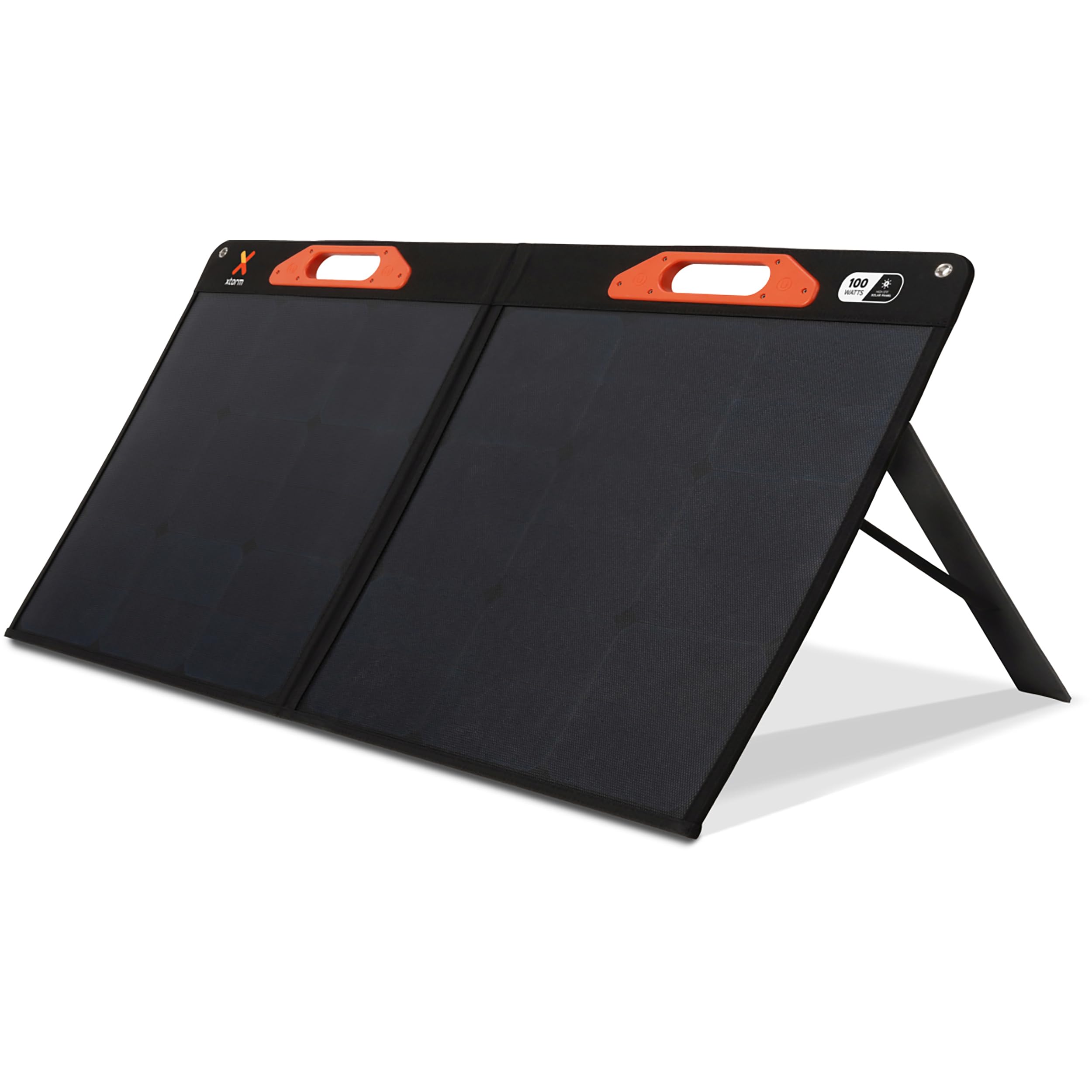
Image: The Xtorm 100W Portable Solar Panel deployed outdoors, connected to a power station for energy storage.
2. Ohun ti o wa ninu Apoti
Carefully unpack your Xtorm 100W Portable Solar Panel and ensure all items are present:
- 1x Xtorm 100W Solar Panel
- 1x Itọsọna olumulo
- 1x DC to MC4 Converter Cable
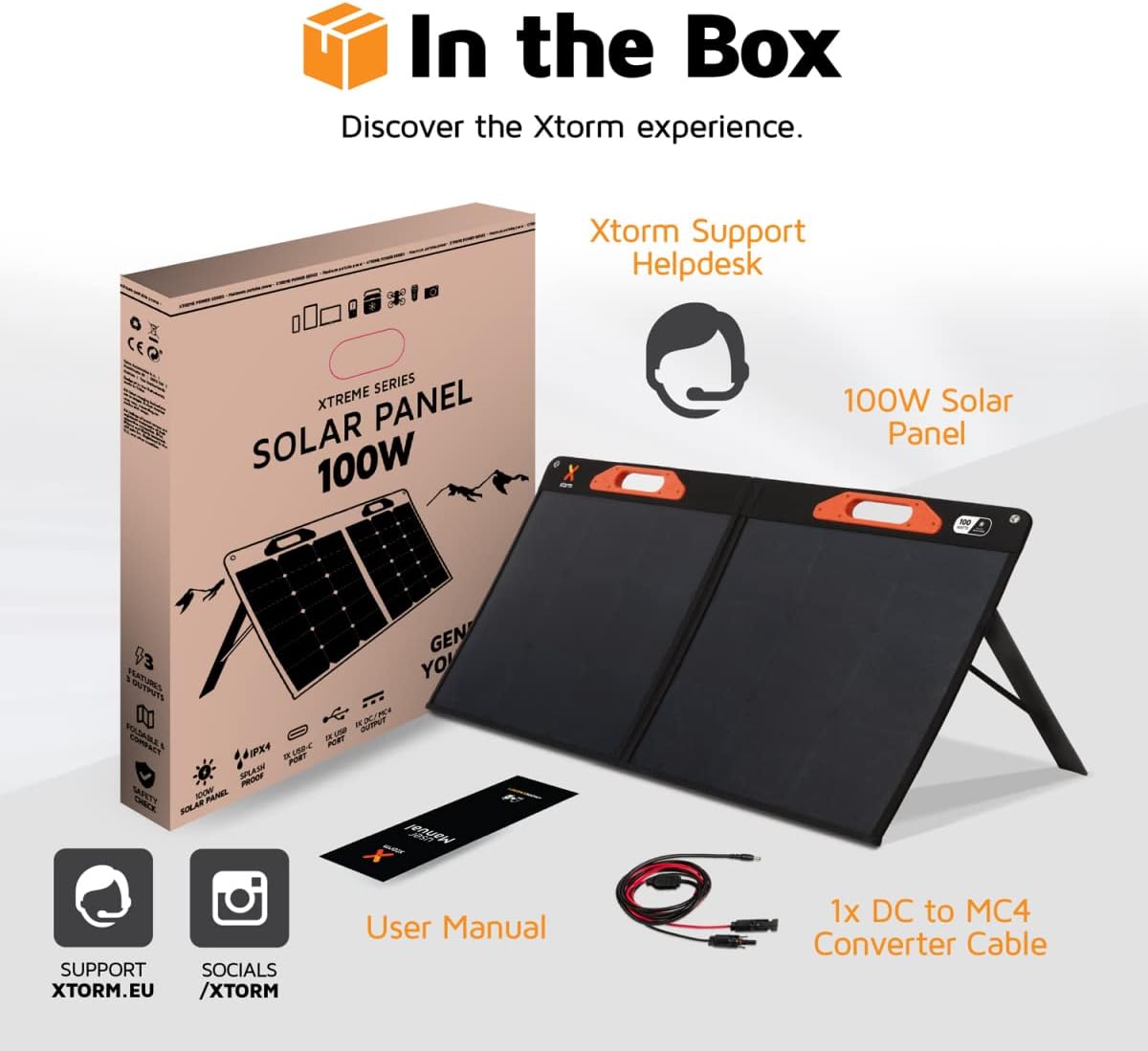
Image: A visual representation of the Xtorm 100W Solar Panel package contents, showing the panel, manual, and cable.
3. Ọja Ipariview
The Xtorm 100W Solar Panel is designed for portability, durability, and efficient power generation.
3.1. Foldable and Lightweight Design
The panel features a compact, foldable design for easy storage and transport. When folded, its dimensions are 598 x 529 x 45 mm, and when open, it measures 1060 x 598 x 25 mm. The total weight is 3.8 kg.

Image: The Xtorm 100W Solar Panel in both folded and open states, illustrating its compact and lightweight characteristics.
3.2. Durable and Water-Resistant Construction
Constructed with splash-proof materials, the solar panel is built to withstand outdoor elements, offering resistance to water and impacts. This ensures reliable performance in various weather conditions.

Image: The Xtorm 100W Solar Panel demonstrating its water-resistant properties, suitable for outdoor use.
3.3. Multiple Output Ports
The panel is equipped with versatile output options to charge a wide range of devices:
- 1x DC 5.5mm Output (100W)
- 1x USB-C PD Output (45W)
- 1x USB Quick Charge 3.0 Output (18W)
4. Eto
Follow these steps to set up your Xtorm 100W Portable Solar Panel:
- Ṣí Páńẹ́lì náà: Carefully unfold the solar panel completely. The panel is designed with integrated handles for easy handling.
- Ipo fun Imọlẹ oorun: Place the solar panel in a location with direct sunlight. For optimal performance, ensure the panel is angled directly towards the sun. Avoid shaded areas.
- Deploy Kickstands: Extend the integrated kickstands on the back of the panel to support it at an optimal angle for sun exposure.
- Awọn ẹrọ Sopọ: Use the appropriate cables to connect your devices or power station to the output ports on the solar panel.

Image: The Xtorm 100W Solar Panel positioned to capture solar energy, illustrating its high efficiency and power delivery capabilities.
5. Awọn ilana Iṣiṣẹ
The Xtorm 100W Solar Panel allows you to charge various devices directly or store energy in a portable power station.
5.1. Charging Devices Directly
Connect your smartphone, tablet, laptop, or other compatible devices to the USB-C PD or USB Quick Charge 3.0 ports using their respective charging cables. The panel can charge up to three devices simultaneously.

Image: The Xtorm 100W Solar Panel demonstrating its ability to charge three devices concurrently.
5.2. Charging a Portable Power Station
For storing generated energy, connect the solar panel to a compatible portable power station using the DC 5.5mm output and the provided DC to MC4 converter cable if necessary. This allows you to store energy for later use or to power larger devices.

Image: The Xtorm 100W Solar Panel connected to different Xtorm power stations, illustrating its energy storage capability.
5.3. Integrated Protection
The solar panel features built-in protection mechanisms to safeguard your connected devices against overcharge, overheating, and short circuits, ensuring safe and efficient operation.
6. Itọju
Proper maintenance ensures the longevity and optimal performance of your solar panel.
- Ninu: Fi asọ ti o rọ nu oju iboju oorun nigbagbogbo.amp cloth to remove dust, dirt, or debris that may reduce efficiency. Avoid abrasive cleaners or harsh chemicals.
- Ibi ipamọ: When not in use, fold the panel and store it in a dry, cool place away from direct sunlight and extreme temperatures.
- Ayewo: Periodically check cables and connectors for any signs of wear or damage. Replace any damaged components immediately.
- Idaabobo Ayika: While water-resistant, avoid prolonged exposure to heavy rain or submersion in water.
7. Laasigbotitusita
If you encounter issues with your Xtorm 100W Portable Solar Panel, refer to the following common problems and solutions:
| Isoro | Owun to le Fa | Ojutu |
|---|---|---|
| Ko si iṣelọpọ agbara | Insufficient sunlight, panel not angled correctly, dirty panel surface, faulty cable/connection. | Ensure direct sunlight, adjust panel angle, clean surface, check cable connections. |
| Gbigba agbara lọra | Partial shading, low sun intensity, high power demand from device, dirty panel. | Relocate panel to full sun, wait for stronger sunlight, ensure panel is clean, try charging one device at a time. |
| Ẹrọ ko mọ | Incompatible device, faulty USB cable, port issue. | Verify device compatibility, try a different USB cable, try a different output port. |
If the problem persists after attempting these solutions, please contact Xtorm customer support.
8. Awọn pato
| Ẹya ara ẹrọ | Ẹ̀kúnrẹ́rẹ́ |
|---|---|
| Nọmba awoṣe | XPS100 |
| Agbara to pọju | 100 Watt |
| O pọju Voltage | 20 Volts |
| DC Iṣelọpọ | 1x 5.5mm, 100W |
| USB-C PD o wu | 1x 45W |
| USB Quick Charge 3.0 Output | 1x 18W |
| Iṣẹ ṣiṣe | High Efficiency (SunPower® Solar Cells) |
| Awọn iwọn (Ṣii) | 106L x 59.8W x 2.5H cm |
| Awọn mefa (Ti ṣe pọ) | 59.8L x 52.9W x 4.5H cm |
| Iwọn | 3800 Giramu (3.8 kg) |
| Ohun elo | Glass (referring to solar cell material) |
| Pataki Awọn ẹya ara ẹrọ | Fast Charging, Water Resistant (IPX4), Impact Resistant, Foldable Design |
9. atilẹyin ọja Information
The Xtorm 100W Portable Solar Panel comes with a 2-odun lopin olupese ká atilẹyin ọja. Atilẹyin ọja yi ni wiwa awọn abawọn ninu awọn ohun elo ati iṣẹ ṣiṣe labẹ lilo deede. Jọwọ ṣe idaduro ẹri rira rẹ fun awọn iṣeduro atilẹyin ọja.
For specific terms and conditions, or to make a warranty claim, please refer to the official Xtorm webaaye tabi kan si atilẹyin alabara wọn.
10. Atilẹyin
For further assistance, technical support, or inquiries regarding your Xtorm 100W Portable Solar Panel, please visit the official Xtorm support channels:
- Xtorm Support Helpdesk: Refer to the contact information provided in your product packaging or on the official Xtorm webojula.
- Osise Webojula: www.xtorm.eu