
1. Ifihan
Thank you for choosing the Severin HV 7152 Cordless 2-in-1 Stick Vacuum Cleaner. This manual provides important information regarding the safe and efficient use, maintenance, and troubleshooting of your appliance. Please read it thoroughly before first use and keep it for future reference.
The Severin HV 7152 is a versatile 2-in-1 cordless vacuum cleaner designed for general floor cleaning, quick clean-ups, car interior cleaning, and above-floor tasks like furniture and ceiling cobweb removal. It features a high-speed rotating brush with LED lighting and offers up to 40 minutes of runtime.
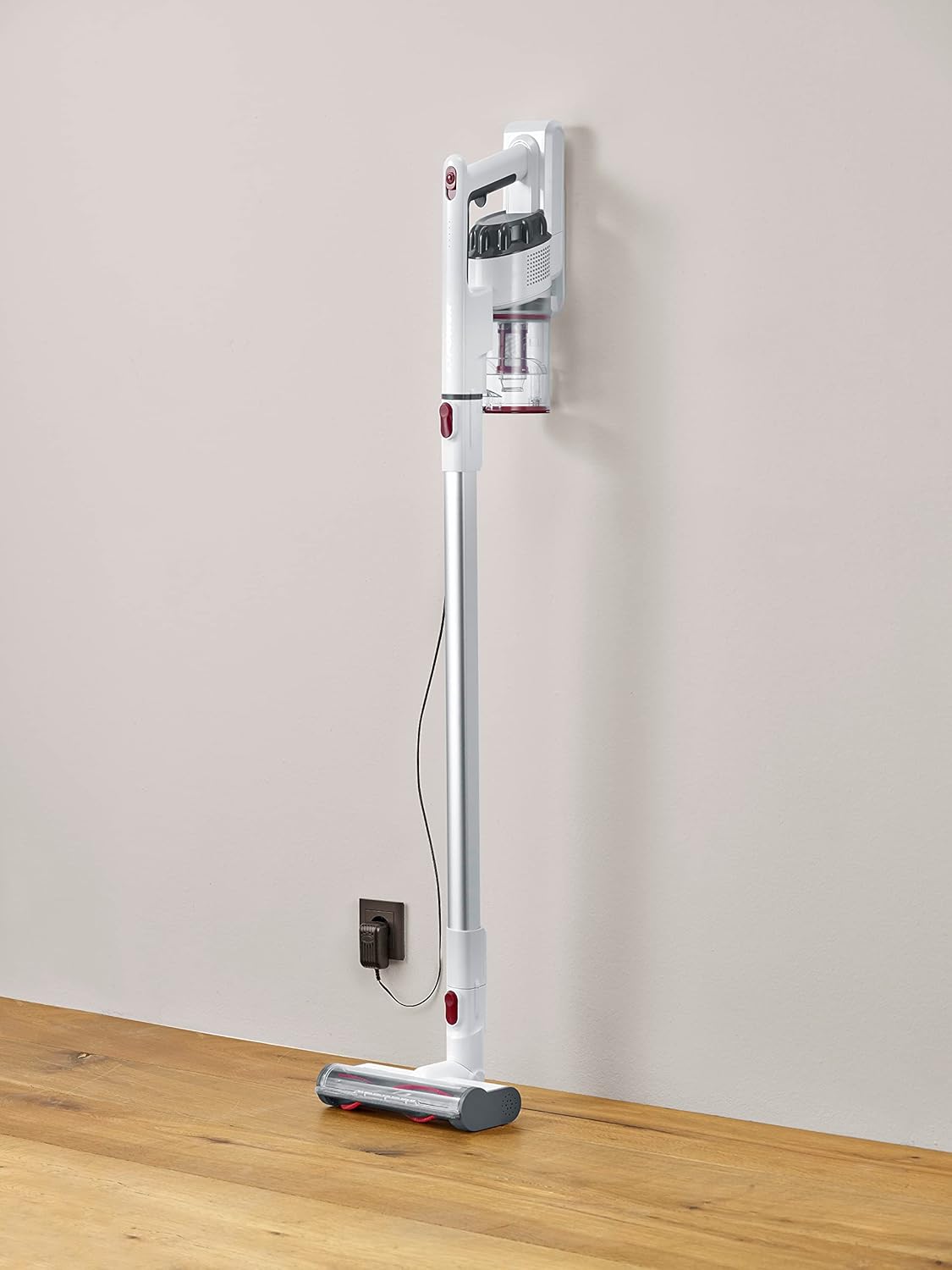
Image 1.1: The Severin HV 7152 Cordless 2-in-1 Stick Vacuum Cleaner in its upright position, charging.
2. Alaye Aabo
- Ka gbogbo awọn ilana ṣaaju lilo ohun elo naa.
- Ma ṣe lo ẹrọ mimu igbale ni ita tabi lori awọn aaye tutu.
- Do not allow children to operate the appliance. Close supervision is necessary when used near children.
- Ma ṣe gbe awọn olomi ti o jo tabi ina, gẹgẹbi petirolu, tabi lo ni awọn agbegbe nibiti wọn le wa.
- Maṣe gbe ohunkohun ti o njo tabi ti nmu siga, gẹgẹbi awọn siga, awọn ere-kere, tabi eeru gbigbona.
- Maṣe lo laisi ago eruku ati/tabi awọn asẹ ni aye.
- Turn off the appliance before connecting or disconnecting the battery charger.
- Lo ṣaja ti olupese ti pese nikan.
- Tọju ohun elo naa sinu ile ni itura, aye gbigbẹ.
3. Eto ati Apejọ
The Severin HV 7152 is designed for easy assembly. Follow these steps to prepare your vacuum cleaner for first use:
3.1 Unpacking ati Idanimọ paati
Ni ifarabalẹ yọ gbogbo awọn paati kuro ninu apoti. Rii daju pe gbogbo awọn ẹya ti a ṣe akojọ si isalẹ wa:
- Main unit (motor and dust container)
- Faagun Ifaagun
- Fọlẹ ilẹ mọto pẹlu awọn ina LED
- Crevice ọpa
- Upholstery brush / 2-in-1 brush
- Wall mount (if included)
- Ohun ti nmu badọgba gbigba agbara

Image 3.1: Included accessories: crevice tool and upholstery brush.
3.2 Gbigba agbara akọkọ
Before first use, fully charge the battery. Connect the charging adapter to the main unit and plug it into a power outlet. The battery indicator lights will show the charging status. A full charge takes approximately 5 hours.
3.3 Ṣíṣe àkójọ àwọn ohun èlò ìfọṣọ igi
- Attach the extension tube to the main unit until it clicks into place.
- Attach the motorized floor brush to the other end of the extension tube until it clicks into place.
Your stick vacuum is now assembled. For handheld use, detach the extension tube and attach desired accessories directly to the main unit.
Fidio 3.2: Ipariview of the cordless vacuum cleaner, demonstrating its features and assembly.
4. Awọn ilana Iṣiṣẹ
The Severin HV 7152 offers flexible cleaning options with its 2-in-1 design and multiple power levels.
4.1 Power On/Off and Suction Levels
Press the power button on the main unit to turn the vacuum cleaner on. The appliance has 3 power levels. Press the power button repeatedly to cycle through the suction levels (low, medium, high). The battery level indicators will show the remaining charge.
4.2 Lílo gẹ́gẹ́ bí ohun èlò ìfọṣọ igi
For floor cleaning, use the assembled stick vacuum with the motorized floor brush. The brush features 3 LED lights to illuminate dark areas, making dirt more visible.

Image 4.1: The motorized floor brush with LED lights in action.
4.3 Lílo gẹ́gẹ́ bí ohun èlò ìfọṣọ ọwọ́
To convert to a handheld vacuum, press the release button to detach the extension tube from the main unit. Attach the desired accessory (crevice tool or upholstery brush) directly to the main unit.

Image 4.2: Using the handheld vacuum with the crevice tool for hard-to-reach areas.
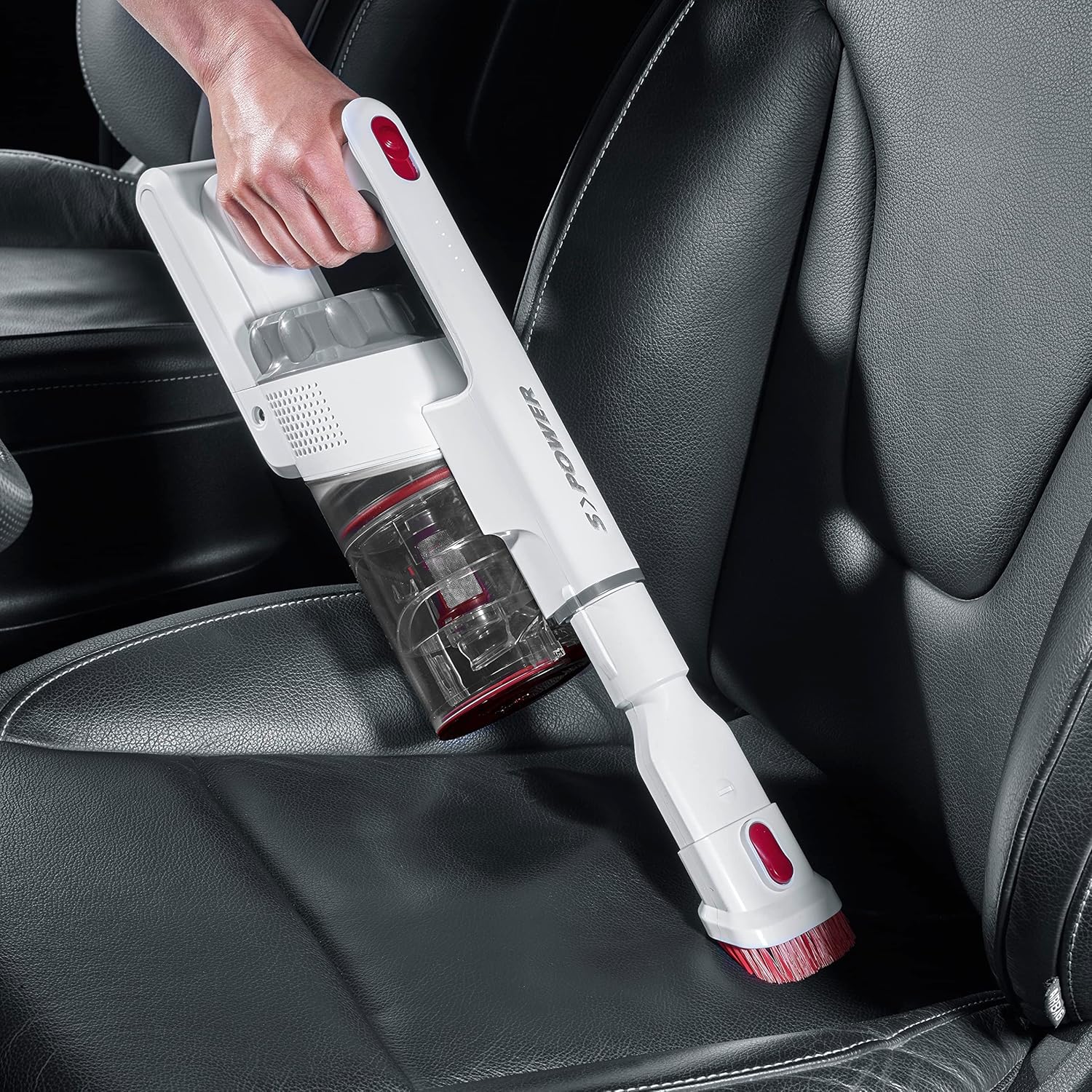
Image 4.3: Cleaning a car interior with the handheld vacuum and upholstery brush.
Video 4.4: Practical product illustration showing various uses and features of the vacuum cleaner.
5. Itọju
Regular maintenance ensures optimal performance and extends the lifespan of your Severin HV 7152.
5.1 Ṣofo Apoti Eruku
The dust container has a capacity of 500 ml. Empty it regularly to maintain suction power.
- Rii daju pe ẹrọ igbale ti wa ni pipa.
- Press the release button on the dust container to open the bottom flap and empty contents into a waste bin.

Image 5.1: Emptying the dust container.
5.2 Ninu awọn Ajọ
The vacuum cleaner uses a cartridge filter. Clean the filters regularly to prevent clogging and maintain suction.
- Rii daju pe ẹrọ igbale ti wa ni pipa.
- Yọ eiyan eruku kuro lati ẹya akọkọ.
- Twist and pull out the filter assembly from the dust container.
- Separate the individual filter components.
- Tap the filters to remove loose dust. If heavily soiled, rinse them under running water. Ensure they are completely dry before reassembling and placing back into the vacuum cleaner.

Image 5.2: Removing the filter from the dust container.
5.3 Cleaning the Rotating Brush
Lojoojumọ, ṣayẹwo fẹlẹ ilẹ ti o ni ina fun irun ti o ti dì tabi idoti.
- Ensure the vacuum cleaner is turned off and disconnected from the extension tube.
- Locate the release mechanism on the side of the brush head.
- Yọ rola fẹlẹ kuro.
- Lo gígì tàbí búrọ́ọ̀ṣì láti yọ gbogbo irun tàbí okùn tí ó díjú kúrò.
- Tun rola fẹlẹ sii titi ti o fi tẹ sinu aaye.

Image 5.3: Underside of the motorized floor brush, showing the brush roller.
Video 5.4: Detailed view of product features, including maintenance aspects like filter cleaning.
6. Laasigbotitusita
If you encounter issues with your Severin HV 7152, refer to the following table for common problems and solutions.
| Isoro | Owun to le Fa | Ojutu |
|---|---|---|
| Igbale regede ko ni tan. | Batiri ti wa ni idasilẹ. | Gba agbara si batiri ni kikun. |
| Agbara afamora kekere. | Eruku eru ti kun. | Ṣofo apoti eruku. |
| Agbara afamora kekere. | Ajọ ti wa ni didi. | Nu tabi ropo awọn Ajọ. |
| Agbara afamora kekere. | Brush roller is tangled. | Nu rola fẹlẹ. |
| Motorized brush does not rotate. | Brush roller is jammed or tangled. | Clean the brush roller and check for obstructions. |
| Batiri ko gba agbara. | Ṣaja ko sopọ mọ daradara. | Ensure charger is securely connected to both the vacuum and the power outlet. |
| Batiri ko gba agbara. | Aṣiṣe ṣaja tabi batiri. | Kan si atilẹyin alabara fun iranlọwọ. |
7. Awọn pato
| Ẹya ara ẹrọ | Ẹ̀kúnrẹ́rẹ́ |
|---|---|
| Brand | Severin |
| Orukọ awoṣe | HV7152 |
| Nọmba awoṣe | HV 7152 |
| Pataki Ẹya | Aini apo |
| Àlẹmọ Iru | Katiriji |
| Niyanju Awọn ipele | Upholstery, General floor cleaning, Quick cleaning, Car interiors, Above-floor cleaning (furniture, cobwebs) |
| Orisun agbara | Agbara Batiri |
| Agbara | 500 milimita |
| Àwọ̀ | Funfun |
| Ariwo Ipele | 75 Decibels |
| Nọmba ti Awọn iyara/Awọn ipele agbara | 3 |
| Gbigbe | Bẹẹni |
| inu ile / ita gbangba Lo | Ninu ile |
| Pari Iru | Didan |
| Ailokun | Bẹẹni |
| Iwọn Nkan | 1.42 kilo |
| Awọn Iwọn Nkan (L x W x H) | 28L x 15W x 68H cm |
| Iṣakoso Iru | Manual Control, Touch |
| Fọọmù ifosiwewe | Igbale Stick |
| Awọn irinše to wa | Nozzle |
| Voltage | 22.2 Volts |
| Wattage | 120 Wattis |
| Igba agbara Batiri | Awọn wakati 5 |
| batiri Life / asiko isise | Titi di iṣẹju 40 |
| Asopọmọra Technology | USB |
8. Atilẹyin ọja ati Support
8.1 atilẹyin ọja Alaye
This Severin appliance comes with a standard manufacturer's warranty. Please refer to the warranty card included in your product packaging for specific terms, conditions, and duration. Keep your proof of purchase for any warranty claims.
8.2 Onibara Support
For technical assistance, spare parts, or any questions regarding your Severin HV 7152, please contact Severin customer support. Contact details can typically be found on the official Severin webaaye tabi lori apoti ọja.