
Ọrọ Iṣaaju
Thank you for choosing the Hoco CW31 15W Wireless Fast Charger. This device is designed to provide efficient and convenient wireless charging for compatible mobile phones and TWS earphones. Please read this manual carefully before use to ensure proper operation and to maximize the lifespan of your product.
Alaye Aabo
- Ma ṣe fi ṣaja han si omi, ọrinrin, tabi awọn iwọn otutu to gaju.
- Yago fun sisọ tabi tẹriba ṣaja si awọn ipa to lagbara.
- Do not disassemble, modify, or attempt to repair the charger yourself. This will void the warranty and may cause damage or injury.
- Jeki ṣaja kuro lati ọdọ awọn ọmọde ati awọn ohun ọsin.
- Use only compatible power adapters (PD/QC charger recommended) to ensure optimal performance and safety.
- Do not place metal objects, credit cards, or other foreign objects between the charging pad and your device, as this may interfere with charging or cause overheating.
- If the charger emits smoke, unusual odors, or makes strange noises, immediately disconnect it from the power source.
Package Awọn akoonu
Jọwọ ṣayẹwo package fun awọn nkan wọnyi:
- Hoco CW31 Wireless Fast Charger
- USB-A si Iru-C okun Ngba agbara
- Ilana Afowoyi (iwe yii)
Ọja Pariview
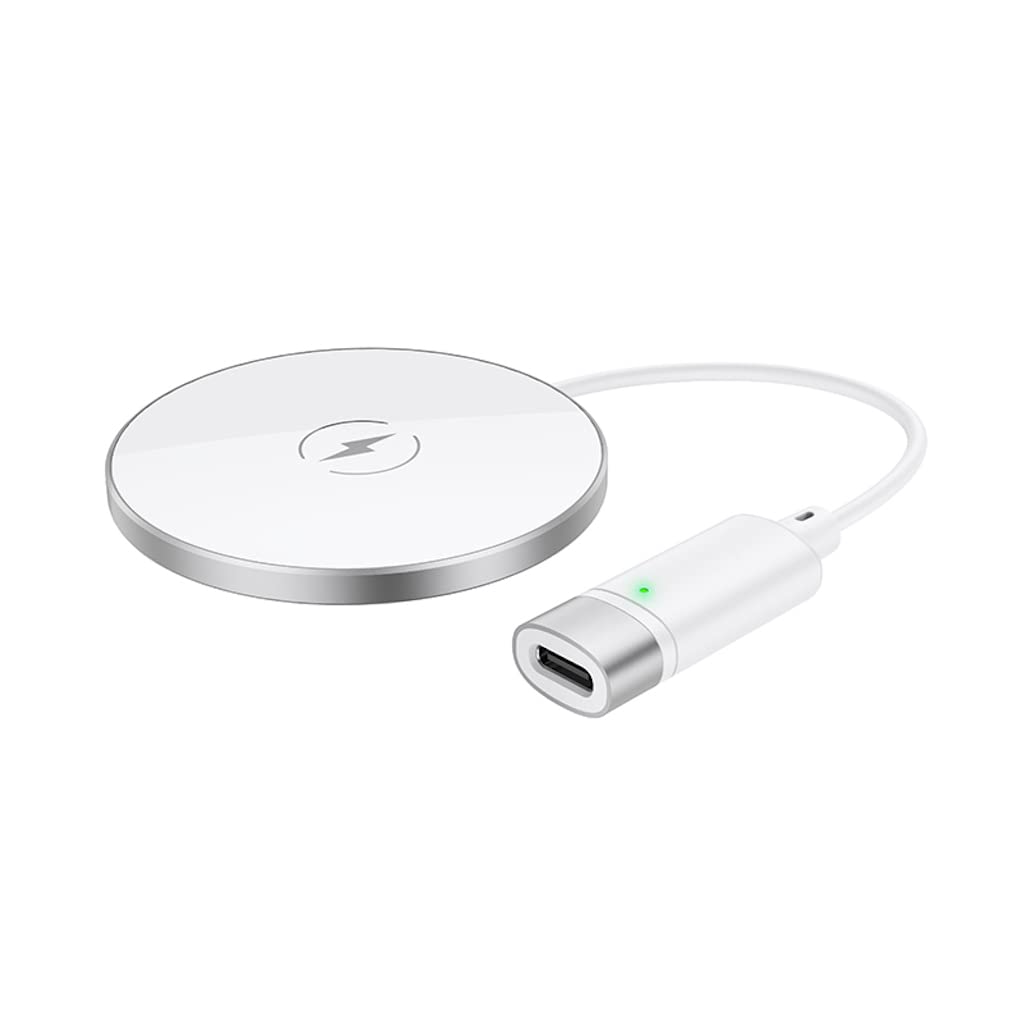
The Hoco CW31 features a sleek design with a tempered glass surface and aluminum alloy base, providing a stable and efficient charging platform.

The Hoco CW31 wireless charging pad is shown alongside its included USB-A to Type-C charging cable, highlighting the compact design of the charger.
This image shows a smartphone placed on the Hoco CW31 wireless charging pad, indicating active charging with a battery icon displaying 57% charged.
Awọn pato
| Nọmba awoṣe | CW31 |
| Iṣawọle (Iru-C) | 5V-2A, 9V-2A, 12V-1.5A |
| Ailokun o wu | 5W / 7.5W / 10W / 15W |
| Ijade Alailowaya MagSafe | 7.5W |
| Ohun elo | Tempered Glass + Aluminum Alloy |
| Awọn iwọn | 204 x 60 x 5 mm |
| Iwọn | 37 g |
| Asopọmọra Iru | USB |
| Awọn ẹrọ ibaramu | Cellular Phones, Qi-compatible TWS Earphones |
| Pataki Awọn ẹya ara ẹrọ | Idaabobo Circuit Kukuru, Gbigba agbara Yara |
| Àwọ̀ | Fadaka |
| Iṣagbewọle Voltage | 5V |
| Lapapọ Awọn ibudo USB | 1 |
| Agbara | 15W |
| Ijade lọwọlọwọ | 3A |
Ṣeto
- Sopọ si Orisun Agbara: Connect the provided USB-A to Type-C charging cable to the Type-C input port on the Hoco CW31 charger.
- Plug into Adapter: Connect the USB-A end of the cable to a compatible power adapter (a PD/QC fast charger is required for optimal 15W charging speeds, not included).
- Agbara Tan: Once connected to a power source, the charger is ready for use.

The Hoco CW31 wireless charger is depicted connected to a wall power adapter via its cable, with a smartphone placed on the charging pad.
Awọn ilana Iṣiṣẹ
- Ẹrọ Ibi: Place your Qi-compatible mobile phone or TWS earphones directly onto the center of the Hoco CW31 wireless charging pad.
- Jẹrisi gbigba agbara: Ensure the device is properly aligned. Charging will begin automatically, and your device's screen or indicator light should confirm that it is charging.
- Yọ Ẹrọ kuro: Once your device is fully charged or you wish to stop charging, simply lift it from the charging pad.
For MagSafe compatible devices, the charger will magnetically align for optimal charging at 7.5W.
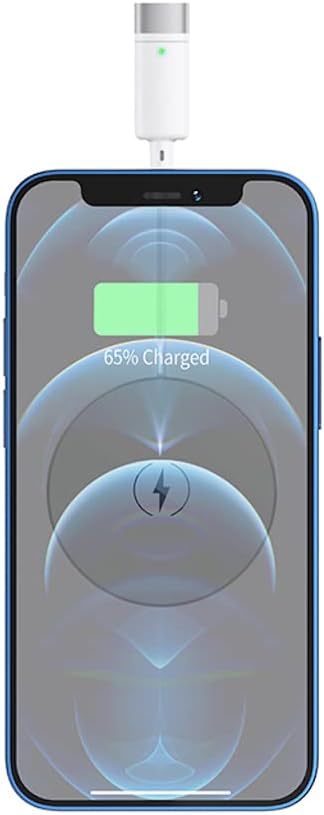
A sunmọ-soke view of a smartphone receiving a wireless charge from the Hoco CW31 pad, with the screen showing 65% battery.
Itoju
- Ninu: Ge asopọ ṣaja lati orisun agbara ṣaaju ṣiṣe mimọ. Lo asọ ti o rọ, ti o gbẹ lati nu dada. Maṣe lo awọn olutọpa olomi tabi awọn aerosols.
- Ibi ipamọ: Tọ́jú charger náà sí ibi tí ó tutù tí ó sì gbẹ, tí kò sí ìmọ́lẹ̀ oòrùn tààrà àti ooru tó le koko nígbà tí o kò bá lò ó.
- Itọju USB: Avoid bending or twisting the charging cable excessively to prevent damage.
Laasigbotitusita
| Isoro | Owun to le Solusan |
|---|---|
| Ẹrọ ko gba agbara |
|
| Gbigba agbara lọra |
|
| Ina atọka charger ko ṣiṣẹ |
|
Atilẹyin ọja ati Support
For warranty information and customer support, please refer to the documentation included with your purchase or contact Hoco customer service directly. Keep your proof of purchase for warranty claims.