
1. Ifihan
Thank you for choosing the VOYEE WE-07 Wired Game Controller. This manual provides detailed instructions for setting up, operating, and maintaining your controller. The WE-07 is designed for a responsive and immersive gaming experience on both PC and PlayStation 3 platforms.

Image: The VOYEE WE-07 wired game controller, featuring a black and red design with prominent VOYEE branding and illuminated rumble effects, indicating its dual shock capabilities.
2. Awọn ẹya Ọja
- Asopọmọra Alailowaya: Equipped with a 1.8-meter (5.9ft) USB cable for a stable connection and comfortable gaming distance.
- Dual Shock Vibration: Built-in dual motion motors provide varied intensity feedback for an authentic gaming experience.
- Apẹrẹ Ergonomic: Features a special matte layer for a comfortable grip during extended gaming sessions.
- Ibamu gbooro: Supports Windows 7/8/8.1/10/11 PC games (DInput and XInput modes) and is fully compatible with Sony PlayStation 3 consoles.

Image: An illustration highlighting the internal dual shock rumble motor within the VOYEE WE-07 controller, emphasizing its vibration feedback capability.
3. Adarí Layout
Familiarize yourself with the buttons and controls of your VOYEE WE-07 controller:

Image: A detailed diagram of the VOYEE WE-07 controller, labeling all buttons and joysticks, including R1/R2/L1/L2 buttons, LED indicators, SELECT, START, HOME, D-Pad, Left/Right Joysticks, and A/B/X/Y buttons.
- Joystick osi: Fun gbigbe itọsọna.
- Joystick Ọtun: For camera control or aiming.
- D-Pad: Pádì ìtọ́sọ́nà fún ìtẹ̀síwájú tó péye.
- Àwọn bọ́tìnì ìgbésẹ̀ (A, B, X, Y): Fun awọn iṣe inu ere.
- Àwọn bọ́tìnì èjìká (L1, R1): Àwọn bọ́tìnì tí a gbé sórí òkè.
- Àwọn bọ́tìnì ìfàgùn (L2, R2): Bottom-mounted analog triggers.
- Bọtini Yan: Typically for menu navigation or specific game functions.
- Bọtini Ibẹrẹ: Nigbagbogbo fun idaduro tabi ibẹrẹ awọn ere.
- HOME/P3 Button: For accessing system menus or PlayStation 3 home screen.
- Àwọn Àmì LED (1-4): Show player number or connection status.
4. Awọn ilana iṣeto
Connecting your VOYEE WE-07 controller is a straightforward process:
4.1. Connecting to a PC (Windows 7/8/8.1/10/11)
- Wa ibudo USB ti o wa lori kọnputa rẹ.
- Plug the USB connector of the VOYEE WE-07 controller into the USB port.
- Your computer will automatically detect and install the necessary drivers. This may take a few moments.
- Once installed, the controller will be ready for use. You may need to configure the controller settings within your game or platform (e.g., Steam) for optimal performance.
The controller supports both DInput (DirectInput) and XInput modes. Most modern PC games use XInput, which is automatically recognized. For older games, DInput might be used.
4.2. Connecting to a PlayStation 3 (PS3)
- Rii daju pe console PS3 rẹ ti wa ni titan.
- Plug the USB connector of the VOYEE WE-07 controller into an available USB port on your PS3.
- The PS3 will recognize the controller. The LED indicators on the controller will light up to show the assigned player number.
- The controller is now ready for use with your PlayStation 3 games.

Image: A close-up of the VOYEE WE-07 controller's USB cable connecting to a device, illustrating the wired connection process.
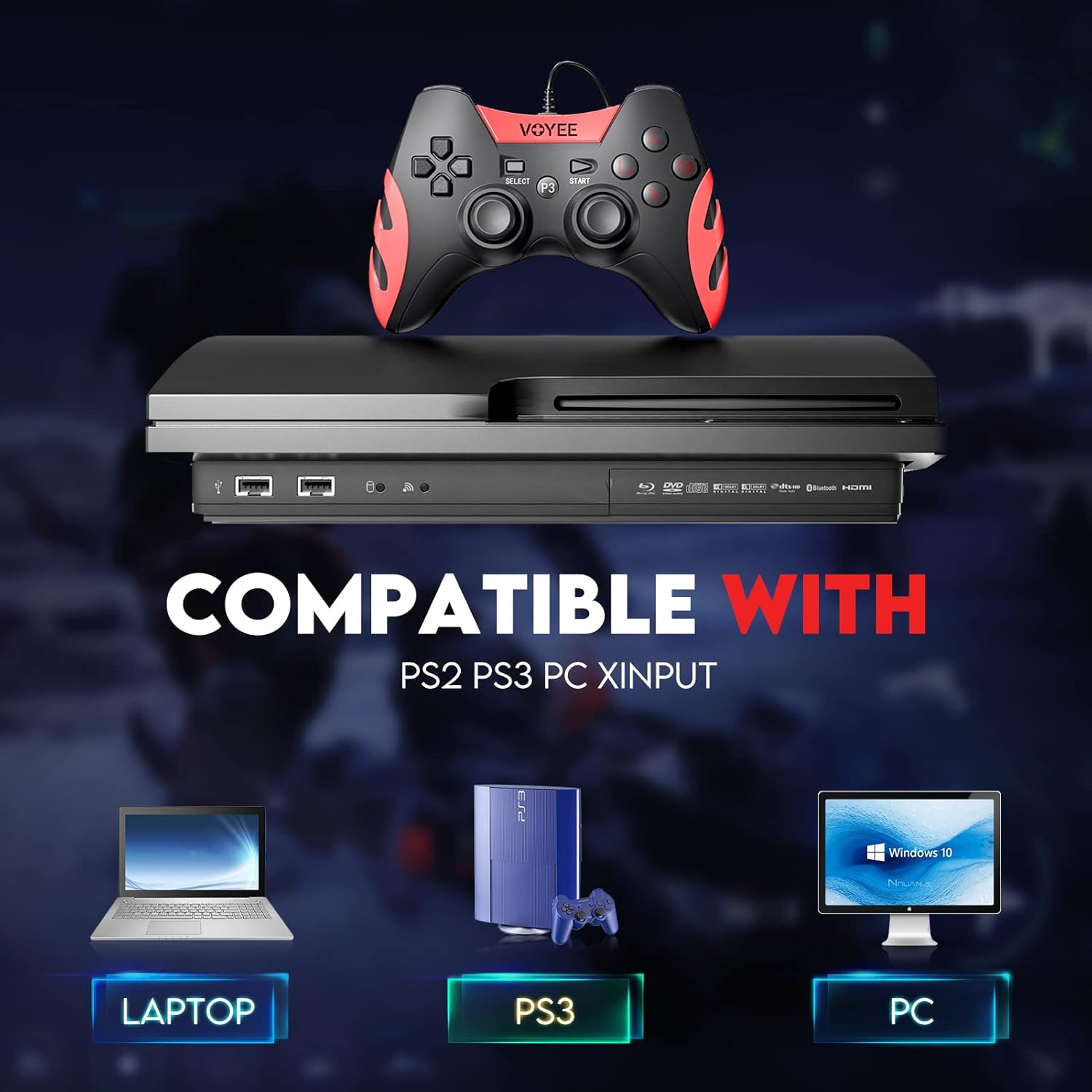
Image: A graphic demonstrating the VOYEE WE-07 controller's compatibility with various platforms, including laptops, PlayStation 3 consoles, and desktop PCs, highlighting its versatility.
5. Awọn ilana Iṣiṣẹ
Once connected, the VOYEE WE-07 controller functions similarly to standard gamepads. Here are some general operating tips:
- Game Control: Use the joysticks and D-Pad for movement and navigation. The action buttons (A, B, X, Y) and shoulder/trigger buttons (L1, R1, L2, R2) perform in-game actions as defined by the specific game.
- Idahun gbigbọn: The dual shock motors will provide tactile feedback during gameplay, enhancing immersion. This feature is automatically enabled when supported by the game.
- HOME/P3 Button: Press this button to access the system menu on PS3 or to bring up the game overlay on PC (depending on the game or platform).
- Ergonomics: The controller's matte finish and ergonomic design are intended for comfortable use during long gaming sessions.
6. Laasigbotitusita
If you encounter issues with your VOYEE WE-07 controller, please refer to the following common solutions:
| Isoro | Ojutu |
|---|---|
| Adarí ko mọ nipa PC/PS3. |
|
| Awọn esi gbigbọn ko ṣiṣẹ. |
|
| Awọn bọtini tabi joysticks ko dahun. |
|
7. Itọju
To ensure the longevity and optimal performance of your VOYEE WE-07 controller, follow these maintenance guidelines:
- Ninu: Lo asọ ti o rọ, ti o gbẹ lati nu oju ti oludari naa. Fun idoti alagidi, die-die dampen awọn asọ pẹlu omi. Yẹra fun lilo awọn kẹmika lile tabi awọn afọmọ abrasive.
- Ibi ipamọ: Tọju olutọju naa ni itura, aye gbigbẹ kuro lati orun taara ati awọn iwọn otutu to gaju. Yago fun gbigbe awọn nkan ti o wuwo sori oludari.
- Itọju USB: Do not sharply bend or pull the USB cable. Always grasp the plug when disconnecting, not the cable itself.
- Yago fun awọn isọ silẹ: Dáàbò bo olùdarí náà kúrò lọ́wọ́ àwọn ìṣàn àti àwọn ìkọlù, èyí tí ó lè ba àwọn ẹ̀yà ara inú jẹ́.
8. Awọn pato
| Awoṣe | WE-07 |
| Brand | VOYEE |
| Asopọmọra | USB ti a firanṣẹ |
| USB Ipari | Mita 1.8 (ẹsẹ 5.9) |
| Awọn ẹrọ ibaramu | PC (Windows 7/8/8.1/10/11), PlayStation 3 |
| Adarí Iru | Gamepad, Joystick (DInput & XInput) |
| Afikun Awọn ẹya ara ẹrọ | Dual Shock Vibration, Ergonomic Design, Matte Finish |
| Bọtini opoiye | 17 |
9. Atilẹyin ọja ati Support
VOYEE provides a 365-ọjọ atilẹyin ọja for the WE-07 wired gamepad controller from the date of purchase. This warranty covers manufacturing defects under normal use.
If you encounter any problems or have questions regarding your VOYEE WE-07 controller, please do not hesitate to contact our customer service team via e-mail. Our friendly customer service is available to assist you.
For support, please visit the official VOYEE webojú-òpó wẹ́ẹ̀bù tàbí tọ́ka sí ìwé ìrajà rẹ fún ìwífún ìbáṣepọ̀.