

1. Ifihan
This manual provides comprehensive instructions for the CALYPSO K5818/4 X-trem digital watch. This sporty and functional timepiece is designed for daily wear and various activities, featuring a durable plastic case, a comfortable black plastic strap, and 10 ATM water resistance. Please read this manual carefully to ensure proper use and maintenance of your watch.
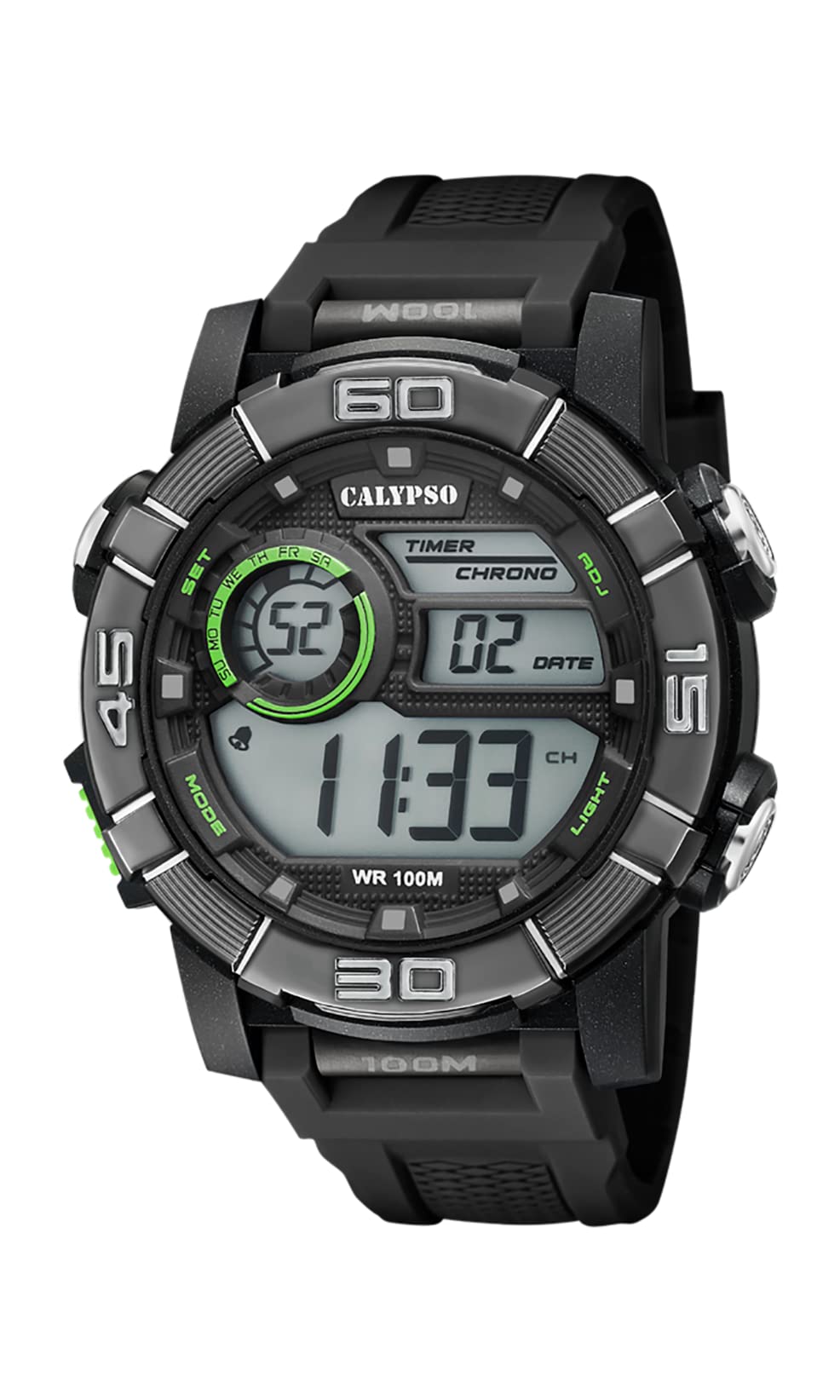
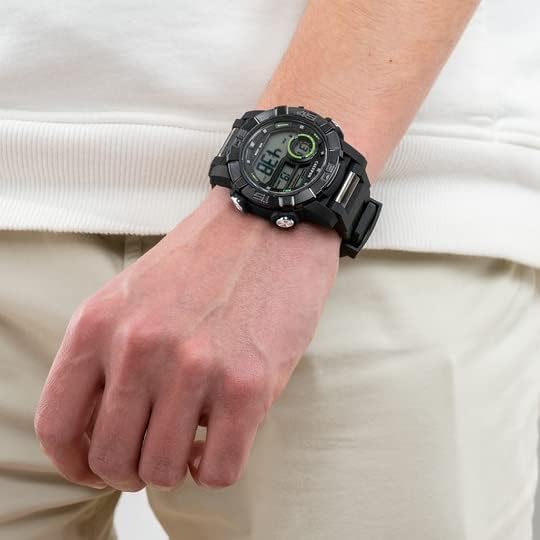
Image 1.1: CALYPSO K5818/4 X-trem Digital Watch on a wrist, showcasing apẹrẹ rẹ.
Awọn akoonu idii:
- CALYPSO K5818/4 X-trem Digital Watch
- Afowoyi Olumulo (iwe-ipamọ yii)

Image 1.2: The watch is typically supplied in a clear cylindrical packaging.
2. Wo Loriview ati Awọn iṣẹ bọtini
Familiarize yourself with the buttons and their functions before operating your watch.
Aworan 2.1: Iwaju view ti aago naa, fifi awọn ipo bọtini han.
- Bọ́tìnì MODE (Òsì-Ìsàlẹ̀): Àwọn ìyípo nípasẹ̀ àwọn ọ̀nà tó yàtọ̀ síra (Àkókò, Chronograph, Alarm).
- SET Button (Left-Top): A lo lati tẹ ati jẹrisi awọn eto ni awọn ipo oriṣiriṣi.
- ADJ Button (Right-Top): Adjusts values during setting, starts/stops chronograph.
- LIGHT Button (Right-Bottom): Activates the backlight for illumination.
3. Eto ati Ipilẹ isẹ
3.1. Eto Aago ati Ọjọ
- In Time Mode (normal time display), press and hold the SET bọtini titi awọn aaya bẹrẹ lati filasi. Eyi tọka pe o wa ni ipo eto.
- Tẹ awọn Imọlẹ Bọtini lati yipo nipasẹ awọn eto: Awọn iṣẹju-aaya → Wakati → Iṣẹju → Ọdun → Oṣu → Ọjọ → ọna kika wakati 12/24.
- Lo awọn ADJ bọtini lati mu iye filasi naa pọ si.
- Ni kete ti gbogbo eto ti wa ni titunse, tẹ awọn SET bọtini lati jade ni ipo eto.
3.2. Lilo Chronograph (Aago iṣẹju-aaya)
- Lati Ipo Akoko, tẹ awọn MODE button once to enter Chronograph Mode. The display will show '00:00:00'.
- Tẹ awọn ADJ bọtini lati bẹrẹ aago iṣẹju-aaya.
- Tẹ awọn ADJ bọtini lẹẹkansi lati da aago iṣẹju-aaya duro.
- Nigba ti aago iṣẹju-aaya ti duro, tẹ awọn SET button to reset it to '00:00:00'.
- Tẹ awọn MODE button to return to Time Mode.
3.3. Ṣiṣeto Itaniji
- Lati Ipo Akoko, tẹ awọn MODE button twice to enter Alarm Mode. The display will show the alarm time.
- Tẹ mọlẹ SET bọtini titi awọn nọmba wakati yoo bẹrẹ si tan imọlẹ.
- Lo awọn ADJ bọtini lati ṣeto aago itaniji ti o fẹ.
- Tẹ awọn Imọlẹ Bọtini lati gbe lọ si awọn nọmba iṣẹju, lẹhinna lo awọn ADJ bọtini lati ṣeto iṣẹju itaniji ti o fẹ.
- Tẹ awọn SET bọtini lati jẹrisi akoko itaniji ati ipo eto ijade.
- Ni Ipo Itaniji, tẹ bọtini naa ADJ button to toggle the alarm ON or OFF. An alarm icon will appear/disappear on the display.
3.4. Lilo awọn Backlight
Tẹ awọn Imọlẹ bọ́tìnì nígbàkigbà láti tan ìmọ́lẹ̀ sí ìbòjú náà fún ìṣẹ́jú díẹ̀, èyí tí yóò jẹ́ kí ó hàn gbangba ní àwọn ipò tí ìmọ́lẹ̀ kò pọ̀.
4. Omi Resistance
Your CALYPSO K5818/4 X-trem watch has a water resistance rating of 10 ATM (100 meters).
- This means the watch is suitable for swimming, snorkeling, and water sports.
- O jẹ kii ṣe suitable for high-impact water sports or diving.
- Pataki: Do not operate any buttons while the watch is submerged in water or wet, as this can compromise the water seal and cause damage.
- Lẹhin ifihan si omi iyọ, fi omi ṣan aago pẹlu omi titun ati ki o gbẹ daradara.
5. Itọju
5.1. Ninu
Láti jẹ́ kí aago rẹ wà ní ipò tó dára:
- Nu apoti aago ati okun nigbagbogbo pẹlu asọ, damp asọ.
- Avoid using harsh chemicals, solvents, or abrasive cleaners, as these can damage the watch materials.
5.2. Batiri Rirọpo
The watch is powered by a quartz movement with a battery. When the display becomes dim or stops functioning, the battery may need replacement. It is recommended to have the battery replaced by a qualified watch technician to ensure the water resistance seal is properly maintained.
5.3. Ibi ipamọ
Tí o kò bá lò ó, fi aago rẹ sí ibi tí ó tutù tí ó sì gbẹ, tí kò sí ibi tí oòrùn lè tàn dé àti ibi tí ó gbóná janjan.
6. Laasigbotitusita
- Ifihan ti ṣofo tabi daku: Batiri naa le jẹ kekere tabi ti dinku. Rọpo batiri naa.
- Akoko ko pe: Reset the time and date according to the instructions in Section 3.1.
- Awọn bọtini ko dahun: Ensure the watch is dry. If the issue persists, there may be internal damage, and professional inspection is recommended.
- Ìrọ̀rùn inú aago náà: This indicates a breach in the water resistance. Stop using the watch immediately and seek professional service to prevent further damage.
7. Awọn pato
| Ẹya ara ẹrọ | Sipesifikesonu |
|---|---|
| Nọmba awoṣe | K5818/4 |
| Ifihan Iru | Oni-nọmba |
| Iṣipopada Iru | Kuotisi |
| Omi Resistance | 10 ATM (100 Meters) |
| Ohun elo ọran | Polycarbonate (Ṣíṣíkà) |
| Ohun elo Band | Polycarbonate (Ṣíṣíkà) |
| Ohun elo Window kiakia | Ṣiṣu |
| Case Opin | 35 millimeters |
| Iwọn Iwọn | 23 millimeters |
| Ọran Sisanra | 16.3 millimeters |
| Iwọn | 40 giramu |
| Pataki Awọn ẹya ara ẹrọ | 24-hour Display, Chronograph |
8. Atilẹyin ọja ati Support
8.1. Atilẹyin ọja olupese
Your CALYPSO K5818/4 X-trem watch is covered by a manufacturer's warranty. Please refer to the warranty card included with your purchase or visit the official CALYPSO webAaye fun alaye ofin ati ipo.
8.2. Apoju Awọn ẹya ara wiwa
Spare parts for this model are available for up to 5 years from the date of purchase.
8.3. Onibara Support
For any questions, service requests, or technical support, please contact CALYPSO customer service through their official webaaye tabi awọn ile-iṣẹ iṣẹ ti a fun ni aṣẹ. Tọju iwe-ẹri rira rẹ bi ẹri rira fun awọn iṣeduro atilẹyin ọja.