
Ọrọ Iṣaaju
The Naxa NSH-3001 Wi-Fi Smart Camera provides reliable home security monitoring with 24/7 HD recording capabilities. This camera allows you to check in on your home remotely from anywhere using your smartphone. It features motion detection, two-way audio communication, night vision, and customizable activity alerts.
This manual provides detailed instructions for setting up, operating, and maintaining your Naxa NSH-3001 Wi-Fi Smart Camera to ensure optimal performance and security.
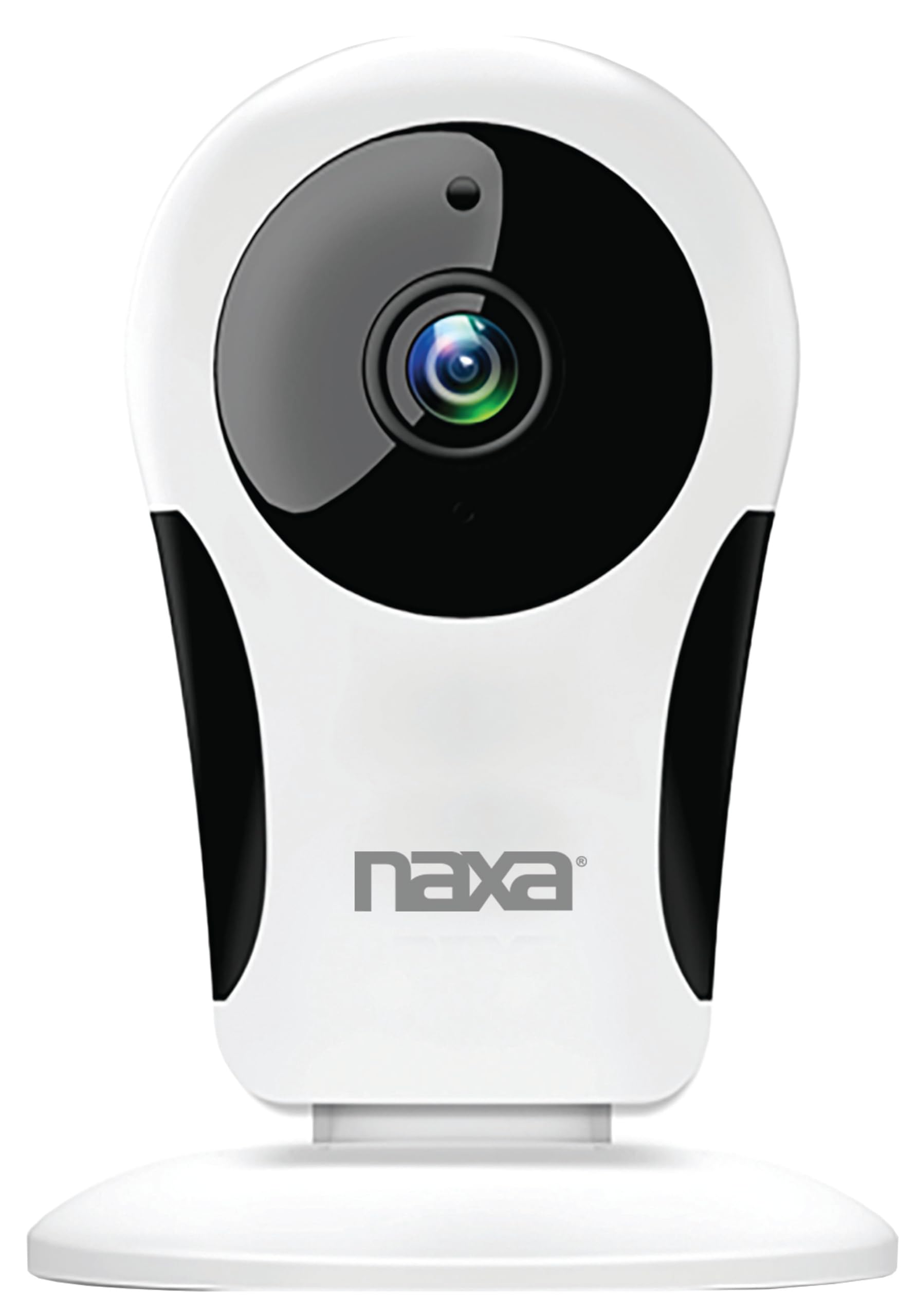
Aworan: Iwaju view of the Naxa NSH-3001 Wi-Fi Smart Camera, showing the lens and Naxa logo.
Ohun ti o wa ninu Apoti
Upon unpacking your Naxa NSH-3001 Wi-Fi Smart Camera, please ensure all the following components are present:
- Wi-Fi Smart Kamẹra
- Adaparọ Agbara AC
- Okun USB
- Afowoyi Olumulo (iwe-ipamọ yii)
Ọja Pariview
Familiarize yourself with the main components of your Naxa NSH-3001 Wi-Fi Smart Camera.

Image: The Naxa NSH-3001 Wi-Fi Smart Camera displayed alongside icons representing its key features: HD Resolution, Encrypted ID, 2-Way Audio, Cloud Service, Motion Detection, IR Night Vision, Time Scheduling, and Hotspot capability.
- Lẹnsi kamẹra: Ya fidio footage.
- Àwọn LED infurarẹẹdi (IR): Pese awọn agbara lati riran ni alẹ.
- Gbohungbohun: Fun titẹ sii ohun ati ibaraẹnisọrọ ọna meji.
- Agbọrọsọ: Fun ohun ti o jade ati ibaraẹnisọrọ ọna meji.
- Ibudo USB Micro: Fun asopọ agbara.
- Bọtini atunto: Ti a lo lati tun kamẹra pada si awọn eto ile-iṣẹ.
- Micro SD Kaadi Iho: Fun ibi ipamọ agbegbe ti foo ti o gbasilẹtage (Micro SD card not included).
Eto Itọsọna
1. Agbara Lori Kamẹra
- Connect the provided USB cable to the camera's Micro USB port.
- So opin keji okun USB pọ mọ oluyipada agbara AC.
- Pulọọgi ohun ti nmu badọgba agbara AC sinu iṣan itanna boṣewa kan.
- The camera will power on, and an indicator light will show its status (refer to the camera's LED indicator guide for specific light patterns).
2. Downloading the Smart Life App
The Naxa NSH-3001 camera is controlled via the Smart Life app. Download it to your smartphone:
- For iOS devices, search for "Smart Life" in the Apple App Store.
- For Android devices, search for "Smart Life" in the Google Play Store.
- Fi app naa sori ẹrọ ki o ṣẹda akọọlẹ kan ti o ko ba ti ni ọkan tẹlẹ.

Image: The Naxa NSH-3001 Wi-Fi Smart Camera shown with the Smart Life app logo and icons for the Apple App Store and Google Play, indicating app compatibility.
3. Nsopọ si Wi-Fi
Ensure your smartphone is connected to a 2.4 GHz Wi-Fi network. The NSH-3001 camera only supports 2.4 GHz Wi-Fi.
- Open the Smart Life app and tap "Add Device" or the "+" icon.
- Yan "Aabo & Video Surveillance" ati ki o si "Smart kamẹra".
- Follow the on-screen instructions in the app to connect your camera to your Wi-Fi network. This typically involves scanning a QR code generated by the app with the camera's lens.
- Once connected, the camera's indicator light will change (refer to the LED indicator guide), and you will see the camera added to your app.
4. Iṣagbesori Kamẹra
The NSH-3001 camera is designed for wall mount installation, but can also be placed on a flat surface. Choose a location that provides the desired viewing angle (105 degrees) and is within range of your Wi-Fi signal.

Image: The Naxa NSH-3001 Wi-Fi Smart Camera positioned on a nightstand in a bedroom, demonstrating a typical indoor placement.
- For wall mounting, use appropriate screws and anchors (not included) to secure the camera's base to the wall.
- Ṣe àtúnṣe igun kámẹ́rà náà láti bo agbègbè tí o fẹ́.
Awọn ilana Iṣiṣẹ
Gbe View àti Ìwọ̀lé Láàárín Ọ̀nà
Once connected, you can access your camera's live feed from anywhere using the Smart Life app on your smartphone.
- Open the Smart Life app and select your NSH-3001 camera from the device list.
- The live video stream will appear.
Ibaraẹnisọrọ Audio-Ona Meji
The camera supports two-way audio, allowing you to hear and speak through the camera.
- Ninu aye view interface of the app, tap the microphone icon to speak.
- Fọwọ ba aami agbọrọsọ lati tẹtisi ohun lati ipo kamẹra naa.
Išipopada erin ati titaniji
The camera can detect motion and send real-time push notifications to your phone.
- Navigate to the camera settings within the Smart Life app.
- Mu "Iwari Iṣipopada" ṣiṣẹ ki o si ṣatunṣe awọn ipele ifamọ bi o ṣe nilo.
- Configure alert schedules and notification preferences.
Alẹ Iranran
The NSH-3001 features an IR-cut filter for clear night vision, automatically switching between day and night modes based on ambient light.
- Night mode activates automatically in low-light conditions.
- The IR-cut filter ensures optimal clarity in both day and night recordings.
Video Recording and Storage
The camera supports 24/7 HD recording. Footage can be stored locally or via cloud service (subscription may be required).
- Ibi ipamọ kaadi SD Micro: Insert a compatible Micro SD card (up to 128GB, not included) into the camera's SD card slot for continuous or event-based recording.
- Ibi ipamọ awọsanma: Check the Smart Life app for available cloud storage options and subscription details.
- Review foo ti o ti gbasilẹtage directly through the Smart Life app.
Video Tuning
Adjust video parameters directly from your smartphone for optimal image quality.
- Within the Smart Life app, access video settings to adjust contrast, brightness, saturation, and sharpness.
Iṣeto akoko
Set schedules for camera operation, recording, or alerts.
- Use the Smart Life app's scheduling feature to define specific times for motion detection, recording, or other functions.
Itoju
Proper maintenance ensures the longevity and optimal performance of your Naxa NSH-3001 Wi-Fi Smart Camera.
- Ninu: Fi rọra nu lẹnsi kamẹra ati ara pẹlu asọ ti o gbẹ. Yẹra fun lilo awọn kẹmika lile tabi awọn afọmọ abrasive.
- Awọn imudojuiwọn sọfitiwia: Regularly check the Smart Life app for firmware updates for your camera. Keeping the firmware updated ensures you have the latest features and security enhancements.
- Ibi: Ensure the camera is placed in a stable location and protected from extreme temperatures, direct sunlight, and moisture.
Laasigbotitusita
If you encounter issues with your Naxa NSH-3001 Wi-Fi Smart Camera, refer to the following common solutions:
| Isoro | Owun to le Solusan |
|---|---|
| Kamẹra ko sopọ mọ Wi-Fi |
|
| No video feed in the app |
|
| A ko gba awọn iwifunni išipopada |
|
| Ohun afetigbọ ọna meji ko ṣiṣẹ |
|
If problems persist, please contact Naxa customer support.
Awọn pato
| Ẹya ara ẹrọ | Ẹ̀kúnrẹ́rẹ́ |
|---|---|
| Orukọ awoṣe | NSH-3001 |
| Brand | Naxa |
| Asopọmọra Technology | Wi-Fi (2.4 GHz) |
| Ipinnu Yaworan fidio | 720p |
| Viewigun igun | Awọn iwọn 105 |
| Pataki Ẹya | Motion Sensor, Night Vision, Two-Way Audio |
| inu ile / ita gbangba Lilo | Indoor, Outdoor (Note: IP54 rating suggests splash resistance, not full outdoor weatherproofing) |
| Orisun agbara | Okun Itanna |
| Awọn ẹrọ ibaramu | Smartphone (via Smart Life App) |
| Iṣagbesori Iru | Ògiri Ògiri |
| Ibi ipamọ | Micro SD Card (up to 128GB, not included), Cloud Storage (optional) |
| Awọn iwọn (L x W x H) | 3.2 x 3.2 x 4.3 inches |
| Iwọn Nkan | 3.2 iwon |
| Ohun elo | Ṣiṣu |
| International Idaabobo Rating | IP54 |
Atilẹyin ọja ati Support
Naxa Electronics, Inc. manufactures the NSH-3001 Wi-Fi Smart Camera. For specific warranty information, please refer to the warranty card included with your product or visit the official Naxa webojula.
For technical support, troubleshooting assistance beyond this manual, or inquiries about your product, please contact Naxa customer service. Contact details can typically be found on the Naxa webaaye tabi lori apoti ọja.
Naxa Official Webojula: www.naxa.com