
MorePro HM08
MorePro HM08 Fitness Tracker User Manual
Model: HM08 | Brand: MorePro
Ọrọ Iṣaaju
Welcome to the MorePro HM08 Fitness Tracker user manual. This guide provides comprehensive instructions for setting up, operating, maintaining, and troubleshooting your new fitness tracker. The MorePro HM08 is designed to help you monitor your health and fitness activities, including heart rate, blood pressure, blood oxygen, sleep patterns, and daily activity tracking.

Figure 1: MorePro HM08 Fitness Tracker, showcasing awọn oniwe-aso oniru ati ki o larinrin àpapọ.
Ohun ti o wa ninu Apoti
Nigbati o ba ṣii package, jọwọ rii daju pe gbogbo awọn nkan wọnyi wa:
- Fitness tracker (MorePro HM08)
- Ngba agbara USB
- Itọsọna olumulo (iwe yii)
Ṣeto
1. Gbigba agbara akọkọ
Before first use, fully charge your MorePro HM08 fitness tracker. Connect the provided charging cable to the charging contacts on the back of the device and plug the USB end into a compatible power source (e.g., computer USB port, USB wall adapter). A full charge typically takes approximately 2 hours.

Figure 2: Connecting the magnetic charging cable to the MorePro HM08 for power.
2. Fifi sori App ati Sisopọ
To unlock the full potential of your MorePro HM08, download and install the official MorePro app on your smartphone. The app is compatible with Android 5.0 & iOS 10 and above smartphones with Bluetooth 4.0. It is not compatible with PC, iPad, or Tablet devices.
- Wa fun "MorePro" in your smartphone's app store (Google Play Store for Android or Apple App Store for iOS).
- Ṣe igbasilẹ ati fi sori ẹrọ ohun elo naa.
- Open the MorePro app and follow the on-screen instructions to create an account or log in.
- Mu Bluetooth ṣiṣẹ lori foonuiyara rẹ.
- Within the MorePro app, navigate to the device pairing section and select your HM08 tracker from the list of available devices.
- Confirm the pairing request on both your smartphone and the tracker if prompted.
3. Customizing Watch oju
Personalize your MorePro HM08 by choosing from a wide array of watch faces available through the MorePro app. You can switch the UI style directly on the watch by twisting the button.
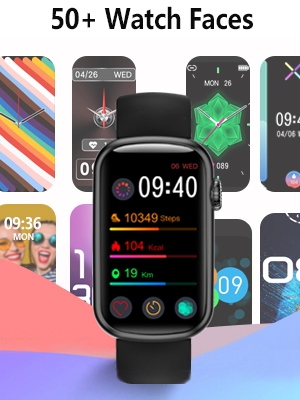
Figure 3: A selection of customizable watch faces for the MorePro HM08.
Operating Your MorePro HM08
The MorePro HM08 features a 1.47-inch large color screen with full touch functionality for easy navigation. Use the side button for additional control and UI style switching.
1. Titele aṣayan iṣẹ-ṣiṣe
Your fitness tracker supports all-day activity tracking, automatically recognizing 7 popular activities including running, cycling, and swimming. It records steps, distance, and calories burned.
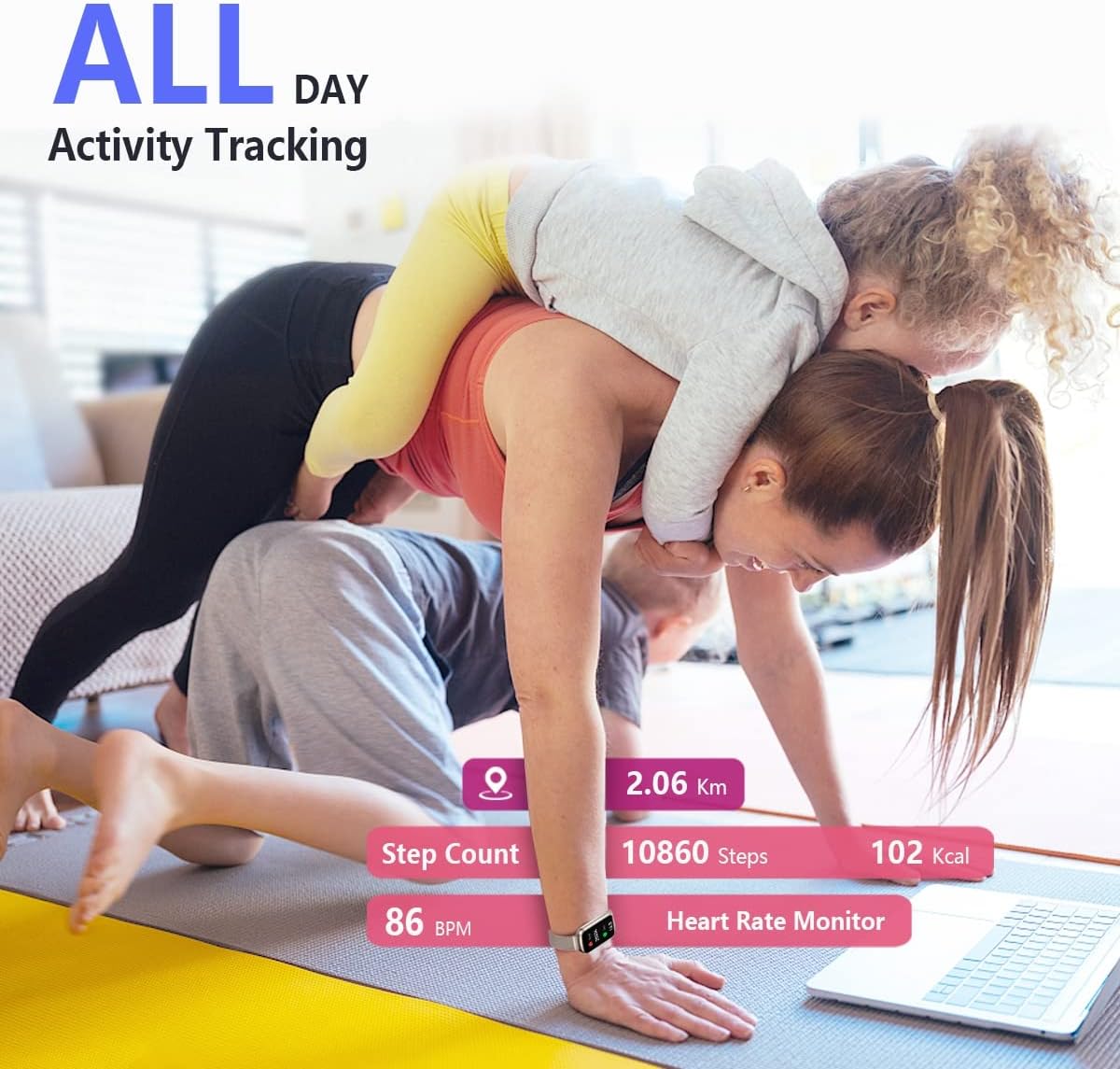
Figure 4: The MorePro HM08 tracking daily activities such as steps, calories, and distance.
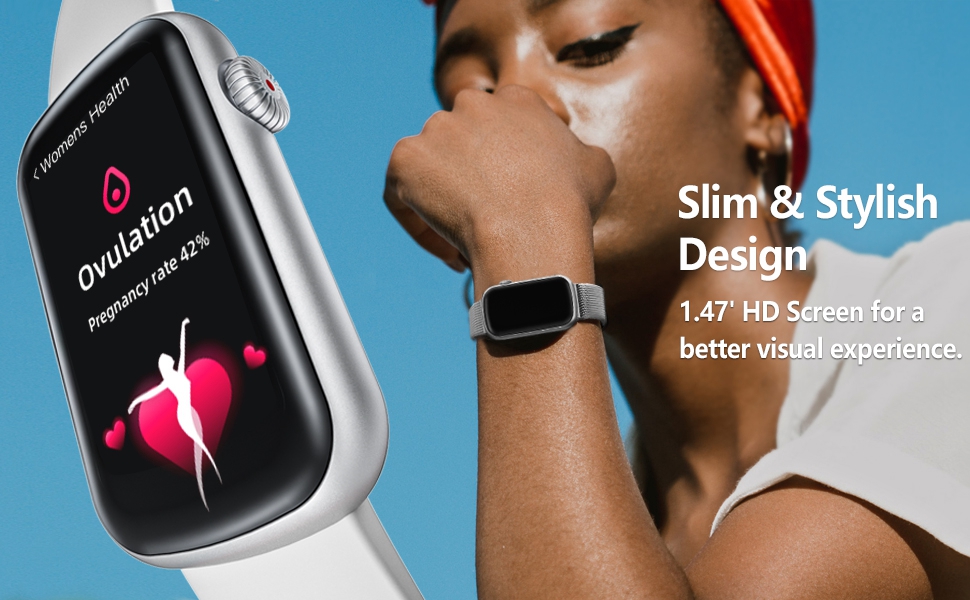
Figure 5: Detailed fitness and activity data, including calories burned, step count, tracking distance, and heart rate, viewable on the tracker and synced to the app.
2. Abojuto Ilera
The MorePro HM08 provides comprehensive health monitoring features:
- Atẹle Oṣuwọn ọkan: Automatically monitors your real-time heart rate 24/7.
- Blood Pressure Watch: Monitors your blood pressure to help you understand your body's state.
- Blood Oxygen Tracking: Monitors your blood oxygen saturation (SpO2) levels.
- Titele orun: Automatically monitors your sleep and blood oxygen levels during the night, tracking sleep types to analyze sleep quality.
Note: This device is not intended to diagnose or treat any medical conditions. It provides information to help manage your well-being.

Figure 6: The MorePro HM08 offers 24-hour health tracking for heart rate, blood pressure, blood oxygen, and sleep.
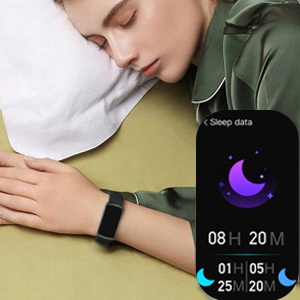
Figure 7: The MorePro HM08 provides detailed sleep data analysis.
3. Smart Awọn ẹya ara ẹrọ
Enhance your daily life with these convenient smart features:
- Awọn iwifunni Ifiranṣẹ: Receive notifications for calls and messages directly on your wrist.
- Àfojúsùn ojú ọjọ: Gba awọn imudojuiwọn oju ojo ni akoko gidi.
- Drink and Sedentary Reminders: Stay hydrated and active with timely reminders.
- Iṣakoso Orin: Ṣakoso ṣiṣiṣẹsẹhin orin lori foonu ti o sopọ mọ rẹ.
- Female Menstruation Period Reminder: Tọpinpin ati gba awọn olurannileti fun awọn akoko oṣu.

Figure 8: The MorePro HM08 provides smart notifications directly on your wrist.
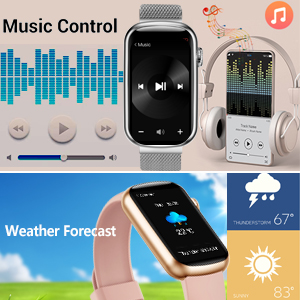
Figure 9: Music control and weather forecast displayed on the MorePro HM08.
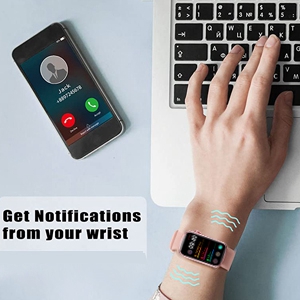
Figure 10: The MorePro HM08 vibrating to alert the user of incoming notifications.
4. Ọja Ipariview Fidio
Wo fidio osise yii fun wiwo lori oju opo wẹẹbu kanview of the MorePro HM08's features and functionalities.
Video 1: "MorePro, always take good care of your health." This video demonstrates various features of the MorePro HM08, including health monitoring, activity tracking, and smart notifications.
Itoju
1. Mabomire Rating
The MorePro HM08 fitness watch is designed with an IP68 waterproof rating. This means it is resistant to dust and can withstand immersion in water up to 1.5 meters for up to 30 minutes. You do not need to worry when handwashing or in light rain. However, it is not recommended for hot showers, saunas, or diving, as steam and hot water can damage the seals.
2. Ninu ati Itọju
To maintain your device, regularly clean the tracker and its band. Use a soft, damp cloth to wipe down the screen and body. Ensure the charging contacts are clean and dry before charging to prevent corrosion.
3. Aye batiri
The MorePro HM08 offers a long battery life, providing up to 7-10 days of usage on a single charge, depending on usage patterns and feature activation. Regular charging as described in the "Setup" section will ensure optimal performance.
Laasigbotitusita
If you encounter issues with your MorePro HM08, please refer to the following common solutions:
- Ẹ̀rọ kò tan/gba agbara: Ensure the charging cable is securely connected to both the tracker and the power source. Verify the power source is active. Allow the device to charge for at least 30 minutes before attempting to turn it on.
- Awọn oran Isopọpọ:
- Ensure Bluetooth is enabled on your smartphone and the tracker is within range.
- Restart both your smartphone and the fitness tracker.
- Forget the device in your phone's Bluetooth settings and attempt to pair again through the MorePro app.
- Confirm your smartphone meets the compatibility requirements (Android 5.0+ or iOS 10+ with Bluetooth 4.0).
- Inaccurate Step Count: Ensure the tracker is worn snugly on your wrist. Arm movements not associated with walking (e.g., crafting, typing) can sometimes be misinterpreted.
- Inaccurate Blood Oxygen (SpO2) Readings: While the device provides health information, it is not a medical device. For precise medical measurements, consult professional medical equipment. Ensure the tracker is worn correctly and the sensor is clean.
- Igbesi aye batiri kukuru:
- Frequent use of features like continuous heart rate monitoring, bright screen, and numerous notifications can reduce battery life.
- Ensure the device is fully charged each time.
- Reduce screen brightness or notification frequency if extended battery life is desired.
- Awọn iwifunni Ko farahan: Check app permissions on your smartphone to ensure the MorePro app has access to notifications. Verify that notifications are enabled within the MorePro app settings for specific applications.
If the issue persists, please refer to the official MorePro support channels or the full user manual available online.
Awọn pato
| Ẹya ara ẹrọ | Ẹ̀kúnrẹ́rẹ́ |
|---|---|
| Orukọ awoṣe | HM08 |
| Brand | Diẹ siiPro |
| Iwon iboju | 1.47 inches |
| Ọja Mefa | 1 x 1 x 1 inches |
| Iwọn Nkan | 3.2 iwon |
| Awọn batiri | 1 batiri litiumu ion (pẹlu) |
| Eto isesise | Android, iOS |
| Asopọmọra Technology | Bluetooth |
| Alailowaya Ibaraẹnisọrọ Alailowaya | Bluetooth |
| Mabomire Rating | IP68 |
| Pataki Awọn ẹya ara ẹrọ | Activity Tracker, Heart Rate Monitor, Blood Pressure Monitor, Sleep Monitor, Calorie Tracker, Oxymeter (SpO2), Pedometer, Distance Tracker, Notifications, Weather Forecast, Sedentary Reminder, Music Player, Daily Workout Memory |
Atilẹyin ọja ati Support
For warranty information and customer support, please refer to the official MorePro website or contact their customer service directly. The full user manual can also be accessed via the provided PDF link: MorePro HM08 User Manual PDF.
Ask a question about this manual
Ask about setup, troubleshooting, compatibility, parts, safety, or missing instructions. Manuals+ will review the question and use this page’s manual context to help answer it.