
1. Ifihan
This manual provides detailed instructions for the installation, operation, and maintenance of your Xanlite ECP50RDCW USB Rechargeable Magnetic Sensor LED Cabinet and Drawer Light. This device is designed to provide convenient, automatic illumination in dark spaces such as cabinets, drawers, and wardrobes. Please read this manual thoroughly before use to ensure proper function and safety.
2. Awọn ilana aabo
- Ma ṣe fi ẹrọ naa han si awọn iwọn otutu to gaju, imọlẹ orun taara, tabi ọriniinitutu giga.
- Má ṣe gbìyànjú láti tú tàbí ṣe àtúnṣe ẹ̀rọ náà. Èyí lè sọ àtìlẹ́yìn náà di òfo, ó sì lè fa ewu ààbò.
- Jeki ẹrọ naa kuro ninu omi ati awọn olomi miiran.
- Use only the provided or a certified USB cable for charging.
- Rí i dájú pé ojú ibi tí a fi sori ẹrọ náà mọ́, gbẹ, àti pé ó mọ́ tónítóní fún iṣẹ́ àlẹ̀mọ́ tó dára jùlọ.
- This product contains a rechargeable battery. Dispose of the product and battery responsibly according to local regulations.
3. Package Awọn akoonu
Jẹrisi pe gbogbo awọn paati wa ninu package:
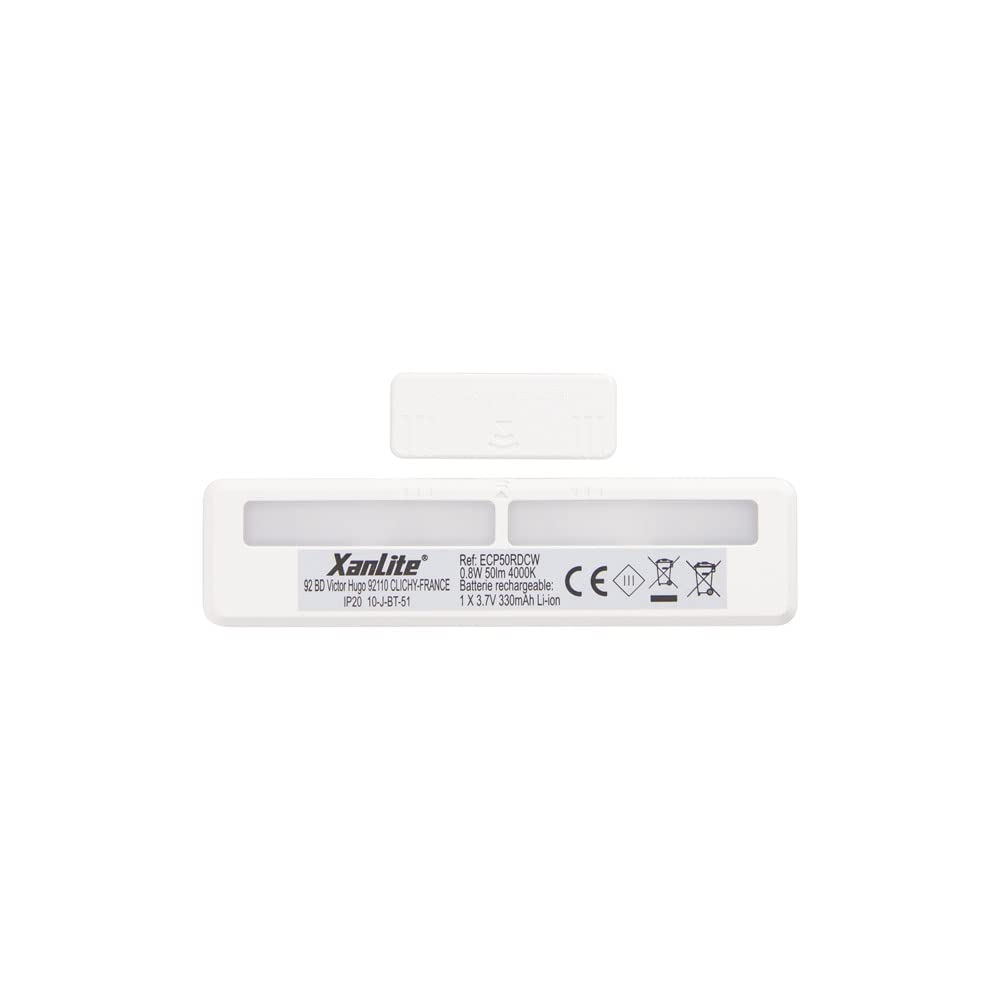
- Xanlite ECP50RDCW LED Light Unit
- Okun Ngba agbara USB
- Magnetic Mounting Strips with Adhesive
- Afowoyi Olumulo (iwe-ipamọ yii)
4. Awọn ẹya Ọja
- Imọlẹ Aifọwọyi: Equipped with a magnetic sensor for automatic light activation.
- Batiri gbigba agbara: Integrated battery, easily rechargeable via USB.
- Ijade Imọlẹ: Delivers 50 lumens of neutral white light.
- Fifi sori Rọrun: Features adhesive-based magnetic mounting for quick and secure placement.
- Agbara Lilo: Lilo agbara kekere fun igbesi aye batiri ti o gbooro sii.
- Apẹrẹ Iwapọ: Discreet aluminum design suitable for various interior decors.
5. Eto ati fifi sori
The Xanlite ECP50RDCW light is designed for simple, tool-free installation using its magnetic and adhesive mounting system.
- Yan Ibi: Select a suitable location inside a cabinet, drawer, or wardrobe where you require illumination. Ensure the surface is clean, dry, and smooth.
- Mura Ilẹ: Clean the chosen surface thoroughly to remove any dust, grease, or moisture. This ensures optimal adhesion.
- So awọn ila oofa: Peel the protective backing from the adhesive side of the magnetic mounting strips. Firmly press the strips onto the cleaned surface. Hold for a few seconds to ensure good contact.
- Ẹyọ Imọlẹ Gbé Kalẹ̀: The LED light unit has built-in magnets. Align the light unit with the installed magnetic strips on the surface. The magnets will hold the light securely in place.
- Sensọ Idanwo: Close and open the cabinet/drawer to test the magnetic sensor's functionality. The light should turn on when the cabinet/drawer is opened and turn off when closed.
6. Awọn ilana Iṣiṣẹ
The Xanlite ECP50RDCW LED light operates automatically using its integrated magnetic sensor.
- Ṣiṣẹ Aifọwọyi: When the light unit is installed and charged, it will automatically detect the opening of a cabinet or drawer via its magnetic sensor. The light will turn on instantly.
- Imukuro aladaaṣe: When the cabinet or drawer is closed, the magnetic sensor will detect this change, and the light will automatically turn off after a short delay.
- Ijade Imọlẹ: The device provides a neutral white light with a brightness of 50 lumens, suitable for illuminating small enclosed spaces.
7. Ngba agbara si Batiri naa
The Xanlite ECP50RDCW features a built-in rechargeable battery. When the light output appears dim or the light does not activate reliably, it is time to recharge the unit.
- Remove Light Unit: Gently detach the LED light unit from the magnetic mounting strips.
- So okun USB pọ: Locate the USB charging port on the light unit. Insert the small end of the provided USB charging cable into this port.
- Sopọ si Agbara: Plug the larger end of the USB cable into a standard USB power adapter (e.g., phone charger, computer USB port) or a power bank.
- Atọka gbigba agbara: The light unit may have an indicator LED that changes color (e.g., red for charging, green for fully charged). Refer to the product for specific indicator behavior.
- Reattach Light Unit: Once fully charged, disconnect the USB cable and reattach the light unit to its magnetic mounting strips.
8. Itọju
- Ninu: Fi aṣọ rírọrùn tí ó gbẹ nu ẹ̀rọ ina náà. Má ṣe lo àwọn ohun ìfọṣọ tàbí àwọn ohun èlò ìfọṣọ.
- Itọju Batiri: To prolong battery life, avoid fully discharging the battery frequently. Recharge the unit when the light output diminishes. If storing for an extended period, charge the battery to about 50% every few months.
- Ṣayẹwo alemora: Periodically check the adhesion of the magnetic strips. If they become loose, clean the surface and reapply new adhesive strips if necessary.
9. Laasigbotitusita
| Isoro | Owun to le Fa | Ojutu |
|---|---|---|
| Imọlẹ ko tan. | Batiri ti wa ni idasilẹ. Magnetic sensor not detecting movement. Light unit not properly attached. | Gba agbara si batiri nipa lilo okun USB. Ensure the magnetic strips are correctly positioned relative to the sensor. Reattach the light unit firmly to the magnetic strips. |
| Imọlẹ jẹ baibai. | Batiri kekere. | Saji si batiri. |
| Light turns on/off erratically. | Interference with magnetic sensor. Asopọ alaimuṣinṣin. | Ensure no other magnetic objects are near the sensor. Check if the light unit is securely attached to the magnetic strips. |
| Adhesive strips are not holding. | Surface not clean or smooth. Old adhesive. | Clean the surface thoroughly before application. Use new, strong adhesive strips. |
10. Awọn pato
| Ẹya ara ẹrọ | Ẹ̀kúnrẹ́rẹ́ |
|---|---|
| Nọmba awoṣe | ECP50RDCW |
| Brand | Xanlite |
| Imọlẹ Iru | LED |
| Flux Imọlẹ | 50 Lumens |
| Awọ Imọlẹ | Eedu didoju |
| Orisun agbara | Batiri gbigba agbara (USB) |
| Sensọ Iru | Oluwari oofa |
| Iṣagbesori Ọna | Adhesive with Magnetic Attachment |
| Ohun elo | Aluminiomu |
| Agbara Aami | A+ |
| Iwọn | 1 Kilogram (Note: This seems high for a small light, likely package weight) |
| Ilu isenbale | China |
11. Atilẹyin ọja ati Support
Xanlite is committed to providing quality products and excellent customer service. If you encounter any issues with your ECP50RDCW LED light or have questions not covered in this manual, please do not hesitate to contact Xanlite customer support.
For support, please visit the official Xanlite webaaye tabi tọka si alaye olubasọrọ ti a pese pẹlu rira rẹ.