1. Ifihan ati Loriview
Thank you for choosing the INNOCN 27M2U 27-inch 4K Mini LED HDR1000 Computer Monitor. This manual provides essential information for setting up, operating, and maintaining your monitor. Please read it thoroughly before use.
The INNOCN 27M2U features a stunning 27-inch 4K UHD (3840 x 2160) IPS panel with Mini-LED backlight technology, delivering HDR1000 with 1,000 cd/m2 peak brightness for exceptional contrast and vibrant colors. It boasts 99% DCI-P3 and 99% Adobe RGB color gamut coverage with a Delta E of less than 2, ensuring professional-grade color accuracy. Connectivity options include USB-C with 90W Power Delivery, two HDMI 2.0 ports, and one DisplayPort 1.4. The monitor also includes a built-in automatic lighting sensor for adaptive brightness and offers extensive ergonomic adjustments.
2. Ohun ti o wa ninu Apoti
Jọwọ ṣayẹwo awọn akoonu inu package rẹ lati rii daju pe gbogbo awọn nkan wa:
- 1 x INNOCN 27M2U 4K Monitor
- 1 x Iduro Iduro
- 1 x Ipilẹ Atẹle
- 1 x Power Supply (Adapter + Cable)
- Okun DP 1 x
- 1 x HDMI Okun
- 1 x Okun USB Iru-C
- 1 x Ilana itọnisọna
- 1 x Color Collaboration Report
3. Awọn ilana iṣeto
Follow these steps to assemble and connect your monitor:
- Ṣe apejọ Iduro naa: Attach the monitor stand to the monitor base securely.
- Attach Monitor to Stand: Carefully align the monitor panel with the assembled stand and secure it. The design allows for easy, tool-free assembly.
- So agbara: Connect the power supply to the monitor and then plug it into a power outlet.
- Sopọ si Ẹrọ: Use the provided DP, HDMI, or USB Type-C cable to connect your computer, laptop, tablet, phone, or gaming console to the monitor. For USB-C, ensure your device supports video output and power delivery.

Figure 1: INNOCN 27M2U Monitor set up on a desk.
4. Asopọmọra
The INNOCN 27M2U monitor offers versatile connectivity options:
- USB-C (x1): Supports video input and up to 90W Power Delivery for charging compatible devices.
- Ifihan ifihan 1.4 (x1): Fún ìgbékalẹ̀ fídíò tó ga jùlọ.
- HDMI 2.0 (x2): Two ports for various video input sources.
- 3.5mm Audio Jack (x1): Fun sisopọ olokun tabi awọn agbohunsoke ita.

olusin 2: Ẹyìn view ti atẹle ti o nfihan awọn ibudo titẹ sii oriṣiriṣi.
5. Àwọn Àtúnṣe Ara
The monitor stand provides extensive ergonomic adjustments for optimal viewitunu:
- Atunse Giga: Raise or lower the monitor by up to 100mm (approximately 5 inches).
- Tẹ: Adjust the screen angle 5° forwards and 20° backwards.
- Swivel: Rotate the screen 45° to the left and 45° to the right.
- Pivot: Rotate the screen 90° to the left or right for portrait mode viewing.
- Ibamu VESA: Supports 100x100mm VESA mounts for alternative mounting solutions.
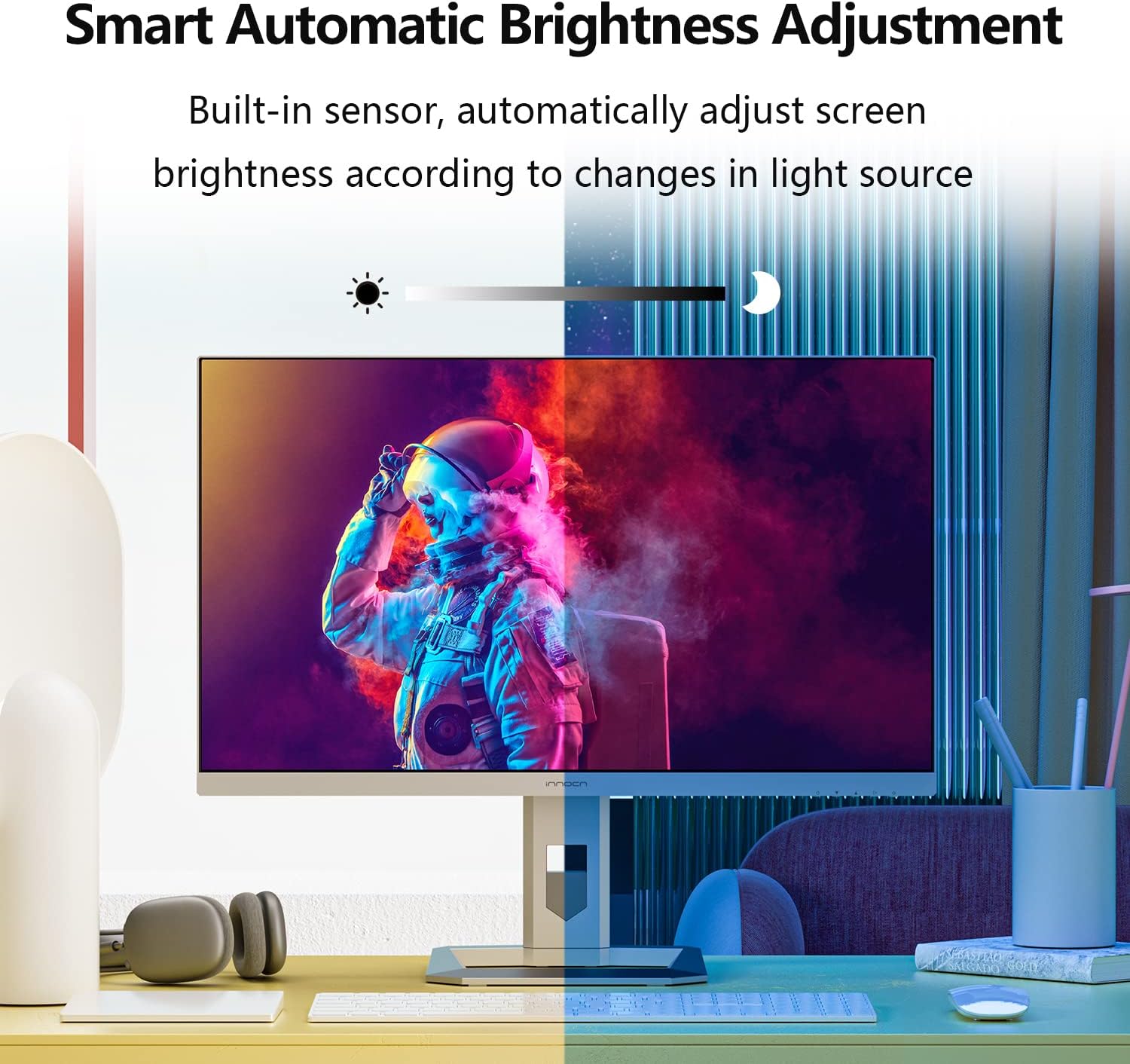
Figure 3: Monitor demonstrating its full range of ergonomic adjustments.
6. Operating Instructions (OSD Menu)
The On-Screen Display (OSD) menu is controlled by buttons located on the bottom right-hand side of the monitor. Note that changing settings in one mode (Professional, Picture, Game) may disable options in others.
6.1 Professional Settings
- Color Gamut Modes: Standard, sRGB, Adobe, DCI-P3.
- Gamma Settings: Adjust the gamma curve.
- Eto iwọn otutu awọ: Natural, Design, Warm, Cool, User (RGB control).
- Dinku: Satunṣe didasilẹ aworan.
- Iwontunwonsi Ojiji: Adjust shadow detail.
- Imọlẹ Buluu Kekere: Reduce blue light emission for eye comfort.
- Hue/Saturation: Fine-tune color hue and saturation.
- Imọlẹ Yiyi: Enable/disable dynamic brightness adjustment.
6.2 Aworan Eto
- Imọlẹ/Itọtọ: Adjust overall display brightness and contrast.
- Ipin Itansan Yiyipo (DCR): Enhance contrast dynamically.
- Awoṣe Itumọ: Movie, Reading, Night, Care Eyes modes.
- HDR Modes: Standard, Movie, Design.
- Ipin Ipin: Adjust display aspect ratio (e.g., Wide Screen).
6.3 Game Settings
- Awọn ọna Ere: RTS/RPG, FPS Arena, MOBA Arena.
- Akoko Idahun: Off, Normal, Fast, Ultra Fast.
- Dimming agbegbe: Enable/disable local dimming.
- Ìyàtọ̀ sí ìmọ́lẹ̀ ẹ̀yìn: Adjust backlight contrast.
6.4 Picture-in-Picture (PIP/PBP)
Allows displaying content from two different sources simultaneously. Settings include signal source, audio source, position, size, and window swap.
6.5 OSD Eto
- Èdè: Select OSD menu language.
- Akoko OSD Jade: Set how long the OSD menu remains on screen.
- Ipo OSD: Adjust the OSD menu's on-screen position.
- Itumọ OSD: Satunṣe akoyawo ti OSD akojọ.
- Hotkey Settings: Customize quick access buttons.
6.6 Miiran Eto
- Ibuwọlu Input: Auto-detect or manually select input source.
- Iwọn didun: Adjust the volume of the built-in 5W speakers or audio output.
- Agbara Aifọwọyi: Enable/disable auto power-off.
- Eyesafe/Remind: Eye comfort features.
- Sensọ Imọlẹ: Automatically adjusts screen brightness based on ambient light.
7. Key Awọn ẹya ara ẹrọ
- Mini-LED Backlight & HDR1000: The 27M2U features a Mini-LED backlight with 1,152 local dimming zones, achieving 1,000 cd/m2 peak brightness for deep blacks and bright whites, enhancing HDR content.
- Exceptional Color Accuracy: With 99% DCI-P3 and 99% Adobe RGB color gamut coverage and a factory-calibrated ΔE < 2, this monitor delivers precise and consistent colors, ideal for creative professionals.
- Automatic Brightness Sensor: A built-in sensor automatically adjusts screen brightness to match ambient lighting conditions, optimizing viewing comfort and reducing eye strain.
- Asopọmọra Wapọ: Equipped with USB-C (90W PD), DisplayPort 1.4, and dual HDMI 2.0 ports, it easily connects to a wide range of devices including PCs, laptops, tablets, phones, and gaming consoles.
- Apẹrẹ Ergonomic: The stand offers height, tilt, swivel, and pivot adjustments, including a gravity sensor for automatic screen rotation, providing flexible viewing angles and improved ergonomics.
Fidio 1: Ifihan fidio ọja osiseasing the INNOCN 27M2U monitor's features and design.
8. Awọn pato
| Ẹya ara ẹrọ | Sipesifikesonu |
|---|---|
| Nọmba awoṣe | 27M2U |
| Iwon iboju | 27 inches |
| Panel Iru | IPS Mini-LED |
| Ipinnu | 3840 x 2160 (4K UHD) |
| Apakan Ipin | 16:9 |
| Oṣuwọn sọtun | 60Hz |
| Akoko Idahun | 12ms (Grẹy-si-Grey) |
| Imọlẹ tente oke | 1000 cd/m2 (HDR1000) |
| Imọlẹ Aṣoju | 450 cd/m2 |
| Awọn agbegbe Dimming Agbegbe | 1152 |
| Awọ Gamut | 99% DCI-P3, 99% Adobe RGB, ΔE<2 |
| Asopọmọra | 1x USB-C (90W PD), 1x DisplayPort 1.4, 2x HDMI 2.0, 1x 3.5mm Audio Jack |
| Awọn agbọrọsọ | 2x 5W |
| Ergonomics | Height, Tilt, Swivel, Pivot, VESA 100x100mm |
| Iwọn (Ọja) | 2.6 x 24 x 14 inches |
| Iwọn | 21.6 iwon |
9. Itọju ati Itọju
- Ninu: Use a soft, dry cloth to clean the screen. For stubborn marks, lightly dampen awọn asọ pẹlu omi tabi a iboju-ninu ojutu. Yẹra fun awọn kẹmika lile.
- Mimu: Always handle the monitor by its edges. Avoid pressing directly on the screen.
- Afẹfẹ: Rii daju pe fentilesonu to dara ni ayika atẹle lati ṣe idiwọ igbona. Ma ṣe dina awọn ṣiṣi atẹgun.
- Ibi ipamọ: Nigbati o ko ba wa ni lilo fun awọn akoko ti o gbooro sii, tọju atẹle naa ni itura, aye gbigbẹ, ni pipe ninu apoti atilẹba rẹ.
10. Laasigbotitusita
- Ko si Agbara: Ensure the power cable is securely connected to both the monitor and the power outlet. Check the power adapter and outlet.
- Ko si ifihan agbara: Verify that the video cable (HDMI, DP, USB-C) is correctly connected to both the monitor and your source device. Select the correct input source via the OSD menu.
- Aworan ti o nmi/ti daru: Ṣàyẹ̀wò okùn fídíò náà fún ìbàjẹ́. Rí i dájú pé àwọn awakọ̀ káàdì fídíò rẹ ti ṣe àtúnṣe. Gbìyànjú ìpinnu tó yàtọ̀ tàbí ìwọ̀n ìtúnṣe.
- Awọn oran awọ: Reset color settings to default in the OSD menu. Ensure the correct color gamut mode is selected. If using HDR, verify HDR is enabled on your source device.
- Awọn bọtini Ko dahun: Power cycle the monitor. Ensure no objects are pressing against the buttons.
11. Alaye Aabo
- Ma ṣe fi iboju han si ojo tabi ọrinrin.
- Maṣe ṣii atẹle casing; kò sí àwọn ẹ̀yà ara tí a lè lò nínú rẹ̀.
- Lo oluyipada agbara nikan ti a pese pẹlu atẹle naa.
- Yago fun gbigbe atẹle naa sinu imọlẹ orun taara tabi sunmọ awọn orisun ooru.
- Jeki atẹle naa kuro ni awọn aaye oofa ti o lagbara.
12. Atilẹyin ọja ati Support
Your INNOCN 27M2U monitor comes with a standard manufacturer's warranty. Please refer to the warranty card included in your package for specific terms and conditions. For technical support, product registration, or service inquiries, please visit the official INNOCN webojula tabi kan si wọn onibara iṣẹ.
Atilẹyin Ayelujara: Ṣabẹwo Ìtajà INNOCN lórí Amazon
What's in the Package: 1 x 27M2U 4K monitor + 1x DP cable + 1 x HDMI cable + 1 x USB Type-C cable + 1 x power supply + 1 x instruction + 1 x color collaboration report
Ibori Atilẹyin ọja: 12 Months Coverage (from feature bullets)
Pada: 30 Days Free Return (from A+ content)
Atilẹyin: 24 Hours Specialist Support (from A+ content)