
1. Ifihan
Thank you for choosing the Sameo ULTRAZONE Wireless 8-Bit Game Console. This console offers a classic gaming experience with 362 built-in games and supports 8-bit cartridges. Enjoy wireless gameplay with the included cordless joysticks. This manual provides essential information for setup, operation, and troubleshooting to ensure you get the most out of your gaming experience.

Image 1.1: Sameo ULTRAZONE Wireless 8-Bit Game Console with two wireless joysticks.
2. Ohun ti o wa ninu Apoti
Jọwọ ṣayẹwo awọn akoonu package lati rii daju pe gbogbo awọn ohun kan wa:
- 1 x Sameo ULTRAZONE Game Console
- 2 x Wireless Joysticks
- 1 x Power Adapter (5.0V DC ~ 500mA)
- 1 x AV Cable (1.5 meter length)
- 1 x Kaadi atilẹyin ọja
- 1 x Itọsọna olumulo (iwe yii)
- Note: 2 x AAA batteries are required for each controller (total 4 AAA batteries), not included.
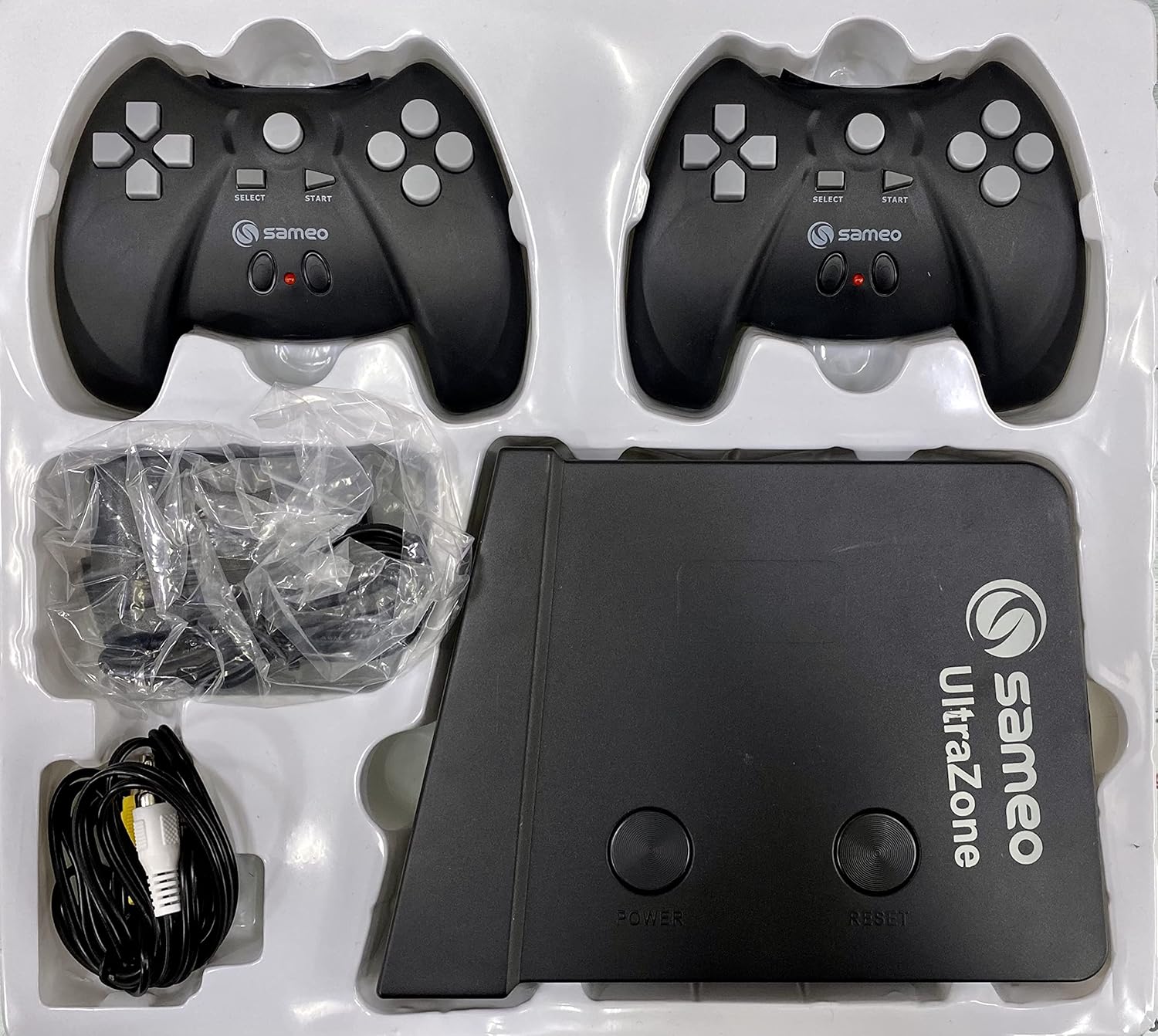
Image 2.1: Retail packaging of the Sameo ULTRAZONE Game Console.
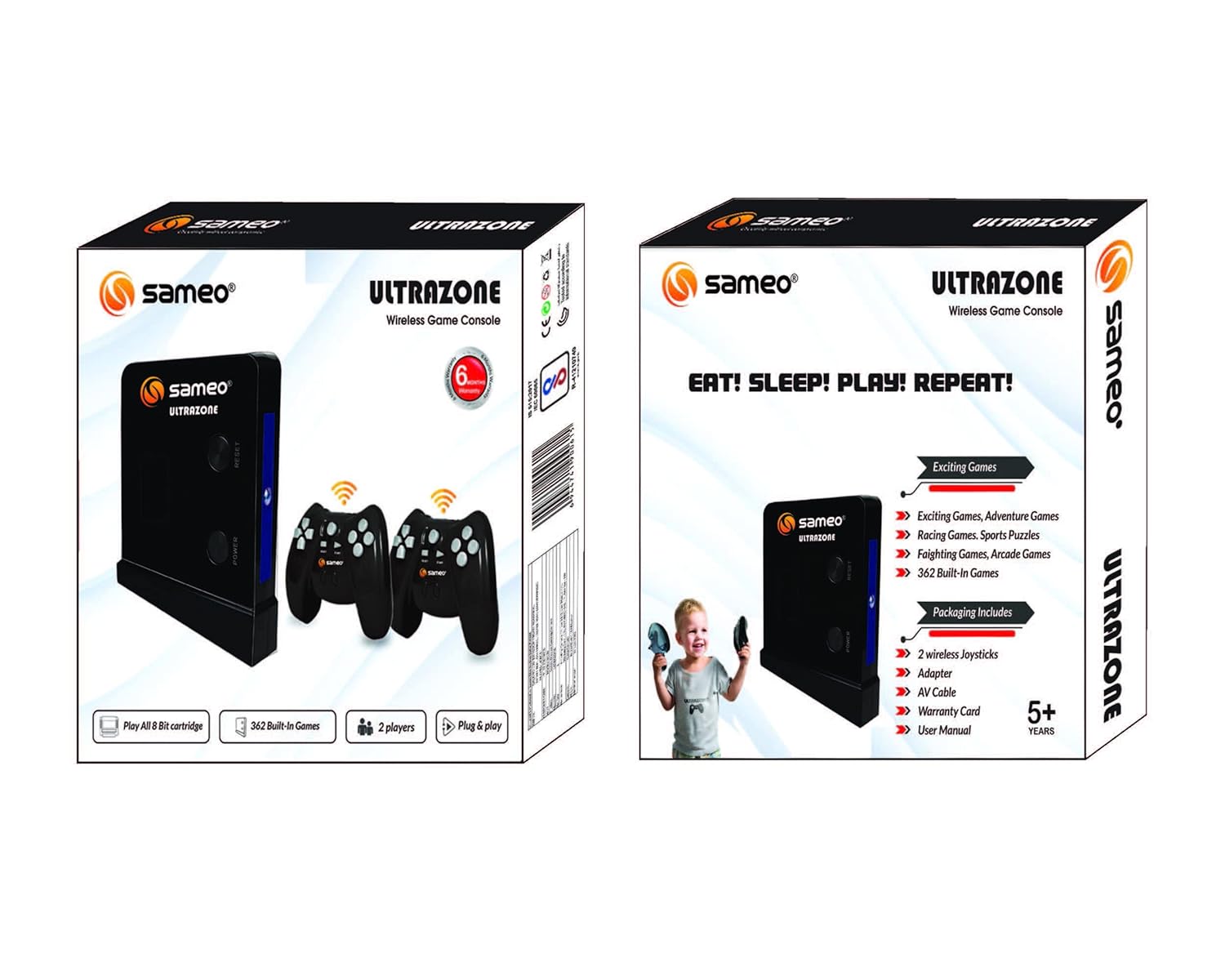
Image 2.2: Back of the retail packaging, listing contents and features.
3. Awọn ilana iṣeto
Follow these steps to set up your Sameo ULTRAZONE Game Console:
- Sopọ Adapter Agbara: Insert the power adapter into a wall outlet and the other end into the designated power slot on the UltraZone machine.
- Connect AV Cable: Insert the AV cable's yellow plug into the yellow video input port on your TV and the white plug into the white audio input port. Connect the 3.5mm jack end of the AV cable into the UltraZone machine's AV output port.
- TV Compatibility Note: If your TV does not have AV input slots, an AV to HDMI converter (sold separately) may be required.
- Insert Batteries into Controllers: Open the battery compartment on each wireless joystick and insert 2 AAA batteries (not included), ensuring correct polarity.
- Kọnsolù Agbára: After completing the connections, press the power button located on the left side of the UltraZone machine to turn it on.

Image 3.1: Visual guide for console installation.
4. Awọn ilana Iṣiṣẹ
Once the console is set up and powered on, follow these steps to start playing:
- Start Wireless Play: Press the round button in the center of your wireless joystick to activate it and begin playing.
- Aṣayan Ere: The console comes with 362 built-in games. Navigate through the game menu using the joystick's directional pad and action buttons.
- Lilo awọn katiriji: The console supports 8-bit game cartridges. Insert a compatible cartridge into the designated slot on the console before powering on, or reset the console after insertion if already on.
- Quit or Reset Game: To exit a game or reset the console, press the center button on the controller or the 'RESET' button on the UltraZone machine.
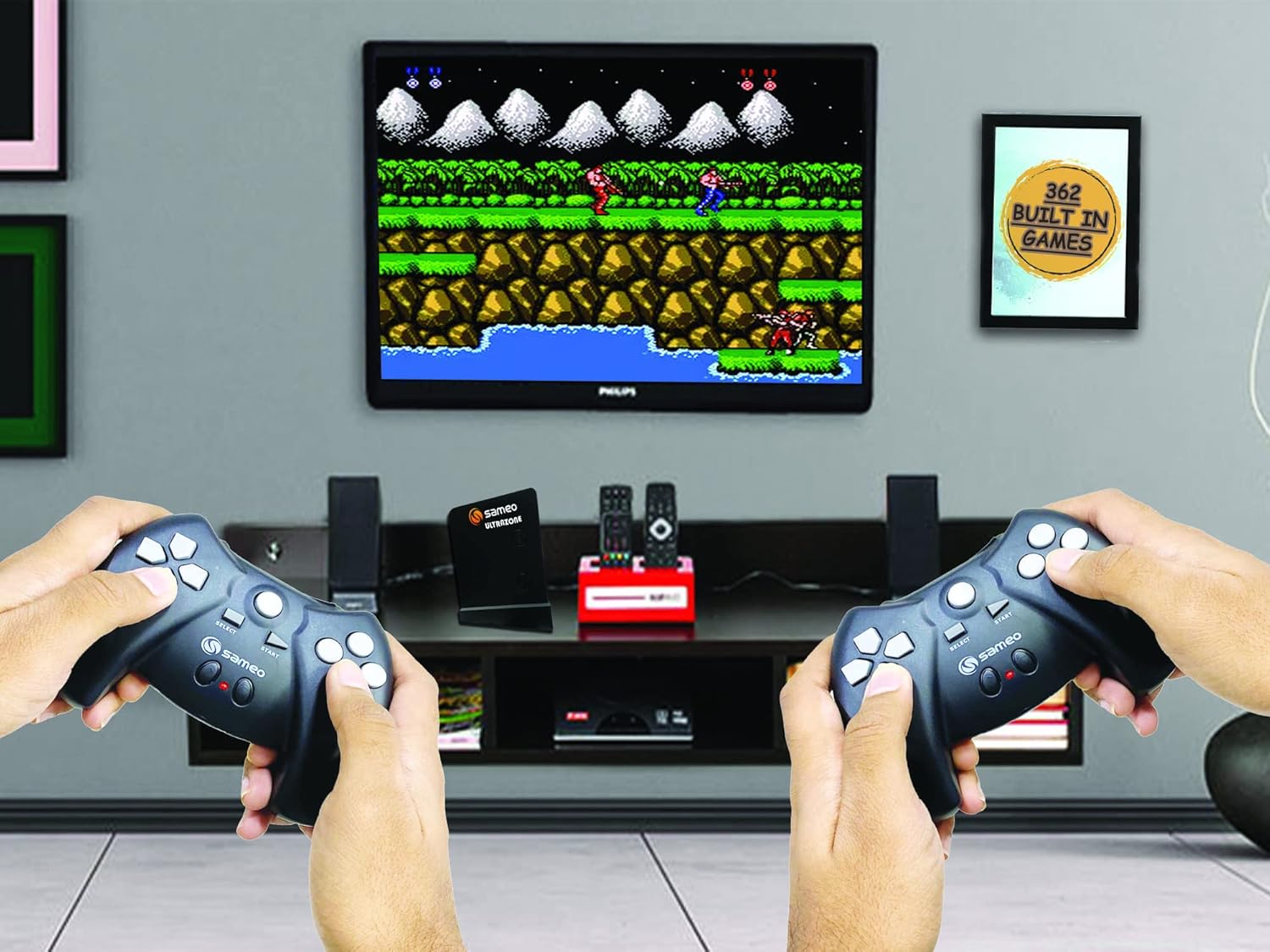
Image 4.1: Sameo ULTRAZONE console in use, displaying gameplay on a television.
A video demonstrating gameplay would be embedded here if available.
5. Laasigbotitusita
If you encounter any issues, please refer to the following troubleshooting tips:
- Ko si Agbara:
- Rí i dájú pé ohun tí a fi ń ṣe agbára náà so mọ́ kọ́ńsólù àti ibi tí agbára náà ti ń ṣiṣẹ́ dáadáa.
- Verify the power button on the console is pressed.
- No Signal on TV / Black Screen:
- Check that the AV cable is firmly connected to both the console and the correct input ports (yellow for video, white for audio) on your TV.
- Ensure your TV is set to the correct AV input source (e.g., AV1, Video, Input).
- If your TV lacks AV input, confirm you are using a compatible AV to HDMI converter (sold separately) and it is correctly installed.
- Wireless Controller Not Responding:
- Check and replace the AAA batteries in the controller, ensuring correct polarity.
- Press the center round button on the controller to ensure it is powered on and attempting to connect.
- Rí i dájú pé kò sí ìdènà láàárín olùdarí àti console náà.
- Ere Didi tabi aisun:
- Try pressing the 'RESET' button on the console or the center button on the controller to restart the game.
- If using a cartridge, ensure it is clean and properly seated in the slot.
- Poor Graphics Quality:
- The Sameo ULTRAZONE is an 8-bit game console, designed to deliver a classic retro gaming experience. The graphics are characteristic of this era and are not comparable to modern high-definition systems.
6. Awọn pato
| Platform | TV Plug & Play |
| Ẹrọ titẹ sii | Joystick |
| Brand | Sameo |
| Nọmba awoṣe | SE/7349 |
| Àwọ̀ | DUDU |
| Asopọmọra Technology | Cartridge slot (AV output) |
| Alailowaya Ibaraẹnisọrọ | Wireless (for joysticks) |
| Awọn ere ti a ṣe sinu | 362 |
| Cartridge Support | 8-bit cartridges |
| Adapter agbara | 5.0V DC ~ 500mA |
| AV Cable Length | 1.5 mita |
| Iwọn Nkan | 400 giramu |
| Ilu isenbale | China |
7. Atilẹyin ọja ati Support
The Sameo ULTRAZONE Wireless 8-Bit Game Console comes with a Atilẹyin ọja olupilẹṣẹ oṣu mejila lati ọjọ ti o ra. Atilẹyin ọja yi ni wiwa awọn abawọn iṣelọpọ labẹ lilo deede.
For warranty claims, technical support, or any inquiries, please contact:
Olupese: Sameo Distribution (India) Pvt Ltd.
Adirẹsi: Lower Parel, Mumbai-400011, India
Jọwọ ṣe idaduro iwe rira rẹ bi ẹri rira fun awọn idi atilẹyin ọja.