
1. Ifihan
Thank you for choosing the ILIFE V3s Max Robot Vacuum and Mop Combo. This device is designed to provide efficient and convenient cleaning for your home, combining powerful vacuuming with intelligent mopping capabilities. This manual provides essential information for the safe operation, maintenance, and troubleshooting of your robot vacuum. Please read it thoroughly before use and retain it for future reference.
2. Awọn ilana aabo
Láti dín ewu ìpalára tàbí ìbàjẹ́ kù, ka gbogbo àwọn ìlànà ààbò kí o sì tẹ̀lé wọn. Ohun èlò yìí wà fún lílo ilé nìkan.
- Do not operate the robot near open flames or fragile objects.
- Jeki irun, aṣọ alaimuṣinṣin, awọn ika ọwọ, ati gbogbo awọn ẹya ara kuro lati awọn ṣiṣi ati awọn ẹya gbigbe.
- Má ṣe jẹ́ kí àwọn ọmọdé máa lo robot náà. Máa ṣe àbójútó àwọn ọmọdé àti ẹranko nígbà tí robot náà bá ń ṣiṣẹ́.
- Use only the original power adapter and charging dock provided by the manufacturer.
- Rii daju pe robot ti gba agbara ni kikun ṣaaju lilo akọkọ.
- Má ṣe lo robot láti kó àwọn pàǹtí ńlá, omi, tàbí àwọn nǹkan tí ń jóná.
- Remove power cords, small objects, and curtains from the cleaning path to prevent entanglement.
- Do not use the mopping function on carpets or rugs.
3. Package Awọn akoonu
Jẹrisi pe gbogbo awọn paati wa ati ni ipo to dara:
- 1x ILIFE V3s Max Robot Vacuum
- 1x Isakoṣo latọna jijin
- 1x Filter (pre-installed)
- 1x AC Adapter
- 1x Ibi gbigba agbara
- 1x Cleaning fẹlẹ
- 2x Side Brushes (spare)
- 1x Mop Cloth
- 1x Water Tank
- 1x Itọsọna olumulo
- Àwọn àpò eruku mẹ́ta
4. Ọja Ipariview
Familiarize yourself with the main components of your ILIFE V3s Max.

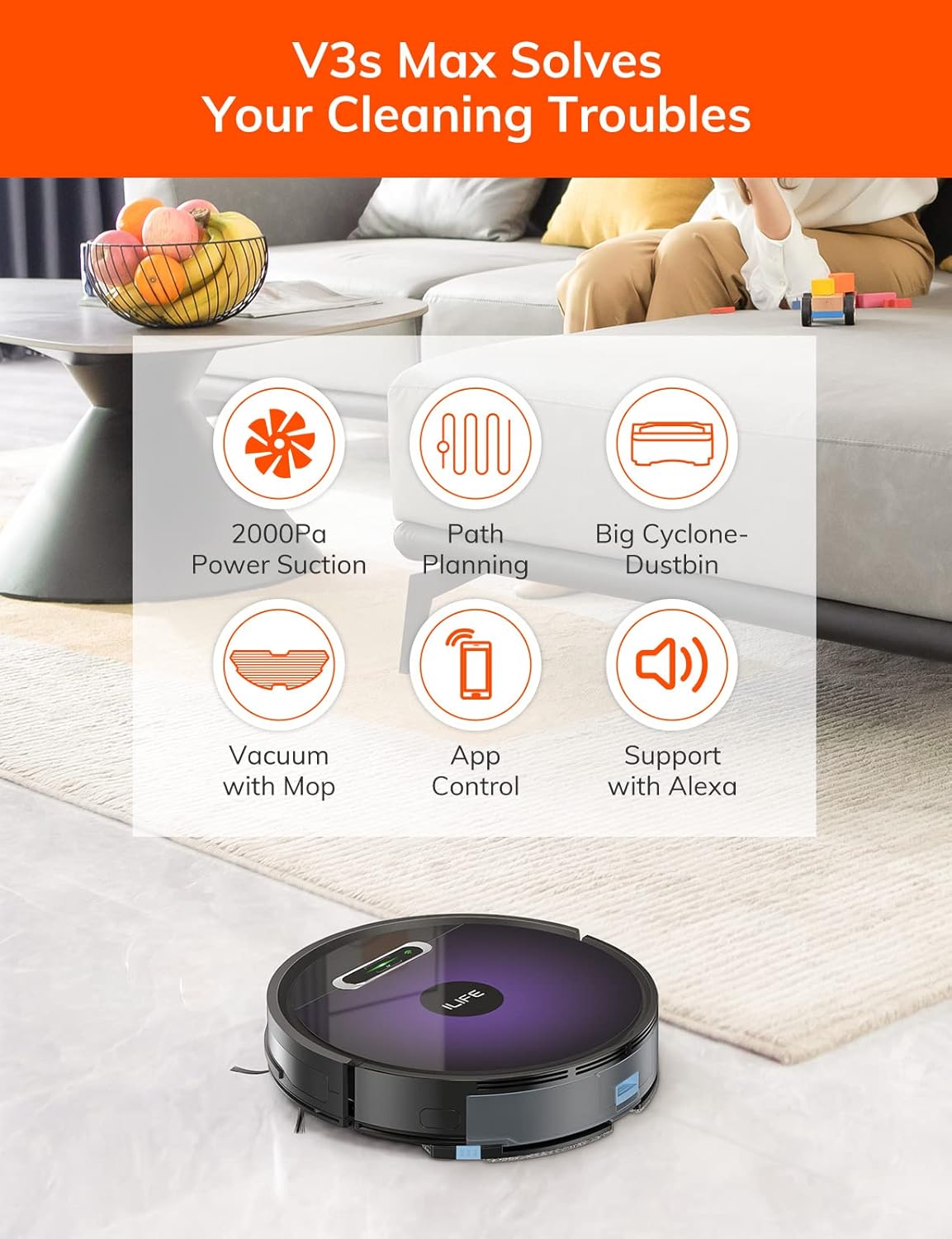
Nọmba 4.1: Oke view of the ILIFE V3s Max robot vacuum, illustrating its 2000Pa suction, path planning, large dustbin, vacuum with mop function, app control, and Alexa support.

Nọmba 4.2: Underside view of the robot vacuum, highlighting the deep edge cleaning brush, powerful suction inlet, and the mop attachment for combined cleaning.
Awọn nkan pataki:
- Ara akọkọ: Contains the motor, dustbin, water tank, and navigation sensors.
- Awọn brushes ẹgbẹ: Sweep debris into the suction path.
- Awọn kẹkẹ Wiwakọ: Allow the robot to move across various surfaces.
- Universal Wheel: Provides directional movement.
- Awọn olubasọrọ gbigba agbara: Connects with the charging dock.
- Dustbin: Collects dry debris.
- Omi omi: Holds water for mopping.
- Aṣọ Mop: Attaches to the water tank for wet cleaning.
- Bọtini agbara: Turns the robot on/off and starts/pauses cleaning.
- Awọn sensọ: Anti-drop, anti-collision, and wall-following sensors.
5. Eto
5.1 Gbigba agbara akọkọ
- Gbé ibùdó ìgbara agbára sí ògiri ní ibi tí ó ṣí sílẹ̀, kí o rí i dájú pé kò sí ìdènà láàárín mítà kan sí ẹ̀gbẹ́ méjèèjì àti mítà 2 ní iwájú.
- Connect the AC adapter to the charging dock and plug it into a power outlet.
- Place the robot onto the charging dock, ensuring the charging contacts align. The indicator light will show charging status.
- Allow the robot to charge completely before first use (approximately 5-6 hours).
Nọmba 5.1: The robot vacuum returning to its charging dock. Ensure the dock is placed in an accessible area.
5.2 App and Wi-Fi Connection
The ILIFE V3s Max supports app control via 2.4G Wi-Fi (5G Wi-Fi is not supported).
- Download the "ILIFEHOME" app from your smartphone's app store (iOS or Android).
- Forukọsilẹ iroyin ati ki o wọle.
- Ensure your phone is connected to a 2.4G Wi-Fi network.
- Follow the in-app instructions to add your device. This typically involves pressing and holding the robot's power button until it enters pairing mode, then entering your Wi-Fi password in the app.

Nọmba 5.2: The ILIFEHOME app interface, demonstrating features like scheduling, cleaning history, suction settings, and cleaning modes. The robot also supports Amazon Alexa integration.
6. Awọn ilana Iṣiṣẹ
6.1 Bíbẹ̀rẹ̀/Dídúró nínú ìmọ́mọ́
- Láti ọwọ́ Rọ́bọ́ọ̀tì: Press the power button once to start or pause cleaning.
- From Remote Control: Press the "Clean" button.
- Láti inú àpù: Tap "Start" or "Pause" in the ILIFEHOME app.
6.2 ninu awọn ipo
The V3s Max offers multiple cleaning modes for different needs:

Nọmba 6.1: Illustration of the robot's multiple cleaning modes: Random, Spot, Edge, and Path (zigzag) cleaning.
- Path Cleaning (Zigzag): The robot cleans in an efficient zigzag pattern, covering the entire area systematically. This is the default mode for general cleaning.
- Isọdọmọ Aami: The robot focuses on a specific dirty area, cleaning in a spiral pattern. Activate this mode for concentrated cleaning of spills or heavily soiled spots.
- Isọfọ eti: The robot cleans along walls and furniture edges. Useful for thorough cleaning of room perimeters.
- Ìmọ́tótó Àìròtẹ́lẹ̀: The robot cleans randomly, suitable for small, uncluttered spaces.
6.3 Fífi omi gbígbóná àti mímú omi kúrò
The V3s Max can vacuum and mop simultaneously or separately.

Nọmba 6.2: The robot vacuum demonstrating its 2000Pa suction power, effectively picking up food crumbs and pet hair from hard floors.

Nọmba 6.3: The robot vacuum illustrating three types of water adjustment for mopping, catering to various floor cleaning needs.
- Igbale: Ensure the dustbin is installed. The robot will use its 2000Pa suction to clean dry debris.
- Mopping: Fill the 200ml water tank with clean water and attach the mop cloth. Insert the water tank into the robot. The robot will then perform wet mopping. Do not use cleaning solutions other than water in the tank.
- Combined Cleaning: With both the dustbin and water tank installed, the robot will vacuum and mop simultaneously.
6.4 Iṣeto
Use the ILIFEHOME app to set cleaning schedules for automated cleaning sessions.
- Open the ILIFEHOME app.
- Navigate to the scheduling section.
- Set desired cleaning times and days.
- Confirm the schedule. The robot will automatically start cleaning at the programmed times.
7. Itọju
Itọju deede ṣe idaniloju iṣẹ ṣiṣe ti o dara julọ ati fa gigun igbesi aye ti igbale robot rẹ.
7.1 Ìmọ́tótó Àpò Ìdọ̀tí àti Àlẹ̀mọ́
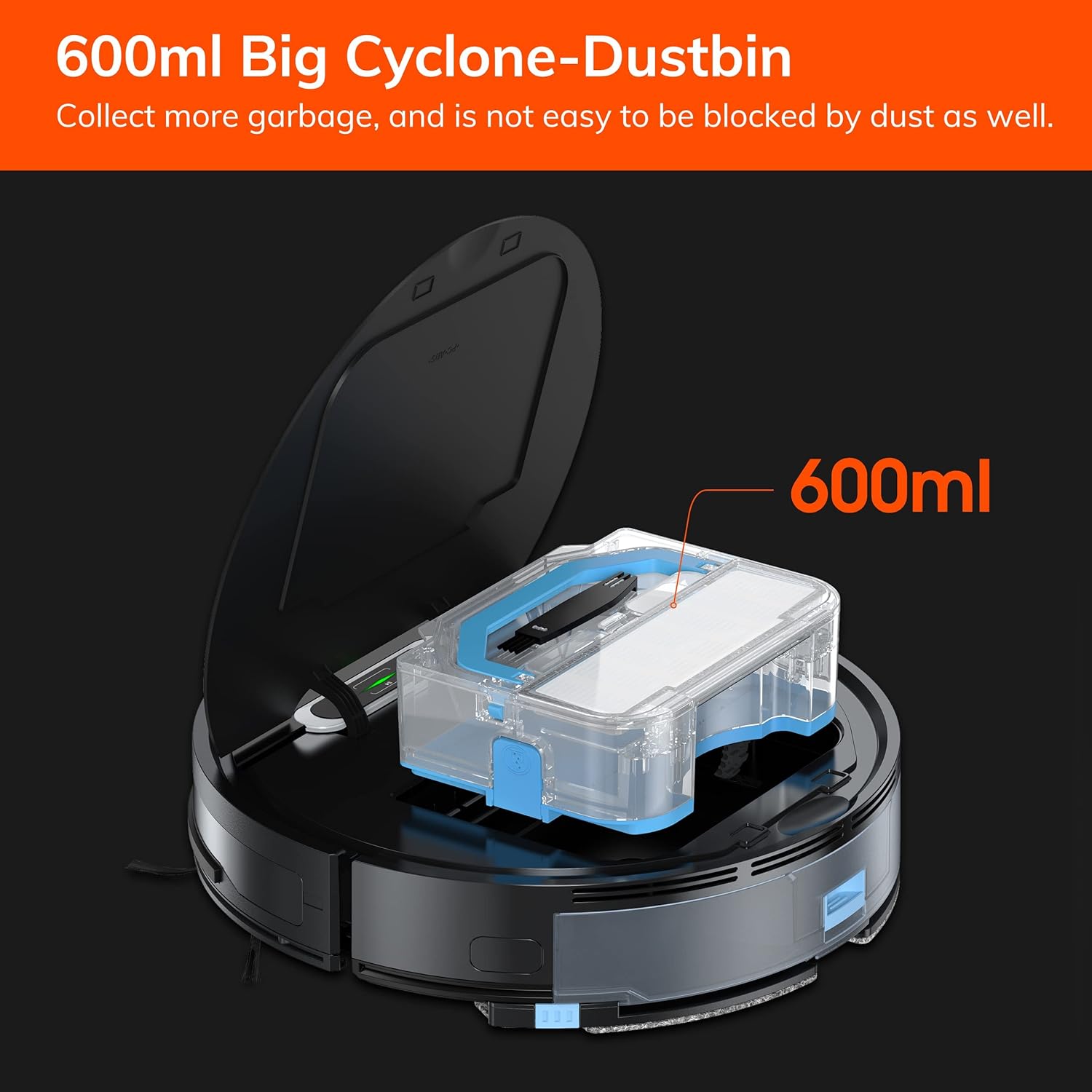
Nọmba 7.1: The 600ml cyclone dustbin, designed to collect more debris and resist clogging.
- Press the "PUSH" button on the robot's top cover to open it.
- Yọ apoti eruku kuro nipa fifa soke.
- Ṣii ideri eruku ki o sọ awọn akoonu rẹ sinu apo idọti kan.
- Remove the filter assembly (pre-filter, sponge filter, high-performance filter).
- Clean the filters with the provided cleaning brush. Do not wash the high-performance filter with water.
- Fi omi fọ apoti eruku naa ti o ba wulo, rii daju pe o gbẹ patapata ṣaaju ki o to tun fi sii.
- Ṣe atunto awọn asẹ ati erupẹ erupẹ, lẹhinna tun fi sii sinu roboti.
7.2 Side Brush Cleaning
- Ṣayẹwo awọn gbọnnu ẹgbẹ nigbagbogbo fun irun didan tabi idoti.
- Fi pẹ̀lẹ́pẹ̀lẹ́ fa àwọn búrọ́ọ̀ṣì ẹ̀gbẹ́ sókè láti yọ wọ́n kúrò.
- Use the cleaning brush or scissors to remove any tangled hair or debris.
- Reinstall the side brushes, ensuring they click into place.
7.3 Omi Omi ati Itọju Asọ Mop
- After each mopping session, remove the water tank.
- Sofo eyikeyi omi ti o ku lati inu ojò.
- Detach the mop cloth and wash it by hand or machine. Allow it to air dry completely.
- Rinse the water tank with clean water and allow it to air dry.
7.4 Sensọ Cleaning
- Use a clean, dry cloth to wipe the anti-drop sensors (located on the bottom of the robot) and the anti-collision sensors (located on the front bumper).
- Clean the charging contacts on both the robot and the charging dock.
8. Laasigbotitusita
If you encounter issues with your ILIFE V3s Max, refer to the following common problems and solutions:
| Isoro | Owun to le Fa | Ojutu |
|---|---|---|
| Robot ko bẹrẹ tabi dahun. | Batiri kekere; Pa agbara; Robot di. | Gba agbara si robot; Tan agbara yipada; Ko awọn idiwọ kuro. |
| Rọ́bọ́ọ̀tì kò le padà sí ibi tí wọ́n ti ń gba agbára. | Charging dock obstructed; Robot too far from dock; Dock not powered. | Ensure clear path to dock; Manually place robot near dock; Check power connection. |
| Iṣẹ ṣiṣe mimọ ti ko dara. | Dustbin full; Filters clogged; Side brushes worn or tangled. | Empty dustbin; Clean/replace filters; Clean/replace side brushes. |
| Robot di nigbagbogbo. | Obstacles (cables, rugs); Cliff sensors dirty. | Ibi ìwẹ̀nùmọ́ tó mọ́; Nu àwọn sensọ̀ òkè ńlá mọ́. |
| App asopọ oran. | Incorrect Wi-Fi (5G); Incorrect password; Router issues. | Ensure 2.4G Wi-Fi; Re-enter password; Restart router and robot. |
If the problem persists, please contact ILIFE customer support.
9. Awọn pato
| Ẹya ara ẹrọ | Ẹ̀kúnrẹ́rẹ́ |
|---|---|
| Brand | IGBE AYE |
| Orukọ awoṣe | Iye ti o ga julọ ti V3 |
| Agbara afamora | Up to 2000Pa (Spot Mode) |
| Dustbin Agbara | 600ml |
| Omi ojò Agbara | 200ml |
| Igbesi aye batiri | Titi di iṣẹju 100 |
| Batiri Iru | Lithium Ion (14.4 Volts) |
| Lilọ kiri | Gyroscopic Path Planning |
| Awọn ọna Iṣakoso | App Control, Remote Control, Amazon Alexa |
| Wi-Fi Atilẹyin | 2.4G Wi-Fi only |
| Ọja Mefa | 12.4"L x 11.81"W x 2.99"H |
| Iwọn Nkan | 5.4 iwon |
| Ariwo Ipele | 65 Decibels |
| Dada iṣeduro | Ilẹ̀ líle, kápẹ́ẹ̀tì kékeré |
10. Atilẹyin ọja ati Support
ILIFE provides a limited warranty for this product. For detailed warranty information, please refer to the warranty card included in your package or visit the official ILIFE website. For technical support, troubleshooting assistance, or replacement parts, please contact ILIFE customer service through the contact information provided on their website or within the ILIFEHOME app.
Atilẹyin Ayelujara: www.iliferobot.com/support