
1. Eto Itọsọna
This section provides instructions for the initial setup of your Jectse 8 Pro Unlocked Cell Phone.
1.1 Package Awọn akoonu
Ṣaaju ki o to bẹrẹ, jọwọ rii daju pe gbogbo awọn ohun kan wa ninu package:
- Jectse 8 Pro Smartphone
- Agbohunsoke
- Okun USB
- Ọran Idaabobo
- Fiimu aabo
- Ilana Gẹẹsi (iwe yii)

Image: Jectse 8 Pro phone with included accessories.
1.2 SIM Card and Memory Card Installation
The Jectse 8 Pro supports dual nano SIM cards and one small memory card for expanded storage.
- Wa atẹ kaadi SIM ni ẹgbẹ ti ẹrọ naa.
- Use the provided SIM ejector tool (if included) or a small pin to open the tray.
- Carefully place your nano SIM cards into the designated slots. Ensure the gold contacts face downwards.
- If using a memory card, insert it into the dedicated small memory card slot. The device supports up to 128GB expansion.
- Fi ọwọ́ rọra tẹ atẹ naa pada sinu foonu naa titi ti yoo fi fara jọ ara ẹrọ naa.
1.3 Ibẹrẹ Agbara Lori
Lati fi agbara sori ẹrọ rẹ fun igba akọkọ:
- Press and hold the power button located on the upper right side of the phone.
- The phone will vibrate and the Jectse logo will appear on the screen.
- Tẹ̀lé àwọn ìlànà tó wà lójú ìbòjú láti parí ìṣètò àkọ́kọ́, títí bí yíyan èdè, ìsopọ̀ Wi-Fi, àti ṣíṣètò àkọọ́lẹ̀ Google.

Aworan: Iwaju ati sẹhin view of the Jectse 8 Pro Unlocked Cell Phone.
2. Awọn ilana Iṣiṣẹ
This section details the basic operation and features of your Jectse 8 Pro smartphone.
2.1 Agbara Tan / Pa
- Agbara Tan: Long press the power button on the upper right side until the screen lights up.
- Agbara Pa: Long press the power button, then select 'Power off' from the options displayed on the screen.
2.2 Lilọ kiri ati Interface
The Jectse 8 Pro runs on Android 6. Navigate the interface using touch gestures:
- Fọwọ ba: Yan ohun kan tabi ṣii ohun elo kan.
- Ra: Yi lọ nipasẹ awọn akojọ tabi yipada laarin awọn iboju ile.
- Fun pọ: Sun-un sinu tabi jade lori awọn aworan ati web awọn oju-iwe.

Image: Jectse 8 Pro displaying its 5.0-inch HD full screen.
2.3 kamẹra Awọn iṣẹ
The device is equipped with a 2MP front camera and a 5MP rear camera.
- Open the 'Camera' application from the home screen or app drawer.
- Tẹ aami kamẹra lati yipada laarin awọn kamẹra iwaju ati ẹhin.
- Tap the shutter button to capture photos.
- Access various camera modes and settings within the application.
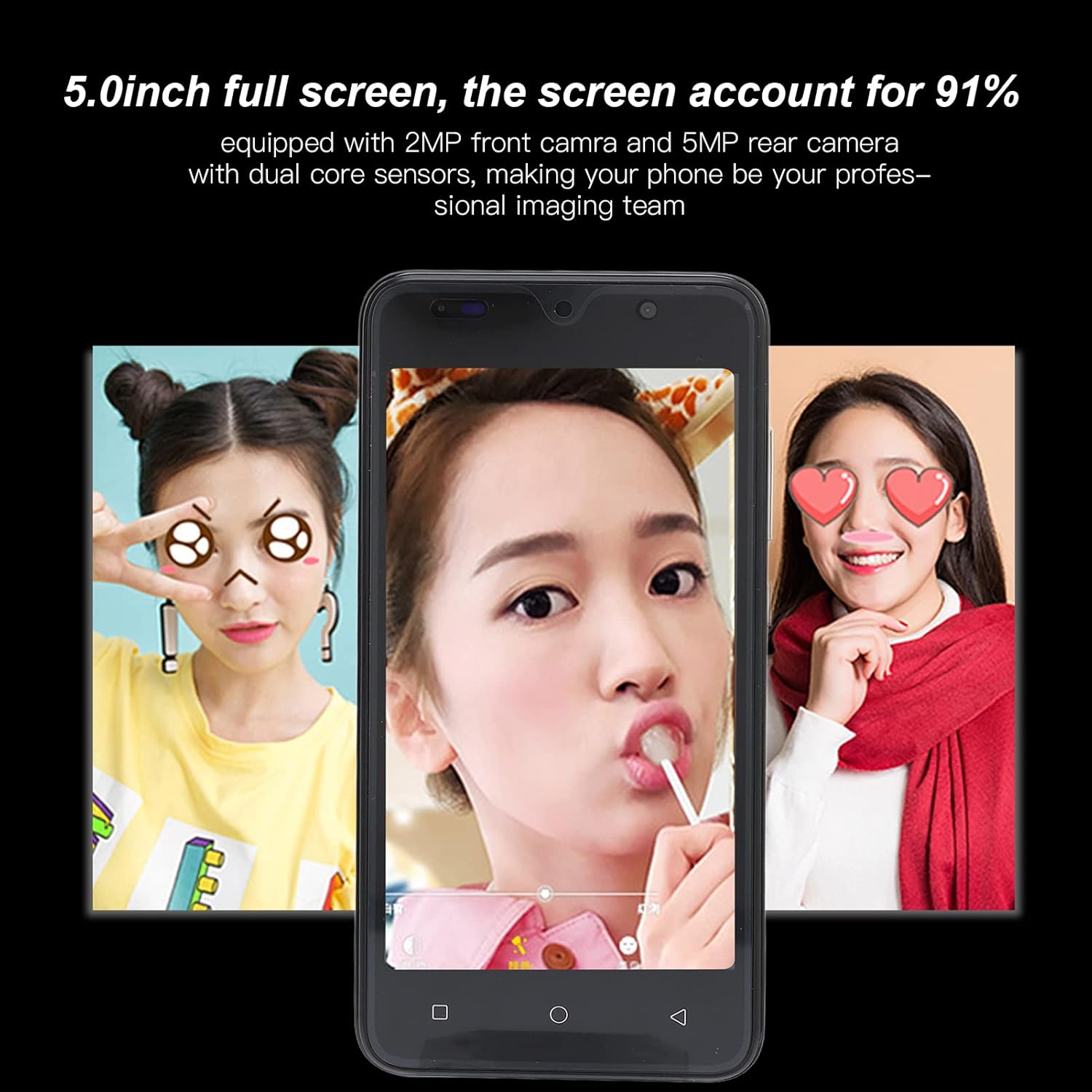
Image: Camera interface example on the Jectse 8 Pro.
2.4 Oju idanimọ
The Jectse 8 Pro features face recognition for unlocking the device.
- Go to 'Settings' > 'Security' > 'Face Recognition'.
- Tẹ̀lé àwọn ìtọ́ni tó wà lójú ìbòjú láti forúkọ sílẹ̀ ojú rẹ.
- Nígbà tí o bá ti forúkọ sílẹ̀ tán, o lè ṣí fóònù rẹ nípa wíwo kámẹ́rà iwájú.
2.5 Asopọmọra
The phone supports various connectivity options:
- Wi-Fi: Sopọ si awọn nẹtiwọki alailowaya fun iraye si intanẹẹti.
- Bluetooth: Papọ pẹlu awọn ẹrọ Bluetooth miiran ti o ṣiṣẹ gẹgẹbi agbekọri tabi agbohunsoke.
- Data Alagbeka: Utilize 2G/3G networks (WCDMA 850/2100, GSM 850/900/1800/1900) for internet access when Wi-Fi is unavailable.
- Redio FM: Listen to local radio stations.
3. Itọju ati Itọju
Itọju to dara ṣe idaniloju igbesi aye gigun ati iṣẹ to dara julọ ti ẹrọ rẹ.
3.1 batiri Itọju
- Avoid fully discharging the 2200mAh lithium battery frequently.
- Use only the provided USB cable and a compatible charger.
- Do not expose the phone to extreme temperatures, as this can degrade battery performance.
3.2 Ninu ẹrọ naa
- Lo asọ ti ko ni lint lati nu iboju ati ara ti foonu naa.
- Yago fun lilo awọn kẹmika lile tabi awọn ohun elo abrasive.
- Má ṣe fọ́n àwọn ohun ìfọṣọ sí orí fóònù tààrà.
3.3 General Device Protection
- Utilize the provided protective case and screen film to guard against scratches and minor impacts.
- Keep the phone away from water and excessive moisture.
- Yẹra fun sisọ ẹrọ naa silẹ.
4. Laasigbotitusita
This section addresses common issues you might encounter with your Jectse 8 Pro.
4.1 Ẹrọ Ko Nṣiṣẹ Tan-an
- Rí i dájú pé batiri náà ti gba agbára. So foonu náà mọ́ ẹ̀rọ amúṣẹ́yá kí o sì dúró díẹ̀ kí o tó gbìyànjú láti tún un ṣe.
- If the battery is extremely low, it may take several minutes of charging before the device responds.
4.2 Network Asopọmọra Oran
- Verify that your SIM card is correctly inserted and activated with your carrier.
- Check that your phone card supports the device's frequency bands: GSM 850/900/1800/1900MHz and WCDMA 850/2100MHz for 3G.
- Tun foonu bẹrẹ.
- Yipada Ipo ofurufu tan ati pa.
4.3 Slow Performance or App Crashes
- Pa awọn ohun elo abẹlẹ ti ko wulo.
- Clear cache for problematic applications in 'Settings' > 'Apps'.
- Ensure sufficient storage space is available. The phone has 32GB ROM, expandable up to 128GB.
- Restart the device periodically to refresh the system.
4.4 Face Recognition Not Working
- Rí i dájú pé àwọn ipò ìmọ́lẹ̀ tó péye wà.
- Clean the front camera lens.
- Re-register your face in the security settings.
5. Awọn alaye ọja
Detailed technical specifications for the Jectse 8 Pro Unlocked Cell Phone.
| Ẹya ara ẹrọ | Sipesifikesonu |
|---|---|
| Awoṣe | 8 Pro |
| Iboju | 5.0 inch HD+ Full Screen |
| Ipinnu | 854x480 |
| Eto isesise | For Android 6 |
| Sipiyu | MTK6799 Quad mojuto |
| Àgbo | 2GB |
| ROM | 32GB |
| Expandable Ibi ipamọ | Supports up to 128GB (Small Memory Card Slot) |
| Kaadi SIM Iru | 2x nano SIM Card Slots |
| Standard Network | 2G/3G (WCDMA 850/2100, GSM 850/900/1800/1900) |
| Kamẹra iwaju | 2MP, f/2.0 Aperture, Fixed Focus |
| Kamẹra ẹhin | 5MP, f/1.8 Aperture, Auto Focus |
| Batiri | 2200mAh Lithium Battery (Built-In) |
| Ni wiwo Iru | 1x microUSB (Charging), 1x 3.5mm (Audio) |
| Asopọmọra | Wi-Fi, Bluetooth, FM |
| Aabo Awọn ẹya ara ẹrọ | Idanimọ Oju |
| Ohun elo | ABS, gilasi |
| Iwọn Nkan | Isunmọ 295g (10.41oz) |
| Àwọ̀ | Alawọ ewe |

Aworan: Ẹyin view of Jectse 8 Pro phones in multiple colors.
6. Atilẹyin ọja ati Support
For any questions or issues not covered in this manual, please refer to the following support information.
6.1 Onibara Support
Jectse is committed to providing quality support. If you encounter any problems with your unlocked mobile phone, please contact the seller or manufacturer directly. They will assist you within 24 hours and provide a comprehensive solution.
6.2 atilẹyin ọja Alaye
Specific warranty details are typically provided at the point of purchase or within separate warranty documentation. Please retain your proof of purchase for any warranty claims.