
Ọrọ Iṣaaju
This manual provides detailed instructions for the installation, operation, and maintenance of your Antec P10C Mid Tower ATX PC Case. The P10C is designed for optimal airflow and quiet operation, featuring sound-dampening materials and efficient cooling solutions. Please read this manual thoroughly before beginning assembly to ensure proper setup and functionality.

Àwòrán: Iwájú-òsì view of the Antec P10C Mid Tower PC Case, showcasing its sleek, brushed metal-like front panel and overall dark gray aesthetic.
Eto ati fifi sori
Follow these steps to install your components into the Antec P10C PC case.
1. Ngbaradi Ọran naa
- Gbe ọran naa sori iduro, dada alapin.
- Remove the side panels by unscrewing the thumbscrews at the rear and sliding them backward.
- The front panel is reversible and swing-open. Gently open it to access the front fan mounts and dust filter.
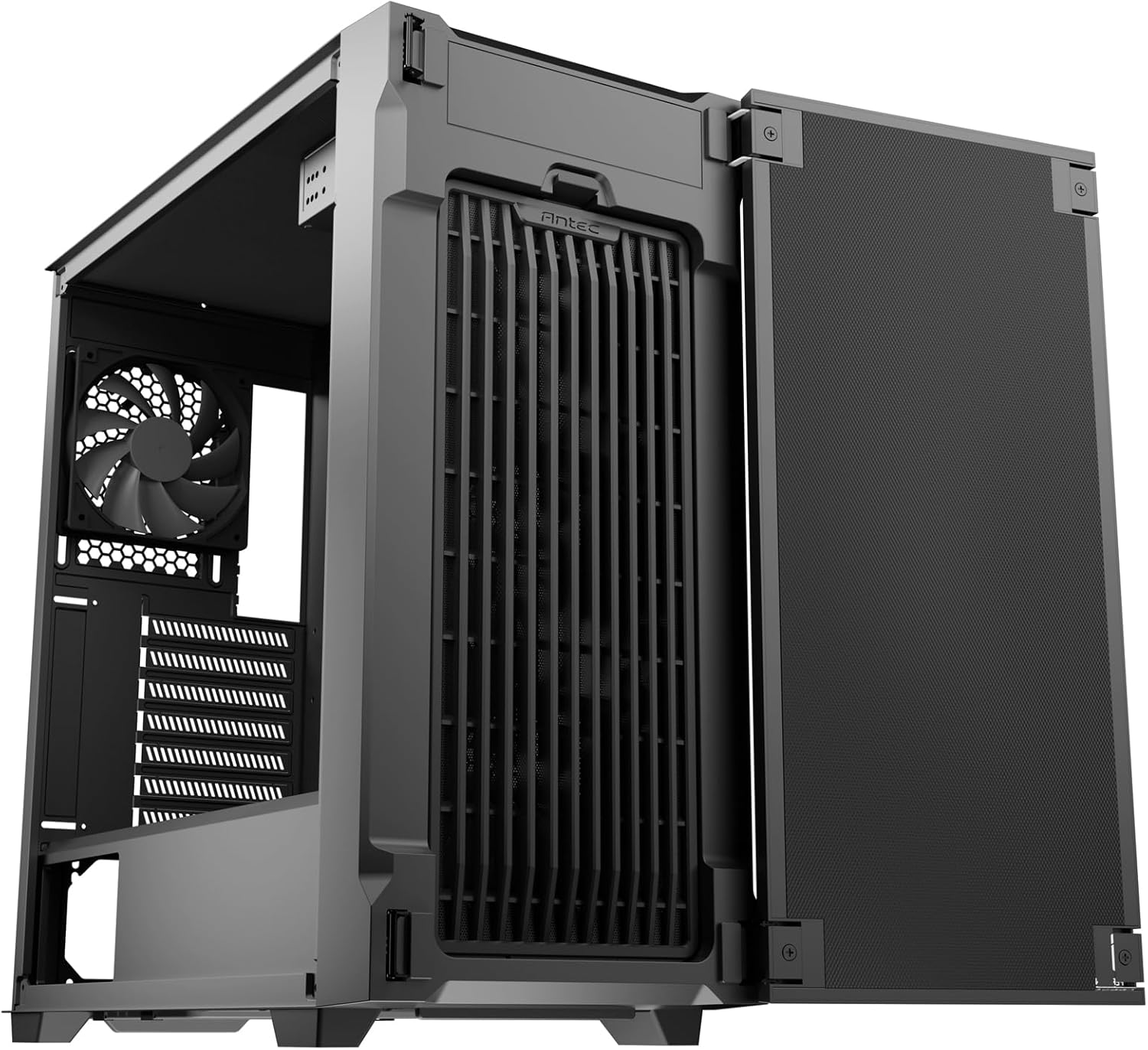
Image: The Antec P10C PC Case with its front panel swung open, revealing the internal fan mounts and the front dust filter for easy access.
2. Modaboudu fifi sori
- The P10C supports ATX, M-ATX, and ITX motherboards. Ensure the standoffs are correctly aligned for your motherboard size.
- Carefully place your motherboard onto the standoffs and secure it with screws.
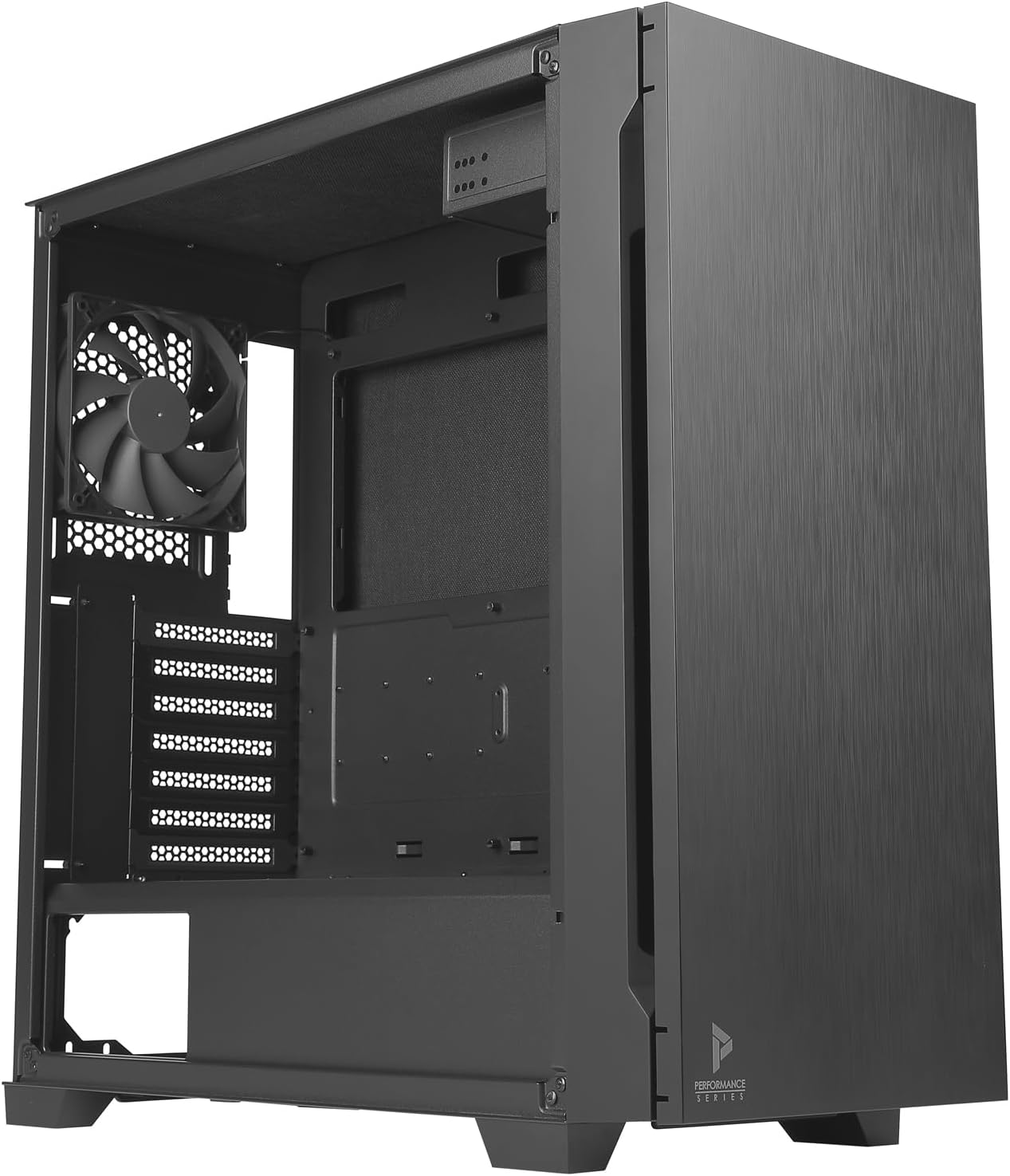
Aworan: inu view of the Antec P10C PC Case, showing the spacious motherboard tray, rear exhaust fan, and expansion slots.
3. wakọ sori
- Awọn HDD 3.5": The case provides three dedicated 3.5" drive bays. Slide the drives into the trays and secure them.
- 2.5" SSDs: Three 2.5" SSD mounting locations are available. Secure SSDs using screws.
- 5.25" ODD: A 5.25" optical drive bay is included for an optical disk drive or other compatible devices.
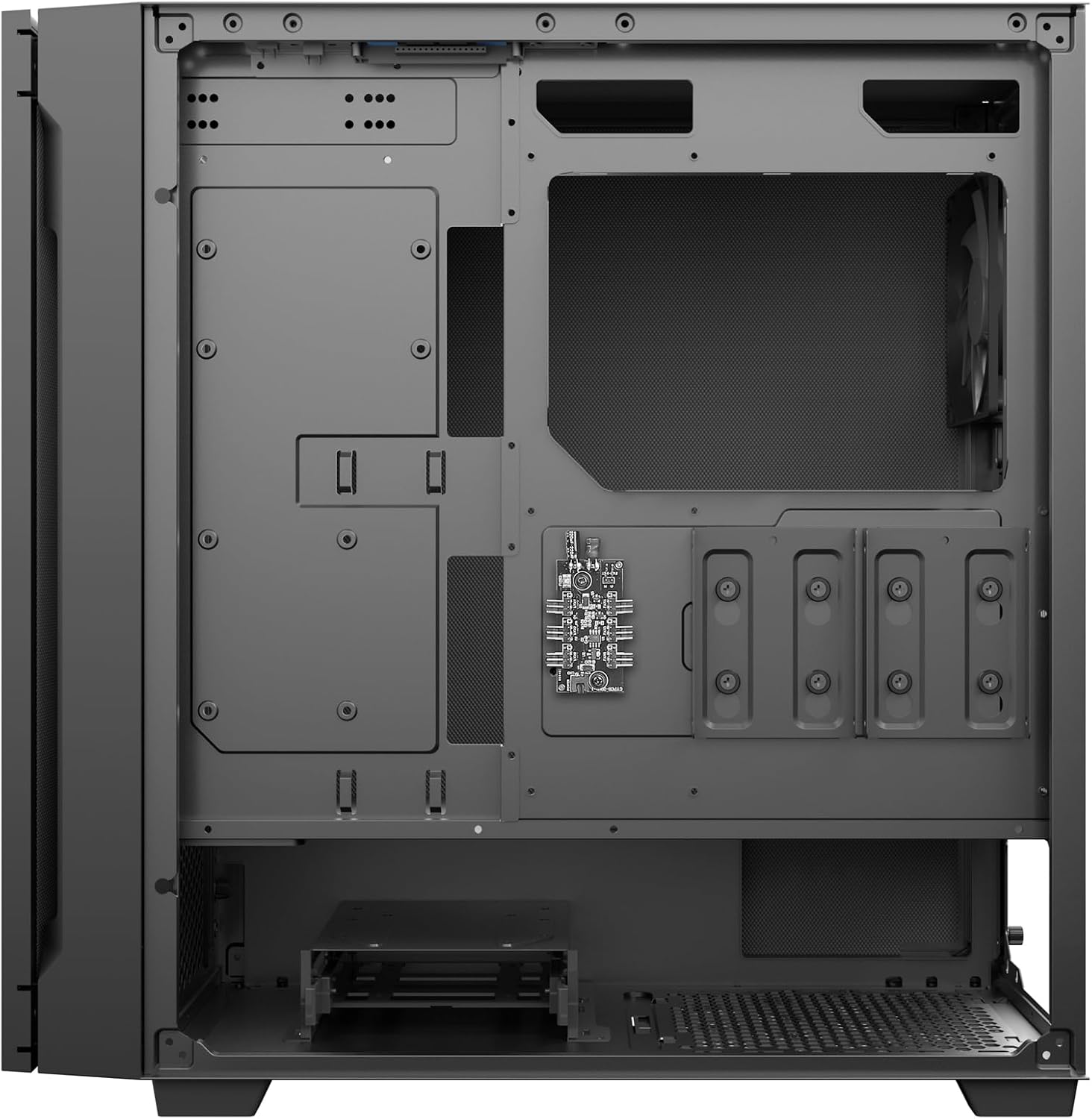
Àwòrán: Inú ẹ̀yìn view of the Antec P10C PC Case, highlighting the cable management area and the mounting locations for 2.5-inch and 3.5-inch storage drives.
4. Fifi sori ẹrọ afẹ́fẹ́ ati radiator
- The case comes with three 120mm fans pre-installed in the front and one 120mm fan in the rear for exhaust.
- For additional cooling, the front supports radiators up to 360mm, and the rear supports a 120mm radiator.
5. Iṣakoso USB
Lo awọn ample space behind the motherboard tray to route and secure cables, ensuring optimal airflow and a clean build.
Awọn ẹya ṣiṣe
The Antec P10C is designed with several features to enhance user experience and system performance.
Iwaju I/O Panel
The top-mounted I/O panel provides convenient access to essential ports:
- 2 x USB 3.0 Awọn ibudo
- 2 x USB 2.0 Awọn ibudo
- 1 x Ibudo Iru-C USB
- Audio In/Out Jacks
- Bọtini agbara
- Bọtini Iṣakoso Iyara Fan

Aworan: Isunmọ view of the Antec P10C's top I/O panel, showing the power button, fan speed control, USB 3.0, USB 2.0, audio jacks, and a USB Type-C port.
Isẹ ipalọlọ
The P10C incorporates sound-dampening foam on the front door, side panels, and top panel to minimize noise output from your system components.
Iṣapeye Afẹfẹ
The case features an air-concentrating front filter design that pulls air from multiple directions, enhancing cooling efficiency for your internal components.
Itoju
Itọju deedee n ṣe iranlọwọ lati rii daju pe iṣẹ ṣiṣe to dara julọ ati igba pipẹ ti apoti PC rẹ.
Eruku Filter Cleaning
- The P10C includes removable dust filters at the front and bottom (for the power supply unit).
- To clean, gently remove the filters. The front filter is accessible by opening the front panel. The bottom filter slides out from the rear.
- Clean the filters using compressed air or by rinsing them with water. Ensure they are completely dry before re-installing.

Aworan: inu view of the Antec P10C PC Case, showing the bottom dust filter removed from its slot, indicating ease of access for cleaning.
Laasigbotitusita
Abala yii n ṣalaye awọn ọran ti o wọpọ ti o le ba pade lakoko iṣeto tabi iṣẹ.
- Ko si Agbara:
- Ensure all power cables (motherboard, CPU, GPU, drives) are securely connected.
- Verify the power supply unit (PSU) is switched on.
- Ṣayẹwo iwaju nronu agbara bọtini asopọ si awọn modaboudu.
- Awọn onijakidijagan Ko Yiyi:
- Confirm fan cables are properly connected to the motherboard or fan controller.
- Check fan speed settings via the front panel button or motherboard BIOS/software.
- Ariwo Pupọ:
- Ensure all components (fans, drives) are securely mounted to prevent vibration.
- Clean dust filters to maintain optimal airflow and reduce fan strain.
- Verify side panels are properly closed and secured.
- Awọn ibudo USB Ko Ṣiṣẹ:
- Check if the front panel USB headers are correctly connected to the motherboard.
- Ensure motherboard drivers are up to date.
Awọn pato
| Orukọ awoṣe | P10C |
| Nọmba apakan | 0-761345-80102-7 |
| Iru Irú | Ile-iṣọ Midi |
| Modaboudu Ibamu | ATX, M-ATX, ITX |
| Awọn iwọn (LxWxH) | 18.78 x 8.66 x 19.13 inches (477 x 220 x 486 mm) |
| Iwọn | 16.94 poun (7.68 kg) |
| Ohun elo | Alloy Irin, Ṣiṣu |
| Wakọ Bays | 3 x 3.5" HDD, 3 x 2.5" SSD, 1 x 5.25" ODD |
| Awọn onijakidijagan to wa | 3 x 120mm Front, 1 x 120mm Rear |
| Radiator Support | Front: Up to 360mm; Rear: 120mm |
| Iwaju Awọn Ibudo I / O | 2 x USB 3.0, 2 x USB 2.0, 1 x USB Type-C, Audio In/Out |
| Ọna Itutu | Afẹfẹ |
| Pataki Awọn ẹya ara ẹrọ | Ohun-dampening foam, Reversible front panel, Removable dust filters |
Atilẹyin ọja ati Support
Antec products are manufactured to high-quality standards. For specific warranty information regarding your P10C PC case, please refer to the warranty card included with your product or visit the official Antec website. For technical support or inquiries, please contact Antec customer service through their official channels.
O le wa alaye diẹ sii ati awọn orisun atilẹyin lori awọn Ile itaja Antec lori Amazon.