
1. Ifihan
Thank you for choosing the Xiaomi MI A2 L50M7 50-inch 4K UHD LED Smart TV. This manual provides essential information for the safe and efficient use of your television. Please read it thoroughly before operating the device and retain it for future reference.
2. Alaye Aabo
- Ibi ti ina elekitiriki ti nwa: Rí i dájú pé TV náà so mọ́ ihò agbára pẹ̀lú vol tó tọ́tage bi itọkasi lori aami ọja.
- Afẹfẹ: Ma ṣe dina awọn ṣiṣi atẹgun. Gba aaye to peye ni ayika TV fun sisan afẹfẹ to dara lati ṣe idiwọ igbona.
- Omi ati Ọrinrin: Ma ṣe fi TV han si ojo, ọrinrin, tabi gbe awọn nkan ti o kun fun olomi lori tabi sunmọ TV.
- Ninu: Yọ TV kuro ki o to fọ. Lo aṣọ rirọ ati gbigbẹ. Yẹra fun awọn afọmọ omi tabi awọn fifa aerosol.
- Ibi: Place the TV on a stable, level surface to prevent it from falling. Keep it away from direct sunlight, heat sources, and strong magnetic fields.
- Ṣiṣẹ: Maṣe gbiyanju lati ṣe iṣẹ TV funrararẹ. Tọkasi gbogbo iṣẹ si awọn oṣiṣẹ iṣẹ ti o peye.
3. Package Awọn akoonu
Jẹrisi pe gbogbo awọn ohun kan wa ninu package:
- Xiaomi MI A2 L50M7 50-inch 4K UHD LED Smart TV
- Iṣakoso latọna jijin (awọn batiri AAA 2 pẹlu)
- Okun agbara
- Iduro TV (awọn ege 2)
- Skru fun TV Imurasilẹ
- Afowoyi Olumulo (iwe-ipamọ yii)
4. Eto
4.1 Ṣiṣii silẹ
Carefully remove the TV from its packaging. It is recommended to have two people for this process due to the size and weight of the television. Retain the packaging materials for future transport or servicing.
4.2 So Iduro TV
Place the TV face down on a soft, clean surface to prevent screen damage. Align the stand pieces with the corresponding slots on the bottom of the TV and secure them with the provided screws.

Image: The Xiaomi MI A2 L50M7 TV shown with its two-piece stand securely attached, ready for placement on a flat surface.
4.3 Nsopọ Agbara
Plug the power cable into the TV's power input, then plug the other end into a wall outlet. Do not power on the TV yet.
4.4 Nsopọ Awọn ẹrọ ita
Connect your external devices such as set-top boxes, gaming consoles, or Blu-ray players to the HDMI ports. Use the USB ports for external storage devices. For antenna or cable TV, connect the coaxial cable to the ANTENNA IN port.
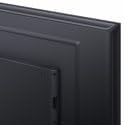
Aworan: A sunmọ-soke view of the back panel of the Xiaomi MI A2 L50M7 TV, highlighting the various input and output ports for connecting external devices.
4.5 Oṣo oluṣeto akọkọ
After connecting all devices and power, press the power button on the remote control or TV. The TV will guide you through the initial setup process, including:
- Aṣayan ede: Yan ede ti o fẹ julọ.
- Isopọ nẹtiwọki: Connect to your home Wi-Fi network.
- Iwoye ikanni: Scan for available digital and analog channels.
- Iṣeto akọọlẹ Google: Sign in with your Google account to access Smart TV features and apps.
5. Ṣiṣẹ
5.1 Iṣakoso latọna jijin Loriview
The remote control allows you to navigate the TV's functions. Insert the two AAA batteries into the remote control, ensuring correct polarity.

Image: The sleek black remote control for the Xiaomi MI A2 L50M7 TV, featuring various buttons for power, volume, channel, navigation, and smart TV functions.
5.2 Ipilẹ Awọn iṣẹ
- Agbara: Tẹ bọtini agbara lati tan tabi pa TV naa.
- Iwọn didun: Lo awọn bọtini Iwọn didun Up/Si isalẹ lati ṣatunṣe ipele ohun.
- Ikanni: Lo awọn bọtini ikanni soke/isalẹ lati yi awọn ikanni TV pada.
- Iṣawọle: Press the Input button to select different input sources (HDMI 1, HDMI 2, AV, etc.).
5.3 Smart TV Awọn ẹya ara ẹrọ
Your Xiaomi MI A2 L50M7 is a Smart TV with built-in Wi-Fi, allowing access to a variety of online content and applications. Navigate the Smart TV interface using the remote control's directional pad and OK button.
- Awọn ohun elo: Wọle si awọn ohun elo ti a ti fi sii tẹlẹ tabi ṣe igbasilẹ awọn tuntun lati ile itaja app.
- Sisanwọle: Enjoy content from popular streaming services.
- Lilọ kiri Ayelujara: Lo awọn itumọ-ni web kiri ayelujara lati lọ kiri lori ayelujara.
5.4 Aworan ati Ohun Eto
Access the TV's settings menu to customize picture and sound preferences. You can adjust brightness, contrast, color, sound mode, equalizer settings, and more to suit your viewayika ing.
6. Itọju
6.1 Ninu iboju
Rọra nu iboju naa pẹlu asọ ti ko ni lint. Fun awọn ami alagidi, die-die dampFi omi tàbí ohun èlò ìfọmọ́ ojú ìbojú pàtàkì kan aṣọ náà (rí i dájú pé ó dára fún àwọn ìbòjú LED) kí o sì fi pẹ̀lẹ́pẹ̀lẹ́ nu aṣọ náà. Má ṣe fi ìfúnpá kan.
6.2 Ninu ara TV
Lo aṣọ rirọ ati gbigbẹ lati nu iboju tẹlifíṣọ̀n naaasing. Avoid abrasive materials or chemical cleaners that could damage the finish.
6.3 Software imudojuiwọn
Periodically check for software updates through the TV's settings menu. Keeping your TV's software up-to-date ensures optimal performance and access to the latest features and security patches.
7. Laasigbotitusita
| Isoro | Owun to le Solusan |
|---|---|
| Ko si agbara | Ṣayẹwo boya okun agbara ti sopọ ni aabo si TV mejeeji ati iṣan ogiri. Rii daju pe iṣan jade jẹ iṣẹ-ṣiṣe. |
| Ko si aworan, ṣugbọn ohun wa | Daju pe orisun titẹ sii to pe ti yan. Ṣayẹwo awọn asopọ okun si awọn ẹrọ ita. |
| Ko si ohun, ṣugbọn aworan wa | Ṣàyẹ̀wò ìwọ̀n ohùn kí o sì rí i dájú pé TV kò parọ́. Ṣàyẹ̀wò àwọn ìsopọ̀ okùn ohùn fún àwọn ẹ̀rọ ìta. |
| Isakoṣo latọna jijin ko ṣiṣẹ | Rọpo awọn batiri. Rii daju pe ko si awọn idena laarin isakoṣo latọna jijin ati sensọ IR ti TV. |
| Ko le sopọ si Wi-Fi | Rí i dájú pé ráútà Wi-Fi rẹ wà nílẹ̀ àti pé ó wà láàárín ibi tí a lè dé. Tún tẹ ọ̀rọ̀ìpamọ́ Wi-Fi náà. Gbìyànjú láti tún TV àti ráútà náà bẹ̀rẹ̀. |
8. Awọn pato

Image: The Xiaomi MI A2 L50M7 50-inch 4K UHD LED Smart TV displaying a vibrant image, showcasing its slim bezels and modern design.
- Awoṣe: L50M7
- Iwọn iboju: 50 inches
- Ipinnu: 4K Ultra HD (3840 x 2160)
- Imọ-ẹrọ Ifihan: LED
- Awọn ẹya Smart TV: Yes, with Wi-Fi connectivity
- Awọn iwọn (Ọja): Approximately 8 x 14.4 x 76 cm (This dimension appears to be for a component or packaging, please refer to product packaging for full TV dimensions)
- Iwọn (Ọja): 12.1 kg
- Awọn batiri Iṣakoso Latọna jijin: 2 x AAA (pẹlu)
- ASIN: B0B3254FHN
- Nọmba Nkan: L50M7-EAEU
9. Atilẹyin ọja ati Support
Fun alaye atilẹyin ọja, jọwọ tọka si kaadi atilẹyin ọja ti o wa pẹlu ọja rẹ tabi ṣabẹwo si Xiaomi osise webAaye ayelujara. Fun atilẹyin imọ-ẹrọ tabi awọn ibeere iṣẹ, jọwọ kan si iṣẹ alabara Xiaomi nipasẹ awọn ikanni osise wọn.